What Is a CRM Process? A Simple Guide to Turning Leads Into Repeat Customers

The average B2B lead takes 42 hours to get a response. Companies that answer within five minutes convert at nearly four times the rate. Somewhere in that gap (42 hours versus five minutes) is a pile of revenue most teams lose without noticing.
It leaks in small, ordinary ways. A hot lead sits in someone's inbox for four days. A customer repeats the same details to sales, then support, then onboarding. A renewal passes because nobody owned it. None of these feel like a crisis on the day they happen, which is exactly why they keep happening.
A CRM process is what closes the gap: the rules and steps a team uses to capture leads, qualify them, follow up, hand customers off cleanly, and keep accounts growing. The software stores the data; the process decides what the team does with it.
This guide walks through the five core steps, where each one breaks in real businesses, how to fix it, and the triggers that keep everything moving.
The result: fewer missed leads, cleaner data, smoother handoffs, more repeat customers.
What is a CRM process?
A CRM process is the repeatable workflow a business uses to manage customer interactions from the first touch through sale, service, and retention. It defines what happens, who owns it, what data gets recorded, and what the system should trigger next.
Four components of a working process
In practice, every CRM process combines four things:
- People — Do the work
- Rules — Define when leads move, when tasks get created, and when handoffs happen
- Data — Give the team shared context
- System actions — Handle reminders, routing, and status updates inside the CRM
CRM Software vs. CRM Process
That's different from CRM software itself. The software is the tool. The CRM process is how your business uses that tool to run customer-facing work consistently. You can buy good software and still have a broken process. You can also improve a weak setup a lot by tightening the workflow before adding more features.
Simple definition: CRM software stores customer activity. A CRM process tells your team what to do with it.

Why CRM processes break down in real businesses
Most CRM problems actually start with unclear ownership. If nobody knows who should contact a new lead, update an opportunity, or own a handoff, work sits still. Reps assume someone else has it. Managers only notice when deals go cold.
Poor data entry and trust
Data entry is another failure point. If one rep logs call outcomes, another writes freeform notes, and a third skips updates entirely, the CRM becomes unreliable fast. 76% of CRM users report that less than half their organization's CRM data is accurate and complete.
Once users stop trusting the data, they stop using the system properly, which makes the problem worse.
Fragmented tools and workflows
When different teams use different systems, data doesn't flow and customers notice.
A typical fragmentation looks like this:
- Marketing collects leads in one system
- Sales works from email and spreadsheets
- Support tracks issues somewhere else
Even if all three teams are working hard, the customer experience feels fragmented because the workflow is fragmented.
Gaps between teams create invisible friction
The biggest damage usually happens in the gaps between teams. Marketing may send leads without enough context. Sales may close deals without documenting what was promised. Support may not know the customer's goals, timeline, or stakeholders. That creates friction for the customer and rework for the team.
The result is predictable:
- Low CRM adoption because the system feels like extra admin work
- Unreliable reporting because fields and stages mean different things to different users
- Stalled deals or renewals because no clear trigger moves work to the next owner
- 37% of companies report losing revenue directly due to poor CRM data quality
Step 1: Capture every lead in one place
The first job of a CRM process is simple: every lead should enter one system. Not a shared spreadsheet. Not a rep's inbox. Not sticky notes from a trade show. One place.
Your lead entry points usually include website forms, chat, inbound email, phone calls, paid ads, referrals, list imports, and event scans. If those sources don't feed into the CRM consistently, you'll lose visibility before sales even begins.
Standardize intake at creation
Set a short list of required fields at the moment the lead is created:
- Name
- Company
- Email or phone
- Lead source
- Product or service interest
- Country, region, or territory (if routing depends on it)
Keep this list tight. You need enough data to qualify and route the lead, not a 20-field form that kills conversions or encourages fake entries. If more details are needed later, collect them during qualification.
Lead source matters more than most teams realize. If "Website" is the source for everything, you won't know whether the lead came from organic search, a paid campaign, a webinar, or a partner referral.
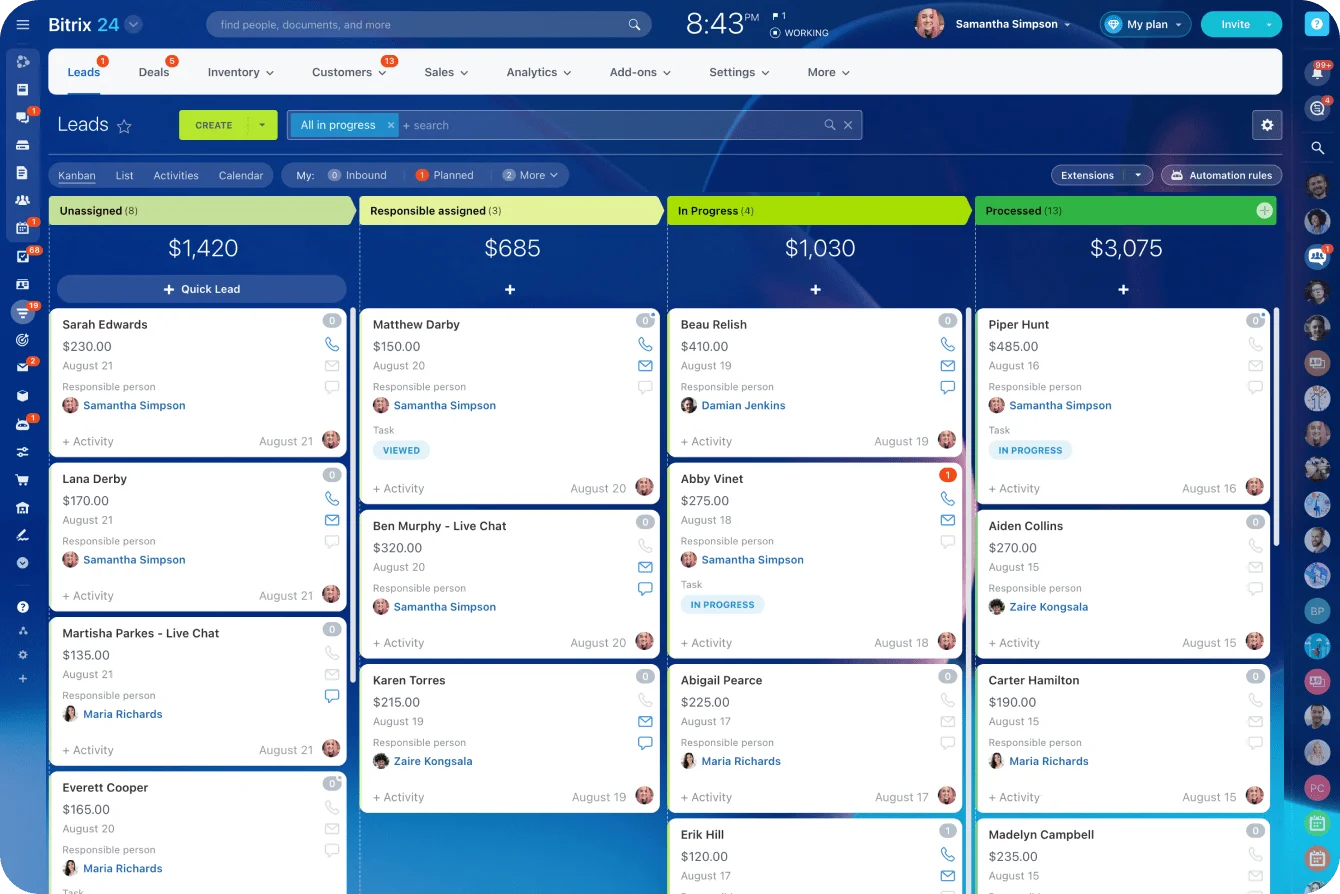
Clean source tracking helps both routing and reporting. With Bitrix24's CRM, you can capture leads from multiple channels (forms, chat, phone, email) and tag them automatically so you always know where they came from.
Lead entry reference
|
Lead Entry Point |
What to Standardize |
|---|---|
|
Web form |
Required fields, source, consent status |
|
Chat |
Contact details, conversation summary, intent |
|
|
Automatic record creation, owner, timestamp |
|
Phone call |
Call outcome, source, callback need |
|
Referral |
Referrer name, relationship, product interest |
|
Import |
Field mapping, duplicate check, source tag |
Operational goal: No lead should require manual tracking in personal inboxes or offline files to be acted on.
Step 2: Qualify and route leads fast
Once a lead is captured, the next step is to decide two things quickly: is this worth pursuing, and who should handle it? That's lead qualification and routing.
What qualification means
Qualification means checking whether the lead matches your basic sales criteria. Most teams evaluate on four dimensions:
- Fit — Does the lead match your target customer profile?
- Urgency — How soon do they need a solution?
- Budget — Is the opportunity realistic?
- Buying role — Are you speaking with a decision-maker, influencer, or researcher?
Use a simple three-bucket framework
You don't need a perfect scoring model on day one. A consistent framework beats complexity every time:
- Qualified: Strong fit, clear need, active buying timeline
- Nurture: Good fit, but timing is unclear or too early
- Disqualified: Wrong customer type, no real need, or outside scope
Speed is your competitive advantage
78% of customers buy from the first company that responds. Lead value drops fast when follow-up is delayed. If routing depends on someone checking a spreadsheet twice a day, you'll lose response time and deal momentum.
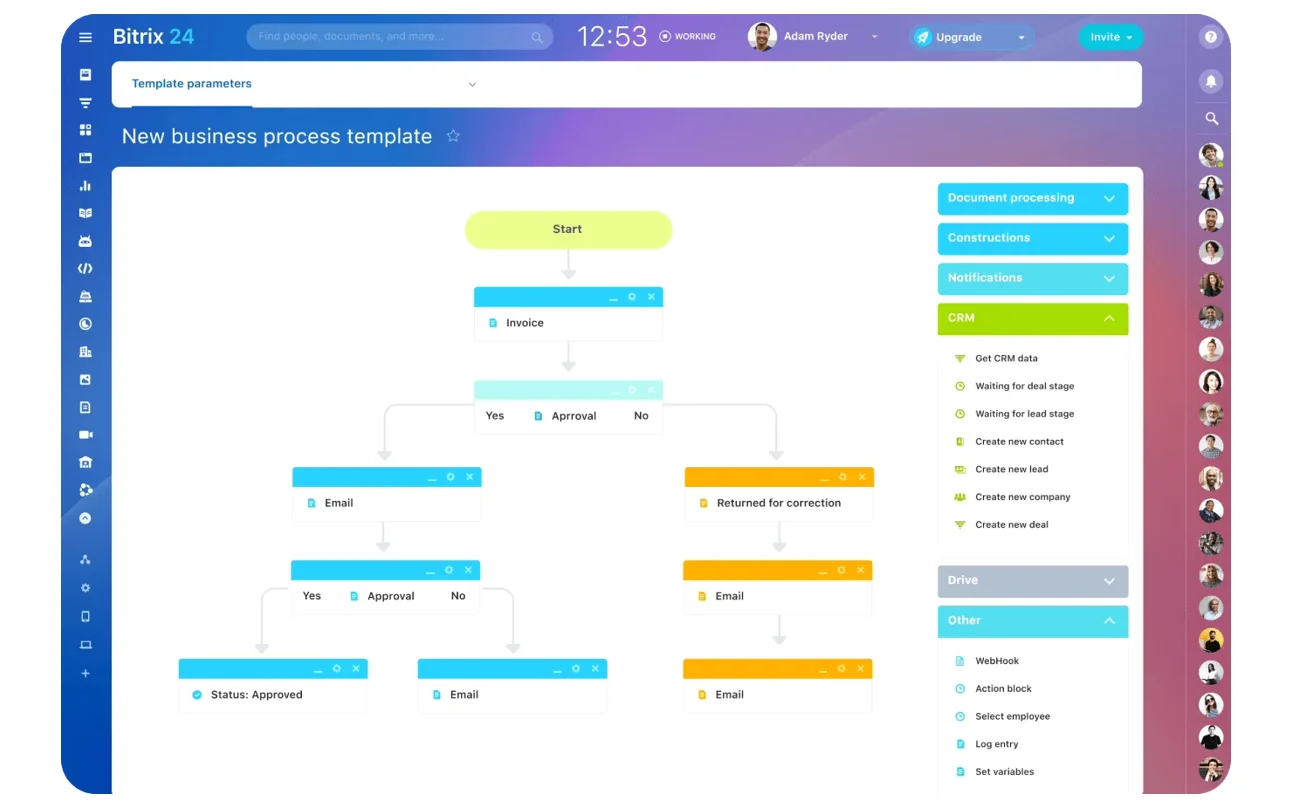
Routing decides ownership. Leads may be assigned by territory, product line, market segment, language, channel partner, or named account owner. The exact model depends on your business, but the rules should be explicit and easy to audit. Basic automation can help, but only after the rules are clear. Bitrix24's task automation can route leads based on your rules in seconds, so every lead has an owner immediately.
Key takeaway: Qualify fast enough to separate real opportunities from noise, then route immediately so every lead has an owner and a response clock starts ticking.

Step 3: Manage the sales follow-up and pipeline
After qualification, your CRM process needs a clear sales workflow. This is your pipeline: the set of stages an opportunity moves through from first contact to closed deal.
Pipeline stages should reflect real work
A simple pipeline might include these stages:
- Contacted
- Discovery scheduled
- Qualified opportunity
- Proposal sent
- Negotiation
- Closed won
- Closed lost
The important part isn't the exact stage names. It's that each stage reflects a real change in the deal and has a clear definition.
What happens at each stage
Every stage should trigger specific follow-up work:
- Calls
- Emails
- Meetings
- Demos
- Internal reviews
- Next-step deadlines
If reps are expected to remember all of this manually, pipeline hygiene will fall apart.
Activity triggers keep deals moving
Real-world examples of when tasks should trigger automatically:
- After first contact — Create a follow-up task within 24 hours
- After a discovery call — Require a next meeting date or a disqualification reason
- After a proposal is sent — Schedule a review call instead of waiting passively
Next-step discipline is what keeps pipelines real. An open opportunity with no future task, no decision date, and no recent activity is usually not a live deal—it's just clogging the forecast.
Define clear exit rules
Not every opportunity should stay open indefinitely. You need explicit rules for when to close things out:
- Stalled deals — Move to nurture track after a set period with no response
- Lost deals — Capture a reason code for future analysis
- Disqualified opportunities — Close cleanly instead of sitting in the wrong stage forever
This matters because pipeline reporting is only useful when stage movement reflects actual selling activity, not wishful thinking.
Step 4: Support Onboarding, Service, and Post-Sale Handoffs
Closing a deal isn't the end of the CRM process. It's the point where customer expectations become operational work. If the handoff from sales to onboarding or support is weak, the customer feels it immediately.
What the handoff requires
When a deal is marked won, it should move into the right post-sale workflow. That might mean onboarding, implementation, account setup, service delivery, or customer support. The next owner should be assigned clearly, with no ambiguity about who contacts the customer first.
The handoff has to include the right data:
- Contract details and start date
- Products or services purchased
- Customer goals and success criteria
- Key stakeholders and decision-makers
- Timeline commitments
- Promised deliverables or special terms
Where handoffs break down
Many teams create friction here by relying on scattered notes or verbal updates. Sales says, "I told onboarding already," but nothing is documented. The customer then has to repeat context in the first kickoff or support interaction. This is a common source of customer frustration and rework.
Clear ownership prevents gaps
Once the sale is complete, the CRM should show who owns implementation, who handles service issues, and who manages the ongoing relationship if those are separate roles. Customers shouldn't have to guess who to contact, and internal teams shouldn't debate responsibility after the fact.
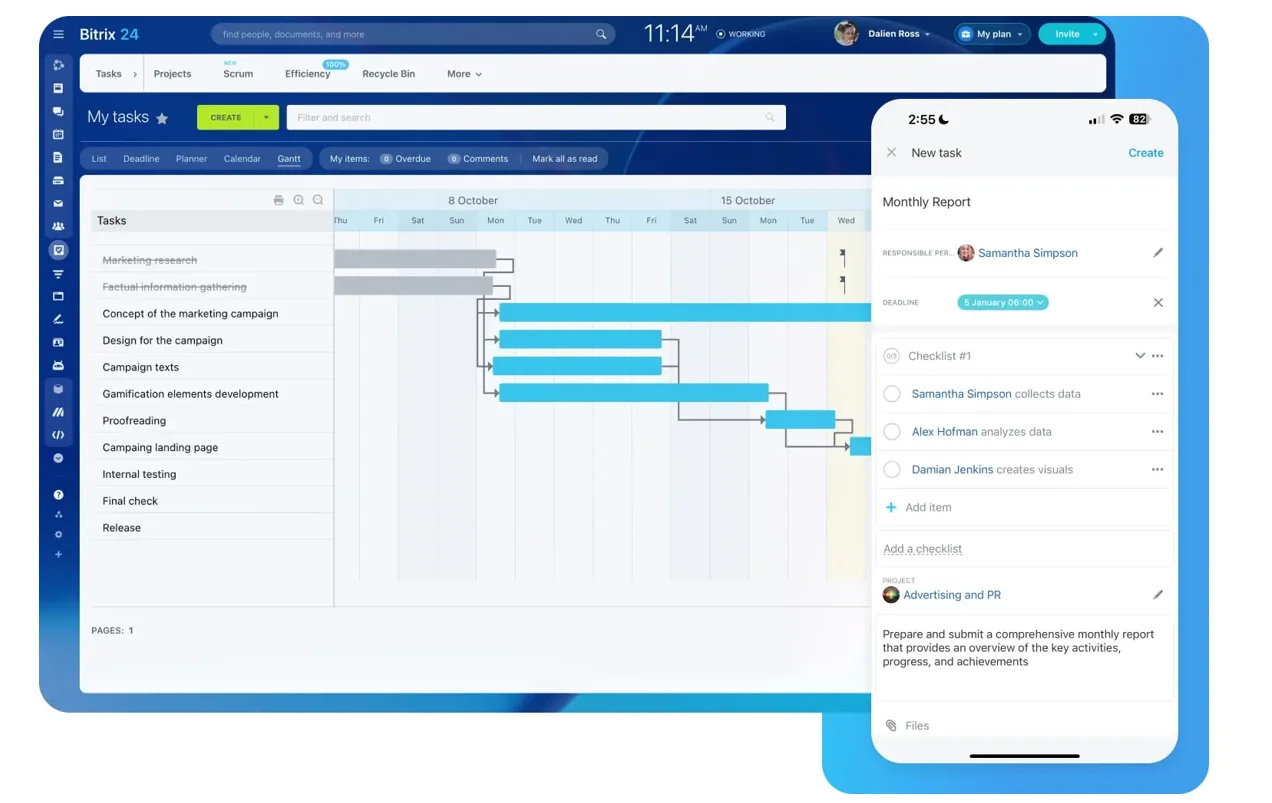
Simple rule: If a customer promise affects delivery, it must exist in the CRM before the deal is handed off. Bitrix24's task management and project features let you create handoff workflows automatically, so the new team has all the context they need in one place.
Step 5: Use CRM data for retention, reporting, and improvement
A good CRM process does more than help you close deals, it helps you keep customers and improve how the business runs. That starts with using CRM data beyond the pipeline.
Retention: Track account health
For retention, track signals that show account health:
- Support activity
- Onboarding completion
- Renewal dates
- Product usage indicators
- Expansion interest
- Unresolved issues
The exact mix depends on your business model, but the goal is the same: spot risk and opportunity early enough to act.
Reporting: Focus on the metrics that matter
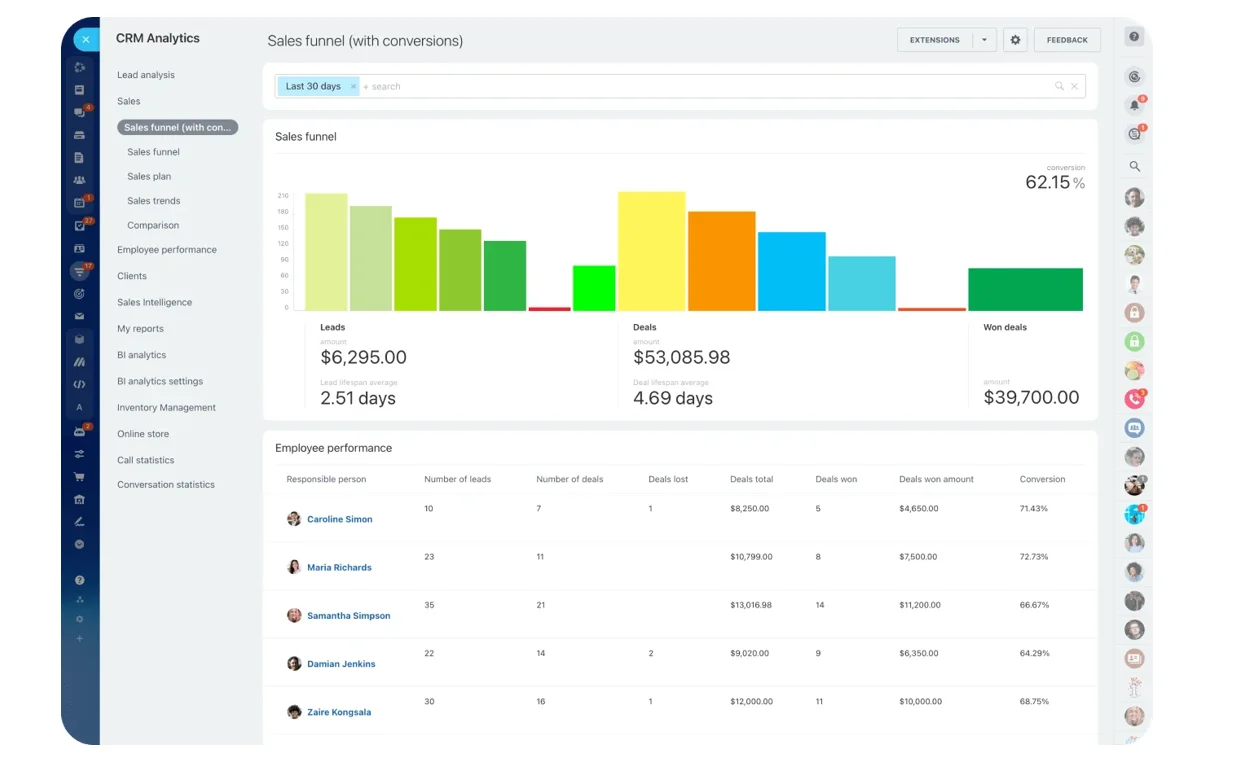
For reporting, focus on a small set of funnel metrics that show whether the process is working:
- Response time to new leads
- Conversion rate by stage
- Follow-up completion rate
- Average time in each stage
- Win rate
- Renewal rate and upsell rate
These metrics tell you where work is flowing well and where it's getting stuck.
Make reviews a regular habit
Dashboards are helpful, but they're not magic. If managers look at reports once a quarter, nothing improves. Build a review rhythm:
- Weekly reviews catch response gaps and stuck deals
- Monthly reviews surface stage conversion issues, routing problems, or weak follow-up habits
- Quarterly reviews allow deeper analysis of trends and process changes
Then refine the process based on what the data shows:
- If qualified leads wait too long for first contact, fix assignment speed
- If too many deals die after proposals, review the sales stage before that
- If renewals slip because no one owns them early, add clearer retention triggers
Bitrix24's analytics and reporting tools make it easy to set up dashboards that show the metrics you care about.
Common CRM process mistakes to avoid
Overcomplicating the Pipeline
If you create too many stages, users stop updating them accurately.
Better approach: Stages should represent meaningful steps, not every tiny action a rep takes. A good pipeline has 5–7 stages, not 15.
Requiring too many fields
Teams often try to capture every possible detail upfront, which slows users down and encourages fake entries just to move forward.
The numbers: 23% of CRM users cite manual data entry as a major obstacle, and 32% of sales reps spend over 1 hour per day on manual data entry instead of selling.
Better approach: Required fields should support action and reporting, not satisfy curiosity.
Leaving definitions vague
If "qualified" means one thing to one rep and something else to another, reporting becomes noise.
Better approach: Every important field and stage should have a plain-language definition that everyone can refer to.
Treating training as optional
User adoption breaks when the CRM feels like admin for management instead of a working tool for the team.
If reps have to do duplicate entry, click through cluttered screens, or sit through weak training, they'll find side paths (usually inboxes, spreadsheets, and forgotten tasks).
Building reports on messy data
Duplicate records inflate lead counts and confuse ownership. Poor data hygiene makes filters unreliable. Inconsistent lifecycle rules create bad totals across marketing, sales, and customer success.
The result: Once dashboards become questionable, teams stop using them to make decisions.
How to make your CRM process reliable as you scale
As volume grows, informal habits stop working. What felt manageable with one sales rep and a few deals a week becomes chaotic across multiple teams. Reliability comes from documented rules, careful automation, and ongoing oversight.
Document the basics
Start by documenting the basics for every team involved:
- Workflow rules
- Ownership by stage
- SLAs for response and handoffs
- Field definitions
- Criteria for moving records forward or closing them out
If these rules live only in one manager's head, scale will expose that fast.
Add automation carefully
Then add automation strategically. Good early automations include:
- Lead assignment
- Follow-up reminders
- Status changes based on clear triggers
- Alerts when deadlines are missed
These reduce manual work without hiding important judgment calls.
What to avoid: Automation that updates records based on weak signals or moves deals without user review. Bad automation creates silent errors at scale. It looks efficient until missed leads and inaccurate reports pile up.
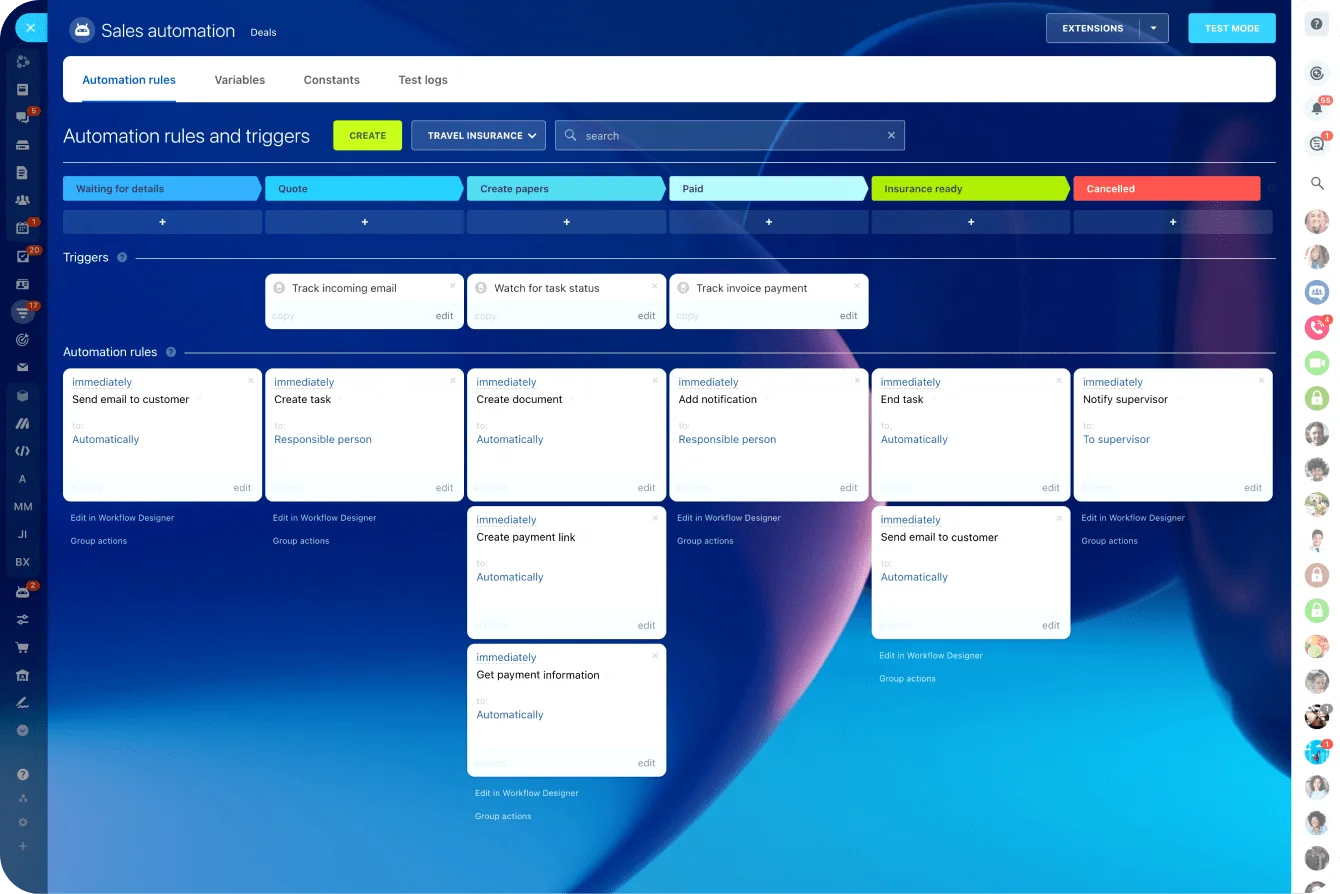
Bitrix24's automation tools let you build workflows based on clear conditions, so you automate what should be automated and keep people in the loop for judgment calls.
Build governance into your system
Finally, build governance. That means:
- Periodic audits for duplicate records, stale opportunities, broken automations, and unused fields
- Regular process reviews with team leads
- Active admin oversight so someone owns the system's health
Scaling Checklist
|
Scaling Need |
What to Put in Place |
|---|---|
|
More lead volume |
Routing rules, response SLAs, assignment automation |
|
More users |
Field definitions, training program, role-based ownership |
|
More reporting needs |
Lifecycle rules, stage definitions, audit routines |
|
More handoffs |
Standard transfer data, alerts, post-sale workflows |
Build a CRM process your team will actually use
A CRM process is more than a software setup. It's the set of habits, rules, and system steps that make customer work consistent. When it works, leads are captured properly, routed quickly, followed up on time, handed off cleanly, and managed well after the sale.
That consistency is what turns scattered activity into repeat business. You get fewer missed leads, cleaner reporting, smoother customer transitions, and a better shot at renewals and expansion. The software helps, but the process is what makes it useful.
If you want to improve your current setup, start with a simple audit of how work moves today. Pick one stage where deals or customers commonly get stuck. Fix the ownership and data rules there first, and build from that point.
Or explore how Bitrix24's integrated CRM and workflow tools can help you build a process your team will actually want to use.
Turn CRM workflows into repeat revenue
Bitrix24 unifies leads, tasks, pipelines, handoffs, and reports in one CRM so teams respond faster, close gaps, and retain more customers.
Get Started NowFAQ: Practical questions about running a CRM process
How long does it take to set up a workable CRM process for a small business?
For a small business, a workable version can usually be set up in a few weeks if you keep it simple. Start with lead capture, qualification, pipeline stages, and one basic post-sale handoff. You can refine fields, reports, and automations after the core flow is working. You can start for free with Bitrix24 and scale as you grow.
What should you do if your team uses email, spreadsheets, and one CRM at the same time?
First, identify which activities are still happening outside the CRM and why. Then move one workflow at a time into the system, starting with the highest-risk area—usually lead intake or follow-up tracking. If people keep falling back to spreadsheets, the CRM workflow is probably missing something or adding too much friction. Talk to your team about what's slowing them down, then fix that friction point before adding features.
Can a CRM process work for businesses with long sales cycles or repeat purchases?
Yes. Long sales cycles need stronger stage definitions, activity tracking, and nurture rules so deals don't disappear between touches. Repeat-purchase businesses need the CRM to continue after the first sale, with renewal timing, reorder signals, service history, and upsell ownership built in. The principles are the same; the stages and triggers just change.
Which CRM automations are safe to add first without creating bad data or missed deals?
Start with low-risk automations: lead assignment, task reminders, notification alerts, and required follow-up prompts after key stages. These support execution without making too many assumptions. Leave more complex status changes and scoring logic until your definitions and data quality are stable.
How often should CRM fields, stages, and reports be reviewed and cleaned up?
Light reviews should happen monthly, especially for stale records, duplicates, and broken reports. A deeper cleanup every quarter is a good rhythm for reviewing fields, stage usage, automations, and reporting logic. If your sales model changes, review sooner.