The 6 Essential Project Management Tools

Most teams don’t outgrow project tracking all at once.
They patch it.
A spreadsheet appears beside the task board. Approvals move into chat. Managers build private status reports because the official one can’t be trusted. The tools still look functional, but the operating system underneath them has started to split.
That’s the point where “better project management software” becomes too vague a brief. The real question is which kind of control is missing: clearer ownership, tighter workflows, dependency planning, capacity visibility, or portfolio oversight.
This article compares six project management tool categories, what each one is built to control, and the warning signs that tell you when your current setup has reached its limit.
What teams should evaluate before adding or replacing project management tools
Tool decisions go wrong when companies evaluate interfaces before they evaluate how work really moves.
Start with workflow maturity: Are projects repeatable, such as campaign launches, onboarding, client delivery, implementation cycles, or product releases?
Teams with repeatable structures benefit more from templates, automation, approvals, and standardized reporting than teams doing loosely defined exploratory work.
A marketing team launching campaigns every month, for example, will often need the same intake questions, creative review stages, budget checks, and launch approvals. If those steps live in people’s heads, the team eventually pays for it through rework, missed dates, or last-minute meetings.
Check how work enters the system
Before comparing tools, look at how requests start.
Ask:
- Who can submit work?
- What information is required before work begins?
- Who approves priority, budget, or scope?
- How often do requests arrive incomplete?
- Where do rejected, delayed, or duplicate requests go?
Inconsistent intake creates downstream problems. A task tool can store the request, but it may not stop vague work from entering the queue.
Map cross-functional dependencies
Cross-functional dependency is another dividing line. A single team can often manage inside one task system. Once projects move across sales, operations, finance, product, legal, or external clients, handoffs and visibility need more control.
If work can’t move forward without sign-off, a tool that only stores tasks may not be enough. You’ll need approvals, required fields, status rules, owner changes, dependency tracking, or workload views.
A sales team tracking new client onboarding manually will often run into this pattern. Sales closes the deal, operations needs the scope, finance needs billing details, customer success needs the kickoff date, and leadership wants forecast visibility.
If each handoff happens in a different tool, the project starts with risk already built in.

Define reporting needs early
Reporting requirements should be defined before the buying process starts.
Some teams need only project-level visibility. Others need executive rollups, workload views, budget tracking, audit history, or portfolio summaries. Once leadership asks for consistent forecasting or throughput reporting, the platform choice becomes more serious.
PMI’s 2024 Pulse of the Profession report connects project performance with flexibility and fit-for-purpose ways of working. The point for buyers is simple: reporting and governance should match how delivery changes under pressure, not how the process looks on a slide.
Don’t ignore governance
Governance is easy to underestimate. Permissions, change history, field control, intake standardization, and workflow rules become more important as more stakeholders enter the system.
Teams should also be realistic about adoption constraints:
- Team size: Small teams can absorb informal process. Larger teams usually can’t.
- Technical comfort: Highly configurable systems often need an internal owner.
- Change capacity: Rollouts fail if people have to absorb major process changes while delivery work continues.
- Integration maturity: Some organizations can support a connected stack. Others need a simpler platform.
Pro Tip: Before replacing anything, run a two-week work audit. Track where project requests start, where status updates happen, where approvals get stuck, and which reports managers rebuild manually. That will tell you more than a feature checklist.
Common coordination and scaling problems in underpowered project management setups
Email, spreadsheets, chat threads, and a lightweight task app often create the same failure pattern: work is visible somewhere, but not governable anywhere.
Teams can see activity and still miss deadlines because dependencies, approvals, and exceptions aren’t managed consistently.
Atlassian’s State of Teams 2024 report estimated that Fortune 500 companies lose 25 billion work hours each year to ineffective collaboration (no, that’s not a typo: 25 billion!).
That number is large, but the everyday version is familiar: people spend time searching for updates, repeating decisions, asking who owns the next step, or rebuilding status reports by hand.
1. Duplicate work
Duplicate work is one early warning sign.
Without structured intake and shared visibility, teams solve the same problem in parallel or execute against outdated requests.
This often happens when one team logs work in a spreadsheet, another tracks it in chat, and a manager keeps a separate “real” status list for leadership.
Everyone thinks they’re staying organized. In practice, the system has three sources of truth.
2. Resource visibility gets worse over time
Resource visibility usually degrades next.
A task list can show assigned work, but not whether the assigned person is already at capacity, whether a specialist is overbooked next month, or whether a project is slipping because contributors are spread too thin.
This matters most in agencies, consulting teams, IT services, product teams, and any organization where specialists are shared across projects. The person assigned to the task may be the right owner, but that doesn’t mean they have the time to complete it.
3. Intake becomes inconsistent
Inconsistent intake creates rework.
Requests submitted by email or chat may skip required information, bypass prioritization, or enter execution before scope, deadlines, or ownership are defined.
A creative team might receive “quick design request” messages in chat, client feedback by email, and campaign priorities in a spreadsheet. The work looks simple at the request level. The real cost appears when someone has to reconcile the details before execution.
4. Audit trails disappear
Weak audit trails also become a problem when stakeholders ask why timelines moved, who approved a change, or when a decision was made.
Manual status reporting adds more overhead because managers must assemble updates from meetings, messages, spreadsheets, and task comments.
These are category gaps, not discipline problems. A task list alone doesn’t provide planning depth, resource control, workflow enforcement, or portfolio reporting.
Bitrix24 project management is useful when the failure comes from scattered execution rather than one missing feature. A client request can stay connected to its CRM record, delivery tasks, files, project discussion, calendar dates, and approval history, so managers don’t have to reconstruct the project from private chats and separate status sheets.
A practical framework for comparing project management tool categories
Comparing project management tools by feature count is rarely useful. A better approach is to compare categories against the work model of the business.
Start with planning depth. Can the tool handle simple task sequencing, or does it support dependencies, milestones, multi-project planning, and timeline control? This separates lightweight task systems from planning platforms such as Smartsheet or Microsoft Project.
Then look at workflow control. Does the tool display work, or can it enforce stages, approval paths, required fields, routing rules, and exceptions? Platforms such as Monday.com, Jira, ClickUp, Airtable, and Wrike differ significantly here.
Evaluate the collaboration model
The collaboration model matters because not all tools support the same communication pattern.
Slack and Teams are conversation-first. Asana and Basecamp center communication around tasks and projects. Notion and Coda support documentation and shared context more than strict execution control.
Asana’s 2023 Anatomy of Work Global Index found that 79% of workers at collaborative organizations felt well-prepared to adapt to new business challenges, four times higher than workers at weakly collaborative organizations.
That supports a practical buying point: collaboration quality affects execution resilience, but communication still needs clear ownership, deadlines, and decision records around it.
Test reporting against real reviews
Reporting quality should be judged by the reports managers actually need.
Ask whether the tool can support:
- Weekly team status meetings
- Monthly leadership reviews
- Resource planning sessions
- Client status updates
- Budget or scope discussions
- Portfolio-level risk reviews
A dashboard that can’t roll up across teams, show workload, or support executive reviews may not solve the real reporting burden.
Separate automation from integration
Automation and integration fit are separate criteria.
Automation reduces admin work only when workflows are standardized enough to automate. Integrations matter when project tools need to connect with CRM, finance, support, documentation, or communication systems.
For example, automating project creation from a sales deal can save time only if the handoff fields are reliable. If sales notes are inconsistent, automation simply moves poor data faster.
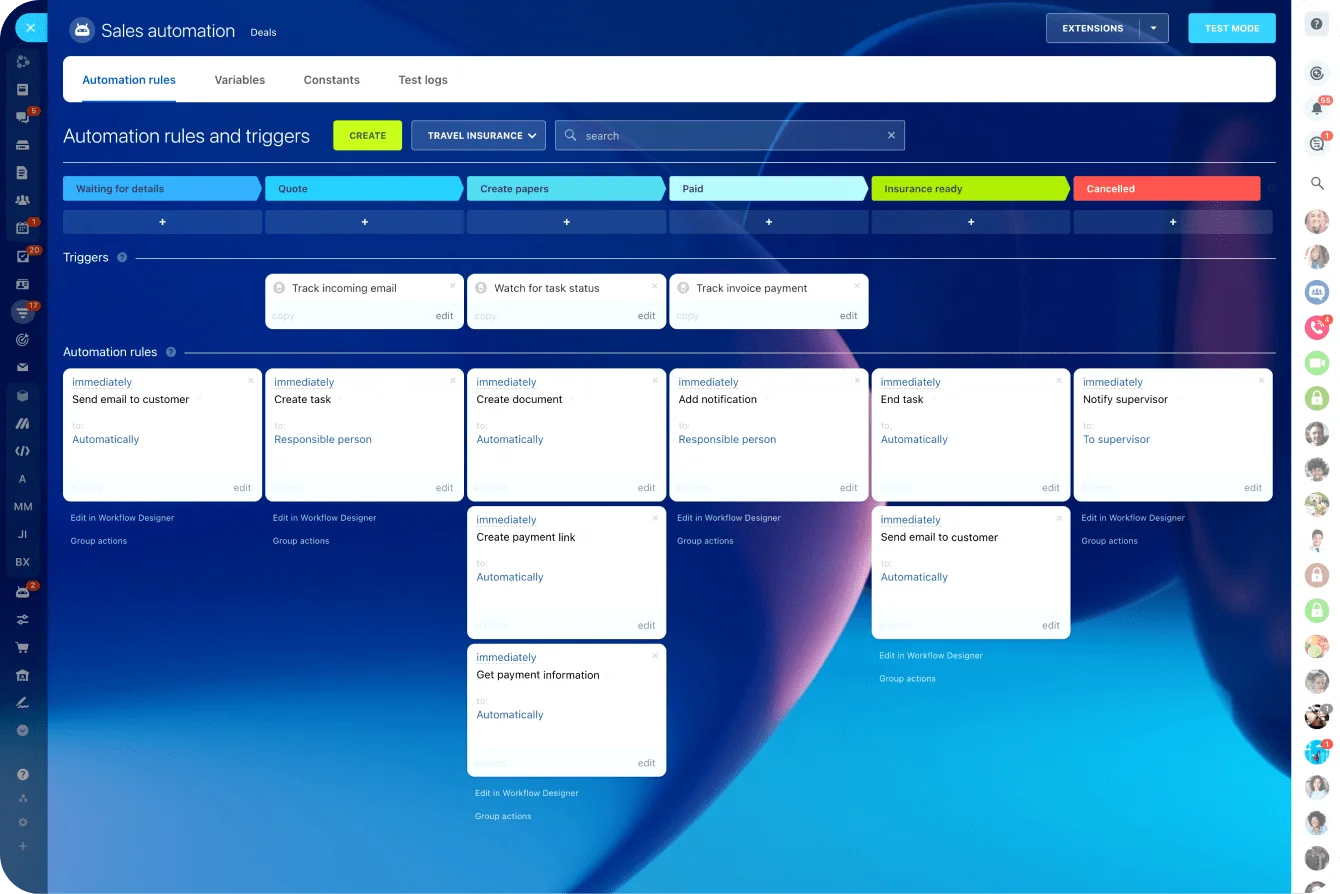
Bitrix24’s integrations and task automation are useful in this kind of workflow because they connect operational actions with the surrounding work system. A client onboarding project can start from CRM activity, assign tasks, create follow-up steps, and keep the team working from a shared process instead of a copied checklist.
At the business level, also compare:
- Scalability across departments
- Governance for managers and executives
- Administrative overhead required to maintain the system
- Reporting quality under real operating conditions
- Integration with tools the team already uses
Pro Tip: Don’t ask vendors, “Can your tool automate this?” Ask, “What has to be standardized before this automation works?” The answer will show whether you’re buying software or signing up for process redesign.
The 6 essential project management tool categories and where each fits best
The six essential project management tool categories are task management, collaboration and work hubs, timeline and planning tools, workflow and process management platforms, resource management tools, and portfolio or project operations platforms.
Each category solves a different operational problem.
1. Task management tools
Task management tools include Trello, Asana, and Todoist. Their job is making ownership, deadlines, and basic progress visible.
They work when teams need clarity fast and projects aren’t constrained by approvals, resource planning, or formal governance.
Best fit:
- Small teams moving away from spreadsheets
- Teams that need clear owners and due dates
- Simple projects with limited dependencies
- Early-stage process organization
Main limitation: Task tools can become crowded as work scales across teams. If every request becomes a card and every card needs comments, approvals, files, and status reporting, the board becomes hard to manage.
2. Collaboration and work hubs
Collaboration and work hubs include Slack, Microsoft Teams, Basecamp, Notion, and Coda. They centralize communication, documents, updates, and shared context.
They are useful for keeping people aligned, especially across remote or hybrid teams. But they’re weak substitutes for structured execution control unless paired with formal project tooling.
Best fit:
- Teams with scattered communication
- Remote or hybrid organizations
- Knowledge-heavy work
- Project teams that need shared documentation
Main limitation: Conversations move fast. Without task ownership, deadlines, and decision records, important updates can disappear inside threads.
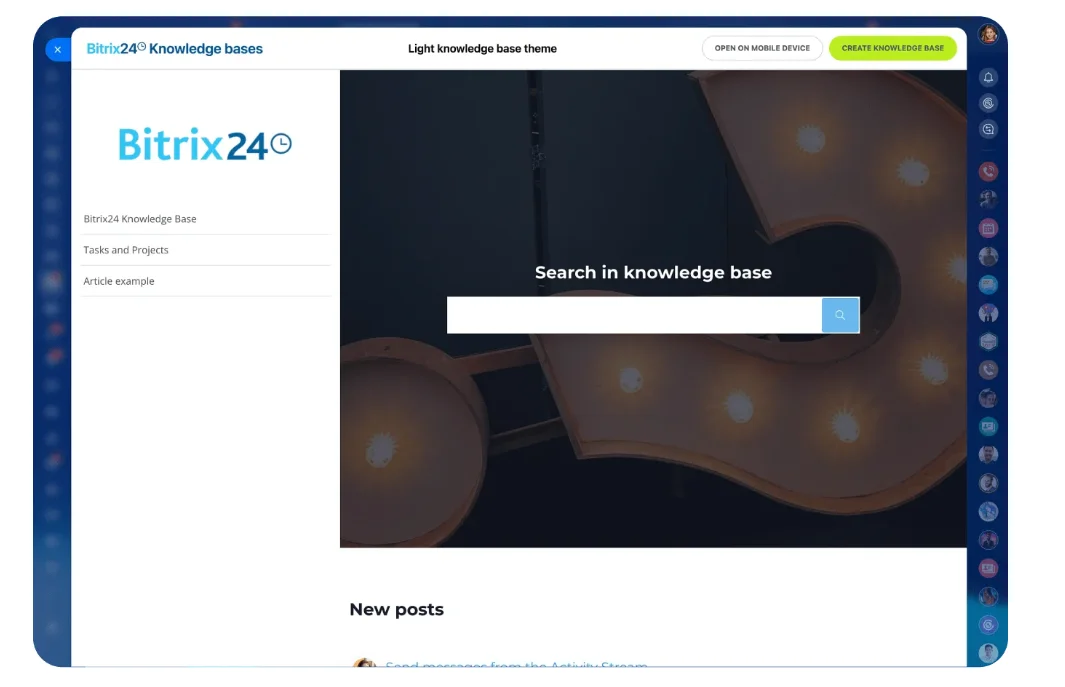
Bitrix24 connects communication tools and an internal knowledge base with tasks, projects, files, calendars, and workgroups. That makes it more suitable when shared context also needs to produce assigned and trackable work.
3. Timeline and planning tools
Timeline and planning tools include Smartsheet, Microsoft Project, TeamGantt, and other Gantt chart tools. Their value is planning discipline: timelines, dependencies, milestones, and schedule management.
They fit organizations where delivery reliability depends on sequencing and forward planning.
Best fit:
- Construction, implementation, operations, and delivery teams
- Projects with dependencies and milestones
- Teams managing launch windows or client deadlines
- Managers who need schedule-risk visibility
Main limitation: Planning tools lose value if nobody keeps the plan current. A perfect timeline that doesn’t reflect actual progress becomes another document people ignore.
4. Workflow and process management platforms
Workflow and process management platforms include Monday.com, ClickUp, Airtable, Jira, and Kissflow. They structure how work moves through custom workflows, approvals, standardized intake, and automation.
The tradeoff is setup complexity and the need for process ownership.
Best fit:
- Recurring operational workflows
- Approval-heavy work
- Teams with multiple request types
- Product, marketing, operations, and service-delivery teams
Main limitation: Too much configuration can create a system only one admin understands. That becomes a risk when the admin leaves, priorities change, or teams need fast adjustments.
5. Resource management tools
Resource management tools include Float, Resource Guru, and Kantata’s resource-planning capabilities. They show capacity, allocation, and staffing risk, especially in agencies, consulting firms, IT services, and matrixed internal organizations.
They usually complement project-execution tools.
Best fit:
- Agencies and client-service teams
- Consulting and implementation groups
- Shared specialist teams
- Organizations tracking utilization or capacity
Main limitation: Resource tools show capacity risk, but they usually don’t manage the full project workflow by themselves.
6. Portfolio and project operations platforms
Portfolio and project operations platforms include Wrike, Adobe Workfront, Planview, and Sciforma. They are built for multi-team oversight, governance, intake control, reporting consistency, and executive visibility.
They offer stronger control but require higher process discipline.
Best fit:
- Enterprise PMOs
- Large marketing operations teams
- Multi-department transformation programs
- Organizations with formal governance requirements
Main limitation: Rollout effort is higher. These platforms need training, ownership, reporting standards, and clear decision rights.
|
Category |
Example products |
Operational fit |
Main limitation |
Migration complexity |
|---|---|---|---|---|
|
Task management |
Asana, Trello, Todoist |
Ownership and lightweight coordination |
Weak governance at scale |
Low to moderate |
|
Collaboration and work hubs |
Slack, Teams, Notion, Basecamp |
Communication and shared context |
Limited structured control |
Low |
|
Timeline and planning |
Smartsheet, Microsoft Project, TeamGantt |
Dependencies and schedule management |
Can become planning-heavy |
Moderate |
|
Workflow and process management |
Monday.com, ClickUp, Airtable, Jira |
Recurring workflows and automation |
Needs configuration discipline |
Moderate to high |
|
Resource management |
Float, Resource Guru, Kantata |
Capacity and staffing visibility |
Usually not a full execution system |
Moderate |
|
Portfolio and project operations |
Wrike, Adobe Workfront, Planview |
Governance and cross-team oversight |
Higher administration and rollout effort |
High |
How these tool categories differ in workflow, automation, and day-to-day operations
The biggest day-to-day difference is what happens once work stops following the happy path.
Task tools are good at assigning and tracking work, but less reliable when delivery requires formal handoffs, enforced stages, or controlled exceptions.
Collaboration-first tools support fluid coordination. Slack and Teams help teams resolve issues quickly, and Notion can hold process context. That model works when speed and shared awareness matter more than process enforcement.
Workflow control
Workflow and process platforms are strongest for recurring workflows, approvals, and automation.
Monday.com and ClickUp are broad and adaptable. Airtable is flexible for structured data and custom processes. Jira is effective where work moves through tightly defined states.
This category matters when work needs rules, not just visibility.
For example, a procurement request may need budget approval before vendor review. A client deliverable may need internal QA before it goes to the customer. A hiring process may need HR, finance, and department approval before an offer goes out.
Planning and dependency control
Timeline and planning tools are stronger when delays in one area affect downstream milestones.
Smartsheet and Microsoft Project support dependency-based planning, but their value drops if teams don’t keep plans updated. The tool can show risk, but it can’t fix a planning habit where dates are set once and forgotten.
Capacity and resource control
Resource tools answer a different question: “Do we have the capacity to deliver this work on time?”
They reveal over-allocation, scheduling conflicts, and staffing gaps before deadlines are missed. This is especially useful when a small number of specialists support many projects, such as designers, developers, analysts, consultants, or implementation leads.
Portfolio visibility
Portfolio and project operations platforms stand out in stakeholder reporting and cross-team coordination.
Wrike and Adobe Workfront are often used when leadership needs consistent intake, project-status standards, and reporting across many teams.
Quick scenario mapping
Use these patterns to narrow the category before comparing individual tools:
- Small teams moving off spreadsheets: Start with task management and add a collaboration hub if context is scattered.
- Growing teams with recurring workflows: Workflow and process management usually creates the biggest lift.
- Agencies and services firms: Combine project execution with resource management once capacity becomes a bottleneck.
- Enterprises with executive oversight needs: Portfolio or project operations platforms are usually more realistic than stretching a lightweight tool.
- Teams already using CRM heavily: Look for project tools that connect sales handoffs, customer work, and delivery status.
Bitrix24 is relevant in the last scenario because project work can sit near the CRM, shared calendars,workgroups, task automation, and reporting. That matters when customer-facing work moves from sales into delivery, support, or account management.

Implementation and stack design: Choosing one platform vs combining categories
Some organizations should consolidate.
A broad platform makes sense when the team wants shared visibility, simpler administration, and fewer handoffs between tools. Monday.com, ClickUp, Wrike, Smartsheet, and Bitrix24 can cover a wide span of use cases if configured well.
The risk is forcing one platform to do everything equally well. A tool may be strong enough for task tracking and team collaboration, but weaker for advanced resource planning or enterprise portfolio governance.
When one platform makes sense
One platform is usually the better choice when:
- Teams are duplicating updates across too many systems
- Managers can’t tell which tool contains the real project status
- The organization lacks admin capacity for a complex stack
- Workflows are similar across departments
- Leadership wants fewer reporting gaps
For small and midsize teams, consolidation can remove a familiar failure point: someone updates the task board but forgets the CRM, the capacity sheet, or the status deck. A shared platform reduces the number of places that must agree before a manager can trust the project status.
When a combined stack makes sense
A combined stack is often more practical when one operational problem justifies a specialist tool.
Common examples include pairing Asana or Monday.com with Float for resource planning, or using Slack and Notion alongside Jira for product and engineering workflows. This works best when the business can support integrations and clear tool ownership.
A combined stack needs rules. If project status lives in one tool, capacity in another, and documentation in a third, everyone needs to know which system answers which question.
Plan migration around live work
Migration is often underestimated.
Active projects must be transferred without losing deadlines, ownership, or historical context. Workflows usually need to be rebuilt, not copied. Permissions must be mapped carefully, especially when moving from informal tools to role-based access.
Adoption depends as much on process redesign as software setup. A new tool forces decisions about intake rules, project templates, approval thresholds, reporting standards, and system administration.
Highly configurable tools underperform when nobody owns workflow logic after launch.
Pro Tip: Don’t migrate every old project automatically. Archive completed work, move only active projects, and keep a read-only copy of legacy data for reference. That lowers clutter and makes the new system easier to trust.
Rollouts are safer when phased. Move one team, one workflow, or one project type first. Validate reporting, refine permissions, and test automations before wider expansion.
Common tool selection mistakes growing organizations make
Growing teams usually make one of two buying errors: they choose the easiest interface without testing operational fit, or they buy an enterprise system before they have the processes and ownership needed to maintain it.
Mistake 1: Treating chat as project control
Collaboration tools are often expected to replace structured project controls, but conversation visibility isn’t execution control.
A chat thread can help resolve a blocker. What it can’t do is reliably enforce approval stages, maintain project history, show workload, or produce leadership reporting.
Mistake 2: Automating an unclear process
Automation can’t solve administrative burden before the underlying process is standardized.
If the team doesn’t agree on intake rules, ownership, statuses, or approval thresholds, automation usually creates faster confusion. It moves work forward, but not always correctly.
Mistake 3: Ignoring the admin model
Many teams choose a flexible tool without deciding who owns it after launch.
Someone has to maintain templates, fields, permissions, dashboards, integrations, and automations. Without that owner, the system drifts. Teams create duplicate boards, rename statuses, ignore fields, or build private workarounds.
Mistake 4: Buying for every edge case
Some teams try to solve every possible workflow before launch. That slows implementation and makes the tool harder to use.
Start with the work that happens most often. Add complexity only when a real team needs it.
The selection process should test operational compatibility, not just feature presence. If a tool can’t support how requests enter, how work gets approved, how handoffs occur, and how leadership reviews progress, it’s likely the wrong choice.
FAQs
Do small teams need multiple project management tool categories?
Not usually. Many small teams can operate with one task management tool plus a collaboration hub. Additional categories become useful when approvals, dependencies, reporting, or capacity planning create recurring friction.
When does a task tool become insufficient?
A task tool becomes insufficient when managers build manual status reports, work crosses functions, requests arrive inconsistently, or deadlines depend on formal sequencing and approvals.
Other warning signs include duplicate boards, private spreadsheets, unclear project ownership, and recurring meetings whose only purpose is to reconstruct status.
How can teams avoid tool sprawl?
Assign a clear job to each tool.
If two systems both claim to be the source of truth for project status, confusion follows. Decide which tool owns project status, which owns documentation, which owns communication, and which owns reporting.
Tool sprawl also gets worse when teams buy tools locally without agreeing on naming, fields, permissions, or reporting standards.
How do project management tools differ from work management, workflow automation, collaboration, and resource planning systems?
Project management tools focus on deliverables, owners, dates, and progress.
Work management platforms cover recurring operational workflows. Collaboration tools manage communication and shared context. Workflow automation routes actions based on rules. Resource-planning tools manage capacity, allocation, and staffing risk.
The categories overlap, but they don’t solve the same problem equally well.
Can one category realistically cover everything?
Sometimes, especially for moderate complexity.
As scale increases, specialist tools often reappear around resource planning, documentation, or portfolio governance. A broad platform can still work well if the team accepts its limits and avoids forcing it into workflows it wasn’t built to handle.
How long does implementation usually take?
Basic task tools can roll out quickly because they mostly require boards, owners, due dates, and simple rules.
Workflow and portfolio systems take longer because they require process design, permissions, reporting, training, and governance decisions. The software setup may be fast, but the operating decisions take more time.
What should buyers check about integrations?
Confirm what data syncs, how often it syncs, who maintains it, and whether it supports the real business handoff.
For example, if a CRM deal becomes a delivery project, check whether the integration can carry over customer details, scope, owner, timeline, value, and status. If it only copies a title and description, the team may still need manual cleanup.
Bring projects, CRM, and teams into one flow
Bitrix24 connects tasks, approvals, files, calendars, and CRM so growing teams reduce handoff gaps and manage delivery with clarity.
Get Started NowChoose the bottleneck before you choose the category
Don’t start by deciding whether you need a task tool, workflow platform, or enterprise project system. Start with the last three projects that ran late.
Find out where each one stalled. Was the request incomplete? Did an approval sit in chat? Was a specialist assigned after their capacity was already gone? Did leadership discover the delay only after someone rebuilt the weekly report?
Those failures tell you which category deserves attention. They also show whether you need a specialist tool or fewer gaps between the systems you already use.
Bitrix24 fits teams whose biggest problem is the handoff between customer records, project work, communication, files, calendars, and repeatable follow-up. Instead of adding another disconnected tracker, you can build the delivery path around one shared record and keep each next action visible.
Sign up for Bitrix24 for free and rebuild the handoff that delayed those three projects.