Lead Capture: Mapping Customer Touchpoints for Success

A campaign can post healthy traffic and still underperform. The problem is that channel reports usually show where a lead converted, not what shaped the decision before that point.
Customer touchpoints affect lead capture because each interaction either builds intent, keeps it alive, or weakens it before the prospect reaches your form. The ad, search result, landing page, content asset, offer, CTA, and form experience all influence whether someone takes the next step.
That matters because buyers often move through several interactions before they speak to sales. 6sense’s 2025 Buyer Experience Report puts the first meaningful sales contact at roughly 61% of the way through the buyer’s journey, after around 16 interactions with the eventual vendor.
Mapping those touchpoints shows where intent builds, where it leaks, and which paths produce qualified leads instead of low-intent form fills. This article covers what to map, how to read the signals, and where touchpoint mapping stops being useful.
What lead capture touchpoint mapping means
Lead capture touchpoint mapping is the process of identifying, organizing, and evaluating every interaction that influences a prospect before and during lead submission.
Put simply, it's a way to see what happened around the conversion event, not just the event itself.
It's narrower than full customer journey mapping. A broader journey map covers the entire relationship, from awareness through onboarding, expansion, retention, and sometimes advocacy. Touchpoint mapping for lead capture focuses on the stages that shape initial conversion: awareness, consideration, click-through, and the moment of submission.
Keep the map focused on conversion
That narrower scope keeps the work operational. Teams aren't trying to model every possible customer experience. They're answering practical questions:
- Where did this lead first engage?
- Which assets raised intent?
- Where did people hesitate?
- Which paths create volume but not quality?
Used well, the map becomes a decision framework. Instead of "webinars work," a team can say, "Live webinar registrations convert well when paired with problem-aware paid search traffic, but on-demand webinar pages underperform for cold social traffic." That's a far better basis for a budget call.
Once leads do convert, they land in the CRM, where the map's labels (source, asset, intent stage) need to line up with how records are tagged, or the upstream analysis breaks the moment it reaches sales.
Why mapping customer touchpoints matters for lead generation
The main payoff is better interpretation of performance. Attribution gets more useful when it includes the interactions that shaped intent, not just the last click before submission. Without that view, teams overinvest in what looks like it converts and underinvest in what actually created demand.
Last-touch reporting is the usual culprit: it hands all the credit to the final form page or branded search click and zeroes out the blog post, the webinar, and the email sequence that built the intent in the first place.
Consistent messaging across channels
Mapping also exposes message inconsistency. If a prospect sees one promise in a LinkedIn ad, a different one in a blog article, and a third on the landing page, conversion suffers even when traffic quality is fine. Those disconnects matter most in top and mid-funnel activity, where buyers are still deciding whether a company is relevant at all.
Budget that follows real demand
From a business angle, this sharpens budget allocation. Teams can back the channels and assets that do more than generate clicks, and identify which combinations of source, content, offer, and CTA produce qualified leads rather than low-intent form fills.
That split between volume and quality is where many teams get tripped up. A channel can drive a large number of submissions and still produce weak sales outcomes, because the upstream touchpoints attracted the wrong audience or set the wrong expectation. Mapping helps explain why.
A shared view across teams
Marketing, sales, paid media, content, and RevOps often work from different versions of the funnel. A shared touchpoint map gives them one structure for discussing what happened before a lead entered the system, which makes handoffs cleaner and reporting less political:
- Marketing gets clearer conversion diagnostics
- Paid media sees whether clicks produce the right kind of intent
- Content learns which assets actually assist capture
- Sales gets real context on what a lead engaged with
- RevOps can standardize definitions and reporting logic
How lead capture touchpoints work across the buyer journey
The mechanism is straightforward. Prospects meet brand signals across channels. Those signals shape awareness and credibility. Repeated interactions build or erode intent. Conversion happens when the perceived value is clear, and the friction to act drops low enough.
So lead capture is rarely caused by one isolated interaction. Even when a form fill looks immediate, it usually reflects earlier exposure, comparison activity, or a trust-building moment that happened well before.
A clean way to organize this is to group touchpoints into three stages.
1. Discovery touchpoints
These create initial awareness: paid ads, organic search listings, social posts, referrals, review sites, podcasts, event mentions. The buyer is noticing the brand or the problem framing. Nothing converts here, but everything downstream depends on it.
2. Evaluation touchpoints
These help the buyer assess fit: product pages, case studies, comparison content, webinar registrations, email nurtures, pricing pages, analyst mentions. Intent gets more specific. This is also where most silent drop-off happens, because the buyer is quietly screening you out without ever filling in a form.
3. Conversion touchpoints
These are where the lead is actually captured: demo forms, gated content forms, contact pages, click-to-call actions, chatbot flows, and appointment booking tools. It's the most visible part of the path and the easiest to measure, which is exactly why it tends to get more credit than it earned.
|
Channel Source |
Touchpoint Type |
Buyer Intent |
Measurable Signal |
Likely Conversion Influence |
|---|---|---|---|---|
|
Paid search |
Discovery |
Problem-aware or solution-seeking |
CTR, bounce rate, query match |
High when keyword intent matches offer |
|
Organic blog |
Evaluation |
Research and comparison |
Time on page, next-page visit, CTA click |
Moderate; often assists later conversion |
|
Webinar page |
Evaluation |
Active learning, vendor screening |
Registration rate, attendance rate |
Strong for mid-funnel qualification |
|
Demo form |
Conversion |
High intent |
Form completion rate, meeting booked |
Direct capture point |
|
Review platform |
Discovery / Evaluation |
Validation before outreach |
Referral visits, branded search lift |
Often high for qualified buyers |
Core Components of an effective touchpoint map
A useful map needs more than a list of channels. It has to capture the structure around each interaction so teams can read performance in context. In practice, this lives in a marketing ops or RevOps spreadsheet (or a CRM reporting view), gets built once over a few working sessions, and is revisited each quarter.
The fields worth capturing:
|
Field |
What it records |
|---|---|
|
Channel |
Where the interaction happened |
|
Asset |
The specific ad, page, email, webinar, listing, or content piece |
|
Audience segment |
Who the interaction was meant to reach |
|
Intent stage |
Awareness, consideration, or conversion |
|
CTA |
The action being asked of the prospect |
|
Handoff point |
Where the prospect moves next (content to form, form to SDR) |
|
Capture method |
Form, phone call, chatbot, scheduler, trial signup |
|
Success metric |
The measure that indicates performance at that touchpoint |
Read performance in context
Match the touchpoint to the situation
Context matters as much as structure. The same asset performs differently depending on device, time of day, traffic source, or offer relevance. A demo form that converts on desktop can collapse on mobile if the fields are clumsy. A strong webinar offer underperforms if it's shown too early to low-intent traffic.
Judge forms by intent, not field count alone
Form complexity is the one teams argue about most - and usually in the wrong terms. Field count in the abstract matters far less than whether the form's demand matches the buyer's current intent.
The data is blunt about the cost of getting it wrong: Neil Patel's analysis found single-field forms convert at 18.2%, dropping to 13.0% at two fields and 11.5% at three. A ten-field form on a bottom-funnel demo request can be fine because intent is high. The same form on a top-funnel content download will usually kill response.
Combine numbers with behavior
An effective map should hold both quantitative and qualitative signals. Quantitative: click-through rate, landing page conversion rate, form completion rate, assisted conversions, call connection rate. Qualitative signals are messier but often more revealing, like message-match problems, repeated hesitation on a field, confusing CTA wording, or session recordings that show where people stall.
Analytics and reporting inside the CRM can connect those signals to closed outcomes, so a high-volume source that produces few qualified deals stops looking like a winner. Without that mix, teams measure outcomes without understanding the behavior behind them.

Common lead capture mapping mistakes and misconceptions
Most mapping failures come down to a handful of recurring errors:
- Treating every channel as the same kind of channel: Some generate awareness, some validate trust, some capture demand created elsewhere. Compare them only on raw lead count and you'll make bad cuts or back the wrong winners.
- Over-crediting last-touch attribution: It's easy to report and fine for narrow analysis, but it overpays the final form page or branded search click and ignores everything that built the intent. A team that defunds its blog because "it doesn't convert" is often defunding the exact asset that warmed up the leads paid search later closed.
- Ignoring anonymous pre-conversion behavior: A buyer might visit several times, read content, return through a brand search, then convert later from a direct visit. If the anonymous path is invisible, you lose the clues about what actually drove the lead.
- Assuming more touchpoints always help: They help when they build confidence or answer objections. Extra steps that add confusion, split attention, or drain urgency do the opposite. Sometimes the highest-converting path is simply shorter and clearer.
Messy systems make all of this harder than it should be:
- Disconnected CRM and analytics data produces broken reporting
- Inconsistent naming conventions make campaign paths impossible to compare
- Failing to separate high-intent journeys from low-intent ones turns every average into a lie
A blended conversion rate hides a lot of damage. High-intent demo traffic and low-intent content traffic shouldn't be judged by the same number, yet plenty of dashboards still mash them together and report the mush as one figure.
Real-world business use cases for lead capture touchpoint mapping
B2B SaaS
Touchpoint mapping is often used to compare how different acquisition paths influence pipeline, not just form fills.
A SaaS team looking at paid search, product pages, webinars, and demo forms together will often find that paid search produces more immediate demos while webinars produce fewer leads but much stronger sales acceptance rates. That reframes the investment conversation: instead of arguing about lead volume by channel, the team can see which paths produce sales-ready intent and which only generate light engagement.
Routing those leads automatically by source and intent stage keeps the high-value paths from getting buried under low-intent fills.
Service and local businesses
A law firm, agency, or home services company runs the same logic in a different environment. They might map local SEO listings, review platforms, call tracking, service pages, and contact forms.
Here, the capture event is often a phone call rather than a form, and review-site credibility can matter more than a long content path. A home services firm that runs ads but lets calls go to voicemail after hours is leaking its best leads at the capture point, not the awareness one.
Pulling calls, web chat, and form submissions into a single contact center view is usually what makes that leak visible.
The exact channel mix matters less than the ability to connect early interactions to inquiry quality.
|
Business Model |
Main Touchpoints |
Typical Friction Points |
Lead Capture Optimization Opportunity |
|---|---|---|---|
|
B2B SaaS |
Paid search, product pages, webinars, demo forms |
Weak message-match, too-early demo CTA, unclear differentiation |
Align search intent to page intent; route mid-funnel traffic to stronger education assets |
|
Professional services |
Organic search, case studies, consultation pages, contact forms |
Generic proof points, high-friction forms, poor trust signals |
Strengthen service-page credibility; simplify consultation inquiry paths |
|
Local services |
Local SEO, review sites, click-to-call, contact forms |
Inconsistent listings, missed calls, weak mobile experience |
Improve call capture, location-page consistency, mobile conversion flow |
|
B2B events / media |
Email, social promotion, event pages, registration forms |
Audience mismatch, unclear event value, long registration forms |
Tighten audience targeting; reduce registration friction |
These cases share one pattern: once teams map touchpoints clearly, they stop guessing which early interactions actually matter.
Operational impact, scaling considerations, and limits of touchpoint mapping
From campaign analysis to operating system
At first, touchpoint mapping is a campaign analysis exercise. Teams use it to diagnose why a launch underperformed or why one channel appears to convert better than another.
Over time the stronger use is operational: it becomes part of how reporting, testing, and revenue planning work.
That's when the map starts doing real business work. It informs campaign design, landing page strategy, routing logic, conversion benchmarks, and even sales expectations by source. Lead capture stops being a pile of isolated tactics and starts being treated as a system.
What breaks at scale
Multi-channel buyer paths are rarely tidy, and a few problems show up reliably as the work grows:
- Fragmented journeys: Prospects move across devices, consume content anonymously, return through direct traffic, and sometimes convert offline.
- Visibility gaps: Privacy limits cut tracking, platform reporting disagrees, and internal data models rarely line up.
- Maintenance debt: Buyer paths shift, offers change, new channels appear, teams reorganize campaigns. A map that's never updated becomes a museum piece within a couple of quarters.
Fragmented data makes each of these worse, since marketing automation, analytics, ad platforms, CRM records, call tracking, and sales activity often tell different stories. Mapping still helps, but the work becomes less about finding perfect truth and more about improving decision quality with the best available evidence.
What mapping can't fix
Be blunt about the limits. Touchpoint mapping can improve visibility, prioritization, and conversion efficiency. What it can't fix is weak product-market fit, an uncompetitive offering, poor sales follow-up, or a low-demand market. If those fundamentals are broken, a cleaner map just helps you see the problem faster.
Turn touchpoint insight into better lead capture
Lead capture improves when teams stop judging performance by channel volume alone. A high-traffic source is only useful if the path behind it builds enough intent to produce qualified leads.
The real value of touchpoint mapping is that it shows what to fix first. Maybe the offer is mismatched to the audience. Maybe the form asks too much too early. Maybe the landing page weakens the promise made in the ad. Maybe the leads are converting, but the CRM labels don’t give sales enough context to follow up properly.
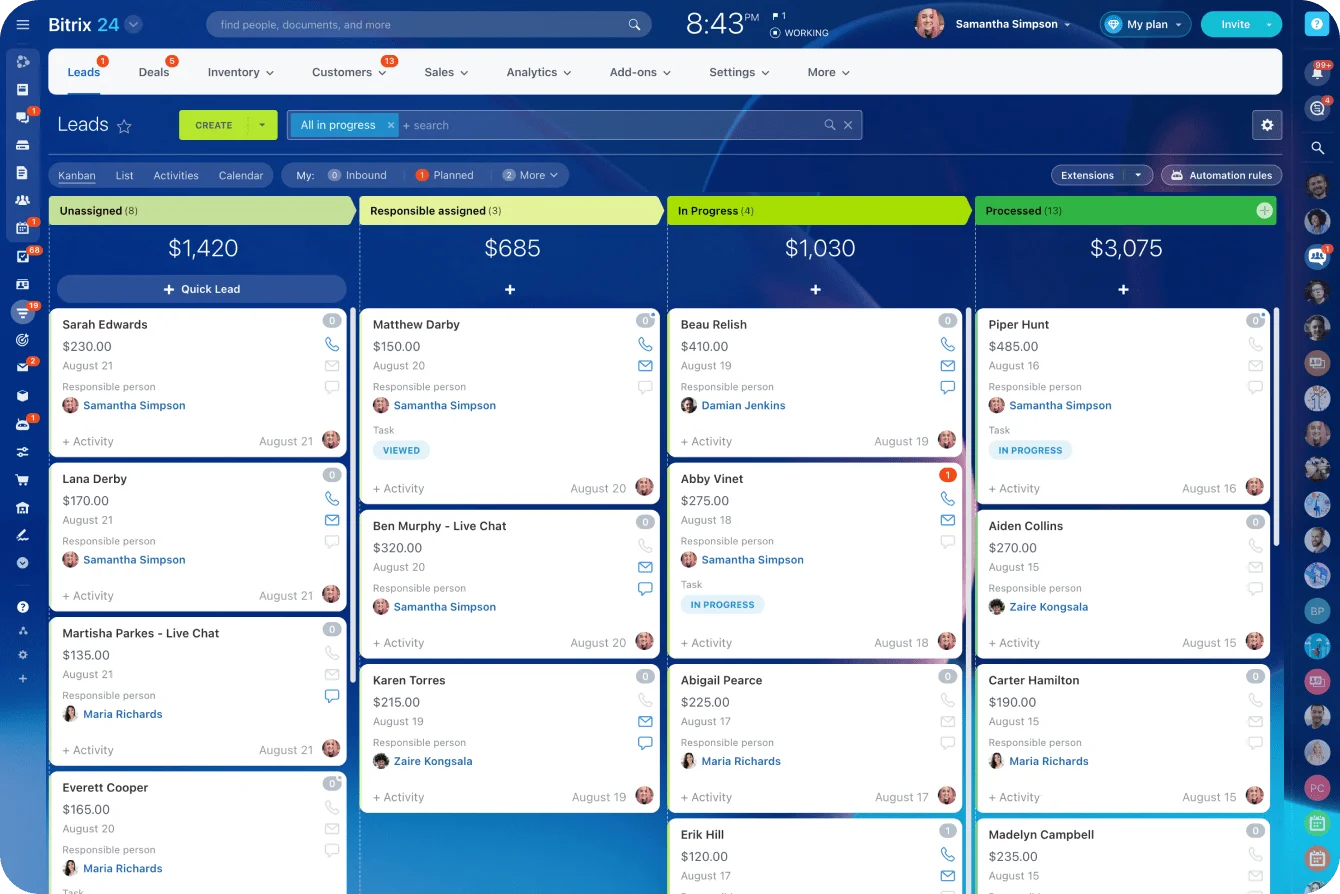
Bitrix24 helps connect that path after conversion, with CRM records, web forms, contact center tools, pipeline tracking, automation, and reporting in one workspace.
Start for free and build a lead capture process that shows where prospects come from, what they engaged with, and which paths turn interest into real sales opportunities.
Turn Touchpoints Into Qualified Leads
Bitrix24 connects forms, CRM, calls, automation, and reports so teams see lead sources, intent, and sales outcomes in one place.
Start NowFAQ
How do you map touchpoints when buyers convert after offline conversations?
Include offline events as explicit touchpoints. Sales calls, event conversations, partner referrals, and in-person meetings belong alongside digital interactions. They won't produce clean attribution data, but they still influence capture and qualification, so logging them as part of the lead's history keeps the picture honest.
What if multiple stakeholders are involved before a lead is submitted?
Map the visible path to conversion, but expect the account-level journey to include parallel touchpoints. Gartner's research puts the typical B2B buying group at six to ten stakeholders, each on their own research path. One person clicks the ad, another attends the webinar, a third submits the form. That doesn't break the framework. It means touchpoint analysis should sometimes run at the account level, not only the individual level.
What if attribution data is incomplete?
Use directional evidence rather than waiting for perfect tracking. Combine platform data, CRM outcomes, self-reported attribution, sales feedback, and behavioral patterns. Incomplete data is the normal state. The goal is better decisions, not forensic certainty.
Should every micro-interaction be tracked?
No. Track the interactions that materially shape intent or conversion probability. Map every hover, scroll, and minor click and the map turns into noise nobody uses. Focus on meaningful touchpoints.
How often should touchpoint maps be updated?
It depends on campaign velocity and channel complexity, but maps should be reviewed regularly, not created once. Quarterly is a reasonable baseline, with faster updates during major campaign changes or funnel redesigns.
How do you evaluate dark social or direct traffic influence?
Look for indirect signals: spikes in branded search, self-reported "how did you hear about us" data, repeat direct visits before conversion, sales-call notes, and content shares that don't show up cleanly as referral data. Dark social is hard to measure exactly, but messy isn't the same as ignorable.