Top Mobile CRM Solutions of 2026

Choosing a mobile CRM comes down to one question: does it work the same way your team does, or does it just work on their phones?
Most fall into the second camp. The app exists, but logging a call takes too many taps, notes sync hours later, and half the features only work on desktop.
We compared the top mobile CRM solutions of 2026 on the things that expose that gap: offline reliability, data capture speed, real-time sync, and field usability. Here's what we found.
TL;DR
- A mobile CRM should do more than give your team access to data; it should let them act on it in the moment.
- The six leading mobile CRMs in 2026 split into all-in-one execution platforms (Bitrix24), simplicity-first apps (HubSpot, Pipedrive), enterprise customization (Salesforce), communication-focused tools (Freshsales), and budget flexibility (Zoho).
- Research consistently shows that sales reps lose most of their working time to non-selling tasks and tool-switching, which mobile-first platforms are uniquely positioned to fix.
Top mobile CRM solutions of 2026
|
Mobile CRM |
Best for |
Key strength |
Main limitation |
|---|---|---|---|
|
Bitrix24 |
Full-funnel mobile execution |
CRM, communication, and tasks in one mobile workspace |
Requires structured onboarding for larger teams |
|
HubSpot CRM |
Simplicity |
Clean interface and fast contact/deal access |
Shallow mobile workflow management |
|
Salesforce Mobile |
Enterprise customization |
Deep reporting, integrations, and configuration |
Can feel heavy and admin-dependent |
|
Zoho CRM |
Budget flexibility |
Broad functionality at a lower cost |
Interface can feel cluttered |
|
Pipedrive |
Pipeline visibility |
Simple visual pipeline and quick stage updates |
Limited collaboration and workflow depth |
|
Freshsales |
Communication tracking |
Integrated calling, email tracking, and activity visibility |
Less robust task and workflow management |
What actually matters in a mobile CRM
Feature lists don't matter if your team can't use the tool quickly in real situations. What matters is how well the CRM supports work in motion. Six capabilities separate platforms built for action from platforms that just provide access.
- Speed and usability. Fast loading screens, simple navigation, minimal steps to complete actions. Every extra tap adds friction and erodes adoption over time.
- Real-time data capture. Logging a call immediately after it ends, adding notes while details are fresh, updating deal information before moving to the next task.
- Actionability, not just visibility. Moving deals across stages instantly, assigning tasks without switching screens, updating priorities on the spot.
- Built-in communication tracking. Call logging, messaging, and email tracking alongside deals — so context isn't scattered across apps.
- Team coordination on the go. Real-time notifications, shared comments, visibility across deals and tasks.
- Workflow continuity. The most important test: can your team start, manage, and complete work from mobile, without returning to desktop to finish key actions?
The last one is where most mobile CRMs fail. They show progress. They don't help you drive it.
The cost of desktop dependency in mobile work
According to Salesforce's State of Sales Report, sales reps spend only 28–30% of their time on actual selling. The rest goes to admin, data entry, and tool-switching — roughly three hours of every five lost to things that aren't closing deals.
Tool sprawl drives a lot of that. Sellers use an average of 8 tools to close a single deal. Nearly half feel overwhelmed by the volume, and overwhelmed reps are 45% less likely to hit quota.
On mobile, the cost compounds. Every extra app a rep has to open from their phone doesn't just cost seconds — it costs the note that doesn't get logged, the follow-up that doesn't get scheduled, the update that waits until they're back at a desk.
A mobile CRM that forces desktop completion quietly guarantees that 70%+ of working time lost to non-selling tasks stays the norm.
Top mobile CRM solutions for 2026
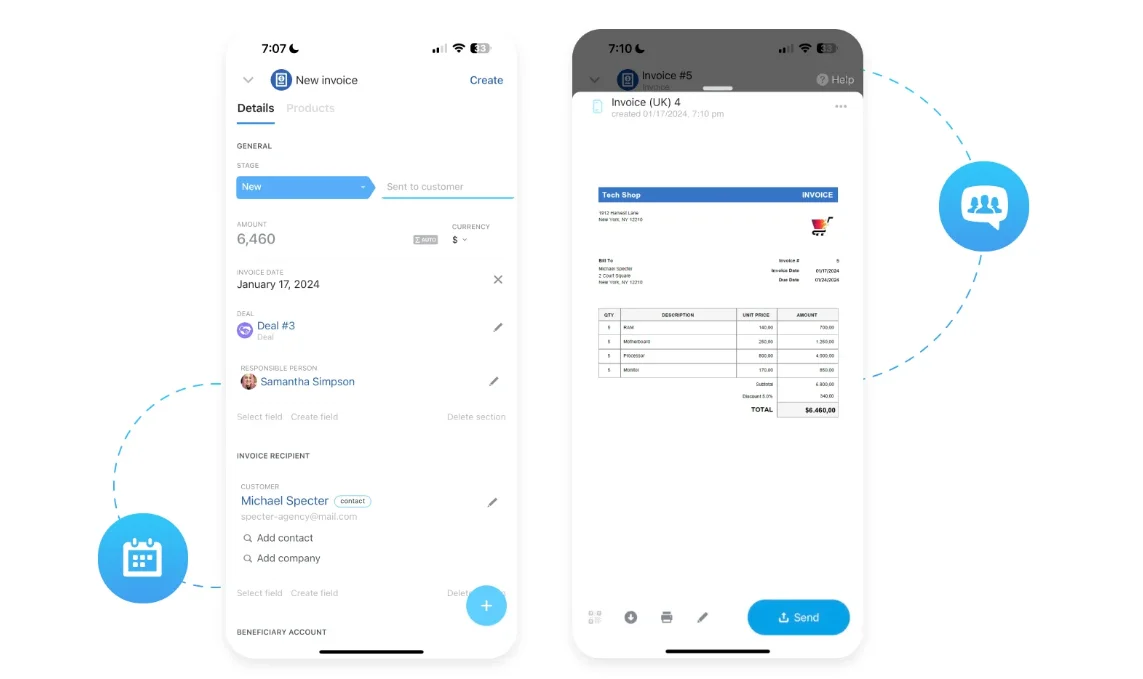
1. Bitrix24 — best for full-funnel mobile execution
Combines CRM, communication, and task management into one mobile workspace built for action, not just access.
- Strengths: Full-pipeline deal management, call and message logging tied to records, task assignment linked to deals, real-time team communication, workflow triggers from mobile.
- Limitation: Breadth of functionality requires structured onboarding for larger teams.
- Best for: Sales teams in the field, service teams handling live requests, and growing businesses that need full operational control from mobile.
2. HubSpot CRM — best for simplicity
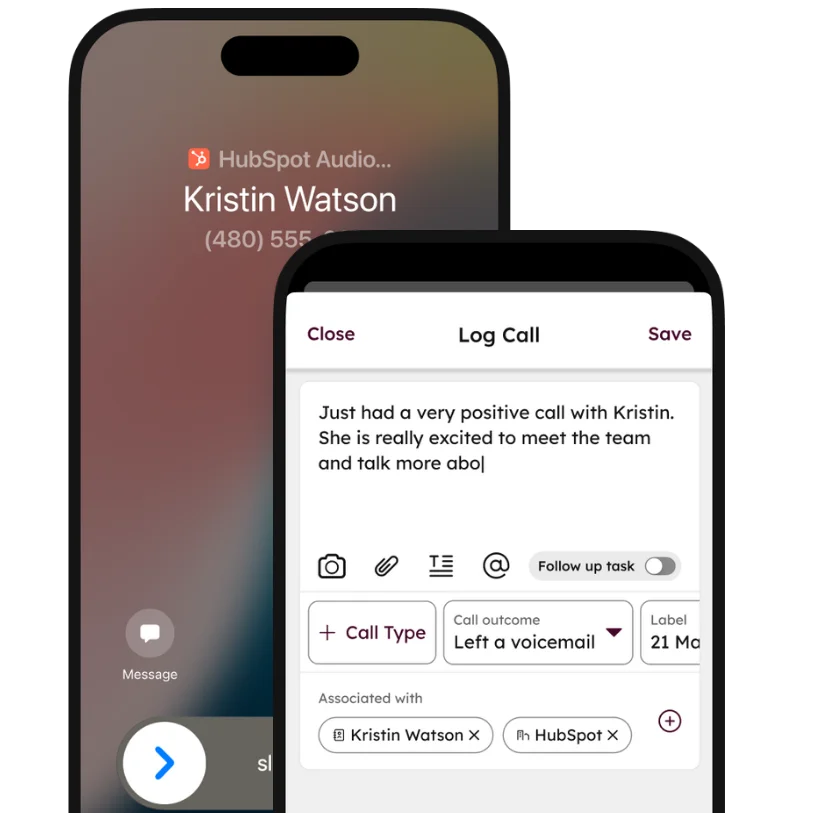
- Strengths: Clean, intuitive interface; fast access to contacts and deals; easy activity logging.
- Limitation: Task and workflow management is shallow on mobile; complex actions require desktop.
- Best for: Smaller teams prioritizing simplicity and fast onboarding.
3. Salesforce Mobile — best for enterprise customization
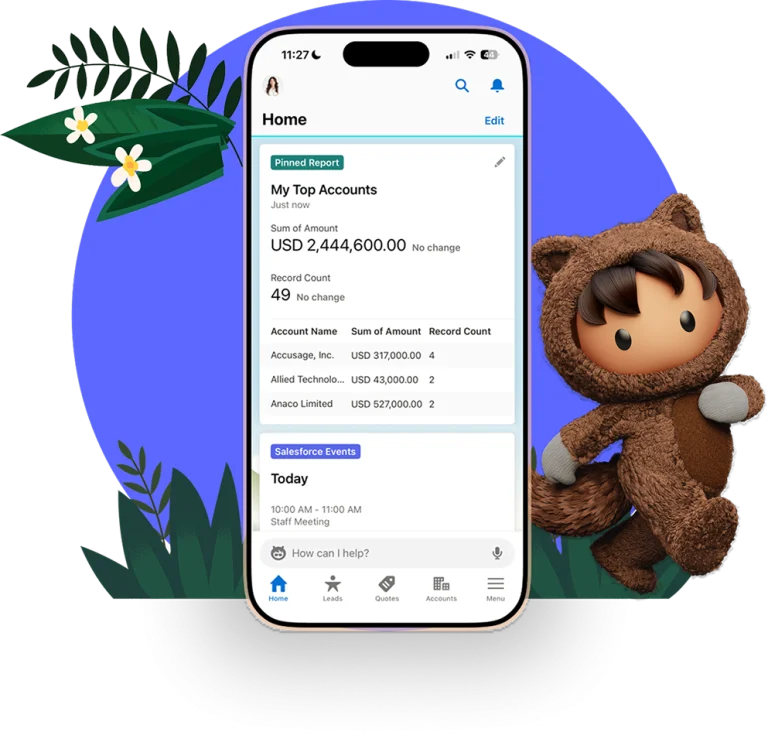
- Strengths: Custom dashboards and reporting, deep integration with enterprise systems, flexible configuration.
- Limitation: Can feel heavy and slow in day-to-day mobile use; requires ongoing admin support.
- Best for: Large organizations with structured processes and dedicated CRM teams.
4. Zoho CRM — best for budget flexibility
- Strengths: Affordable and scalable; broad functionality across sales and support; solid mobile coverage.
- Limitation: Interface can feel cluttered; key actions may take more steps than expected.
- Best for: Businesses balancing cost with functionality.
5. Pipedrive — best for pipeline visibility
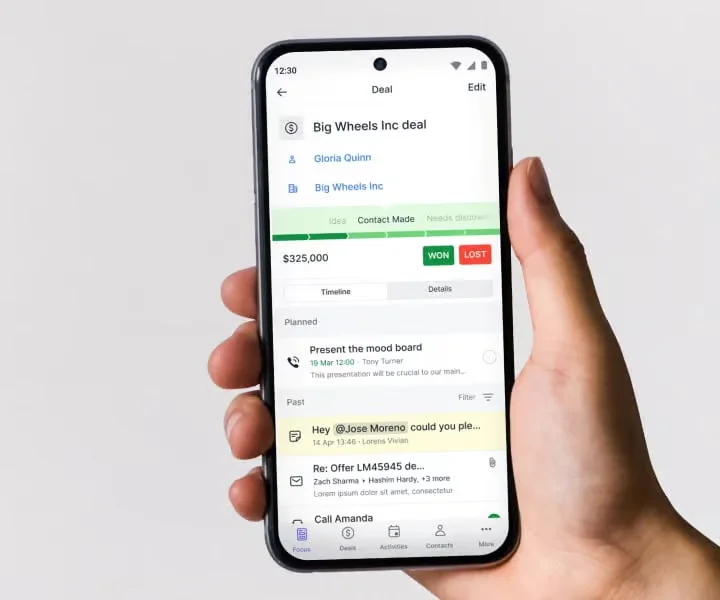
- Strengths: Clear visual pipeline, easy stage updates, lightweight and quick.
- Limitation: Limited beyond sales pipeline; minimal collaboration and task coordination.
- Best for: Sales teams with straightforward, pipeline-driven workflows.
6. Freshsales — best for communication tracking
- Strengths: Integrated calling and email tracking, strong interaction visibility, AI insights for activity.
- Limitation: Less robust for task and workflow management; mobile experience can feel inconsistent.
- Best for: Teams focused on communication tracking over full workflow execution.
Quick comparison: match the platform to your mobile workflow
|
If your biggest mobile friction is… |
Look closely at |
|---|---|
|
Completing full work from mobile, not just viewing it |
Bitrix24 |
|
Simple, fast mobile access for a small team |
HubSpot, Pipedrive |
|
Deep enterprise customization and reporting |
Salesforce |
|
Broad functionality at lower cost |
Zoho |
|
Pipeline visibility without extra complexity |
Pipedrive |
|
Communication-heavy workflows (calls, emails) |
Freshsales |
|
Service teams handling live requests on the go |
Bitrix24 |

Edge cases most mobile CRM roundups skip
Standard advice doesn't fit every team. Here's when defaults shift.
1. Field service teams (HVAC, home services, utilities). Pipeline management matters less than job scheduling, route optimization, and mobile forms. Look at industry-specific tools (ServiceTitan, Jobber) first, and consider Bitrix24 or Salesforce if you need a full CRM alongside field dispatch.
2. Teams working in low-connectivity environments. Offline mode quality matters more than feature depth. Test the app in airplane mode before committing — many CRMs show data offline but fail silently on sync when the connection returns. Salesforce and HubSpot generally handle this better than lighter tools.
3. Regulated industries (healthcare, financial services, legal). Mobile encryption, MDM (mobile device management) integration, and enterprise-grade mobile security with audit trails on mobile actions become non-negotiable. Lighter mobile CRMs (Pipedrive, Freshsales) often don't meet compliance bars; Salesforce, Microsoft Dynamics, and Bitrix24 are safer shortlists.
4. Multilingual or multi-country sales teams. Localization goes beyond language — check currency, date format, phone number handling, and regional sales tax fields on mobile. Zoho and Salesforce lead here; US-first tools often fall short.
5. BYOD (bring your own device) organizations. Consumer-grade app polish and battery efficiency matter. Reps using personal phones are unforgiving about poorly optimized apps. HubSpot, Pipedrive, and Bitrix24 generally score higher on mobile UX than enterprise-focused alternatives.
6. Service-led SaaS or subscription businesses. Renewal management, health scoring, and expansion-opportunity visibility on mobile matter more than new-deal pipelines. Look for CRMs with strong customer service features (HubSpot Service Hub, Salesforce Service Cloud, or Bitrix24's integrated approach).
7. Teams running outbound-heavy phone sales. Call quality, dialer integration, and call-logging automation become the deciding factors. Freshsales, Close, and HubSpot Sales Hub tend to outperform broader CRMs for this specific motion.
How to choose the right mobile CRM for your team
Start with how your team operates day to day, not how the product is positioned. Three questions matter most:
- Where does your team lose time to mobile friction today? After client meetings, between calls, during on-site visits, handling urgent requests — these are the moments where updates either happen or get lost.
- Does your shortlist prioritize action over visibility? If your team can see everything but still has to wait to act, the tool isn't solving the real problem.
- Will it still fit in 12–18 months? Simple tools drive adoption but can become restrictive. Choose for growth, not just for today.
A CRM only works if your team uses it consistently. The winning mobile platform fits naturally into real work without adding new steps.
Effortlessly Conduct Business On-The-Go
Eliminate desktop dependency with Bitrix24's all-in-one mobile CRM. Experience real-time synchronization, integrated communication tracking, and streamline your day-to-day tasks.
Get Started NowChoose a CRM that lets your team act, not wait
The tools that stand out in 2026 remove the friction between what your team knows and what they can do about it. Not after they're back at a desk. Not when they have five minutes to catch up on admin. Right then.
Bitrix24 is built around that idea — combining CRM, communication, and task management in one mobile experience so nothing has to wait.
Start for free today and see how it handles the moments that matter.
Frequently asked questions
What should I look for in a mobile CRM in 2026? Prioritize speed, real-time data capture, action-oriented workflows, built-in communication tracking, and the ability to complete (not just monitor) work from mobile. Feature count matters less than whether your team can finish real tasks without switching back to desktop.
Is a mobile CRM necessary for small sales teams? Yes, increasingly. Even small teams lose significant deal velocity when updates get delayed until reps are back at a desk. A lightweight mobile CRM like HubSpot or Pipedrive delivers most of the value without the overhead of enterprise platforms.
Can mobile CRMs replace desktop entirely? For most roles, no — complex reporting, deep configuration, and bulk data work still happen on desktop. But a strong mobile CRM should handle 80%+ of day-to-day deal and task work without desktop dependency. That's the bar to aim for.
How do mobile CRMs handle offline work? Quality varies significantly. Test offline mode in airplane mode before committing: enter updates, log calls, change deal stages, then reconnect and confirm everything syncs cleanly. Many CRMs show data offline but fail silently on sync (which is worse than no offline mode at all!).