Essential Mobile CRM Apps for Agile Businesses: 2026 Guide

A sales rep leaves a client meeting at 3:15 PM. By 3:17, the details are already fading — the timeline, the objections, the follow-up that needs to land tomorrow. The reps who capture that window are the ones who follow up faster, forget less, and win more of the deals they should.
This is a practical 2026 guide to the mobile CRM apps that make it possible: what to look for, what to avoid, and how to choose one your team will actually use.
TL;DR:
- The best mobile CRM apps are built for execution, not just data access.
- Prioritize speed of updates, full conversational context, task completion on the go, built-in communication, and genuine mobile-first design.
- Feature depth matters far less than whether your team will actually open the app between meetings.
Why mobile CRM matters more than most teams realize
The case for mobile CRM isn't anecdotal — it's backed by two decades of field research.
Nucleus Research surveyed more than 220 CRM decision-makers and found that mobile access drives a 14.6% productivity increase for salespeople. Nearly a third reported gains above 20%. Only 2% saw no benefit at all.
But productivity gains don't come from the app alone. A peer-reviewed study published on PubMed Central found that mobile CRM has the greatest impact on B2B sales performance when it's supported by a clear sales process — the tool and the habit working together, not one without the other.
That distinction matters when evaluating platforms. Any CRM can claim mobile support. Fewer are actually designed to reinforce the daily behaviors that turn access into execution: logging calls on the way back to the car, updating deal stages between meetings, assigning next steps before the context fades.
What actually matters in a mobile CRM (beyond features)
When your team is working on the move, friction matters more than feature count. If something takes too long, it won't get used.
Speed of updates
After a meeting, timing is everything. A strong mobile CRM should let you:
- Add notes within seconds of ending a conversation
- Update deal stages in a few taps
- Capture new leads without breaking flow
The test: if logging a post-meeting note takes more than 15 seconds, it won't happen consistently.
Access to full context
Before walking into a meeting, you need more than a contact name — you need the full interaction history:
- Complete communication across calls, emails, and chat
- Previous notes and deal activity
- A clear timeline of prior touchpoints
Task execution on the go
Many mobile CRMs let you view tasks. Fewer make it easy to act on them. You should be able to create and assign tasks in seconds, set deadlines without extra steps, and mark work complete immediately after finishing it.
Built-in communication
A strong mobile CRM includes calling, messaging, and notifications tied directly to deals — so your team isn't switching between four apps to finish one follow-up.
Ease of use
This drives adoption more than any feature. Desktop-first CRMs forced into a mobile wrapper are the single biggest reason teams stop using their CRM in the field.
Top mobile CRM apps for agile teams (2026 comparison)
1. Bitrix24 — best all-in-one mobile workspace
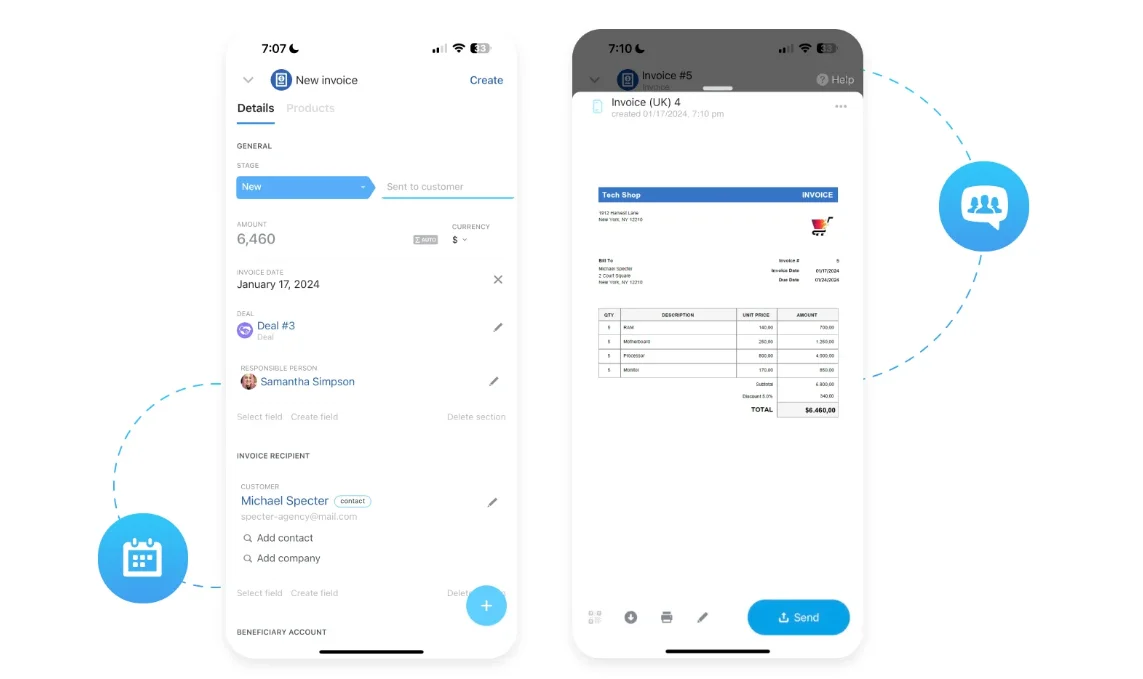
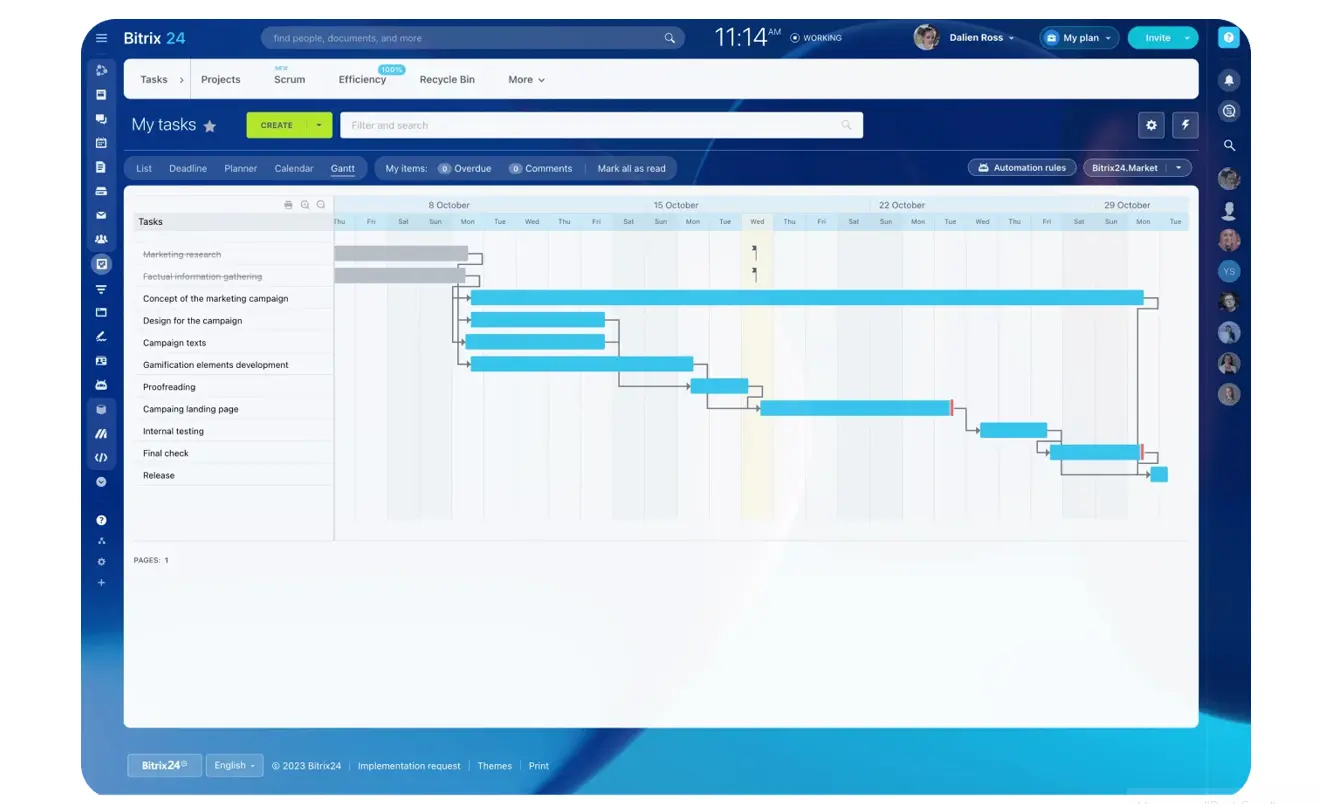
Bitrix24 goes beyond mobile CRM access. It gives you a full working environment on your phone — deals, tasks, and communication all connected.
Key strengths:
- Full access to leads, deals, tasks, calendars, and team activity
- Built-in calling, chat, and notifications tied directly to CRM records
- Strong task execution — assign, update, and complete work without switching tools
- Real-time team visibility for distributed or fast-moving teams
Limitation: Breadth of features can take time to configure fully
Best for: Teams managing sales, communication, and execution in one place, especially when work happens away from the office
Check out our full range of solutions here.
2. HubSpot CRM — best for simplicity
HubSpot offers one of the cleanest mobile experiences, especially for teams that want quick access to contacts and deals without complexity.
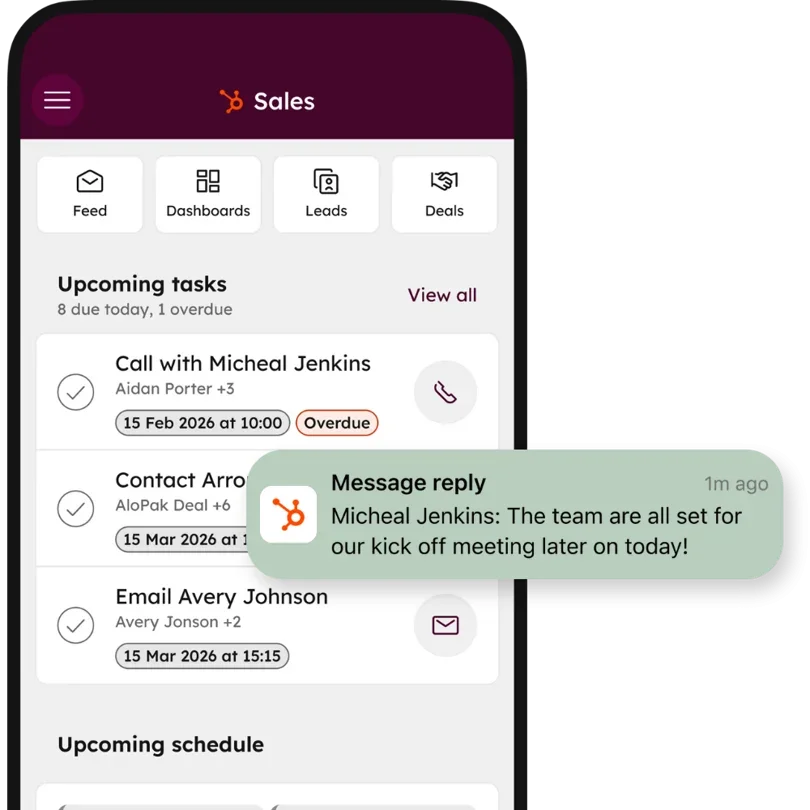
Key strengths: Intuitive interface with minimal learning curve; fast access to contact records and pipeline updates
Limitation: Limited task execution and workflow depth on mobile; often requires switching to other tools for full follow-up
Best for: Teams that want a simple mobile CRM for tracking contacts and deals without heavy operational needs
3. Salesforce mobile — best for enterprise customization
Salesforce mobile reflects the power of its desktop platform, with deep customization and reporting capabilities.
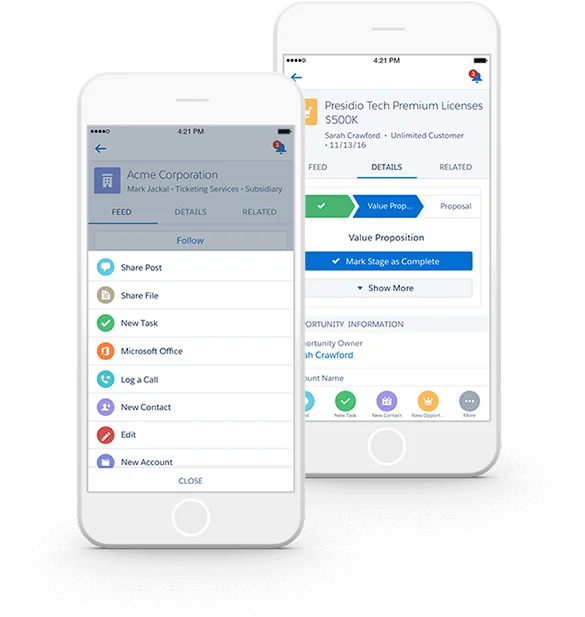
Key strengths: Highly customizable dashboards; detailed reports and large-dataset access; scales for complex enterprise processes
Limitation: Can feel heavy on mobile; updating records often takes more steps than lighter tools
Best for: Enterprise teams that prioritize customization and process control over speed
4. Zoho CRM — best for flexible setup on a budget
Zoho offers a wide feature set at an accessible price point with flexibility for growing teams.
Key strengths: Customizable pipelines and workflows; broad feature coverage; competitive pricing
Limitation: Mobile interface can feel cluttered with complex setups
Best for: Businesses that want flexibility and affordability and are willing to trade some mobile simplicity
5. Pipedrive — best for pipeline-focused sales
Pipedrive is built around visual pipeline management, making it easy to track deals and progress.
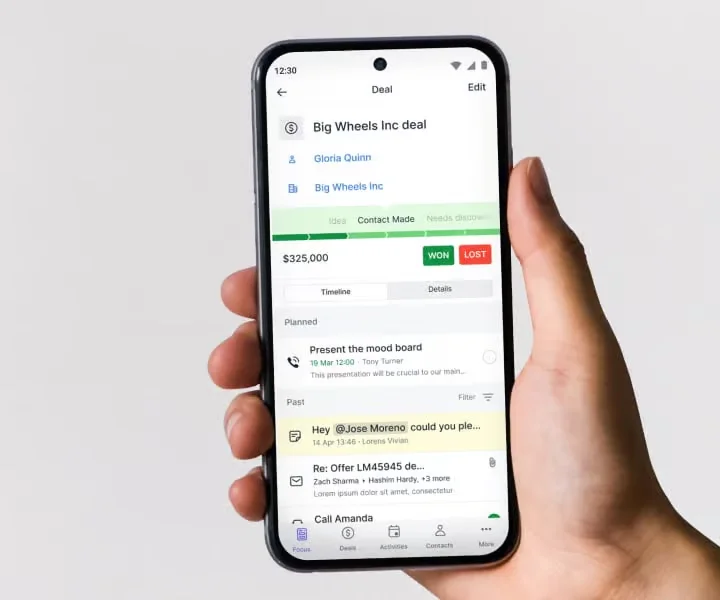
Key strengths: Clear visual pipeline on mobile; fast deal updates with minimal friction; easy to learn
Limitation: Limited collaboration and task management beyond the pipeline
Best for: Sales teams focused primarily on managing and updating deals quickly
6. Freshsales — best for built-in communication
Freshsales combines CRM with communication features, making it useful for teams that rely heavily on calls and email tracking.
Key strengths: Built-in calling and email tracking; solid lead management; clean interface
Limitation: Less robust for complex workflows or cross-team coordination
Best for: Teams that prioritize communication tracking within the CRM, especially inside sales environments
Where mobile CRM delivers the biggest impact
A mobile CRM changes how quickly your team responds, how well they stay organized, and how consistently opportunities get followed up.
1. Field sales: faster follow-ups, stronger conversations
The Nucleus Research productivity gains show up most visibly here. Between meetings, reps can:
- Log notes immediately after leaving a conversation
- Update deal stages before the next appointment
- Schedule follow-ups while details are fresh
- Review objections before walking into the next meeting
2. Service teams: real-time job and task management
Work happens on-site, not in a system. Teams can receive and update tasks and projects in real time, track job progress without paperwork, and communicate with clients from one place.
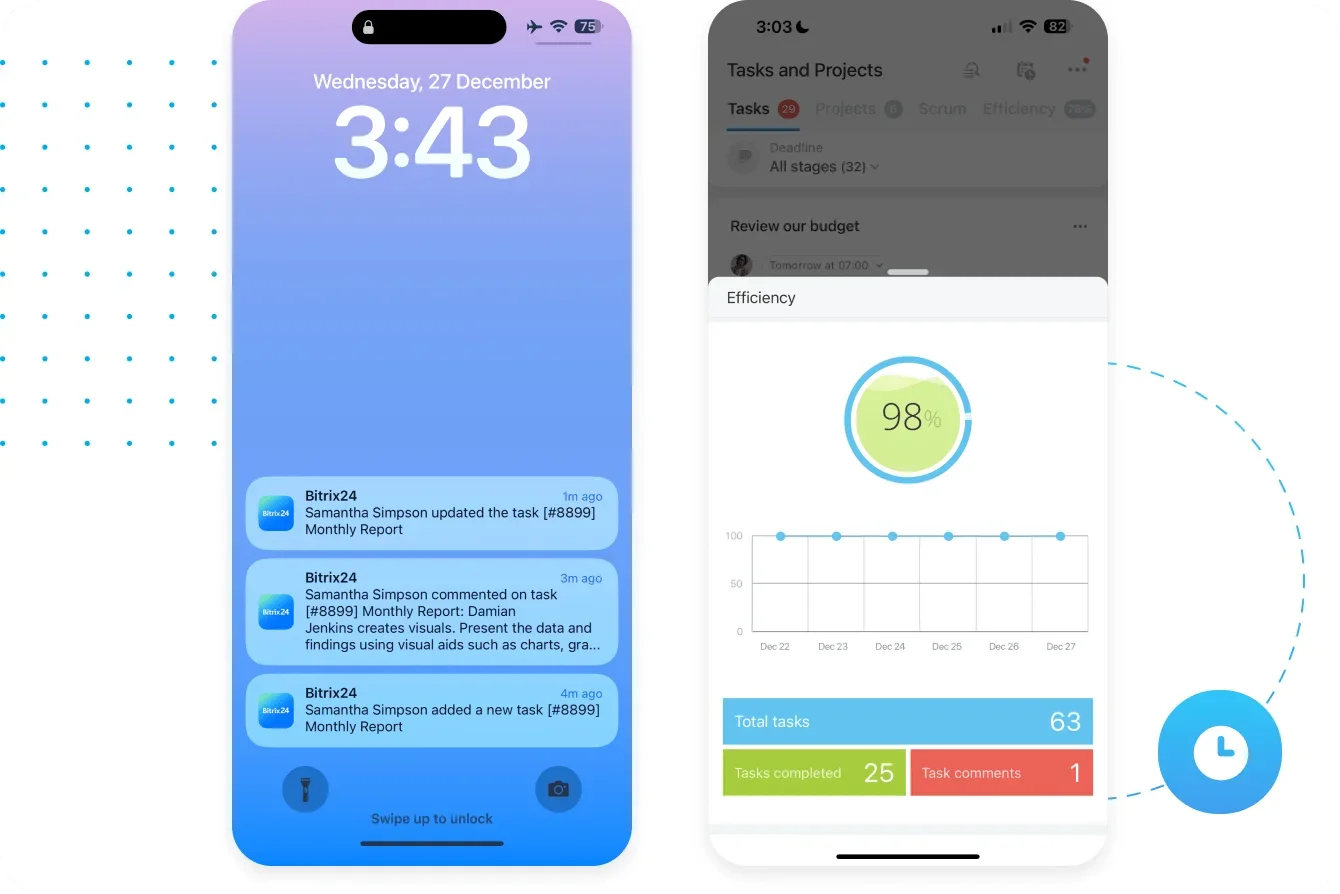
3. Managers: visibility without waiting for reports
Traditional reporting creates lag. A mobile CRM with built-in analytics gives managers immediate visibility into pipeline movement, team activity, and bottlenecks — so they can step into deals in real time.
4. Distributed teams: staying aligned without extra tools
A mobile CRM with built-in communication keeps conversations linked to deals, tasks tied to specific actions, and updates instantly visible across the team.

Why most CRMs fail on mobile
The issue isn't missing features. It's how those features perform under real conditions.
1. Built for desktop, forced into mobile
Many CRMs are designed for large screens and compressed into a mobile app. The result: too many steps for simple actions, cluttered screens, and interfaces that feel slow when you need speed.
2. Too much effort to log updates
If updating a deal takes too long, it won't happen consistently — leading to missing information and outdated pipelines. The PMC study's finding that sales process must support the tool cuts both ways: a friction-heavy mobile app actively undermines the process it's supposed to reinforce.
3. View-only design
Some mobile apps are built for checking data, not acting on it. You can see a deal, but creating a task, assigning work, or triggering a follow-up requires switching tools — or waiting until you're back at a desk.
4. No built-in communication
When calling, messaging, and CRM activity are separated, context gets lost. Team members end up switching between tools, which leads to conversations disconnected from deal history and missed follow-ups.
The pattern is consistent: friction at exactly the moment the tool is supposed to remove it. The apps that solve this are built around how sales actually happen: fast, fragmented, and rarely at a desk.
How to choose the right mobile CRM for your business
Focus on what needs to happen in real time, not on feature lists.
If you need simplicity
HubSpot or Pipedrive work well for teams that mainly track contacts and deals with minimal setup. They're quick to adopt but limit you once you need task management, coordination, or full follow-up cycles in one place.
If you need customization
Salesforce or Zoho offer flexibility for custom workflows, detailed reporting, and advanced automation — often at the cost of speed and mobile usability.
If you need full mobile execution
A more complete platform like Bitrix24 lets teams update deals and tasks immediately after interactions, communicate without switching tools, stay aligned across locations, and manage both sales and operational work on the go. It fits when your CRM has to work as a mobile-first workspace, not just a data viewer.
A quick decision test
- Can your team update deals in seconds after a meeting?
- Can they assign tasks and follow up without leaving the app?
- Can you see what's happening in real time, without waiting for reports?
If the answer is no, the CRM will slow your team down.
When a mobile CRM may not move the needle
Mobile CRMs amplify teams that are already disciplined in capture and follow-up. They won't fix structural problems on their own.
- Your team won't adopt the mobile habit. If reps refuse to log calls or update deals on desktop, a phone app won't change that. The problem is process discipline, not tool access.
- Your work doesn't generate capturable moments. Inside sales teams working from a single screen get less lift from mobile than field teams. The ROI scales with how much of your work happens between meetings, on-site, or in transit.
- Your sales process requires heavy data entry per interaction. If each update needs long-form notes, attached documents, or complex field configurations, no mobile app will make that fast. Simplify the data model first.
- You're still pre-process. If you haven't defined pipeline stages, ownership, or follow-up cadences, adding a mobile CRM puts the cart before the horse. The PMC research is explicit: mobile CRM delivers when supported by the sales process. Build the process first.
Speed wins deals in a mobile-first world
The research is clear: mobile CRM works best when the tool reinforces the process.
Bitrix24 is built around that principle — logging, communicating, and acting on deals happen in the same place, without the friction that causes other platforms to stall in the field.
It's not the flashiest option. It's the one most likely to actually get used.
Start for free today and see for yourself.
Try Bitrix24's Mobile CRM
Experience an all-in-one mobile workspace with Bitrix24. Boost productivity with ease of use, faster updates, and real-time team collaboration.
Get Started NowFrequently asked questions
What can teams do in the Bitrix24 mobile CRM app?
They can view leads and deals, log calls, read notes, create tasks, chat with teammates, check calendars, and react quickly from the field.
Why does mobile CRM improve sales execution?
It shortens the gap between customer interaction and the next action, helping teams update records faster and miss fewer follow-ups.
Can Bitrix24 support both mobile and office-based work?
Yes. The same CRM records, tasks, documents, and communication history stay visible across desktop and mobile.
What should businesses compare in a mobile CRM app?
Compare speed, offline functionality, usability, notification quality, task access, and how well the app mirrors the core CRM workflow.
How long does it take a team to fully adopt a new mobile CRM?
Expect 30–45 days for habit formation if the mobile experience is genuinely fast. Teams that stall at 40–50% adoption usually suffer from either a friction-heavy app that punishes field use, or a missing process, i.e., no one ever told reps what gets logged when. Fix both, and most teams reach 80%+ mobile adoption within six weeks.