CRM Integrations That Matter First: Email, Forms, Calendar, and Tasks

Email, forms, calendar, and tasks aren't the flashiest integrations in the marketplace. What they are is the difference between leads getting followed up or going cold, meetings appearing in the right record or living on someone's personal calendar, and account history being visible to the whole team or trapped in individual inboxes.
Get those four working first and the rest of your stack has something reliable to build on.
This guide covers which to connect first, in what order, and what to watch for as you scale.
What CRM integrations that matter first means
"CRM integrations that matter first" means choosing connections based on operational importance, not on how many apps your stack supports. In plain terms, you start with the integrations that support lead capture, communication, scheduling, and action tracking.
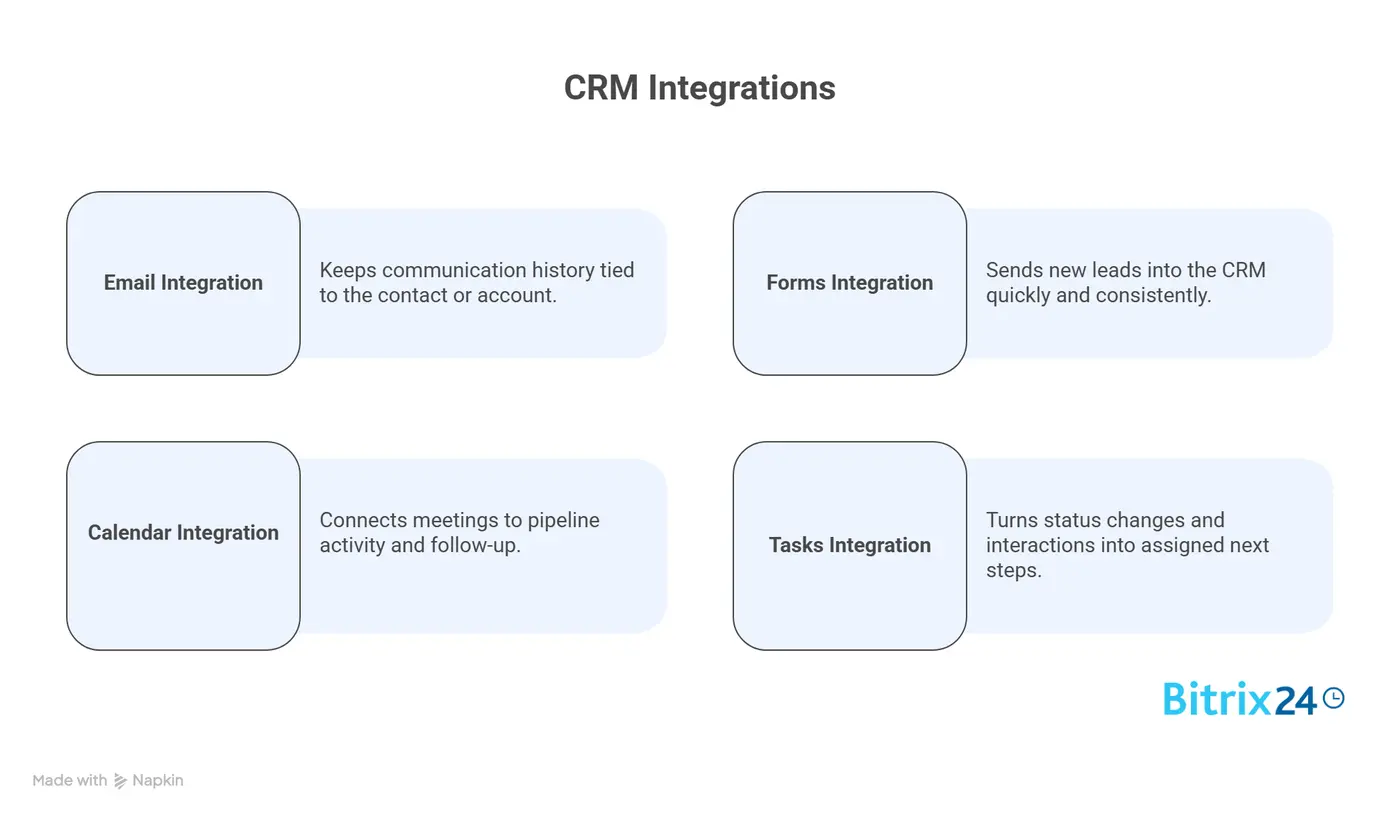
The four core categories are straightforward:
- Email: keeps communication history tied to the contact or account
- Forms: sends new leads into the CRM quickly and consistently
- Calendar: connects meetings to pipeline activity and follow-up
- Tasks: turns status changes and interactions into assigned next steps
The goal is operational continuity. That means the work can move from one stage to the next without context getting lost. You're not trying to build the biggest app ecosystem. You're trying to make sure the obvious, daily actions actually stay connected.
That distinction matters. A large stack can still produce weak execution if leads aren't routed cleanly, meetings aren't visible, or follow-ups live outside the CRM.
The first integrations should protect the flow of work, not just increase the number of connected systems.
Why CRM integration priorities break down
A lot of teams choose integrations based on what's available in the app marketplace. That sounds efficient, but it usually leads to the wrong priorities. Just because a tool can connect doesn't mean it should connect first.
The better question is: where does revenue-related work actually break down today?
Consider a mid-market SaaS company: Their marketing team runs paid ads, captures 200 leads per month through landing page forms, and passes them to sales. But the form tool emails a CSV export twice daily instead of syncing to the CRM. By the time sales gets around to importing the file, half a day has passed and some leads have already moved on to competitors who responded within minutes.
When marketing and sales want different things
Another issue is workflow mismatch. Marketing may care most about campaign attribution, form routing, and lead status updates. Sales may care more about inbox visibility, meetings booked, and task follow-up. If nobody defines who owns fields, triggers, and response rules, integrations quickly create ambiguity instead of clarity.
Data quality kills integration value
Then there's data hygiene. Weak naming standards, inconsistent lifecycle stages, and poorly managed duplicates turn otherwise useful integrations into noise. Data moves, but not in a way people can trust. That leads to:
- Missed alerts when leads arrive
- Duplicate contacts scattered across records
- Unclear ownership assignments
- Leads that stall because nobody's sure what happens next
The scale of the problem is wider than most teams expect. According to the State of HubSpot report, 95% of companies acknowledge operational gaps in their CRM and CMS systems. The issue isn't missing features. It's that basic workflows aren't connected properly before teams layer on more complexity.
Step 1: Map the daily handoffs before connecting anything
Trace the path a lead takes
Before you turn on a single integration, map the exact path a lead takes through the day-to-day workflow. Start with the first inquiry. Then trace what happens next:
- Form submission
- Lead creation
- Assignment
- Outreach
- Meeting booking
- Qualification
- Follow-up
- Opportunity progression
Be specific. "Sales follows up" isn't enough. You want to know who follows up, in which tool, based on what trigger, and how that action gets recorded. The handoff map should make it obvious where delays happen and where context disappears.
Define ownership and source of truth
For each handoff, list two things: who owns it and which tool currently holds the source of truth. For example, a form tool may be the source of truth for raw submission data, but the CRM should become the source of truth for lead status and owner assignment. A calendar app may hold meeting details, but the CRM should reflect that the meeting happened.
Example-in-action: Fixing the handoff gap
A 15-person marketing agency discovers their handoff broke between form submission and SDR assignment. Their WordPress form plugin sends submissions to a Slack channel. SDRs check Slack sporadically and manually enter leads into the CRM. On busy days, leads sat for 6-8 hours before anyone reached out. Once they connect the form directly to the CRM with automatic assignment rules, their average response time drops from 6 hours to 12 minutes.
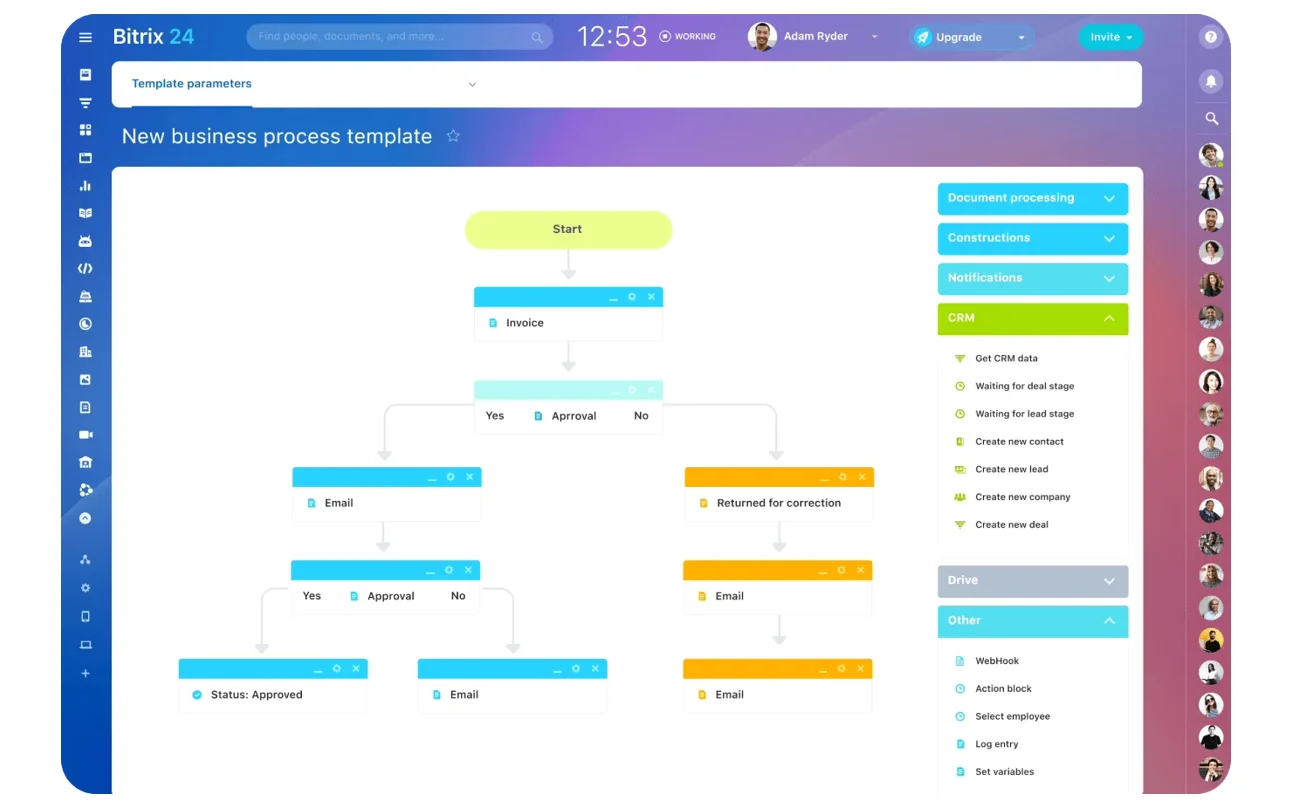
Once you have this map, the first integration choice becomes much easier. Pick the connection that removes the biggest daily friction point. For one company, that may be forms because leads are entering by CSV import. For another, it may be email because account communication is scattered across individual inboxes.
Practical test: if one broken handoff causes the most missed follow-up or lost visibility, fix that first.
Step 2: Connect email first to preserve context and response history
Email is often the fastest win because it captures real customer interaction. When inbound and outbound email activity syncs to the CRM, contact records stop looking blank. Reps can see recent conversations, managers can spot stalled accounts, and handoffs become less dependent on memory.
The setup should focus on customer-facing communication, not every internal message. Sync the emails that matter for lead follow-up, active deals, customer questions, and account coordination. The point is to preserve context around the relationship.
What good email integration looks like
A good email integration should show:
- Conversation history on the contact or company record
- The record owner and recent sender activity
- Engagement signals such as replies or last contact date
- Shared visibility for accounts handled by more than one person
This becomes especially important when multiple reps, account managers, or SDRs touch the same account. Without email syncing, the CRM may show stage updates but not the actual communication behind them. That creates blind spots fast.
Setting sync rules
One caution: decide early what should sync automatically and what should remain manual. If every message gets logged without rules, records become cluttered. Start with the emails tied to pipeline movement and customer communication, then refine from there.
Many teams set rules like: sync all emails to contacts marked as leads, opportunities, or customers; exclude internal team emails; and exclude automated newsletters. This keeps CRM records clean while preserving the conversations that matter.
Platforms like Bitrix24 let you sync email alongside task management, calendar events, and team communication in one workspace. When email integration works cleanly, reps spend less time searching their inbox for context and more time actually responding to customers.

Step 3: Integrate forms so new leads enter the CRM cleanly and fast
Once email context is covered, make sure new leads enter the CRM directly from your forms. That includes:
- Website forms
- Landing pages
- Paid campaign forms
- Demo requests
- Gated content submissions
Manual imports are slow, error-prone, and usually the reason first-touch follow-up slips.
Pass the right data in the right format
The key isn't just passing data, it's passing the right data in a standardized way. Required fields should be consistent across major forms. Source attribution should be captured at submission. Routing logic should assign or queue the lead immediately based on territory, segment, product line, or another rule your team actually uses.
The hidden cost of inconsistent forms
This is where a lot of preventable mess starts. If one form says "Company Size," another says "Employees," and a third leaves it optional, your CRM will fill with uneven data.
Clean up the field design before scaling the integration.
|
Form Element |
What to Standardize |
|---|---|
|
Contact fields |
Name, email, company, phone format, required vs optional |
|
Attribution fields |
Source, campaign, medium, landing page, referring asset |
|
Routing logic |
Owner assignment, queue rules, region or product mapping |
|
Validation |
Field formatting, duplicate checks, allowed values |
The speed advantage
When form integration works well, the lag between conversion and outreach gets much shorter. That alone can improve performance more than adding another reporting tool or niche automation.
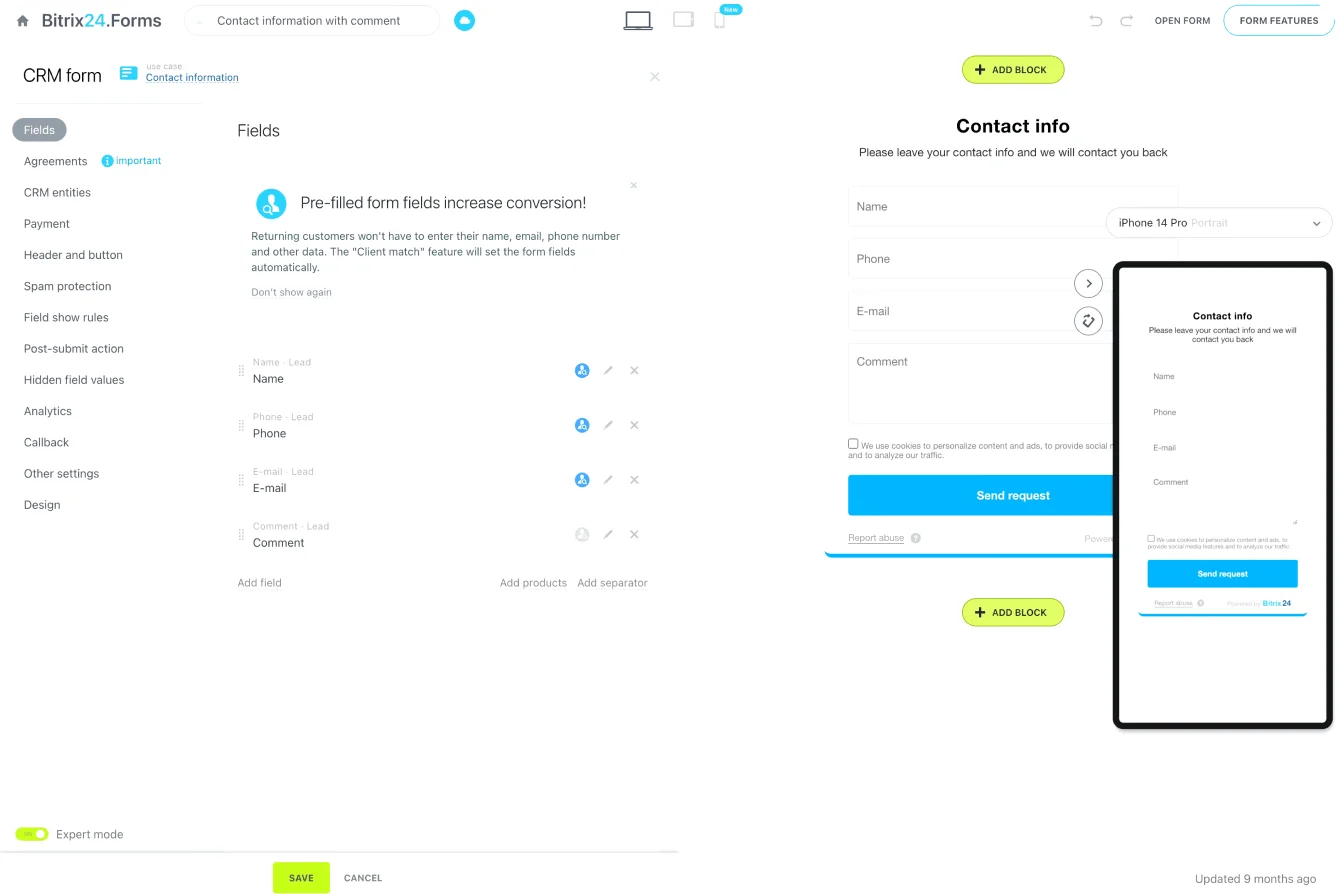
Tools like Bitrix24 include built-in form builders that create leads directly in the CRM, with automatic assignment and lead scoring rules. This removes the gap between form submission and sales visibility entirely.
Step 4: Sync calendar to connect meetings with pipeline activity
Calendar integration bridges a common gap: teams know meetings are happening, but the CRM doesn't reliably reflect them. Syncing calendars connects booked calls, demos, and follow-ups to contact, company, or opportunity records so the meeting activity becomes part of the pipeline record.
This matters because meetings are often the turning point between interest and active sales work. If a lead books time, that event should trigger visibility and often a process change. The CRM should know the meeting exists, who owns it, and what record it relates to.
Why calendar visibility matters
Here's what happens without it: A sales manager reviews pipeline on Monday morning. They see 12 opportunities in the demo stage. Three haven't had any activity logged in two weeks. The manager asks the rep what's going on. The rep says they had calls scheduled but the prospects no-showed. The manager asks why that's not in the CRM. The rep says they put it on their personal calendar and forgot to log it. This conversation happens in sales teams every single week.
Calendar data can also support simple downstream actions. A booked demo might update a lifecycle stage. A completed meeting might trigger a reminder to send recap notes. A no-show might create a reschedule task or flag the record for another attempt.
Management visibility
On the management side, synced calendar data gives clearer visibility into meeting volume, no-show patterns, rep activity, and how long follow-up takes after a call. That helps teams see whether pipeline movement reflects real customer interaction or just record maintenance.
Keep the setup tight. Focus on external meetings tied to leads, contacts, and opportunities. You don't need every internal block and personal calendar item cluttering the CRM.
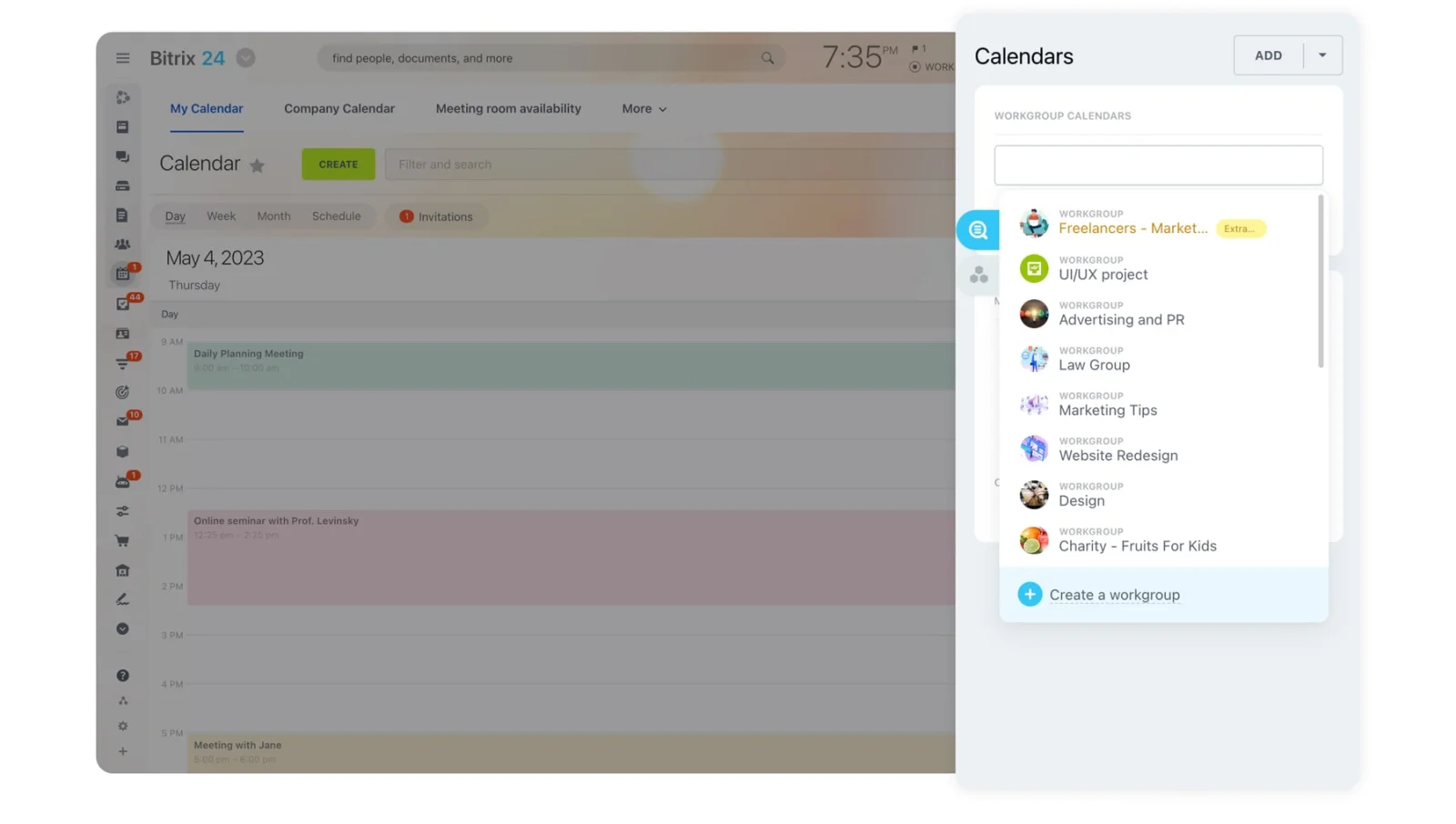
Bitrix24's calendar tool syncs directly with CRM records, so booked meetings automatically appear in deal timelines without manual logging. This gives managers real-time visibility into sales activity.
Step 5: Integrate tasks to turn CRM records into follow-through
A CRM without task follow-through becomes a tracking system instead of an execution system. Task integration solves that by turning record changes and customer interactions into assigned actions with owners and deadlines.
Common task triggers
Tasks can be created or synced from practical triggers such as:
- A new high-intent form submission
- A lead status changing to sales-ready
- A meeting getting booked or completed
- A deal moving to a stage that requires next steps
The main thing is to define the task rules clearly. Every task should have an owner, a due date, and a completion condition. If tasks are generated without those basics, they pile up fast and people stop trusting them.
Where task integration goes wrong
A company implements task automation with good intentions. They set up rules like "create a follow-up task when a lead downloads a whitepaper." Within two weeks, each SDR has 60 open tasks. Most are low-priority. Nobody knows which ones actually matter. Reps start ignoring the task list entirely and go back to managing their day through email and memory.
The fix is simple but requires discipline: one trigger creates one obvious action. If the action isn't clear enough that someone could complete it in under 10 minutes, the trigger isn't specific enough.
Task design principles
Good task design is simple:
- One trigger creates one obvious action
- The assignee is clear
- The due date reflects the response expectation
- Completion is easy to verify
Where tasks actually get managed
It also helps to decide where tasks will actually be managed. Some teams use CRM task objects directly. Others sync with a task or project tool. Either can work, but action management should stay connected to the CRM record so the next step is visible in context.
If your reps still rely on personal to-do lists, task integration at least gives the business a system-level view of what should happen next and what's slipping.
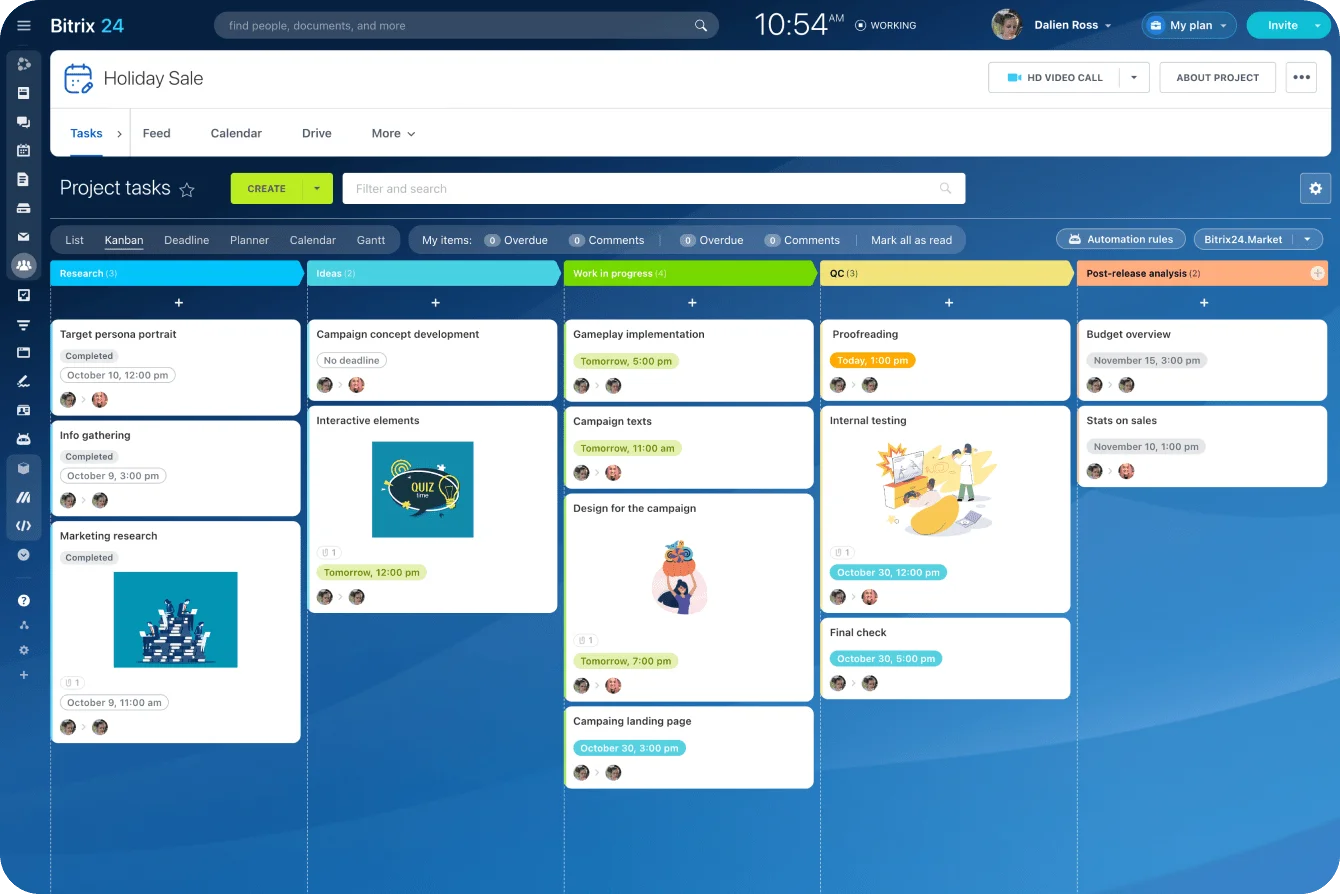
Bitrix24 combines CRM tasks with project management and communication tools, so follow-up actions stay connected to customer records while giving teams visibility into what's due.
Step 6: Add basic automation and routing after the core four work reliably
After email, forms, calendar, and tasks are working consistently, then it makes sense to add lightweight automation. Not before. At this stage, the goal is to speed up routine actions without creating brittle logic.
Start with simple workflows
Start with a few simple workflows:
- Lead assignment based on territory or segment
- Follow-up tasks created after a meeting is booked
- SLA alerts when response times slip past a threshold
These are practical automations with clear business value and limited ambiguity.
Test against real scenarios
Test each workflow against real scenarios before expanding it. Use actual examples:
- A duplicate lead
- A reassigned owner
- A canceled meeting
- A form with missing data
- A lead that converts outside normal hours
If the automation breaks in normal edge cases, it's not ready.
Measure the impact
Then measure whether the automation helps. Look at response speed, meeting follow-through, visibility into owner activity, and conversion from inquiry to qualified opportunity. If those numbers don't improve, the automation may be adding motion without improving execution.
Keep early automation narrow:
- One trigger
- One intended outcome
- One owner or team
- Clear reporting on success or failure
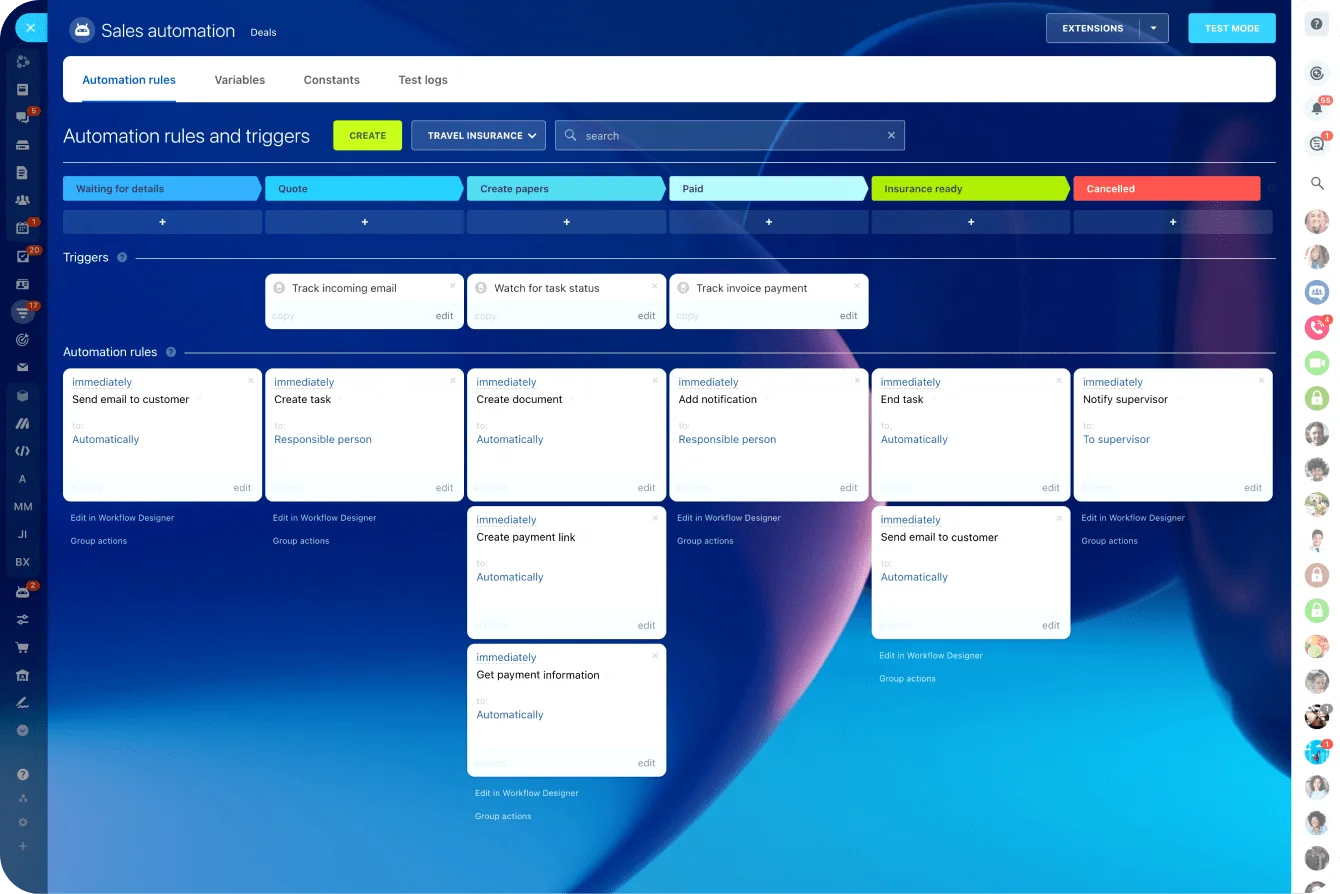
Bitrix24's automation tools let teams build workflows that connect CRM stages to task creation, notifications, and status updates without coding. This makes it easier to test automation before scaling.
Common mistakes when prioritizing CRM integrations
Mistake 1: Connecting niche tools before fixing basics
One common mistake is connecting niche tools before fixing the obvious gaps. Teams add webinar syncs, chat connectors, enrichment feeds, or dashboard layers while leads still arrive slowly, inbox activity stays invisible, and meeting follow-up depends on memory.
Mistake 2: Syncing too many fields too early
Another mistake is syncing too many fields too early. More fields don't automatically mean better insight. Without naming standards, validation rules, and ownership definitions, extra field syncing creates confusion and makes troubleshooting harder.
Mistake 3: Confusing movement with usefulness
The third mistake is calling an integration successful just because data moves. That bar is too low. If reps still work outside the CRM, if tasks are ignored, or if managers can't trust what they see on the record, the integration is technically active but operationally weak.
In other words, movement isn't the same as usefulness. The test is whether daily work becomes easier to execute and easier to see.
How to make these integrations reliable as you scale
Start with governance
Reliability starts with governance. As more users, campaigns, reps, and records enter the system, small inconsistencies become real problems. Define field mapping rules, lifecycle stage definitions, sync direction, and exception handling before volume increases.
For example:
- Decide which system can overwrite which field
- Set rules for duplicate handling
- Make it clear how orphaned tasks are reassigned when owners change
- Document what happens when a form submission doesn't match an existing record cleanly
These decisions reduce support churn later.
Monitor key failure points
You also need monitoring. Watch for failure points like delayed syncs, broken workflows, duplicate creation spikes, missing meeting associations, and tasks with no owner or due date. Reliability isn't something you set once. It needs review.
A simple operating table helps:
|
Area |
What to Monitor |
|---|---|
|
|
Missing activity logs, incorrect association, user sync failures |
|
Forms |
Duplicate records, rejected submissions, missing source data |
|
Calendar |
Meetings not attached to CRM records, no-show tracking gaps |
|
Tasks |
Orphaned tasks, overdue volume, automation-created clutter |
Only expand into additional tools after these basics perform consistently across teams and record volume. That's how you avoid scaling a fragile setup.
Research shows that companies using CRM see a 27% increase in customer retention, but that benefit only shows up when the core integrations work reliably. Scaling a broken foundation just spreads the problems faster.
Start with the integrations that protect daily execution
The integrations that matter most aren't the ones with the longest feature lists. They're the ones that stop leads going cold, keep meeting activity visible, and make sure follow-up doesn't depend on individual memory.
Fix those daily handoffs first. Once they're reliable, everything you build on top of them actually holds.
Build a CRM foundation that follows through
Bitrix24 connects CRM, email, forms, calendars, and tasks so leads move faster, meetings stay visible, and follow-ups get done.
Learn MoreFAQ: Practical questions about CRM integration priorities
Which integration should come first if our team uses shared inboxes and personal inboxes at the same time?
Start with email, but define scope carefully. Sync the customer-facing inboxes that affect lead and account context first. If shared inboxes handle inbound demand and personal inboxes handle sales follow-up, make sure both can associate activity to CRM records in a consistent way.
How long should it take to set up the first four CRM integrations for a small marketing and sales team?
For a small team with a standard stack, a focused rollout often takes a few weeks, not a few months. The technical connection may be quick. Most of the time goes into field cleanup, routing rules, ownership decisions, and testing real scenarios.
What should we do if our forms tool can't pass all the CRM fields we want to capture?
Pass the fields you truly need at capture, then enrich later through workflows or user action. Don't overload forms just to satisfy CRM completeness. Prioritize contact basics, source attribution, and routing data first.
Can calendar and task integrations still work if reps refuse to manage everything inside the CRM?
Yes, if the integrations still push enough activity back to the CRM for visibility and accountability. You may not get perfect behavior, but you can still track meetings, assign next steps, and surface overdue follow-up if the sync rules are solid.
How do we evaluate whether a native integration is good enough versus needing middleware like Zapier or Make?
Use the native integration if it handles your core field mapping, sync reliability, associations, and basic trigger logic. Consider middleware when you need cross-tool branching, transformation, fallback logic, or custom routing the native option can't support cleanly.