CRM for Law Firms: Intake, Follow-Ups, and Client Relationships Without Gaps
You don’t lose great matters because you’re not great lawyers. You lose them because your intake is a manual maze. Calls roll to voicemail, web forms bury themselves in a shared inbox, and staff scribble details on sticky notes that never make it into a system. Partners ask for an update and you search three spreadsheets and two inboxes to piece together the picture — while a competitor replies to the same prospect in minutes.
The impact is easy to feel. High-intent clients hire the first credible firm that responds quickly and clearly, so delays turn into lost revenue. Disorganized intake creates duplicate work, inconsistent file quality, and avoidable risk during conflict checks and early deadlines. Without reliable data, partners can’t forecast pipeline, intake teams can’t prioritize by value or urgency, and marketing can’t prove ROI — so budgets get cut instead of scaled. Morale suffers when people play phone tag rather than practicing law.
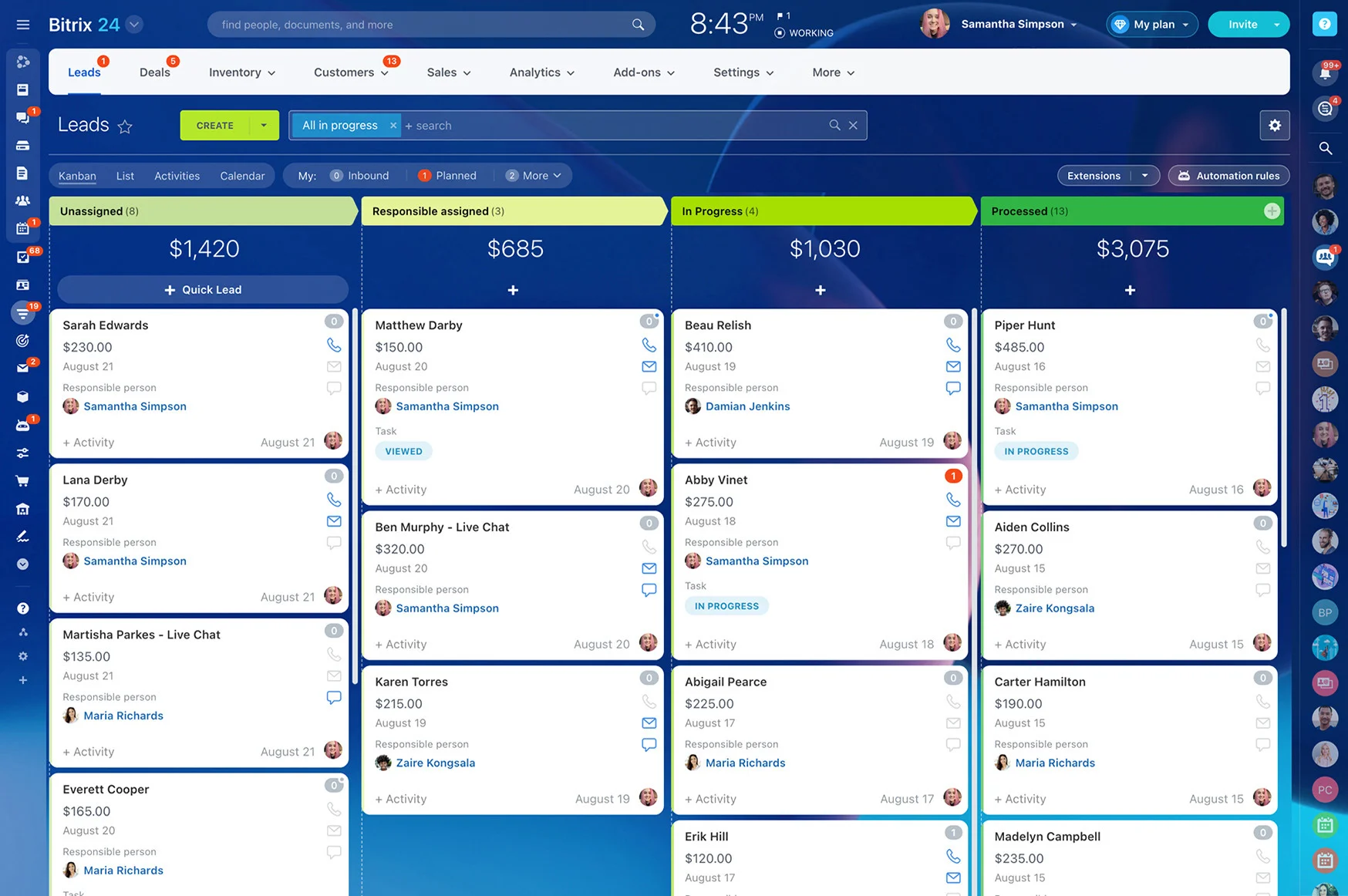
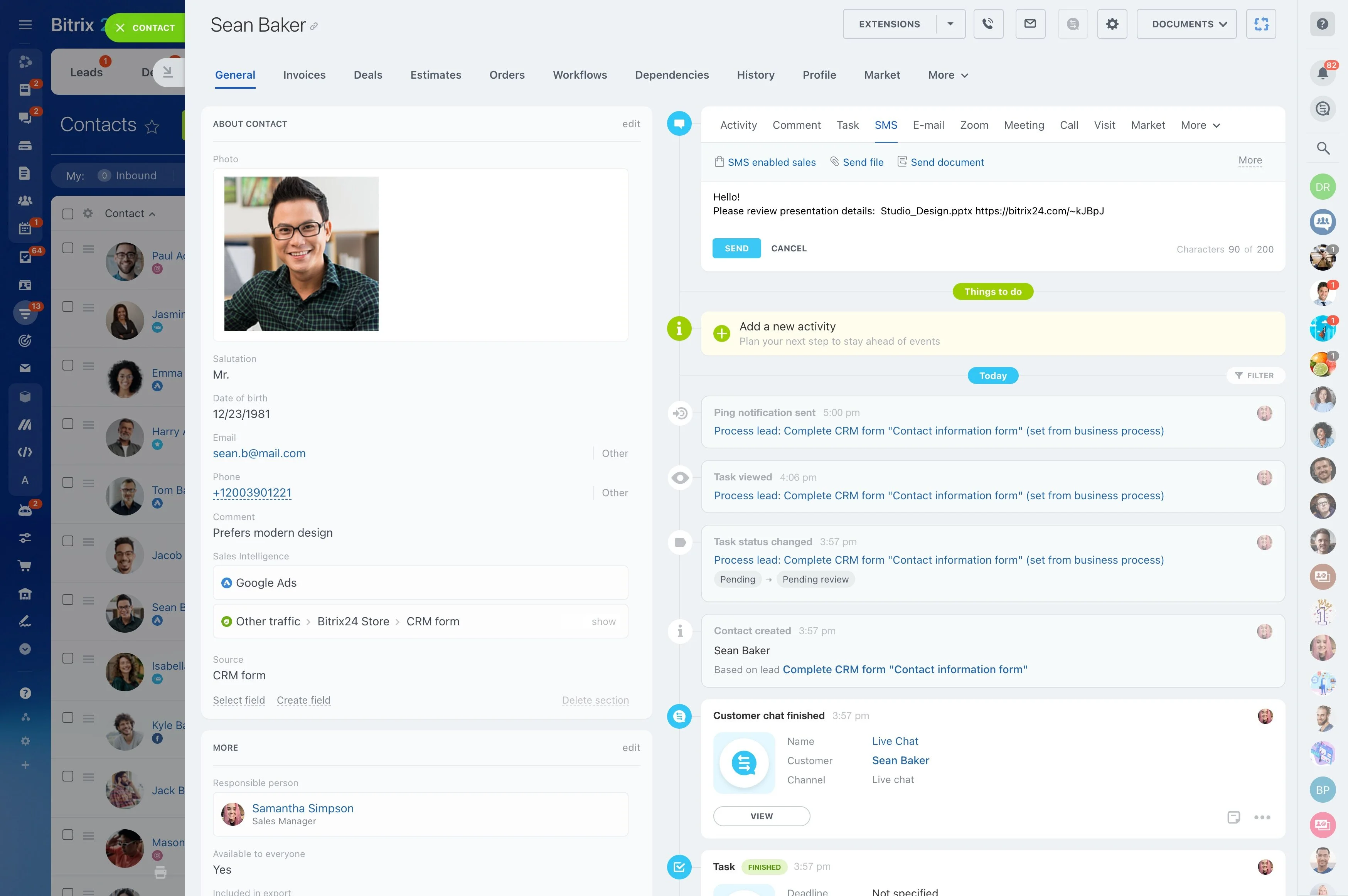
Bitrix24 is the legal CRM that makes intake, follow-up, and relationship management a repeatable, trackable system you can trust. You capture every inquiry automatically, route it to the right person, enforce SLAs, and trigger e-sign and welcome steps without chasing. Every touchpoint — email, call, chat, SMS — lands on a single timeline with tasks, documents, and notes. You see what’s working, where matters stall, and how to fix it fast.
With Bitrix24, you can:
- Respond in minutes with guided workflows and automations.
- Reduce rework with required fields, deduplication, and conflict-screening prompts.
- Standardize e-sign and onboarding so clients move from inquiry to retainer smoothly.
- Give partners reliable dashboards for forecasting and resourcing.
- Keep staff focused on high-value conversations instead of manual reminders.
All Your Communications, One Timeline—Email, Calls, Chat, WhatsApp
Clients and prospects don’t care which channel you prefer.
Connect the channels you use every day:
- Two-way email sync with Outlook and Gmail. Log threads to the correct matter based on contact, subject tags, or manual selection. Attachments store to the file automatically.
- Built-in telephony or PBX integrations. Log and, where permitted, record calls, capture outcomes, and auto-create follow-up tasks based on disposition (e.g., “Left voicemail,”…
- Website chat that prequalifies, captures contact info, and pushes transcripts into the CRM for continuity.
- SMS via popular providers for one-offs or automated sequences tied to intake stage.

Make Client Intake Automatic, Accurate, and Attorney-Proof
Before Bitrix24, intake often looks like this: a prospect fills your website form on Friday at 4:47 PM.
You design smart intake forms that validate and map directly into CRM records.
- Build multiple pipelines for PI, family, immigration, business litigation — each with its own question set and stage definitions.
- Route inquiries dynamically by practice area, office, language, availability, or referral source. Spanish-language PI lead at 9 PM? Auto-route to the on-call bilingual specialist.
- Reduce risk with deduplication rules, conflict-screening fields for opposing parties, related companies, and counsel, plus prompts to capture statute-sensitive dates when the fact…
- Trigger one-click e-sign for retainers via Bitrix24.Sign and send automated welcome packets with next steps, directions, and document checklists.
Follow-Up That Never Forgets: Email, SMS, and Tasks on Autopilot
Most prospects don’t hire after the first conversation.
You set no-code automations once; they run every time:
- Send instant confirmations and next steps after a form, call, or chat, so prospects know you received their details and what happens next.
- Create tasks with due dates and checklists for intake staff automatically — "Call within 10 minutes," "Verify contact details," "Schedule consult."
- Trigger practice-specific email and SMS sequences tailored by lead source. A Google Ads PI lead gets different messaging cadence than a referral family law client.
- Escalate when SLAs slip. If time-to-first-response exceeds your threshold, notify a partner, reassign the matter, and drop an urgent reminder on mobile.
Track Every Case, Deadline, and Document in One Place
After a client signs, work should not scatter across inboxes and shared drives.
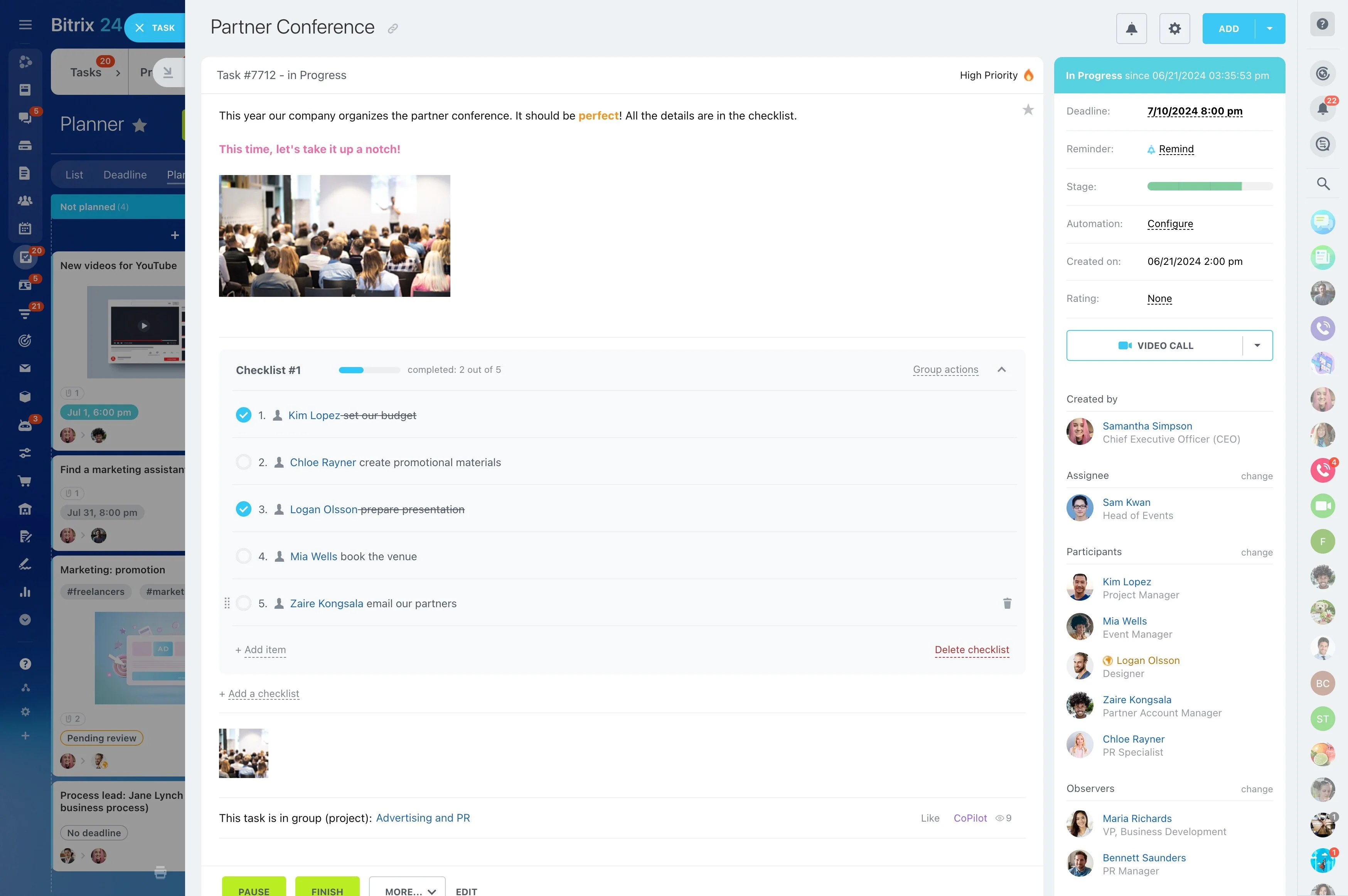
Organize by pipeline and stage with Kanban for quick triage or list views for bulk actions.
- Related contacts (client, opposing party, insurer, referring attorney) linked for conflict awareness.
- Tasks and subtasks with checklists, dependencies, and recurring steps (e.g., monthly status update, discovery reminders).
- Key dates — consults, filings, hearings, mediation — with two-way calendar sync to Outlook or Google so deadlines appear where attorneys live.
- Documents in Bitrix24.Drive with version control, permissions, and approval workflows. Send drafts for partner sign-off before anything leaves the firm.
Know What’s Working: Intake KPIs and Revenue Forecasts
If you can’t measure your intake, you can’t improve it — or justify budget to scale it.
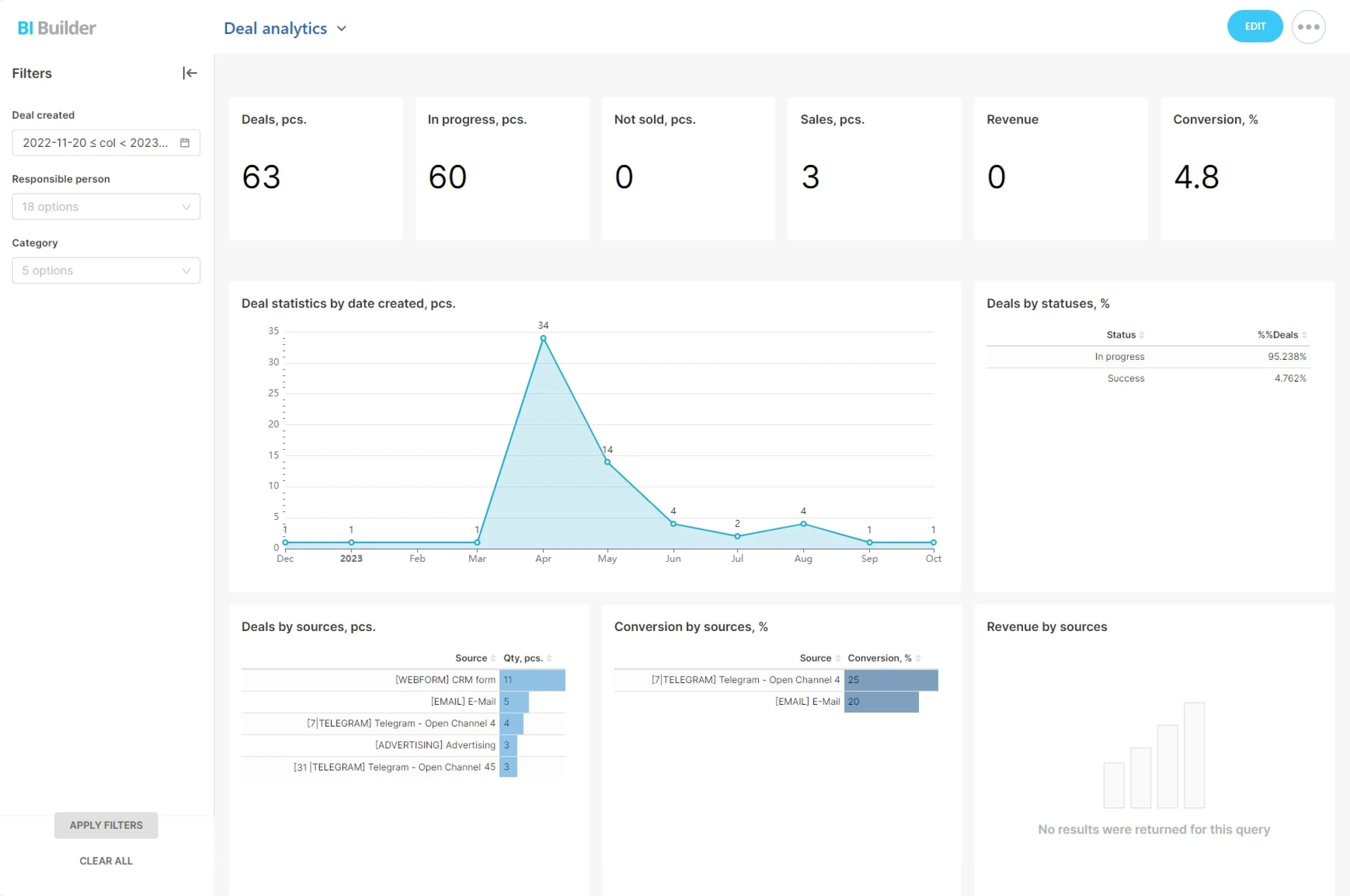
Build role-specific dashboards.
- Time-to-first-response by channel, practice area, and office. Spot where hours — or minutes — slip.
- Conversion rates at each step: inquiry → consult → signed retainer → filed. Break down by lead source to see which channels bring qualified prospects.
- Pipeline value and expected fees by stage and attorney. For contingency matters, track expected fee ranges; for hourly/flat, use fee estimates or quotes.
- Aging reports that surface stalled matters before they die. If a consult sits unbooked for 72 hours, alert and route a re-engagement sequence.
Built for Law Firms’ Realities: Fast Setup, Secure Access, and Integrations
You need impact quickly without ripping out everything else.
Protect confidentiality:
- Import contacts, companies, and matters from CSV in minutes — even from spreadsheets you’ve used for years.
- Map custom fields for practice area, jurisdiction, opposing party, incident date, referral partner, language, and more.
- Use ready-made intake pipelines and automations as a starting point; tailor them with no code.
- Define roles and views so reception, intake, attorneys, and partners each see a focused workspace.