Cloud CRM: Sell More and Faster Without Server Headaches
Leads arrive from everywhere — email threads, web forms, calls, ads, social DMs. Then they vanish into spreadsheets, inboxes, and sticky notes. Response times slip. Follow-ups get missed. Forecasts turn into guesses. The cost is real: lost deals, longer cycles, and a pipeline you can’t trust.
The hidden costs stack up fast: context switching across five tools per rep, duplicate outreach that frustrates buyers, and managers spending Mondays reconciling conflicting spreadsheets instead of coaching. You feel it in longer sales cycles, lower win rates, and a growing gap between marketing spend and revenue.
If you’re trying to sell more and faster with free cloud CRM, budget isn’t your only constraint. You need a platform that fits your current workflow without a six-month rollout or a forced process overhaul. One that removes admin work, centralizes communication, and gives you instant visibility — without surprise fees.
Bitrix24 brings your contacts, deals, communications, and tasks into one place. It captures, routes, and tracks every lead automatically, so your team can respond first and close more. Start free, launch fast, and grow into advanced features when you need them. Expect: one inbox for every channel, automation that runs in the background, clear dashboards for coaching — not another tool to manage.
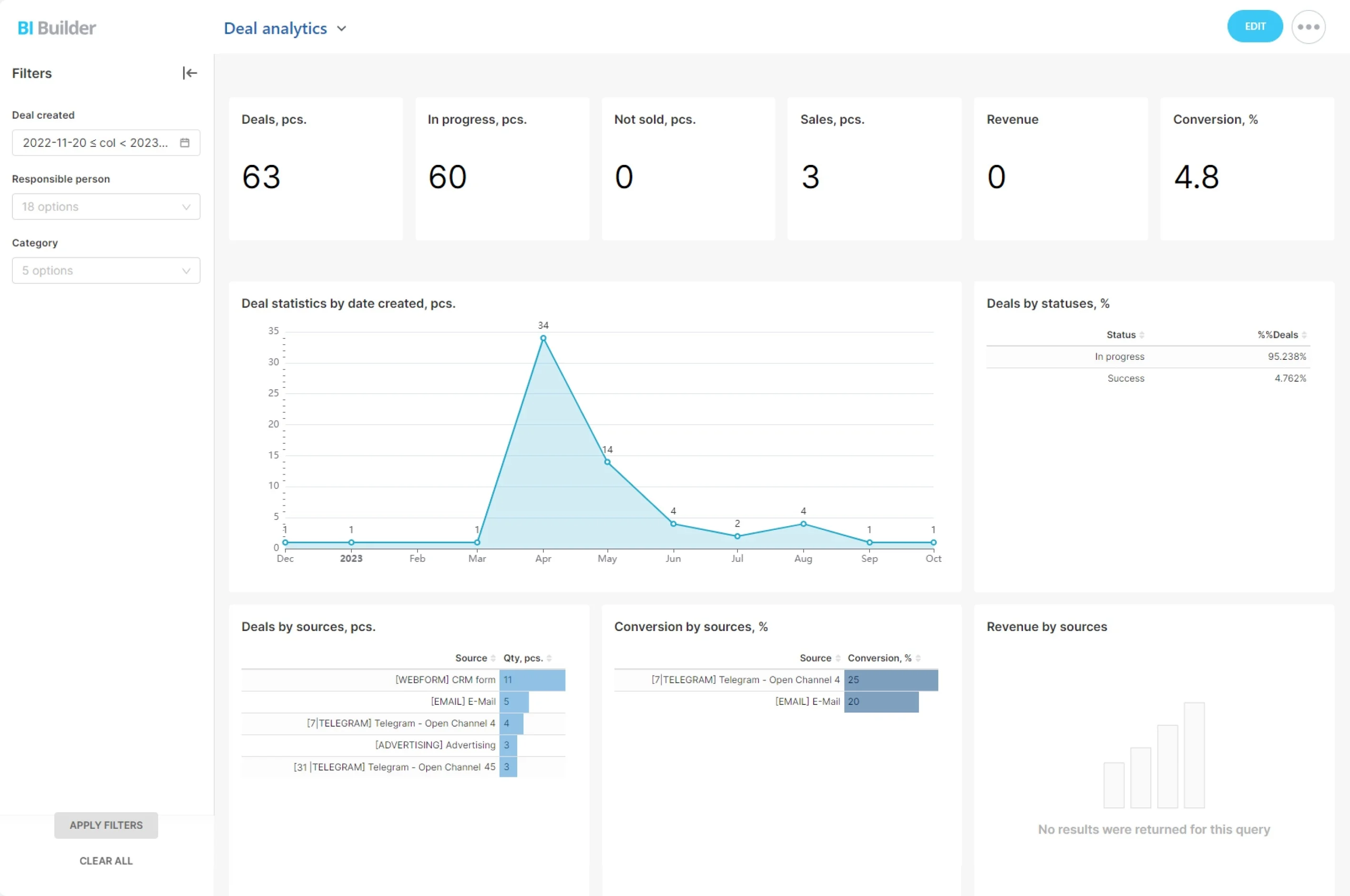
See The Numbers. Coach The Behaviors.
You can’t improve what you can’t see.
Before: end‑of‑month panic and reactive coaching.
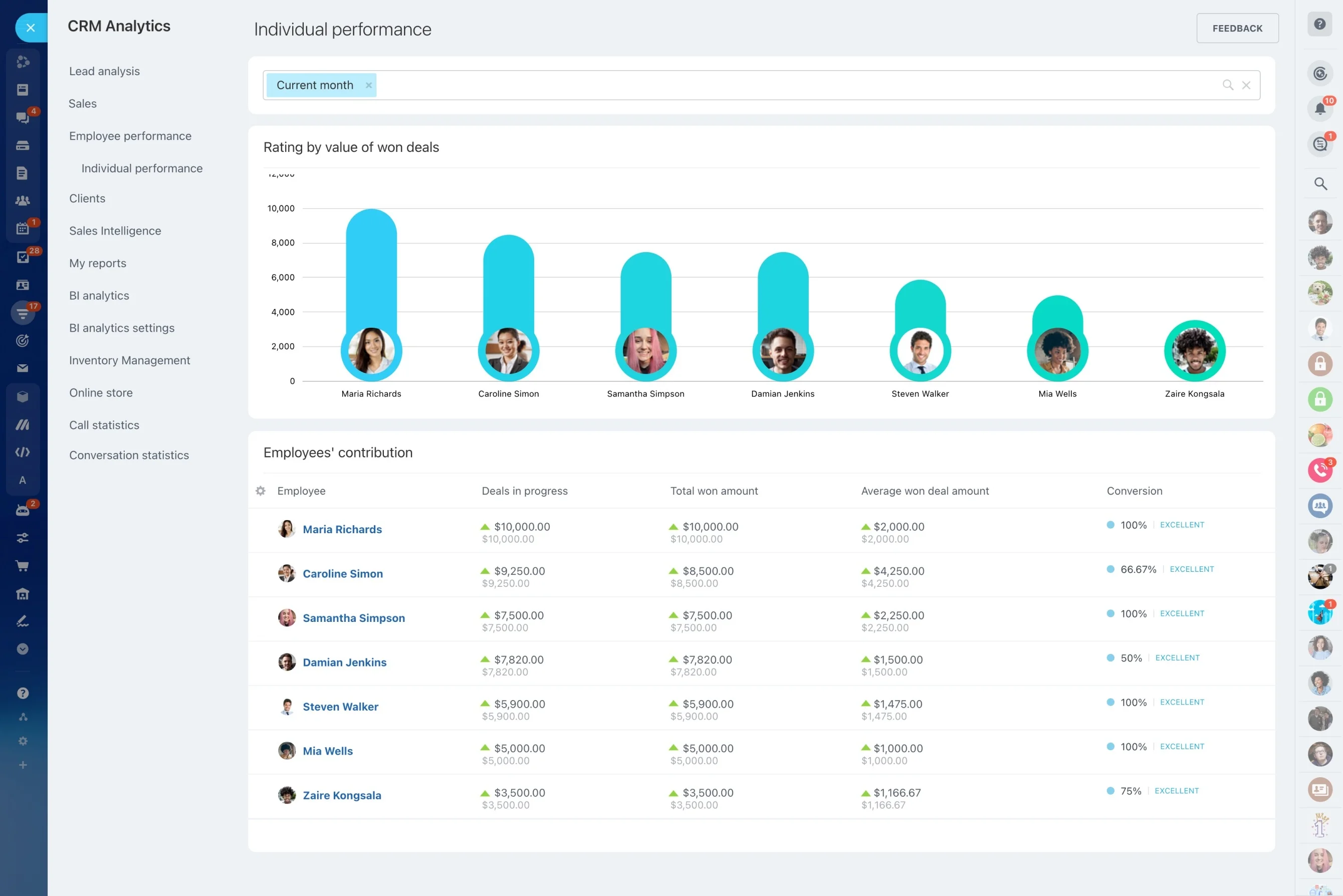
- Pipeline volume, value, and velocity by team, region, or product line.
- Conversion rates by stage to uncover bottlenecks (e.g., demos to proposals at 28%).
- Activity ratios — calls, emails, meetings per won deal — to calibrate effort vs. outcome.
- Forecasts vs. actuals, with trend lines and owner roll‑ups to protect your quarter.
Every Channel, One Timeline—Never Miss A Touch
Customers choose the channel; you need to keep the context.
That means anyone on your team can open a deal and see the entire conversation history — what was promised, what was sent, who spoke last, and what happens next.
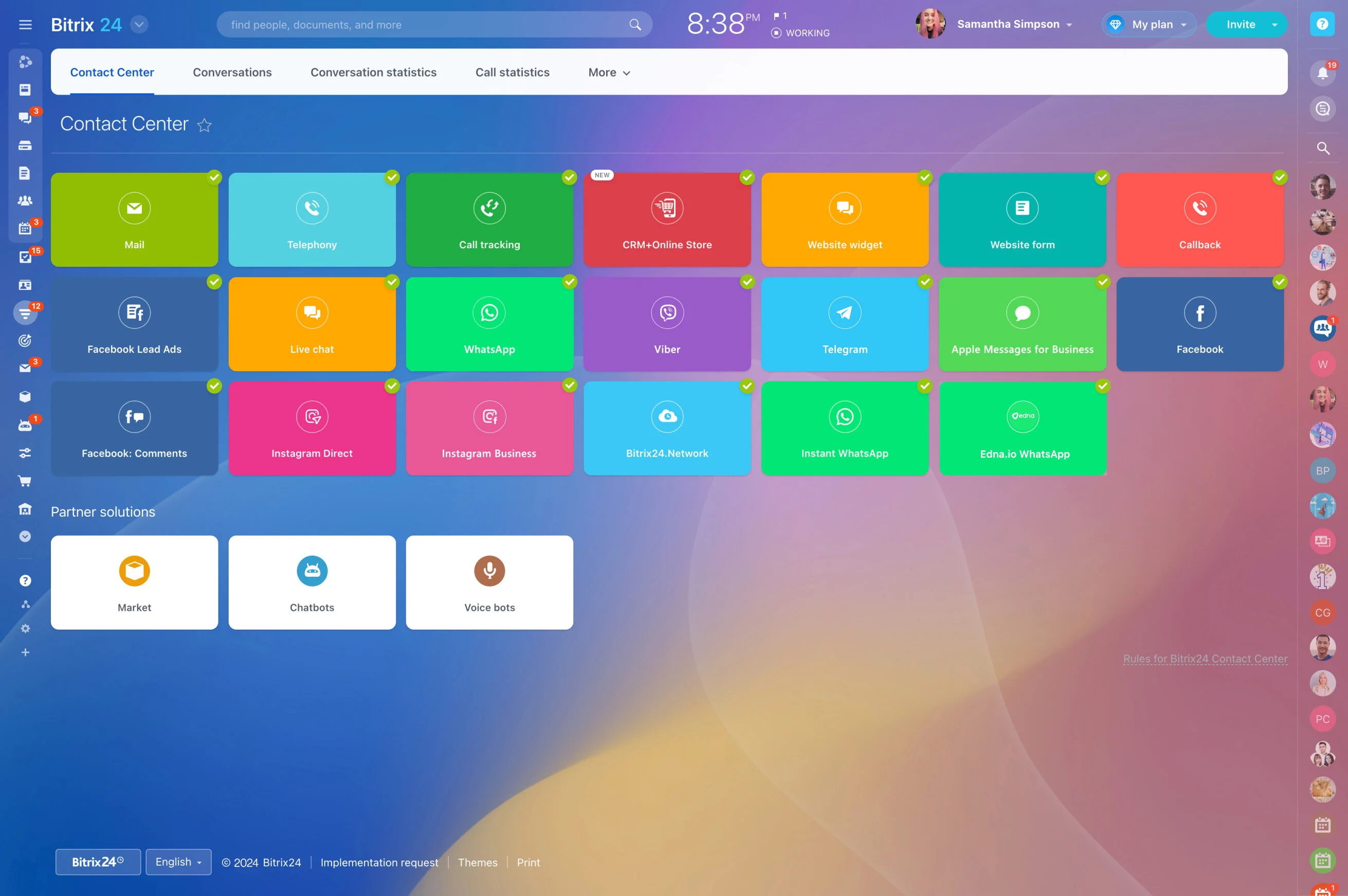
- Website to pipeline: Live chat and web forms feed leads directly into the right pipeline with source tracking. No copy‑paste.
- Telephony, done right: Connect your telephony provider or SIP PBX. All calls are logged; recordings and outcomes attach to the deal automatically.
- Email without hacks: Two‑way email sync with your provider keeps threads on the contact record; no more BCC‑to‑CRM gymnastics.
- Social and messengers: Use marketplace apps and connectors to manage messages from channels like Facebook, Instagram, WhatsApp, or others in one inbox.
Stop Revenue Leaks. Start Closing From One Place.
When customer data is scattered, money leaks.
Leads from web forms, live chat, phone calls, email, and social flow straight into your CRM — automatically.
- Duplicate outreach: Prospects receive two different offers from your team within an hour.
- Slow first response: Web form submissions sit while reps triage email.
- Lost context: Call notes live in a notebook; the renewal team can’t see promises made by sales.
- Bad forecasting: Deals in spreadsheets aren’t updated, so finance plans with fiction.
Automate Busywork, Shorten Every Sales Cycle
Reps rarely lose deals because they can’t sell — they lose them because they can’t follow up fast enough.
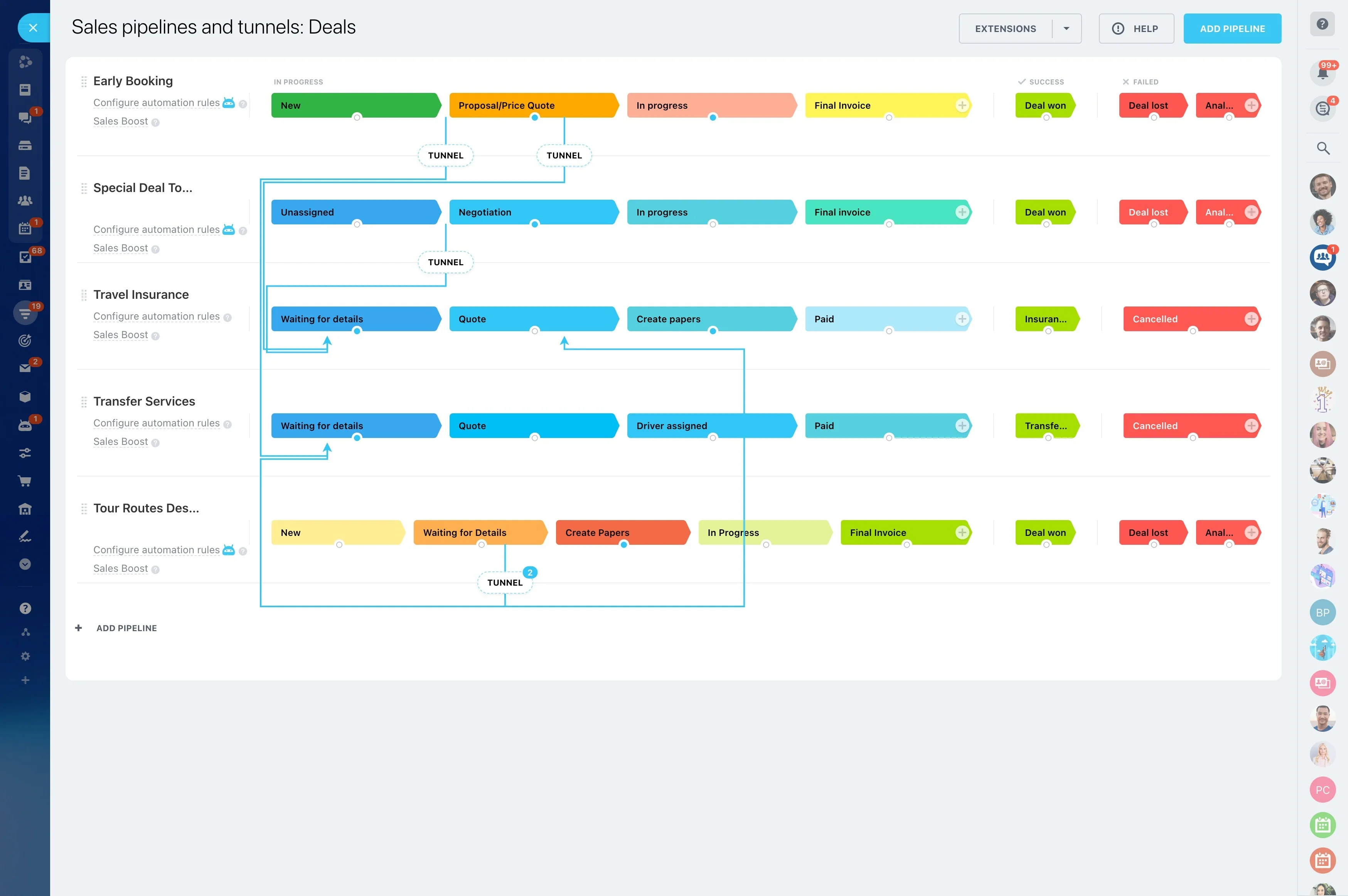
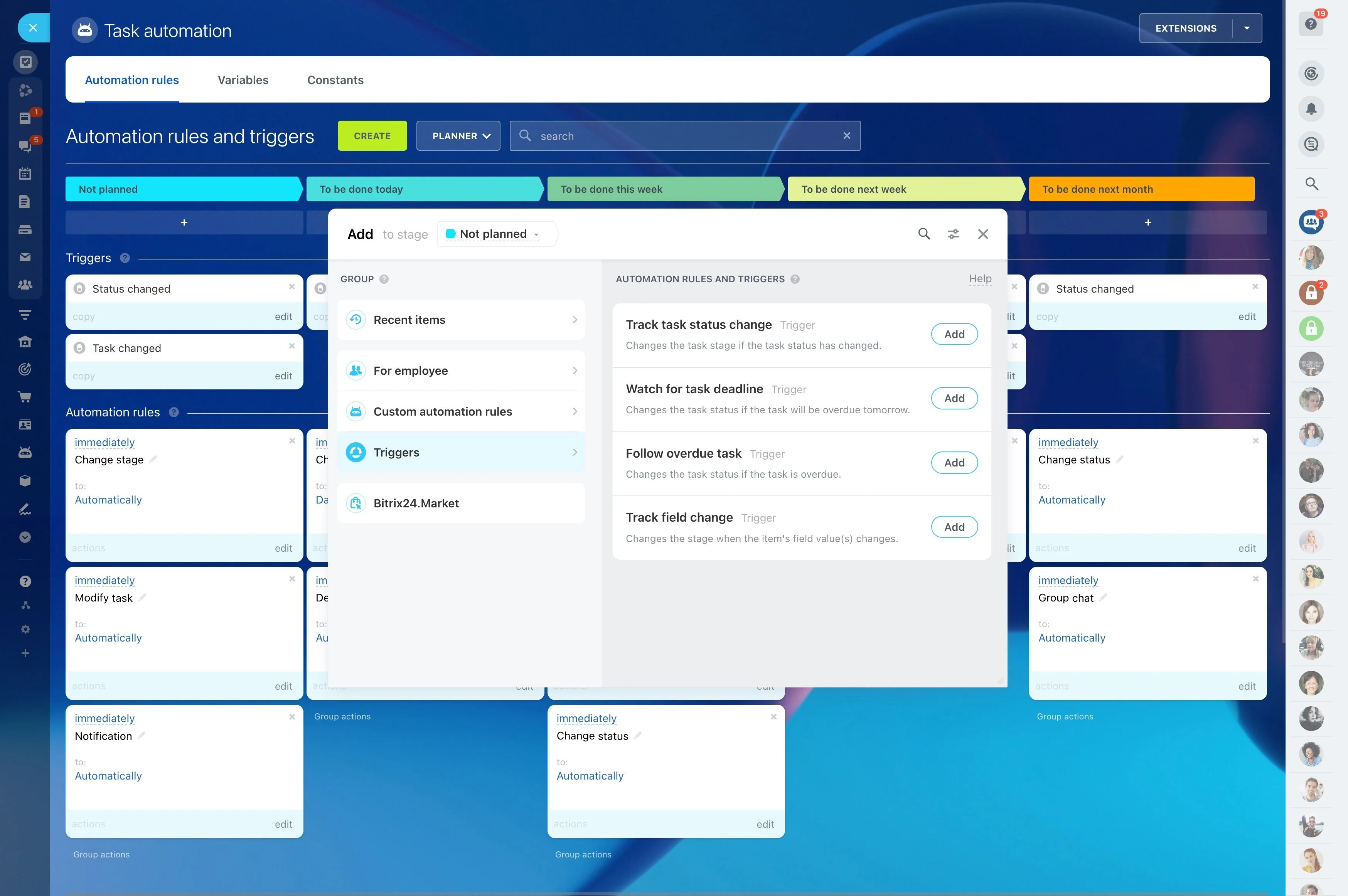
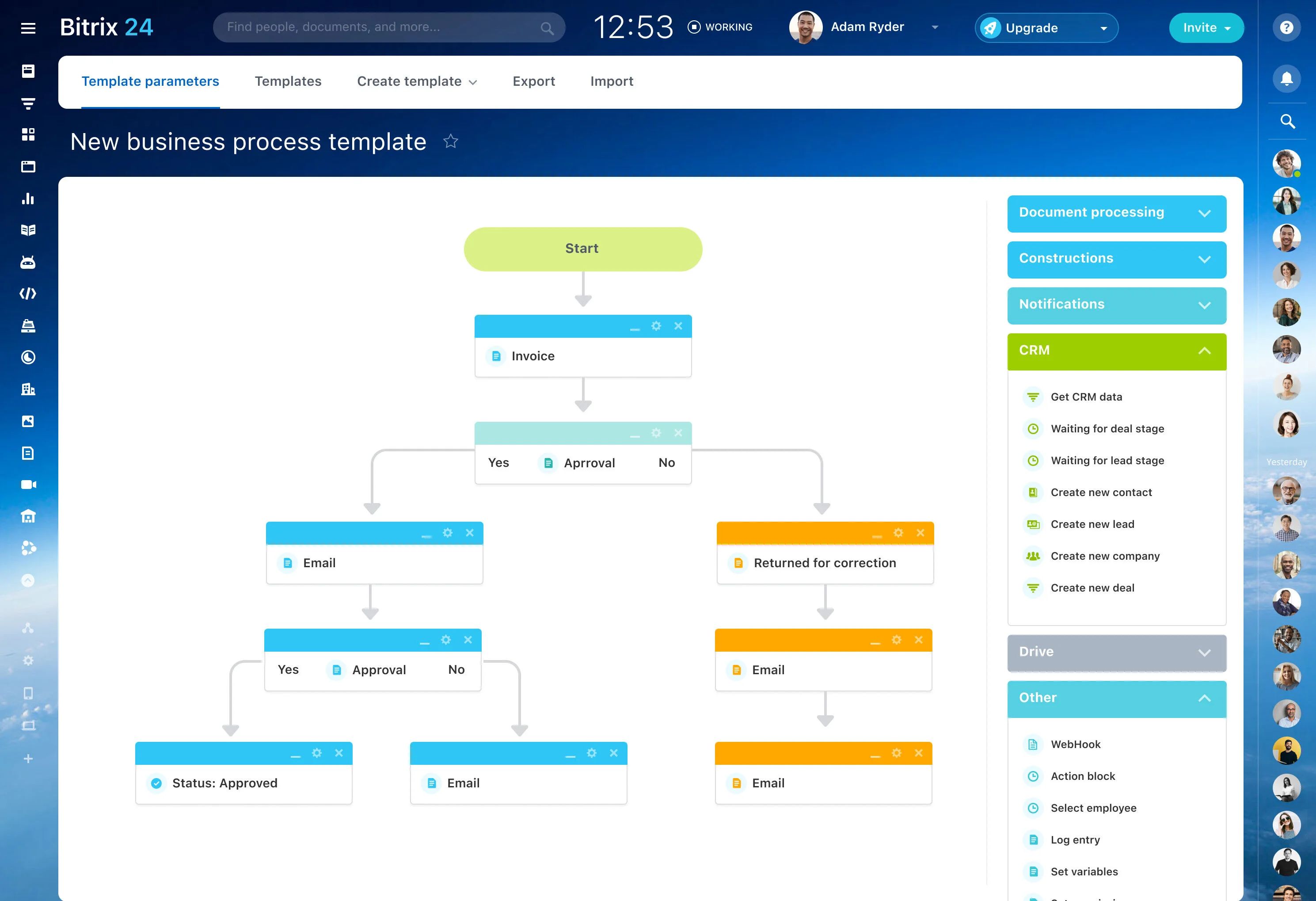
Use visual pipelines with triggers and rules to move deals forward automatically.
- Lead capture: Web forms, chat, phone, and ad sources create a contact, company, and deal — no typing.
- Smart assignment: Round‑robin new leads to the right team; reroute if no response within 15 minutes.
- Stage automation: When a deal enters “Proposal,” auto‑generate a quote from your product catalog and email a branded PDF.
- Approval paths: If discount > 15%, request manager approval and alert finance.
A CRM That Fits Your Workflow—Not The Other Way Around
Your sales process is unique.
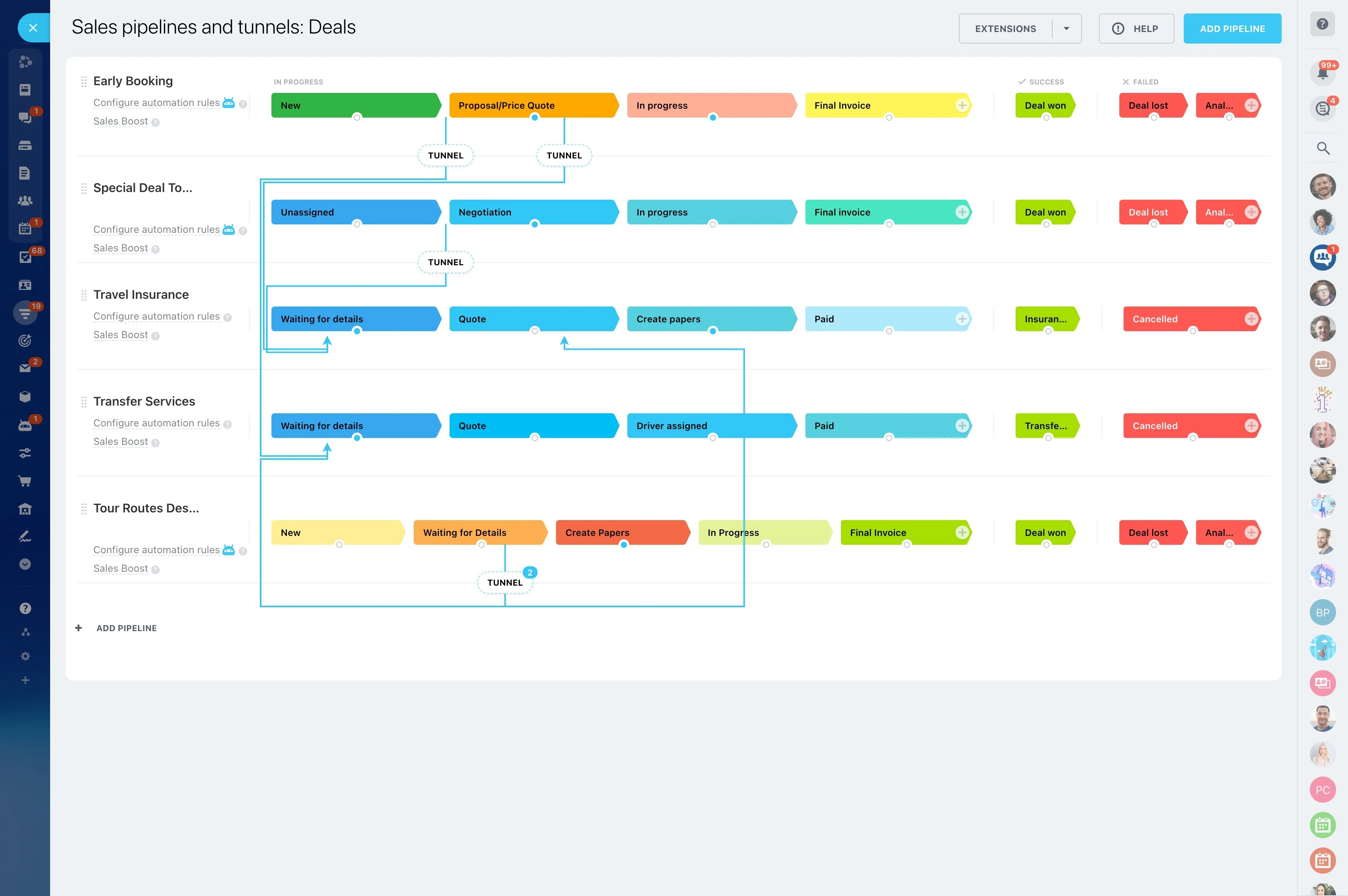
Model any revenue stream with multiple pipelines: new business, renewals, upsells, channel partners, inside sales vs. field, or region‑specific motions.
- Add custom fields and sections for the information you actually use — contract terms, implementation dates, competitor, SKU bundle, renewal month, or partner tier.
- Use required fields and validations to ensure data quality (e.g., no moving to “Closed Won” without contract ID).
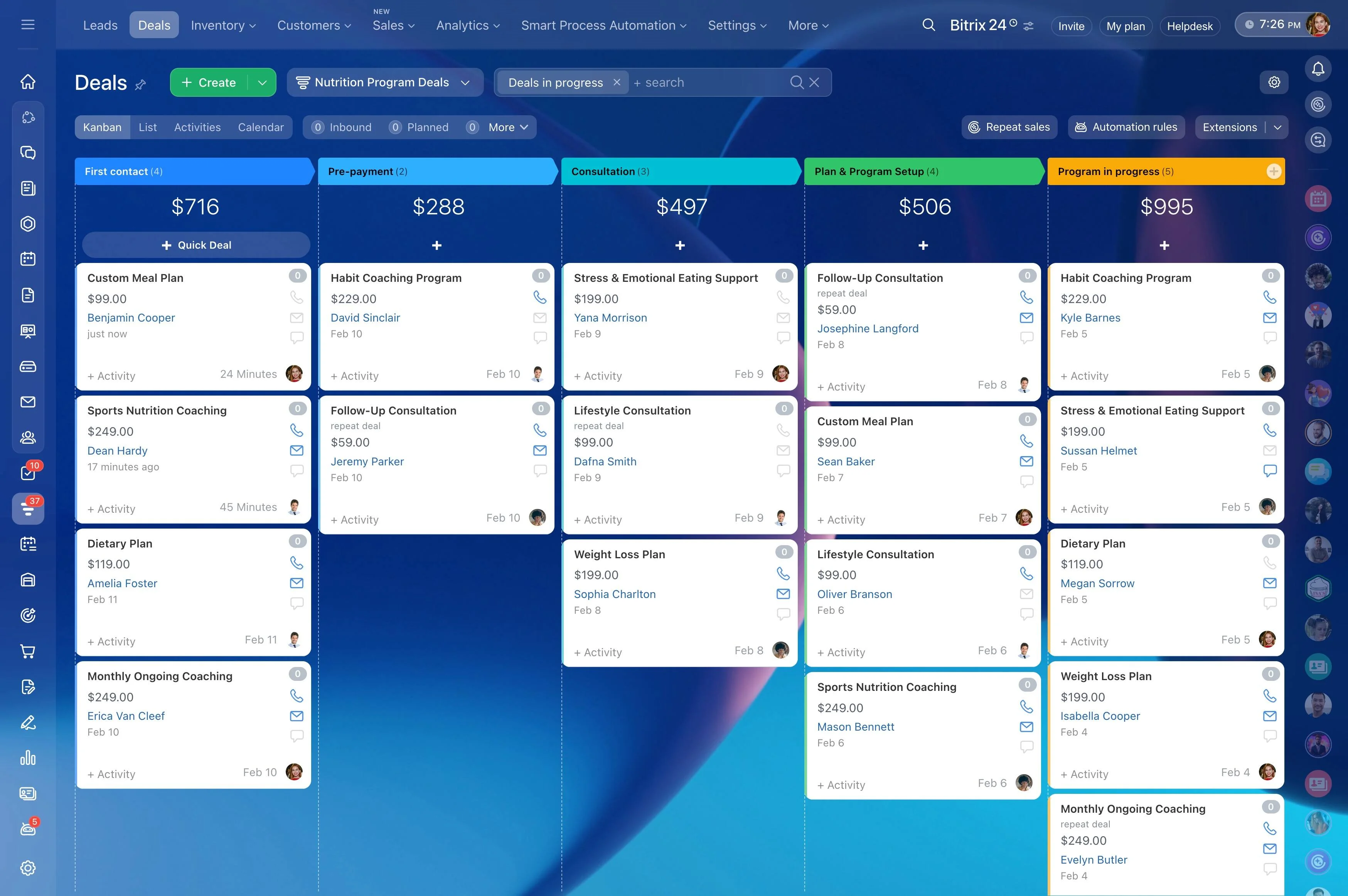
- Choose Kanban, list, or calendar views per team; filter and save views for daily stand‑ups.
- Built‑in quotes and invoices linked to your CRM product catalog, taxes, and discounts.
Free To Start. Transparent When You Grow.
Budget matters — especially when you’re proving ROI.
When you’re ready, upgrade for:
- Capture and manage contacts, companies, and deals in multiple pipelines.
- Build basic automations for assignment, reminders, and stage moves.
- Use web forms and live chat to generate and route leads.
- Work on desktop and mobile apps so field reps stay current.
Go Live Fast: Import, Configure, Sell
CRMs shouldn’t take months to deploy.
Common migration worries handled:
- Import data: Bring contacts, companies, and deals from CSV or spreadsheets. Map fields, set duplicate rules, and keep IDs for future updates.
- Connect email: Sync inboxes so replies auto‑log to the right contact and deal.
- Create pipelines: Build stages and start working in Kanban; save views for reps and managers.
- Capture more: Add web forms and chat widgets to your site; pipe every submission into the right queue with SLAs.