The Best Photographer Website Builder In 2026

Most photographers pick a website builder based on how the portfolio looks. Then the real problem surfaces: inquiries trickle in through a basic contact form, details get lost in email threads, and promising leads go cold before a reply goes out.
This guide helps you choose a builder that handles both sides of the job — a portfolio that earns attention and a back-end that actually converts interest into bookings. You'll get a side-by-side comparison, recommendations by business stage, common mistakes to avoid, and edge cases most roundups skip.
TL;DR
- The best photography website builder isn’t the one with the prettiest templates; it’s the one that helps you turn attention into bookings, because leads go cold fast and slow mobile sites lose visitors before your portfolio even loads.
- The six leading platforms in 2026 split into portfolio-first tools (Squarespace, Format), design-flexible builders with basic business features (Wix, Pixpa), full-customization stacks (WordPress), and CRM-backed systems that handle inquiries through booking (Bitrix24).
- Match the platform to your actual inquiry volume and follow-up needs rather than to template aesthetics, and the decision becomes straightforward.
What makes a great photography website builder in 2026?
Most platforms solve presentation. Which is all well and good. But far fewer solve what happens after someone likes your work. A strong builder in 2026 should cover six areas:
- High-performance galleries — grid, masonry, fullscreen, and slideshow layouts with built-in image optimization
- Mobile speed — fast rendering on phones, where the majority of visitors land
- Structured inquiry forms — capture event type, date, location, and budget upfront
- Booking readiness — package selection, availability, and consultation scheduling
- CRM / client management — one place to track every inquiry from first contact to booking
- Automation — auto-replies, follow-up sequences, and session reminders
Why mobile speed is non-negotiable
Mobile performance is where most photography sites quietly lose clients through poor user experience.
Google/SOASTA research found that as mobile load time rises from one to ten seconds, bounce probability jumps 123%, and as on-page elements grow from 400 to 6,000, conversion probability drops 95% — a direct warning against unoptimized high-res galleries.
Why response speed matters more than your portfolio
Your gallery gets someone interested. Your follow-up speed decides whether they book. A Harvard Business Review study audited 2,241 U.S. companies and found that "most companies are not responding nearly fast enough." Firms contacting a prospect within one hour were around 7x more likely to qualify the lead; waiting 24+ hours made them 60x less likely; the average response time across the sample was 42 hours.
This is why a website builder without automated lead management is an incomplete tool for a working photographer.
What makes a great photography website builder in 2026?
Not all website builders are designed for the way photographers actually work.
Many platforms help you create visually impressive pages. Fewer help you handle inquiries, manage client details, and move someone from first click to confirmed booking.
To choose the right platform, you need to evaluate both presentation and functionality.
Here are the features that make the biggest difference.
1. High-performance galleries that guide the viewer
Your portfolio is still your first impression. But how it loads and how it’s structured directly affects how long people stay on your site.
A strong platform should offer:
- Flexible layouts such as grid, masonry, fullscreen, and slideshows
- High-resolution image support with built-in optimization
- Clean viewing experiences that keep attention on your work
The goal is not just to display images. It’s to guide visitors through your work in a way that builds interest and leads naturally to inquiry.
2. Mobile speed and performance
Most potential clients will view your site on their phone, often quickly and on the move.
If your site is slow or difficult to navigate, they will leave before they even reach your contact page.
Look for:
- Mobile-optimized templates that adapt cleanly to smaller screens
- Fast-loading images without noticeable quality loss
- Smooth navigation that makes it easy to explore galleries and services
Mobile performance affects both user experience and visibility in search results, so it directly impacts how many people find and stay on your site.
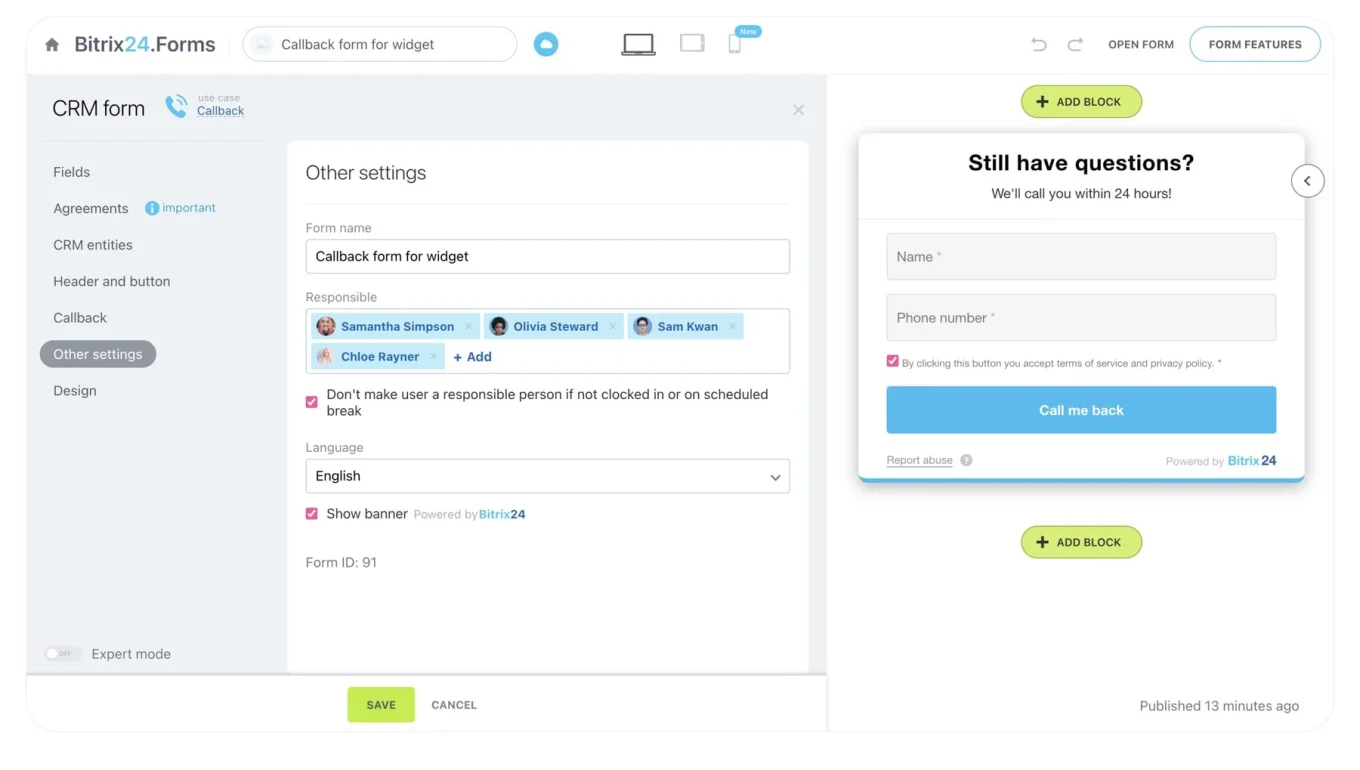
3. Inquiry forms that actually convert
A basic contact form creates friction instead of reducing it.
If you only collect a name and email, you end up chasing details later. That slows down your response time and weakens your first interaction.
Stronger platforms allow you to:
- Capture key details such as event type, date, location, and budget
- Pre-qualify inquiries before you respond
- Send submissions into a system where they can be tracked and organized
This turns your website into a structured intake point rather than just a message inbox.
4. Booking and scheduling capabilities
When a client is ready to move forward, your website should support that momentum.
Depending on your business, this may include:
- Selecting packages or session types
- Viewing availability
- Booking consultations or sessions directly
If this process relies on external tools or manual back-and-forth, you introduce delays that can cost you the booking.
5. CRM and client management
This is where most website builders fall short.
Collecting inquiries is only the first step. Managing them consistently is what determines whether they convert.
A strong system should help you:
- Track every inquiry in one place
- Organize leads by stage, from new inquiry to confirmed booking
- Store client details, notes, and communication history
Without this, it becomes difficult to stay organized as your inquiry volume grows
6. Automation and workflow support
Following up manually works when you have a few inquiries. It breaks down when you have dozens.
The best platforms help you automate:
- Immediate confirmation replies after inquiry submission
- Follow-up messages if a client hasn’t responded
- Reminders for upcoming sessions or consultations
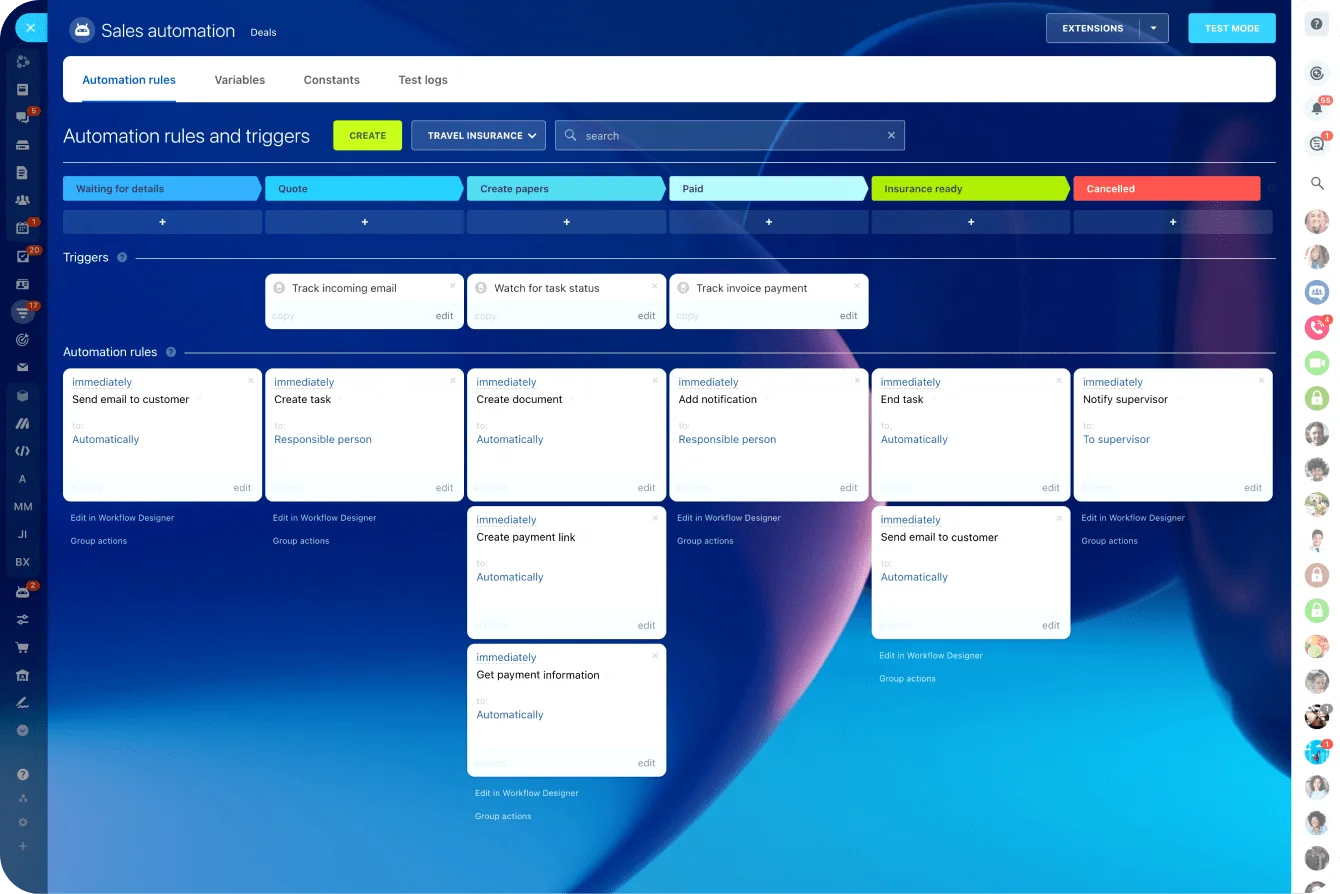
This is where tools like Bitrix24 become particularly valuable. Instead of stopping at form submissions, you can build workflows that move each inquiry forward automatically, reducing manual admin while improving response consistency.
Quick comparison: best photography website builders in 2026
Here’s how the leading platforms compare based on what actually impacts your day-to-day workflow as a photographer.
|
Platform |
Best for |
Portfolio presentation |
Inquiry to booking path |
Lead management |
Setup and daily use |
Pricing |
|
Wix |
Design flexibility |
Strong |
Built-in + apps |
Basic |
Easy |
$$ |
|
Squarespace |
Clean portfolios |
Strong |
Basic scheduling |
Limited |
Easy |
$$ |
|
Format |
Portfolio-first photographers |
Strong |
Minimal |
None |
Easy |
$$ |
|
Pixpa |
All-in-one creative tools |
Good |
Basic |
Limited |
Easy |
$$ |
|
WordPress |
Full customization |
Strong |
Depends on plug-ins |
Plugin-based |
Moderate to hard |
$–$$$ |
|
Bitrix24 |
Bookings + client management |
Good |
Strong, workflow-driven |
Advanced |
Moderate |
Free–$$ |
How to read this table:
- Portfolio presentation: the quality of the gallery experience, including layout flexibility, image handling, and mobile viewing
- Inquiry to booking path: how smoothly the platform turns interest into action through forms, scheduling, and booking workflows
- Lead management: how effectively you can track, organize, and follow up on inquiries from first contact to confirmed booking
- Setup and daily use: how much work is involved in getting started and managing the platform over time
Top photography website builders in 2026
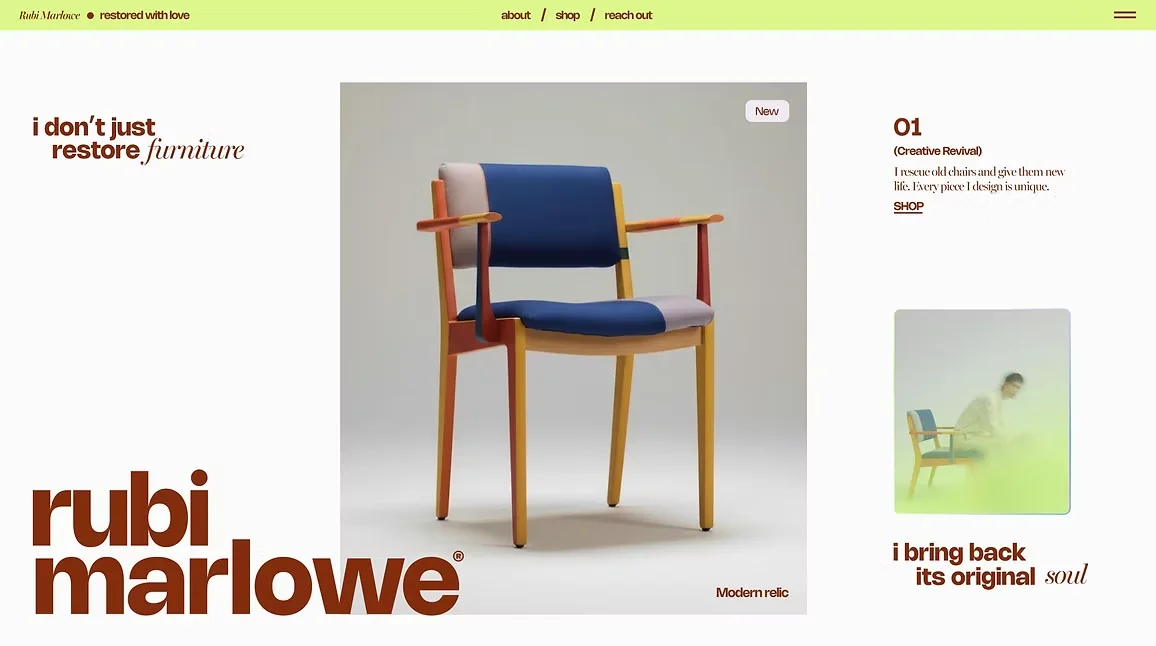
1. Wix — best for design flexibility
Strengths
- Large library of photography-focused templates
- Flexible gallery layouts with animations and transitions
- Built-in booking plus wide app marketplace
- Intuitive drag-and-drop editor
Limitations
- CRM features limited to basic contact management
- Booking and form functionality often requires add-ons
- Workflows can fragment as you stack apps
Best for: Photographers who want full creative control and a fast launch.
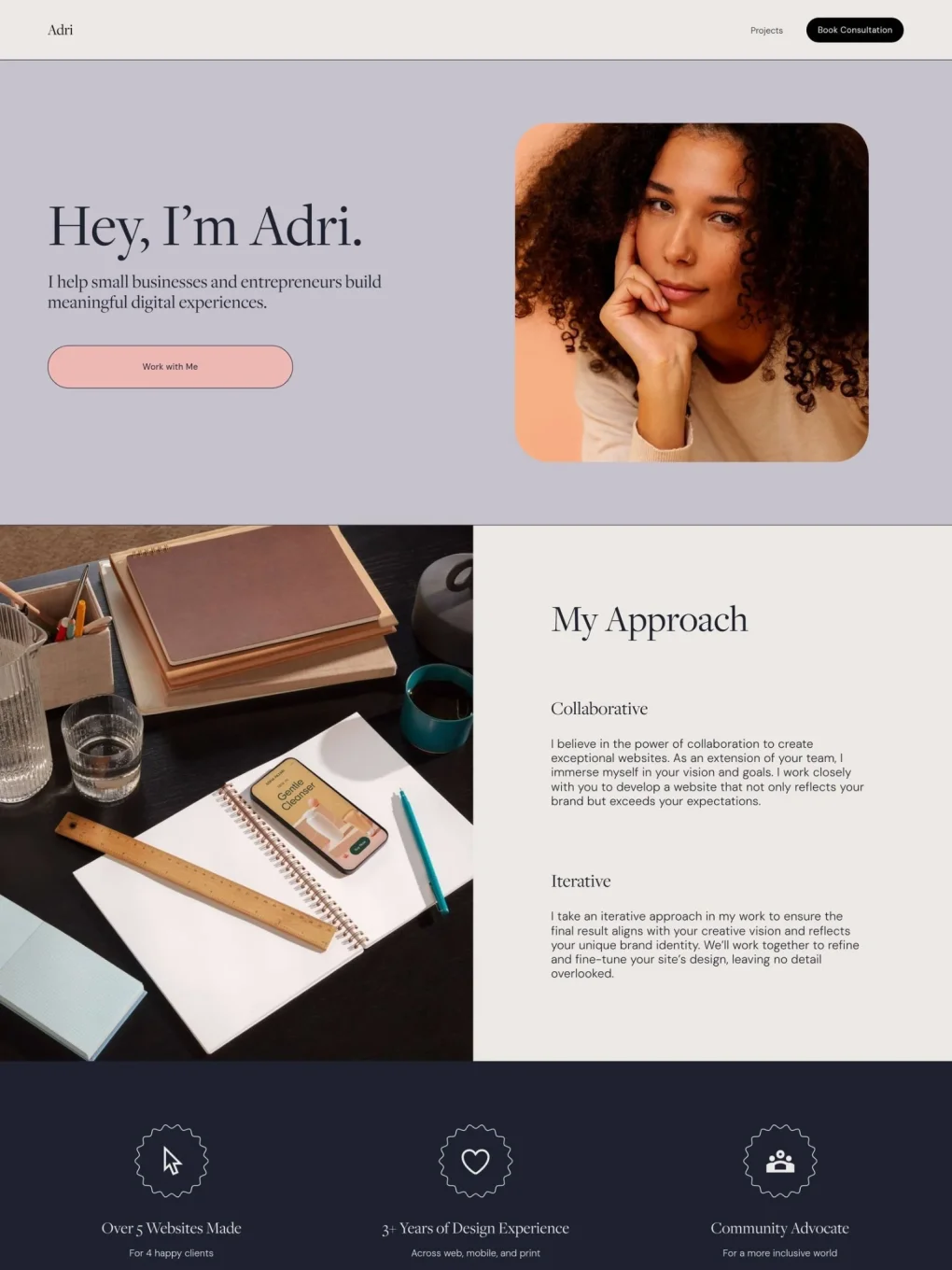
2. Squarespace — best for elegant portfolios
Strengths
- Strong visual design out of the box
- High-quality image rendering and layout consistency
- Built-in blogging and simple scheduling
Limitations
- Less layout flexibility than Wix
- Limited lead tracking and client organization
- Basic booking features
Best for: Photographers who want a polished portfolio with minimal setup.
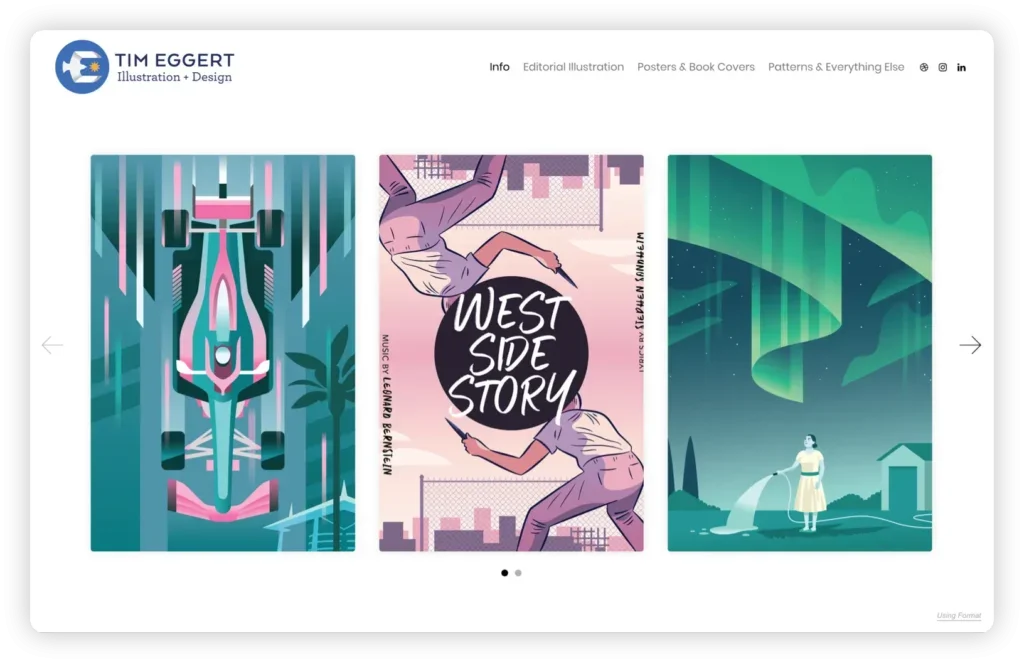
3. Format — best for portfolio-first photographers
Strengths
- Templates designed specifically for photography
- Built-in client proofing and image delivery
- Clean, distraction-free interface
Limitations
- Very limited booking functionality
- No built-in CRM or structured lead tracking
- Not ideal at high inquiry volume
Best for: Photographers whose priority is presentation and proofing, not booking management.
4. Pixpa — best for simple all-in-one tools
Strengths
- Integrated galleries and client proofing
- eCommerce features for prints and services
- Basic marketing and blogging tools
Limitations
- Limited CRM functionality
- Minimal automation and workflow support
- Can feel restrictive as needs grow
Best for: Photographers who want an all-in-one starter setup.
5. WordPress — best for full customization
Strengths
- Highly customizable via themes and plugins
- Strong SEO capabilities
- Scales to complex sites
Limitations
- Requires technical setup and maintenance
- Booking and CRM rely on third-party plugins
- Tooling fragments without careful management
Best for: Photographers comfortable managing a technical stack.
6. Bitrix24 — best for bookings and client management
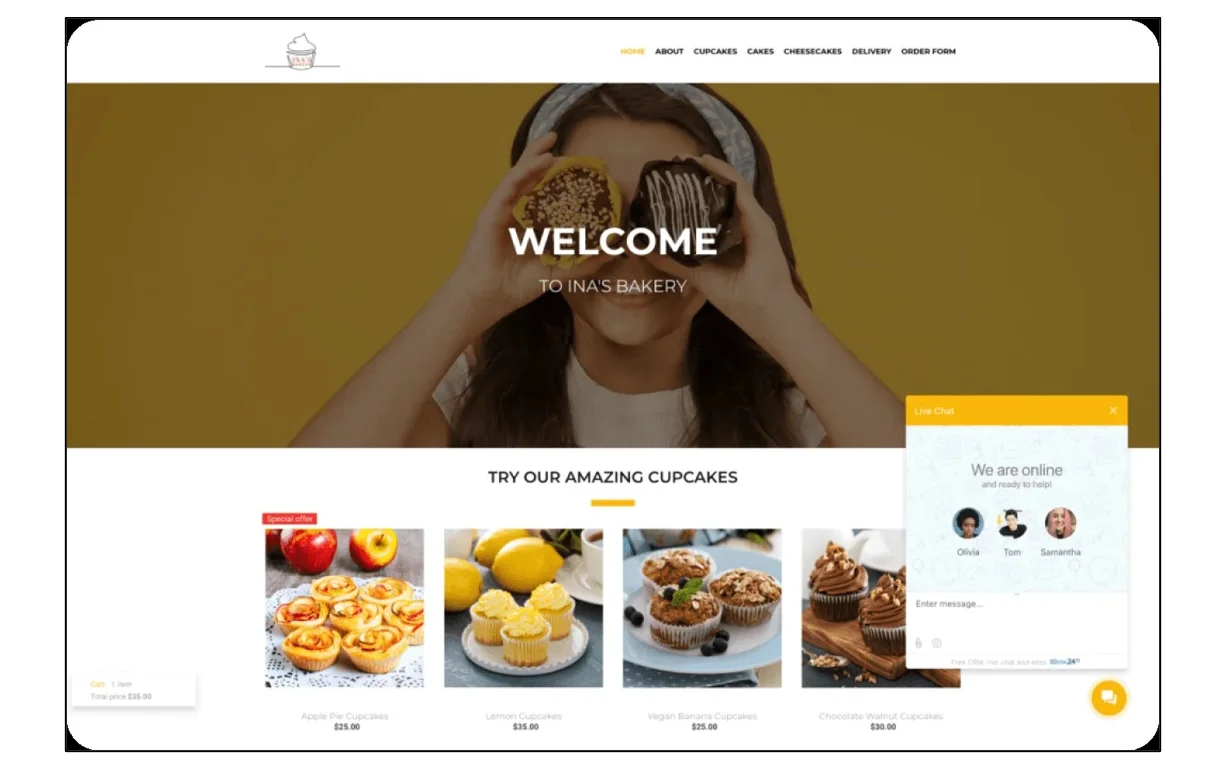
Bitrix24 takes a different angle than traditional builders. Instead of stopping at the portfolio, it connects your site to how you manage inquiries and bookings.
Strengths
- Site and landing page website builder for portfolios and campaigns
- Forms that send inquiries directly into a built-in CRM
- Pipelines that track each lead from inquiry to confirmed booking
- Automation for follow-ups, reminders, and client communication
- Centralized client database with full interaction history
Where it stands out
Most platforms treat your website as a starting point and leave everything downstream to other tools. Bitrix24 folds the portfolio, forms, CRM, and task automation into one system — directly addressing the 42-hour average response-time problem documented in the HBR study.
Best for: Photographers who regularly handle inquiries and want structured conversion, not just collection.
The deciding question:
Are you building a portfolio, or a system that supports your business?

Edge cases most roundups skip
Of course, standard advice doesn't fit every photographer. Here's when the default recommendations change.
You shoot destination or travel work across time zones
A 42-hour average response time is bad everywhere; it's fatal when your inquiry comes in while you're on a shoot 10 time zones away. Automation isn't optional — you need auto-replies, pre-qualifying forms, and scheduled follow-ups that run without you.
You're a second shooter or associate in a studio system
You may not need a full CRM at all. A clean portfolio on Format or Squarespace, plus a simple contact form that routes to the lead photographer's system, is often the right fit. Don't over-tool.
You sell prints more than sessions
Your priorities invert: eCommerce, print-on-demand integrations, and client proofing matter more than booking pipelines. Pixpa or a WordPress/WooCommerce stack typically outperforms Bitrix24 for this.
You handle sensitive work (newborn, boudoir, medical, legal)
Check data handling and consent workflows before tooling. You need platforms that let you store signed model releases, session agreements, and communication logs in one auditable place (which favors CRM-backed builders over pure portfolio tools).
Your market is hyper-local with low volume
If you book 10–20 sessions a year in one city, the CRM layer may be overkill. A strong Squarespace or Format site with a calendar-booking plugin can be enough. Revisit only when inquiry volume outgrows manual tracking.
You run a team of photographers
Solo-photographer tooling breaks at 3+ people. You need shared calendars, task assignment, and role-based access — which rules out most portfolio-first builders and favors WordPress (with plugins) or Bitrix24.
Your work is seasonal (weddings, holidays, school)
Response-speed advice still applies, but you'll want automation that handles 3-month inquiry surges. Look specifically for builders with queue management and capacity caps, not just form tools.
Common mistakes photographers make when choosing a builder
|
Mistake |
What to do instead |
|---|---|
|
Prioritizing design over conversion — no clear next step after gallery view |
Choose a platform with clear CTAs, visible inquiry paths, and friction-free booking |
|
Using basic contact forms — name, email, message only |
Use structured forms capturing event type, date, location, and budget |
|
Relying on disconnected tools — separate site, form, email, spreadsheets |
Pick a platform that links website with client management |
|
Ignoring mobile performance — site looks great on desktop, fails on phone |
Test on mobile; prioritize fast load, simple nav, responsive galleries |
|
No follow-up system — replies are late or forgotten |
Use a system with automated confirmations and tracked pipelines |
Why follow-up matters most
The HBR study is unambiguous: the window where a lead is qualifiable is measured in hours, not days. A builder that only collects inquiries — without tracking or automation — effectively guarantees you'll fall into the 42-hour average. That's the single clearest argument for picking a CRM-backed platform once inquiry volume grows.
The bottom line: Pick the builder your business will grow into
The best photography website builder in 2026 isn't the one with the prettiest templates. It's the one that closes the gap between a visitor admiring your work and a confirmed booking on your calendar.
At a minimum, your platform should help you:
- Present your work clearly and professionally
- Capture inquiries with the detail you actually need
- Keep every lead organized as the conversation unfolds
- Move clients toward booking without manual chasing
A portfolio-first builder is fine when you're starting. As inquiry volume grows, the gaps widen — and the research is clear that slow, scattered follow-up is where bookings quietly disappear.
That's the point where platforms like Bitrix24, which combine site building with CRM and automation, earn their keep. Start for free today.
Level up Your Photography Business
Bitrix24, an all-in-one platform offering site building, CRM, and automation helps photographers handle inquiries, lead tracking, and bookings efficiently. Start for free today!
Get Started NowFrequently asked questions
Can Bitrix24 work for a photography website with lead capture?
Yes. Photographers can build pages, publish galleries, add forms, and send client inquiries straight into CRM for organized follow-up.
How does Bitrix24 help with bookings and packages?
The CRM can track inquiry stages, notes, tasks, offers, and communication history so each lead moves from first contact to confirmed shoot.
What matters more than design when comparing photography website builders?
Look at mobile load speed, form quality, SEO basics, analytics, integrations, and how easy it is to manage clients after the lead comes in.
Is Bitrix24 a good fit for solo photographers and small studios?
Yes. It works for solo operators who need simple lead capture and for teams that want shared tasks, calendars, automation, and reporting.