Where Manual Handoffs Break Workflows - and How to Replace Them Without Chaos

TL;DR (Quick Summary)
- The problem: Handoffs move through email, chat, and meetings with no tracked moment of acceptance, so work stalls, gets duplicated, and belongs to no one.
- The fix: A controlled transfer with required fields, a named receiving owner, and an explicit accept-or-reject step.
- The bottom line: A handoff isn't done when it's sent. It's done when the receiver accepts the work with the context and authority to act.
Takeaway: A handoff isn't done when it's sent — it's done when the receiver accepts the work with the context and authority to act on it.
A deal closes on Friday. Sales drops the contract into a channel, tags the delivery lead, and moves on to the next number. Monday morning, that lead opens a signed customer with no scope, no technical contacts, no security requirements, and no clue any of it is missing until the kickoff call falls apart.
Half a week gone and the real work’s just getting started…
Every operation has a version of this, and the reflex is to blame the sender or add another reminder. The break is somewhere quieter: ownership moves through email, chat, or a meeting with no tracked moment where someone actually accepts the work. The sender assumes it's handled. The receiver is holding half a request and a guess at the priority.
The fix is a controlled transfer, one that records intake, acceptance, exceptions, escalation, ownership, and closure.
Here's how to design that operating model, where it breaks, and where Bitrix24 fits.
Where manual handoffs break workflows: The operational cost of lost context
The same three failures show up in almost every operation. Sales closes a deal and hands delivery nothing but the contract, no implementation requirements attached. Support spots a recurring bug and flags it to product, but the evidence stays buried in a chat thread. Finance sees a billing risk and names it, then no one creates the outreach task or owns it.
An approval sits in an inbox for days because the requester can't tell whether it was read, ignored, or quietly forwarded on.
A sent message is activity. It isn't proof that responsibility moved.
Context reconstruction becomes hidden work
An incomplete record lands, and someone on the receiving team has to rebuild what's missing: digging through CRM notes, reading back long email chains, messaging the sender, replaying call recordings, cross-checking spreadsheets, sitting through another meeting.
None of it shows up on a status board. The math still adds up fast: four handoffs a week, three people spending thirty minutes each to rebuild context, and you've burned six staff-hours before anyone starts the real work.
Atlassian's 2024 State of Teams survey of 5,000 knowledge workers found 55% struggled to track down information they needed, and half had worked on something only to discover another team was already doing it.
Accountability weakens at the transition
Manual handoffs also break the audit trail. When a customer escalates, the basic questions have no answer:
- When was the item submitted?
- What information was included?
- Who was expected to receive it?
- Did that person accept responsibility?
- How long did it sit untouched?
- Was it returned, blocked, or quietly deprioritized?
Without a shared record, the argument becomes who told whom, not where the process actually broke.
The cost spreads beyond the two teams
A failed handoff rarely stays contained between the two teams. Cycle time slips while people rebuild context. Capacity leaks as several of them chase the same missing detail. Customers feel it directly, when a commitment is missed because each side assumed the other had it.
And it reaches reporting: queue data stops matching reality once the real work is happening in email and chat, which leaves leaders unable to tell an intake problem from a staffing or execution one.
The failure point is almost always the same: the work changed channels; ownership didn't.
What a handoff replacement system actually is
A handoff replacement system is a structured way to move work between teams. It fixes five things up front: the trigger, the required information, the receiving owner or queue, the service expectation, and the status everyone can see after submission.
More alerts won't get you there. A Slack ping fired off by the CRM still leaves the same gap if the receiving team has no tracked way to accept, reject, or return what landed.
The four parts of a controlled handoff
Every transfer needs four things: a source owner responsible for submitting a complete record, a destination owner expected to review it, acceptance criteria that set the minimum needed before work begins, and a durable status record showing where the item stands, whether submitted, accepted, rejected, blocked, or completed.
Healthcare took this seriously long before operations teams did. The Agency for Healthcare Research and Quality's handoff guidance defines a handoff as a standardized transfer of information, authority, and responsibility, and holds the sender accountable until the receiver acknowledges, understands, and accepts it.
The same principle applies to a deal moving from sales to delivery.
A controlled handoff is recoverable
A good workflow says what happens when the standard transfer fails:
- An incomplete record returns to the sender with a reason.
- An incorrectly routed item moves to the right queue.
- A high-risk case follows an escalation path.
- An aging item alerts a workflow owner.
- A technical failure enters a visible error queue.
- A disputed case gets a named exception owner.
Without these states, people invent their own recovery process in private messages, and you're back where you started.
The tool supports the operating model
The record can live anywhere with a clear state model: a CRM, a help desk, an ERP, a project platform, a ticketing system. The tool matters less than the states it enforces.
Take sales to delivery. Bitrix24 CRM holds the deal, and a CRM automation rule spins up a linked task the moment the deal hits the agreed stage. For a custom downstream process, Smart Process Automation creates a separate record instead.
Either way, the required fields, the responsible employee, the linked activities, and the current stage stay attached to the work rather than scattered across a dozen messages.
Chat is still fine for clarifying questions. Decisions and ownership changes go back to the record.
Pro Tip
Give the receiver a fixed review window and only three initial choices: accept, return for information, or escalate. Long status menus encourage people to choose vague states such as "pending," which hide the real issue.

Why manual handoffs usually fail in real operations
Manual handoffs fail because the rules live in people's heads. The veterans know what to include, who actually responds, and when to escalate. New hires learn by getting it wrong.
It holds together until it doesn't: volume spikes, someone goes on leave, or a strange customer case lands and there's no map for it.
Rules vary by sender
One sales manager sends scope, timeline, contacts, and contract restrictions before a deal moves. Another sends a customer name and a link to the contract, and calls it a handoff.
The receiving team gets both through the same channel and has to guess which kind it's holding. So they either start on the thin one and pay for it later, or bounce it back and add another round of messages.
A form won't save you if the fields are optional or vague. A field called "customer requirements" holds a full implementation summary in one record and "discussed on call" in the next.
Urgent work bypasses the queue
When the queue feels too slow, people route the urgent stuff through DMs. That fixes the one case in front of them and quietly builds a second queue nobody can see.
Now work moves by who knows whom (or who shouted loudest). The formal backlog no longer matches what the team is actually carrying, and staffing and SLA reporting go with it.
A real emergency path needs:
- A qualifying reason
- An authorized requester
- A timestamp
- A designated owner
- A visible effect on the existing queue
- A review once the immediate issue is resolved
Teams define "done" differently
Upstream and downstream teams use the same word for different things.
"Ready for onboarding" means a signed contract to sales. To delivery it means technical contacts, data access, security documents, and a target launch date. "Escalated" means shared screenshots to support. To product it means reproducible steps, affected versions, logs, frequency, and business impact, or it isn't getting triaged.
The sender sees a finished transfer. The receiver sees something that isn't executable work yet.
Capacity is mistaken for an ownership problem
A perfectly structured item still waits if the destination team has no hours for it. Automation can assign an owner; it can't manufacture capacity.
So the workflow has to separate states that "open" quietly blurs together:
- Incomplete
- Waiting for acceptance
- Accepted and queued
- In progress
- Blocked
- Waiting for an external party
- Escalated
Lump them all under "open" and you can't tell whether the problem is intake quality, queue management, staffing, or execution.

The handoff audit framework: How to find the breakpoints before you automate
Start where the cross-functional work is frequent or the customer risk is real: closed-won to onboarding, support escalation to product, finance risk to account management, customer-facing approvals.
Run the audit with the workflow owner leading, plus at least one regular sender, one regular receiver, and the system administrator in the room.
Choose a workflow using real evidence
Look at real records, not the version of the process managers carry in their heads. Pull the last 10 to 20 transfers, and make sure some of them went wrong:
- Late
- Rejected
- Reassigned
- Escalated
- Reopened
- Completed outside the main system
Track where people stepped outside the official workflow: chased missing information, set a private reminder, or sat waiting because no one knew whose move it was.
Map the current handoff
For each one, write down the trigger, the current channel, the context it needs, the receiving owner, and what "accepted" means.
|
Handoff |
Trigger |
Current channel |
Required context |
Receiving owner |
Accepted when |
|---|---|---|---|---|---|
|
Sales to Delivery |
Deal marked closed-won |
CRM, Slack, and email |
Scope, contacts, timeline, and commercial restrictions |
Onboarding queue |
Implementation lead accepts the package |
|
Support to Product |
Issue meets escalation threshold |
Help desk and chat |
Steps, logs, impact, frequency, and environment |
Product triage queue |
Issue is validated or rejected with a reason |
|
Finance to Account Management |
Invoice risk threshold reached |
Email or spreadsheet |
Amount, aging, customer tier, and payment history |
Account owner |
Outreach plan and due date are confirmed |
|
Manager Approval |
Discount or exception requested |
DM or inbox |
Reason, value, business impact, and deadline |
Approver queue |
Request is approved, rejected, or escalated |
If you can't fill a column without an argument, the workflow isn't defined enough to automate yet.
Score the breakpoints
Score each criterion one to five. Higher means a stronger candidate for standardizing and automating; a three is a real but manageable problem.
|
Criterion |
Scoring question |
Score 1 |
Score 3 |
Score 5 |
|---|---|---|---|---|
|
Volume |
How often does the transfer occur? |
Rare or occasional |
Several times per week |
Daily or high-volume |
|
Failure rate |
How often is information missing, returned, or corrected downstream? |
Isolated cases |
Regular failures |
Frequent failures |
|
Delay risk |
How much time or value is lost when the item waits? |
Limited effect |
Noticeable operational delay |
Serious SLA, revenue, or customer risk |
|
Customer impact |
Can failure affect delivery, trust, revenue, or renewal? |
Internal inconvenience |
Customer may notice |
Direct commercial or service impact |
|
Ease of standardization |
Can intake and acceptance rules be defined consistently? |
Cases vary widely |
Core path can be defined |
Rules are stable and repeatable |
|
Ownership clarity |
Is one team clearly responsible before and after acceptance? |
Ownership is disputed |
Mostly clear with some gaps |
Explicit owner at each stage |
A worked example:
|
Workflow |
Volume |
Failure rate |
Delay risk |
Customer impact |
Ease of standardization |
Ownership clarity |
Total |
Proposed action |
|---|---|---|---|---|---|---|---|---|
|
Sales to Delivery |
5 |
4 |
4 |
5 |
4 |
4 |
26/30 |
Run the first pilot here |
High volume with frequent but predictable failures is the sweet spot for a first pilot. Exception-heavy work with disputed ownership needs redesigning before it goes anywhere near automation.
And a high total doesn't rescue a one on ease of standardization or ownership clarity. Either of those means you define the process first, then let software enforce it.
Pro Tip
Search for "shadow steps" during the audit. These include private spreadsheets, saved email templates, personal reminder systems, and recurring DMs. They often reveal controls that the official workflow is missing.
Know when to delay automation
Hold off when:
- Ownership changes case to case with no defined rule.
- Process definitions change every few weeks.
- Most cases turn on undocumented judgment.
- Receiving teams haven't agreed to the acceptance criteria.
- The destination queue has no capacity model.
- Exceptions outnumber standard cases.
Standardize the normal path first. Keep a manual review route for the cases that genuinely can't be reduced to stable rules.
The operational workflow: From trigger to acceptance, exception, and closure
A reliable handoff runs the same sequence every time:
Trigger creation → Structured intake → Validation → Assignment → Acceptance or return → Execution → Exception handling → Closure
Every stage needs an owner and an exit condition.
1. Trigger and structured intake
A defined event creates the record. That could be:
- A deal stage change
- A repeated support issue
- A payment threshold
- A submitted approval form
- A completed project phase
- A customer risk flag
The intake record captures what the receiver needs to decide whether to accept. Base the required fields on the decisions made downstream, not on every field the source system happens to hold.
2. Validation and assignment
Validation confirms the mandatory fields, files, and linked records are present. Then the item routes to the right person or queue by agreed criteria:
- Region
- Product line
- Customer tier
- Severity
- Workload
- Approval amount
- Account ownership
Validation shouldn't pretend to judge quality that still needs a human eye. A system can confirm the scope field contains text. It can't see that "see contract" tells the receiver nothing.
3. Acceptance or rejection
The receiver reviews the record and either accepts it or rejects it, out loud. A rejection carries a structured reason:
- Missing required information
- Incorrect destination team
- Duplicate request
- Trigger criteria not met
- Capacity or scheduling conflict
- Approval required before acceptance
The source owner gets that reason and stays responsible until the record is fixed or rerouted.
4. Execution and exception handling
Once accepted, the work enters execution and the tasks, deadlines, dependencies, and collaborators become visible to the receiving team.
A blocked item moves to a named exception state instead of hiding inside "in progress." The exception record shows:
- What's blocked
- Who can resolve it
- What information is missing
- When the next review happens
- Whether the customer or another team has to act
The SLA values below are examples. Set your own against risk, capacity, regional hours, and customer commitments.

Sales to delivery
A closed-won stage creates a structured onboarding task or project carrying the scope, customer contacts, target date, and commercial constraints.
The implementation lead accepts it before the delivery SLA starts. If the security documentation is missing, the record goes back to the sales owner with a specific reason.
Sample SLA: Delivery reviews and accepts or returns the package within one business day. The implementation clock starts only on acceptance.
Support to product
The escalation record carries reproducible steps, environment details, evidence, frequency, and customer impact.
Product can then validate, reject, merge, or schedule it without rebuilding the case from chat.
Sample SLA: Product triage accepts, rejects, or merges a standard escalation within one business day, with a tighter target for severity-one incidents.
Finance to account management
A billing-risk trigger creates a record with the overdue amount, aging period, payment history, customer tier, and the responsible account owner.
Acceptance lands when the account manager confirms the outreach plan and next-action date.
Sample SLA: The account manager accepts or returns the record within one business day and confirms the first outreach date within two.
Manager approvals
For approval workflows, Bitrix24 Robotic Process Automation keeps the request, assigned approver, decision, comments, and current stage in one visible process.
It handles the routine cases, invoices, contracts, discounts, internal requests, while unusual ones route to a named manual reviewer.
Sample SLA: A standard discount request gets a decision within four business hours. Anything outside the defined threshold goes to manual review.
5. Closure and feedback
When the receiving team finishes, the source team gets confirmation. Closure data might include:
- The final result
- Completion date
- Final owner
- Customer-facing action
- Outstanding risks
- Follow-up required
That's what stops the source team from keeping a private reminder just to find out whether the downstream work ever happened. Acceptance transfers ownership; closure confirms the work is finished and the outcome reported back.
Pro Tip
During the pilot, review returned records every day for the first two weeks. When the same rejection reason keeps appearing, fix the form instructions or the upstream process instead of asking receivers to keep correcting it by hand.
Roles, ownership, and handoffs: Who owns what at each transition
Reliable handoffs need clear roles at the point of transfer. Operations may own the workflow design, but the business teams still own the work.
Push every unresolved issue to operations and the workflow owner becomes a permanent stand-in for accountability that belongs elsewhere.
The six operating roles
- Originating team: Prepares and submits the record.
- Receiving team: Reviews, accepts, rejects, and executes.
- Workflow owner: Defines the rules, SLAs, exception path, and reporting.
- Exception owner: Resolves stalled, disputed, or returned items.
- Approver: Makes the decisions that need authorization.
- Systems administrator: Maintains fields, forms, permissions, stages, and automation.
The workflow owner steps in when the rules, queue design, or SLA need correcting. The exception owner steps in on a single stalled or disputed record. Different jobs.
In a small team, one person may wear several of these hats. Define the responsibilities separately anyway.
Ownership by workflow
|
Transition |
Prepares record |
Verifies intake |
Accepts or returns |
Resolves specific stalls |
Authorizes override |
|---|---|---|---|---|---|
|
Sales to Delivery |
Sales rep or sales operations |
System and onboarding coordinator |
Delivery lead |
Workflow owner |
Head of delivery |
|
Support to Product |
Support lead |
Validation rules or triage analyst |
Product triage owner |
Exception owner |
Product director |
|
Finance to Account Management |
Finance analyst |
System validation |
Account manager |
Revenue operations |
Customer success leader |
|
Manager Approval |
Requester |
Form logic |
Assigned approver |
Approvals administrator |
Executive approver |
Set hard operating rules
- The sender can submit or withdraw a record, but can't mark it accepted.
- The receiver accepts or rejects inside a defined review window.
- Returned records go to a named source owner, not a general team inbox.
- Stalled items get an exception owner past an agreed threshold.
- Overrides need an authorized role and a recorded reason.
- System changes go through a request process, not ad hoc edits.
Keep the definitions, required-field guidance, rejection codes, and escalation rules in a shared Bitrix24 Knowledge Base, and link the workflow straight to them so no one has to hunt for a separate SOP.
Review responsibilities
During rollout:
- Receiving managers check aging items and capacity daily.
- Workflow owners check queue health weekly.
- Systems administrators watch failed rules and integrations.
- Business owners look at recurring failure patterns monthly.
- Executives see only high-risk exceptions or repeated structural problems.
That keeps routine administration close to the work, and stops every stalled item from climbing to a leadership escalation.
Automation, visibility, and control points: A low-risk sequence for replacing informal messages
Go gradual. Standardize the process before you ask software to enforce it.
Stage 1: Standardize the record
Build one of each:
- Intake structure
- Status model
- Definition of accepted
- Definition of rejected
- Visible exception path
Test the record by hand before automating a thing. Ask the receiving teams whether the fields let them accept or reject without booking another meeting.
Stage 2: Centralize the queue
Move handoffs into a shared system where senders, receivers, and managers all see the current owner and status. The queue has to separate:
- Records waiting for acceptance
- Accepted records waiting for capacity
- Active work
- Blocked items
- Escalated items
Skip that, and your backlog reports blend intake delays with delivery delays and tell you nothing.
Stage 3: Add notifications and reminders
Notify the destination owner when a record enters the queue. Remind before the acceptance target expires, and escalate only after the first owner has had a fair chance to respond.
Bitrix24 task automation can create tasks, send notifications, add participants, and fire actions as tasks move between stages.
Don't alert a whole department when one person owns the next move. Group alerts just spread the assumption that someone else will pick it up.
Stage 4: Add routing logic
Route by stable criteria:
- Region
- Product line
- Customer tier
- Severity
- Billing risk
- Approval threshold
- Work type
Avoid routing on free-text descriptions. A small wording difference sends two identical cases to two different places.
Stage 5: Add enforcement
Now layer in controls:
- Required fields
- Duplicate checks
- Acceptance timers
- Escalation rules
- Fallback owners
- Approval thresholds
- Exception flags
- Permission controls
- Mandatory closure notes
Point enforcement at proven failure points. Bolt on every possible control at launch and you add admin work and train people to enter placeholder data.
Run a two-to-four-week pilot
Test with one originating team, one receiving team, one handoff type before you widen it. First, record where you're starting from:
- Median submission-to-acceptance time
- First-pass acceptance rate
- Rework rate after acceptance
- Number of unowned records
- Number of transfers completed outside the main system
Some targets worth aiming at:
- At least 95% of records accepted or returned within the agreed SLA.
- Under 10% of accepted records needing later rework for missing context.
- Every exception with a named owner and a next review date.
- No failed automation hidden outside an error queue.
- The team off its parallel email, chat, or spreadsheet queue for standard cases.
Review returned records and stalled items daily through the first two weeks. Widen the workflow only once the main rejection reasons are understood, the recurring form problems are fixed, and the destination team trusts the queue.
Treat those numbers as starting points and set the real thresholds against the workflow's risk, volume, and current performance.
Build visible control points
At a minimum, managers should be able to see:
- Unaccepted records
- Records approaching their SLA
- Returned records by reason
- Items without an owner
- Blocked work
- Override activity
- Failed automations
- Aging by workflow stage
These are the views that let you fix a delay before a customer or an executive finds it first.
Connect fragmented systems carefully
Most teams already run separate systems for sales, support, billing, and projects. You can improve the handoffs without ripping any of them out.
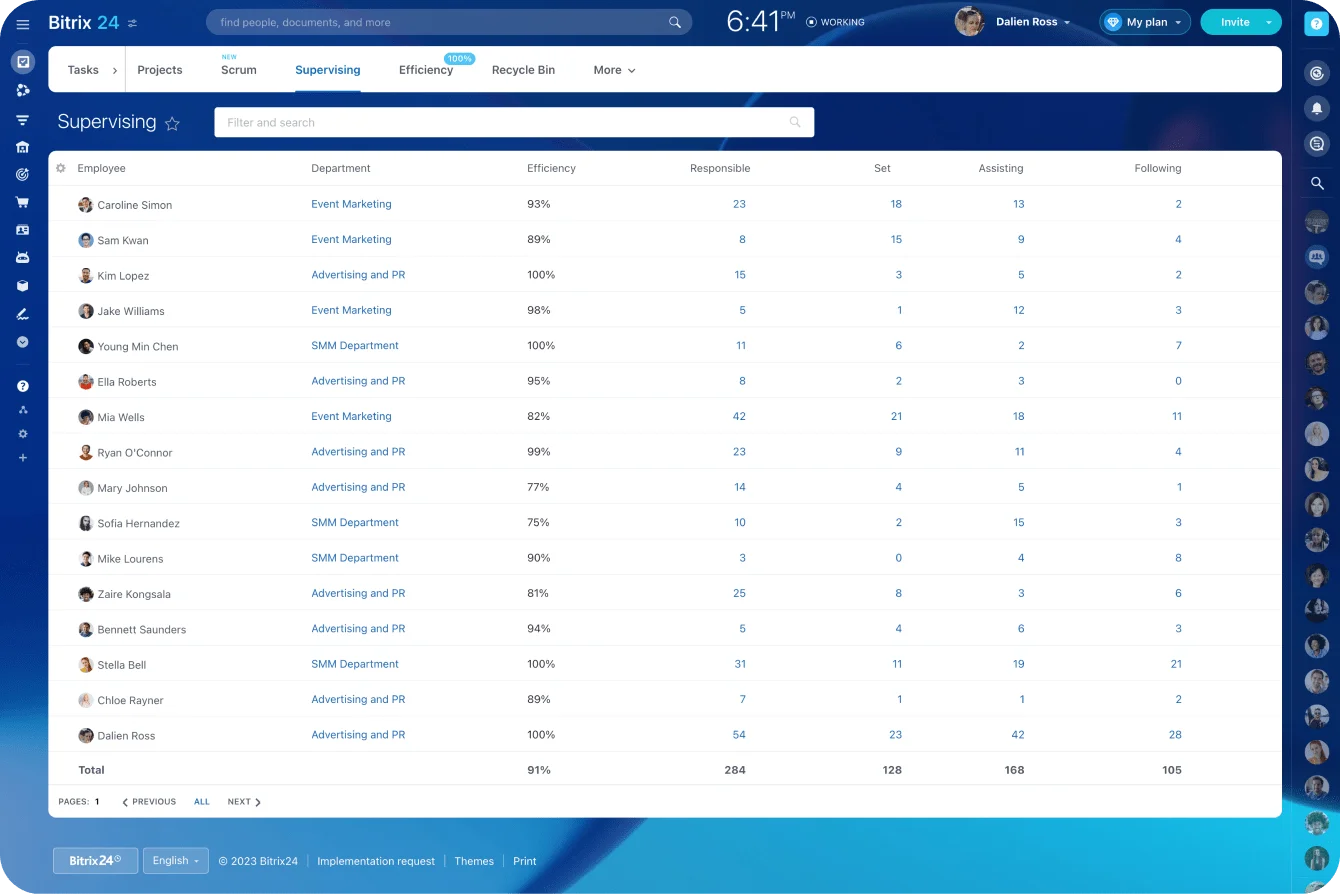
Use a controlled connection to create the destination record and link it back to the source. Kept inside Bitrix24, teams can connect Smart Process Automation records to CRM items and tasks and trace the relationship between them.
The receiving team still needs a visible owner, an acceptance state, and an exception path, even when the underlying data sits in another system.
And an integration failure needs its own operating process. Give it an error queue or a manual fallback so a broken sync doesn't silently erase the handoff.
Adjust the review cadence as the process stabilizes
During rollout, check the queue daily and compare the system records against work you know is happening. Once it settles:
- Review queue performance weekly.
- Review rejection and rework patterns monthly.
- Review templates and rules quarterly.
- Review major exceptions after the case closes.
Turn the frequency back up for a while after any process change, new integration, or team restructure.
Common failure points: How to scale without reintroducing chaos
The biggest mistake is automating before standardizing. Build alerts and routing on top of tribal knowledge and all you've done is move incomplete work faster.
A few other problems surface as the system grows.
One workflow is forced onto different cases
A standard onboarding package and a custom enterprise implementation shouldn't run on identical acceptance rules. A routine invoice reminder and a strategic renewal risk shouldn't share an escalation path.
Build templates by handoff type, then segment by risk or complexity only where the receiving process is genuinely different.
Too many templates create their own maintenance problem, though. Start with a few and add another only when the existing one throws repeated, legitimate exceptions.
Visible status without acceptance
A dashboard that shows an item was "sent" looks like control. It still doesn't prove anyone reviewed or accepted it.
Measure submission-to-acceptance separately from acceptance-to-completion. That split tells you where the delay actually lives:
- Before ownership transfers
- While work waits for capacity
- During execution
- At an approval stage
- While waiting on an external party
Exceptions return to private messages
People stop trusting the system the moment an unusual case still needs an undocumented DM. Soon the standard work drifts back to those side channels too.
Let staff flag an exception inside the record, assign an exception owner, and log the decision. The conversation can happen live; the outcome goes back to the system.
Required fields keep expanding
Every failed case tempts someone to add another mandatory field. Do that for a year and the form is slow, confusing, and stuffed with placeholder text.
Add a field only when the receiver uses it to:
- Accept or reject the record
- Route the work
- Prioritize it
- Take the next action
- Meet a legal or audit requirement
Strip out anything rarely read or already pullable from an existing record.
Metrics reward the wrong behavior
An acceptance-rate target pushes teams to accept incomplete work. A fast-resolution target pushes them to close complex items and reopen them later. So track a balanced set:
- Acceptance time: Submission to acceptance or rejection
- First-pass acceptance rate: Records accepted without a return
- Rejection rate by reason: Where intake quality is failing
- Rework rate: Accepted items later returned for missing context
- Age by stage: Where work is waiting
- Exception rate: How often the standard path doesn't fit
- Time to resolution: Acceptance to completion
- Reopened or repeated work: Whether closure held
Use Bitrix24 CRM reports to filter records by fields, conditions, stages, owners, and more. Point the reports at transitions you can actually improve, not a wall of charts no one opens.
Pro Tip
Review the top three rejection reasons each month. Fix one upstream cause at a time and check whether the rejection rate moves before you add another control.
Rules for scaling cleanly
- Keep the number of workflow templates small.
- Version the intake and acceptance rules.
- Segment queues by real risk or complexity.
- Hold to one manual exception path.
- Limit override permissions.
- Review recurring exceptions monthly.
- Retire approvals that add delay without changing the decision.
- Test rule changes with both senders and receivers.
Measure success by how reliably each transfer lands. Automation is there to support that, nothing more.
FAQs
What if the receiving team refuses the ownership rules?
Ask them to name exactly what stops them accepting. Usually it's poor intake quality, no capacity, unclear priorities, or an SLA that was never realistic.
Let receivers help set the acceptance criteria, but keep the visible accept-or-reject decision non-negotiable. Silent non-acceptance can't stay in the workflow.
How should executive override requests work?
Use a visible override path that records:
- An authorized approver
- A recorded reason
- A timestamp
- A new priority
- A named owner
- Which existing work got displaced
An executive message can kick off the override. The final decision still lands in the workflow.
What if important context lives in customer calls or email threads?
Require a summary layer before the transfer. Capture:
- The decision
- Customer commitments
- Constraints
- Unresolved risks
- Key dates
- The next expected action
A recording or long email chain can back the summary up. But the receiver should understand the request without watching the whole thing first.
What if our tooling is limited?
Use whatever shows ownership and status best. A basic ticket or task workflow with required fields and explicit acceptance beats a clever integration that hides its own failures.
Clear operating rules come before another software purchase.
What about cross-region teams?
Set the acceptance window to the receiving region's business hours. Assign a regional queue or a backup owner so work submitted at the end of one team's day doesn't sit unowned overnight.
For urgent items, spell out which region provides follow-the-sun coverage and what justifies using it.
What if systems don't share the same customer or project ID?
Create a common reference field and link to both records. Don't lean on customer names, which get entered three different ways across three systems.
Until the systems are properly connected, name one platform as the official source of handoff status.
How should we manage adoption and workflow changes?
Train the originating and receiving teams on the same live workflow, not on separate tool instructions. People need to see what a complete submission looks like, how to return an incomplete one, and when to use the exception path.
Before launch, publish:
- The go-live date
- The workflow owner
- Required fields and acceptance criteria
- Rejection codes
- SLA rules
- The manual fallback process
- Where to report problems
Route change requests through the workflow owner rather than letting anyone add a field or reroute work over a single odd case. Review those requests weekly during the pilot, monthly once it settles, grouping similar ones and checking the underlying records first.
How do we know the replacement is working?
A working handoff system lets both teams answer four questions without digging through messages:
- What was transferred?
- Who owns it now?
- Has it been accepted?
- What happens if it stalls?
If any one of those still takes a Slack archaeology dig to answer, the replacement isn't finished.
Make Every Handoff Accountable
Bitrix24 brings CRM, tasks, approvals, automation, and reports together so teams accept, track, and complete work without gaps.
Get Started NowIt comes down to one moment
Every failure in this piece traces back to the same missing moment: nobody ever said yes. The work got sent, activity happened, and ownership evaporated somewhere between two inboxes.
Fix that one moment and most of the rest follows. Make the receiver accept the work, with the context and the authority to act on it, and the lost weeks and the who-told-whom arguments have nowhere left to hide.
Bitrix24 holds the records, tasks, approvals, automation, and reporting around that moment of acceptance instead of scattered across chat.
Sign up for Bitrix24 free, put one real handoff through it, and watch whether it still slips. It won't.