HIPAA-Compliant Efficiency: Digitizing Patient Intake Safely

Mete Description: Digitize patient intake and automate appointment reminders safely with HIPAA-aligned workflows. Reduce admin burnout while keeping patient data secure.
Key takeaways
- Digital patient intake replaces paper forms, manual data entry, and phone-based reminders with secure workflows that collect patient information electronically, route it to the right staff, and log every interaction.
- When implemented correctly, it reduces front-desk workload, cuts data-entry errors, and improves schedule adherence while maintaining HIPAA-aligned safeguards.
- This approach is most effective for clinics handling 20+ patient encounters per day, where manual intake consistently creates bottlenecks, missed details, and staff strain.
- HIPAA compliance in intake comes down to four essentials: role-based access control, minimum necessary data collection, auditability, and secure (non-clinical) reminder messaging.
- A centralized platform like Bitrix24 can connect forms, records, task automation, and communication tracking so PHI stays inside controlled systems instead of emails, PDFs, or shared folders.
Want fewer no-shows and less front-desk rework without creating HIPAA risk?
Digital patient intake replaces paper intake and manual reminders with secure, automated workflows that collect patient information electronically, route it to the right staff, and log every interaction.
That means fewer errors, less admin burden, and more consistent scheduling, with safeguards built into the process.
This guide shows you how to implement it in a way that holds up operationally and under compliance review.
You’ll see where manual intake breaks down, how to structure role-based access around the minimum necessary standard, and how to automate reminders without exposing PHI. For clinics handling 20+ patient encounters per day, that structure turns intake from a daily bottleneck into a controlled, predictable workflow.
Why patient intake is the #1 operational bottleneck
Patient intake is repetitive, high-volume work. That makes it the biggest source of admin friction — and one of the easiest workflows to digitize responsibly.
In most clinics, manual intake creates the same problems every day:
- Paper forms come back incomplete or hard to read
- Staff re-enter the same details into scheduling systems, EHRs, or spreadsheets
- Key items (insurance, meds, consent signatures) get missed until check-in
- Information ends up scattered across emails, packets, and shared folders
The result is predictable: front-desk teams spend more time chasing paperwork than helping patients, and privacy oversight gets harder as PHI moves outside controlled systems.
Intake is also the best place to start because the workflow is consistent. When every patient follows a similar sequence, you can standardize it once, cutting rework and improving control over who can access what.
The HIPAA principles that actually apply to intake
HIPAA doesn't prohibit digital intake or automated reminders. What it requires is control, accountability, and safeguards around how patient information is collected, accessed, shared, and documented. For intake and scheduling workflows, four principles matter most.
|
HIPAA Principle |
What It Means for Intake |
Practical Implementation |
|---|---|---|
|
Access control |
Not every staff member needs every patient detail |
Role-based permissions: front desk sees scheduling and intake status; clinical staff sees care-relevant information |
|
Minimum necessary |
Collect and expose only what’s needed for the task |
Limit form fields to what’s required; restrict record visibility by role rather than granting broad access |
|
Auditability |
Every interaction with PHI must be traceable |
Digital audit trails that log who accessed a record, what was edited, and when reminders were sent |
|
Secure communication |
Reminders must confirm logistics, not disclose medical details |
Standardized templates that include date, time, and clinic name — never diagnoses, procedures, or treatment information |
Paper-based intake fails on most of these by default. Forms don't log who viewed them. Phone reminders leave no consistent record. Information stored in email attachments or shared drives sits outside any permission structure. Digital workflows address these gaps structurally rather than relying on staff to remember what's secure.
When these safeguards are built into a centralized CRM platform, clinics gain compliance visibility as a byproduct of the workflow itself, not as a separate audit exercise.
A practical intake workflow blueprint
The most effective way to modernize intake is to think in workflows, not tools. A secure process guides information through a predictable sequence so staff know what happens next and PHI stays inside controlled systems.
Step 1: Patient completes intake before the visit. Instead of filling out paperwork at the front desk, patients submit forms digitally ahead of time. Required fields reduce missing information, and submissions arrive in a consistent, legible format.
Step 2: Intake data updates the patient record automatically. Submitted information flows directly into a centralized record, eliminating duplicate entry and preventing loose PDFs or email attachments from accumulating outside the system.
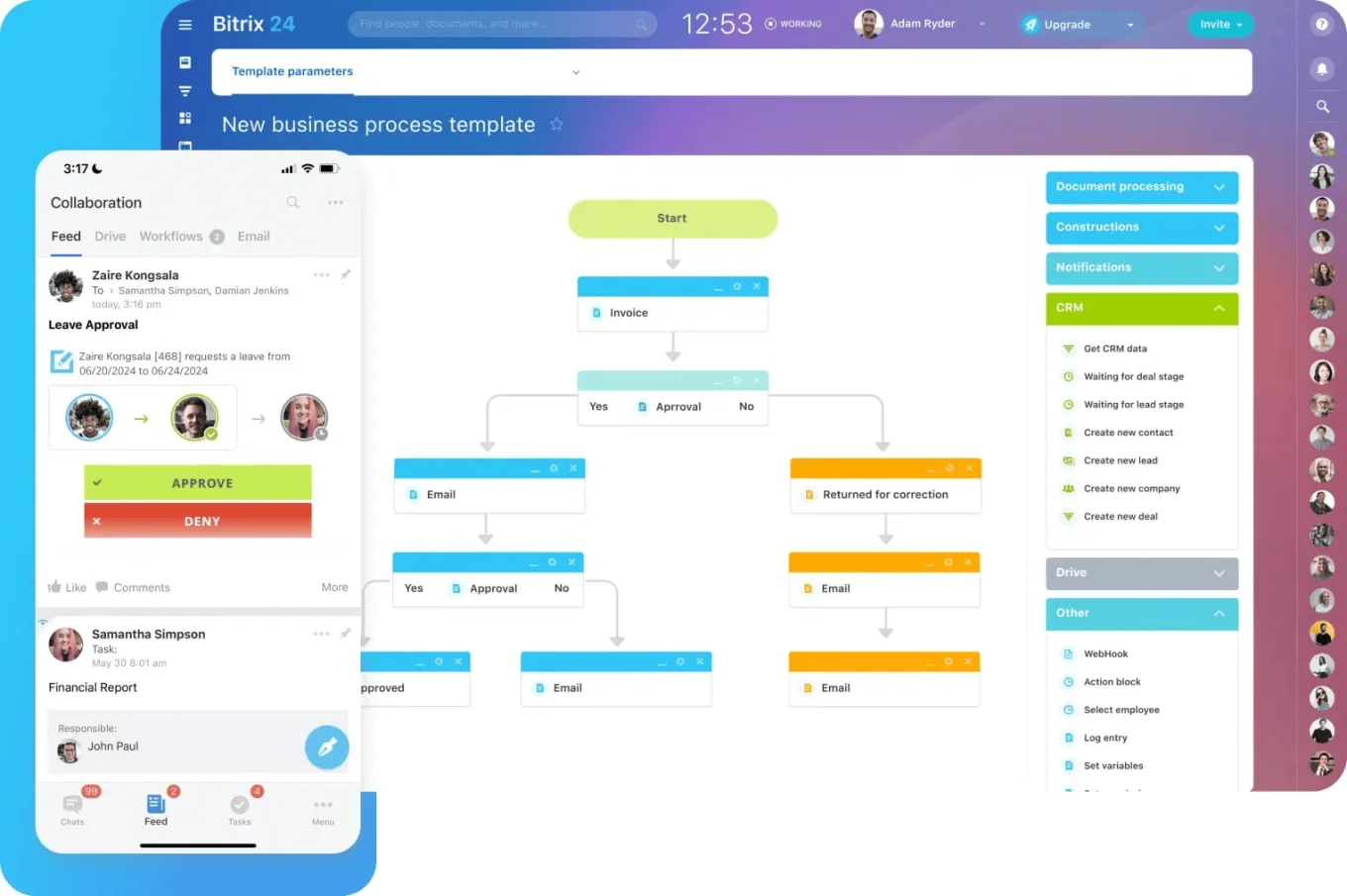
Step 3: Review tasks are assigned automatically. A staff member is notified to review intake details before the appointment. If something is missing — insurance verification, signatures, medication history — a follow-up task triggers immediately rather than surfacing at check-in.
Step 4: Follow-ups stay structured and role-based. Only the appropriate team members handle intake follow-ups, and visibility remains limited to what each role requires. This keeps communication efficient while supporting the minimum necessary standard.
Step 5: Appointment reminders go out on schedule. Reminders are sent automatically using neutral, approved language. Communication is consistent and logged — not dependent on manual call lists or individual staff phones.
Step 6: All activity is logged. Every access, update, and message is recorded. This creates oversight by default and makes compliance reviews far simpler than reconstructing a paper trail.
Bitrix24 supports this end-to-end workflow by combining secure forms, centralized records, task automation, role-based permissions, and communication tracking in one environment.
Automating appointment reminders without exposing PHI
Appointment reminders are one of the simplest ways to reduce no-shows — studies show automated electronic reminders can lower no-show rates by 25% to 40% compared with no reminders. But reminders also touch patient privacy, which is why many clinics hesitate or handle them inconsistently.
The rule is straightforward: a reminder should answer "when and where," not "why."
What reminders can safely include: patient name (when appropriate), appointment date and time, clinic name and contact number, and a neutral request to confirm or reschedule.
What reminders must avoid: diagnoses, procedures, treatment details, test results, prescription information, or anything that reveals the reason for the visit.
Safe Reminder Templates
|
Channel |
Template Text |
Notes |
|---|---|---|
|
SMS |
Hello, this is a reminder of your upcoming appointment with [Clinic Name] on Tuesday at 10:00 AM. Reply YES to confirm or call us to reschedule. |
Include one-step confirmation; keep under 160 characters if possible |
|
|
Just a quick reminder that you have an appointment scheduled with [Clinic Name] on March 12 at 2:30 PM. If you need to make changes, please contact our office. |
Neutral subject line (e.g., “Appointment Reminder”); no clinical details |
|
Voicemail |
This is a courtesy reminder from [Clinic Name] about an upcoming appointment. Please call our office if you have any questions or need to reschedule. |
Assume the message may be heard by others; never mention reason for visit |
Common mistakes that create exposure
Even well-intentioned teams create risk by adding clinical notes to reminder messages, using personal phones instead of approved systems, or sending reminders through disconnected tools with no audit trail.
Automation eliminates most of these risks. When reminders use standardized templates, trigger from the scheduling record, and log inside a controlled platform, both administrative burden and inconsistency drop significantly.
Reducing admin burnout through workflow visibility
Administrative burnout in clinics rarely comes from a single overwhelming event. It builds when staff hold entire processes in their heads: Did the intake form get reviewed? Who followed up for missing insurance? Was the reminder sent? Is the appointment confirmed?
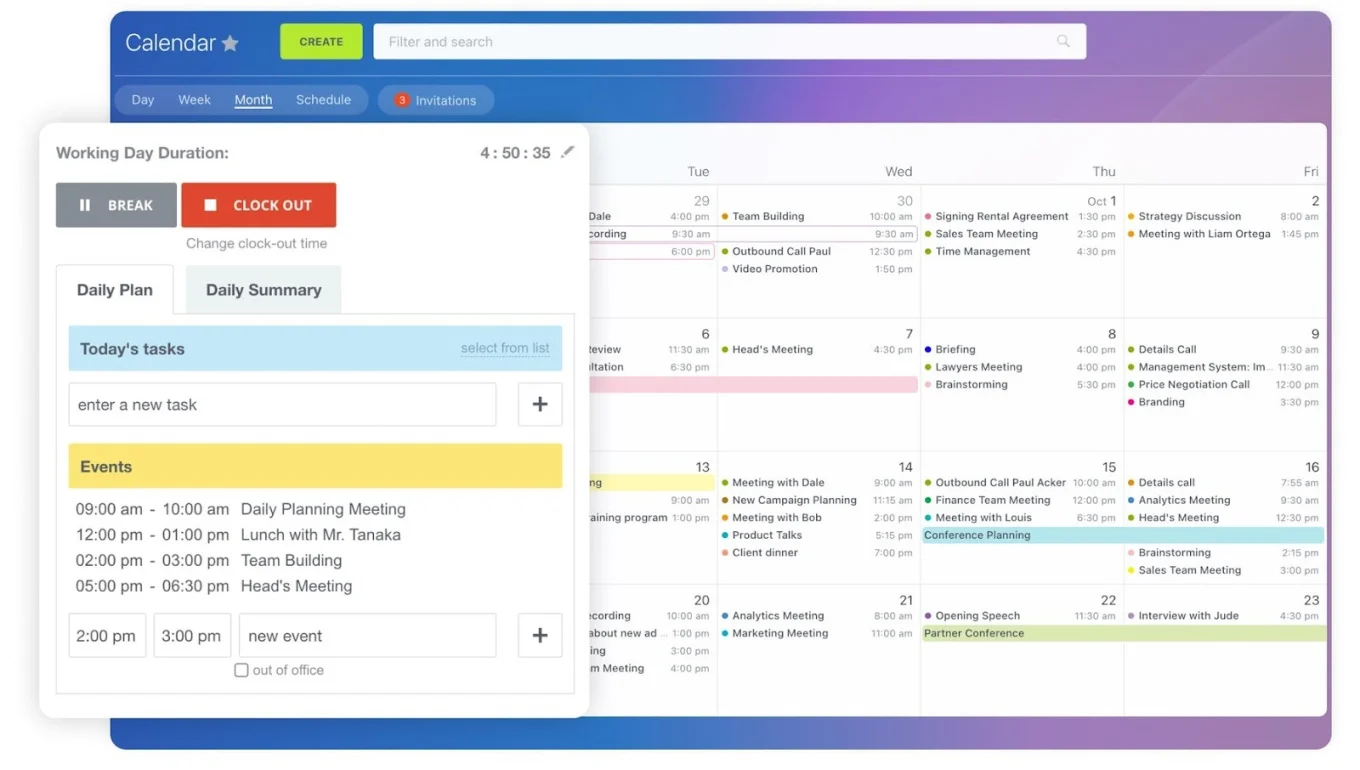
When workflows depend on memory and manual follow-through, stress compounds and mistakes become more likely. Structured automation addresses this by creating review tasks automatically when intake forms arrive, assigning follow-ups to the right person when information is incomplete, triggering reminders without manual call lists, and tracking progress so nothing disappears into inboxes.
Visibility matters as much as automation. When everyone can see what's pending, who owns the next step, and what's already completed, teams spend less time chasing updates and more time supporting patients.
When digital intake creates problems instead of solving them
Digitizing intake is high-leverage, but it doesn't work in every context and can backfire under certain conditions.
- Patient population with low digital literacy: If a significant portion of your patients are elderly, have limited English proficiency, or lack reliable internet access, mandatory pre-visit digital forms create a barrier rather than a convenience. In these cases, offer digital intake as an option alongside paper, and digitize the paper forms on the back end rather than forcing the front end.
- No defined permission structure: Switching from paper to a digital system without configuring role-based access can actually increase exposure. If every staff member can see every record by default, you've traded one compliance gap for another. Define permissions before going live — not after.
- Over-automated communication: Sending too many reminders (confirmation, reminder, day-of, follow-up) can annoy patients and increase opt-outs from future messaging. Two touchpoints per appointment (one confirmation and one reminder) is sufficient for most clinics.
- Incomplete integration with existing systems. If your digital intake tool doesn't connect to your EHR or scheduling platform, staff end up doing the same duplicate data entry the new system was supposed to eliminate. Evaluate integration capabilities before committing.

Getting started: a responsible rollout checklist
Digitizing intake works best when clinics start with clarity, not complexity. A responsible rollout focuses on one workflow, clear access rules, and predictable communication.
- Start with one intake form and a defined review process. Test how information flows before expanding into additional automation.
- Define roles and permissions before going live. Decide who can view intake submissions, edit patient records, send reminders, and export data. This supports the minimum necessary standard from day one.
- Standardize reminder language. Use neutral templates and limit who can edit messaging content to prevent inconsistency or accidental PHI disclosure.
- Keep automation predictable. Start with simple triggers: form submitted → review task assigned; appointment scheduled → reminder sent. Staff should understand what the system does and why.
- Train on process, not just software. Make sure teams understand ownership — what happens after intake arrives, who follows up, and where patient information stays contained.
- Review and expand. Once intake runs smoothly, extend automation into post-visit follow-ups, patient feedback collection, or referral coordination with less risk.
Building a safer, smoother front desk
Efficiency and HIPAA safeguards aren’t competing goals. They’re what a well-built intake workflow is designed to deliver.
Centralize intake, lock access by role, automate follow-ups, and send neutral reminders that reduce no-shows, while keeping every interaction traceable. That’s how you take pressure off the front desk without creating new risk.
Start free with Bitrix24 today and turn intake into a repeatable workflow your team can run without chasing, retyping, or guessing.
Revolutionize Patient Intake Today
Bitrix24 offers a comprehensive platform to manage patient data, reminders, and tasks with HIPAA-compliant safeguards. Transform your clinic's day-to-day operations.
Learn MoreFrequently asked questions
What security features are required for healthcare CRMs?
At minimum, a healthcare CRM needs role-based access control (limiting who sees what by job function), audit logging (recording every access and edit to patient records), encrypted data storage, and secure communication channels that prevent PHI from being sent through unprotected email or messaging. The platform should also support configurable permission levels so clinics can enforce the HIPAA minimum necessary standard without relying on staff judgment alone.
How can I reduce no-show rates with SMS?
Automated SMS reminders sent 24–48 hours before an appointment typically reduce no-shows by 25–40%. The key is timing, simplicity, and a clear call to action. Send a brief, neutral message with the appointment date, time, and clinic name, and include a one-step confirmation method (reply YES or call to reschedule). Avoid over-messaging — one confirmation at booking and one reminder the day before is sufficient for most patient populations.
Is it possible to integrate with Electronic Health Records (EHR)?
Yes. Most modern CRM and workflow platforms, including Bitrix24, support integration with EHR systems through APIs, third-party connectors, or middleware. The goal is to pass intake data directly into the EHR without manual re-entry, which eliminates duplicate work and reduces transcription errors. Before selecting an intake platform, confirm that it can connect to your specific EHR and that the data mapping covers the fields your clinical team relies on.
What patient information can be included in appointment reminders?
Reminders can include the patient's name, appointment date and time, clinic name, and contact information for rescheduling. They should never include diagnoses, treatment details, test results, or anything that reveals the medical reason for the visit. When in doubt, limit the message to "when and where" only.