Choosing the Right CRM for Your Real Estate Business: Expert Tips and Best Practices

A buyer inquiry comes in through Zillow at 10:47 a.m. By 10:50, the prospect has contacted two other agents. By 11:15, one of them has already scheduled a showing. Your team picks up the lead that afternoon — two hours too late — and wonders why conversion keeps slipping…
Real estate CRMs aren't about organizing contacts. They're about owning speed, context, and consistent follow-up as the deal moves between channels, agents, and weeks of client timeline.
The sections below cover:
- what separates a real estate CRM from a generic one,
- the features that actually matter,
- how to pick the right platform, and
- the daily practices that turn a CRM into a deal-closing system.
TL;DR: A real estate CRM has to handle buyer-to-listing relationships, long non-linear deal cycles, and communication across portals, email, and messaging. The right platform centralizes leads, automates routing, tracks every interaction, and works from a phone in the field. Adoption discipline matters more than feature depth.
What makes a real estate CRM different from standard CRM systems
Most CRMs are built for linear B2B sales teams: lead → opportunity → deal → close.
Real estate doesn't work that way.
A single buyer inquires about three listings. A seller expects updates weekly for four months. One contact can be both buyer and referral source. The CRM has to model:
- Clients linked to multiple specific properties and listings
- Inquiries coming in across portals, email, messaging apps, and phone
- Viewings, follow-ups, and negotiation checkpoints tied to each property
- Long, non-linear deal cycles with gaps of weeks between touchpoints
According to the National Association of REALTORS® Technology Survey, CRM is the second most-used lead-generating technology among REALTORS® (23%), behind only social media (39%) — which means most of your competitors are already using one.
The differentiator isn't having a CRM. It's choosing one that actually fits the way real estate deals work and then using it consistently.
Platforms like Bitrix24 support this through flexible pipelines, built-in communication tracking, and task management — you adapt the system to your process rather than forcing your process into a rigid structure.
The hidden cost of disconnected tools
Multiple tools feel flexible at first. Spreadsheets, WhatsApp, email, and a personal calendar all serve a purpose. Over time, they create gaps that quietly kill deals.
Where things break down:
- Leads get lost, duplicated, or delayed because they land in different places
- Response times slow because inquiries aren't centralized
- Post-viewing follow-ups are inconsistent or missed entirely
- Managers lose visibility into what each agent is actually doing
The real cost isn’t just the missed deal. It’s losing the client before your team even gets a real chance to engage, because another agent responded faster and built trust first.
Disconnected tools don’t just slow teams down; they also leave major gaps in the client record. Inman reported in late 2025 that, according to Cloze CEO Dan Foody, nearly 88% of agent conversations never make it into the database. He attributed this to CRM designs that rely too heavily on manual data entry, creating friction that busy agents often avoid in the field.
That matters because every missing conversation weakens the next one. If an agent can’t see what was discussed, which property the client asked about, or what follow-up was promised, the client experience becomes slower and less consistent.
So when you evaluate a CRM, look beyond the feature list. The real test is whether agents can capture and access client context easily from the field.
Six features that actually matter in a real estate CRM
With that in mind, the strongest real estate CRMs usually share a handful of practical capabilities. These are the features that help teams respond faster, coordinate viewings, keep deals moving, and give managers a clear view of every opportunity.
Start with these six when comparing platforms.
1. Centralized lead and listing management
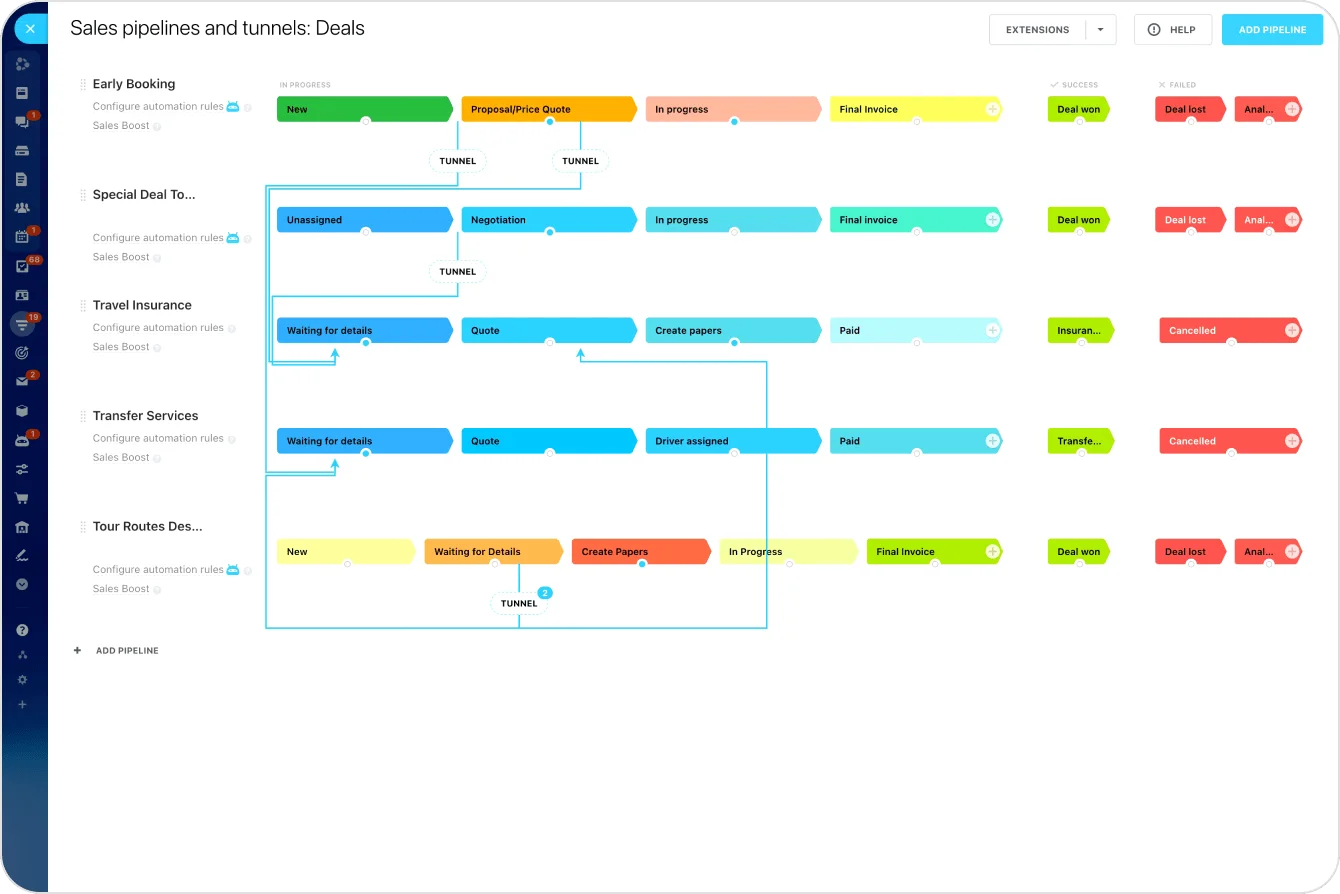
Your CRM should act as a single source of truth for clients, properties, and deals:
- Store buyer and seller profiles
- Track property details and availability
- Link leads directly to the listings they inquired about
- Follow every inquiry from first contact to closing
2. Smart lead routing and automation
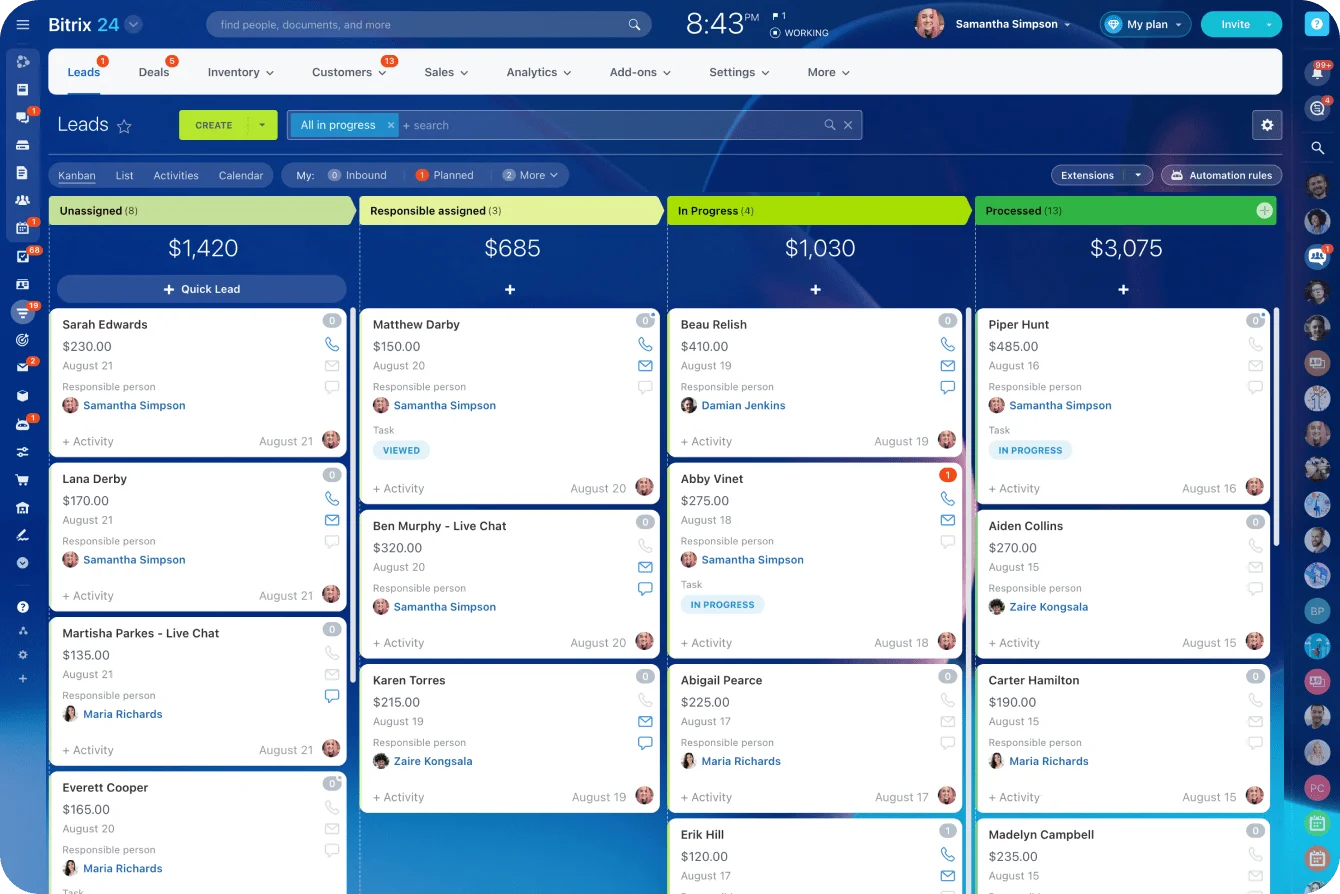
Speed is a structural advantage you can buy. A good CRM should automatically:
- Assign inbound leads to the right agent in under a minute
- Route inquiries by location, property type, or agent specialty
- Trigger the first follow-up the moment a lead is captured
Without task automation, leads sit idle or get picked up too late — and as the inquiry window closes, conversion drops sharply.
3. Viewing scheduling and task management
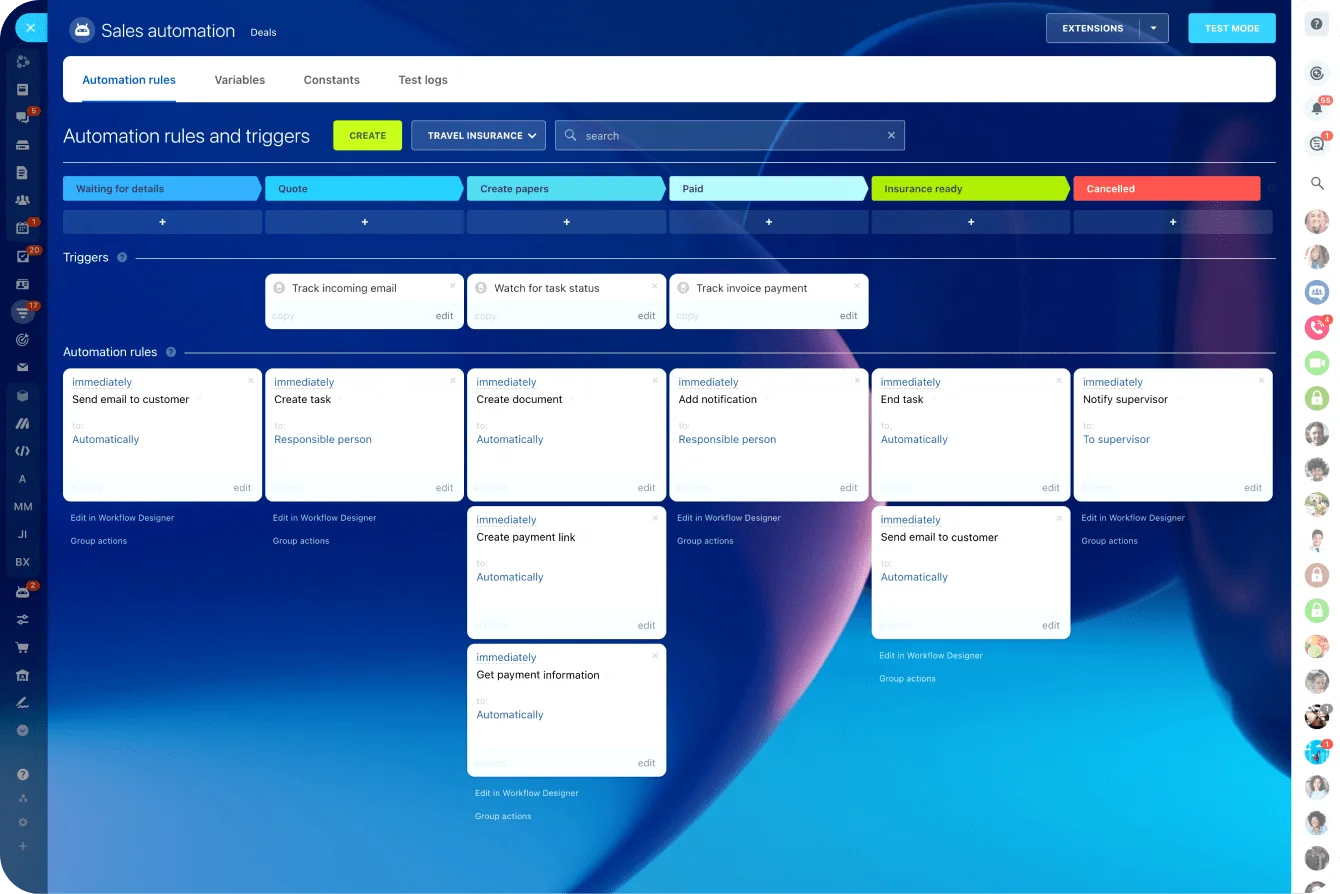
Viewings are where deals move forward, but they're also where coordination breaks. Your CRM should:
- Schedule site visits and open houses against shared calendars
- Set automatic reminders for next steps
- Coordinate tasks across agents, assistants, and transaction coordinators
4. Full communication history in one place
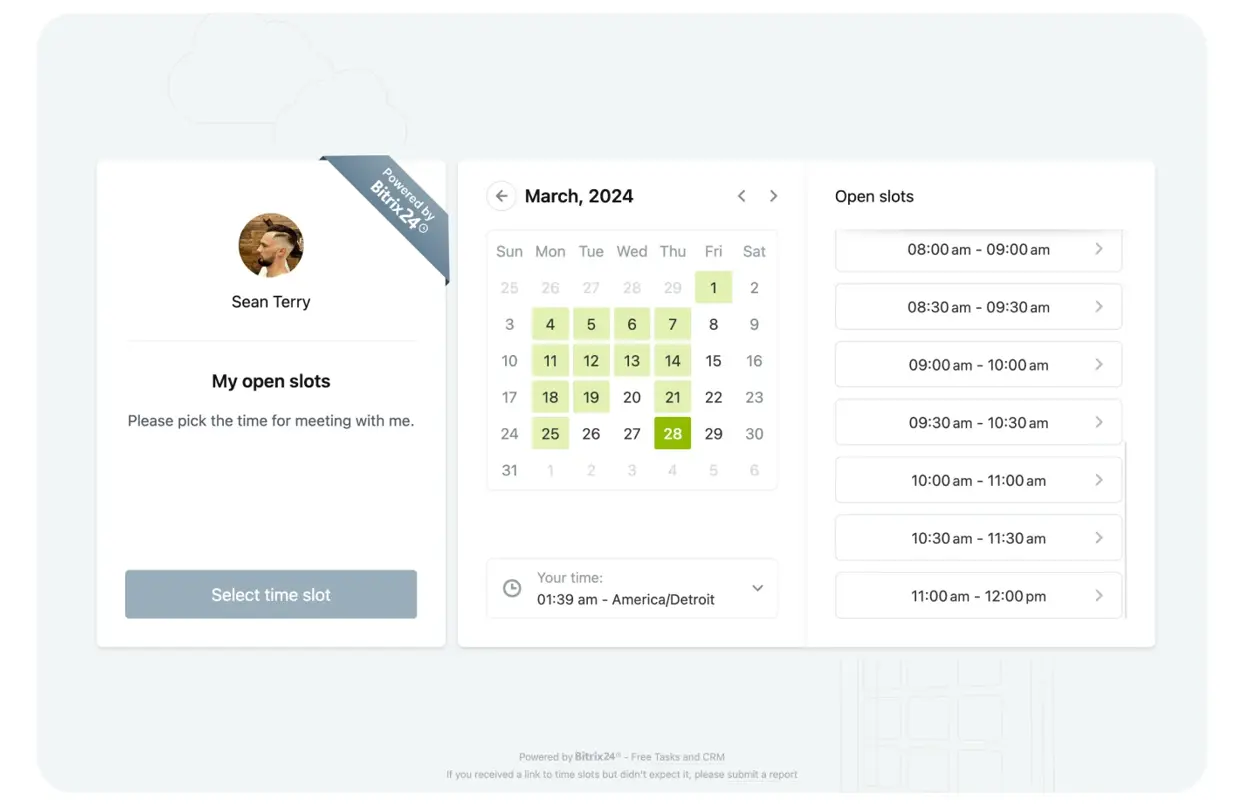
Clients don't want to repeat themselves. Any team member picking up a conversation should see:
- Every call, email, and message
- Notes and deal-specific context
- Previous property inquiries from the same contact
5. Mobile access for agents in the field
Real estate happens at listings, not at desks. A mobile CRM lets agents:
- Update deals immediately after meetings or viewings
- Access client and property details on demand
- Respond to new inquiries in real time
This is the feature most likely to make or break adoption. If agents can't use the CRM from a phone between showings, they'll fall back on memory and notes (and conversations won't make it into the system).
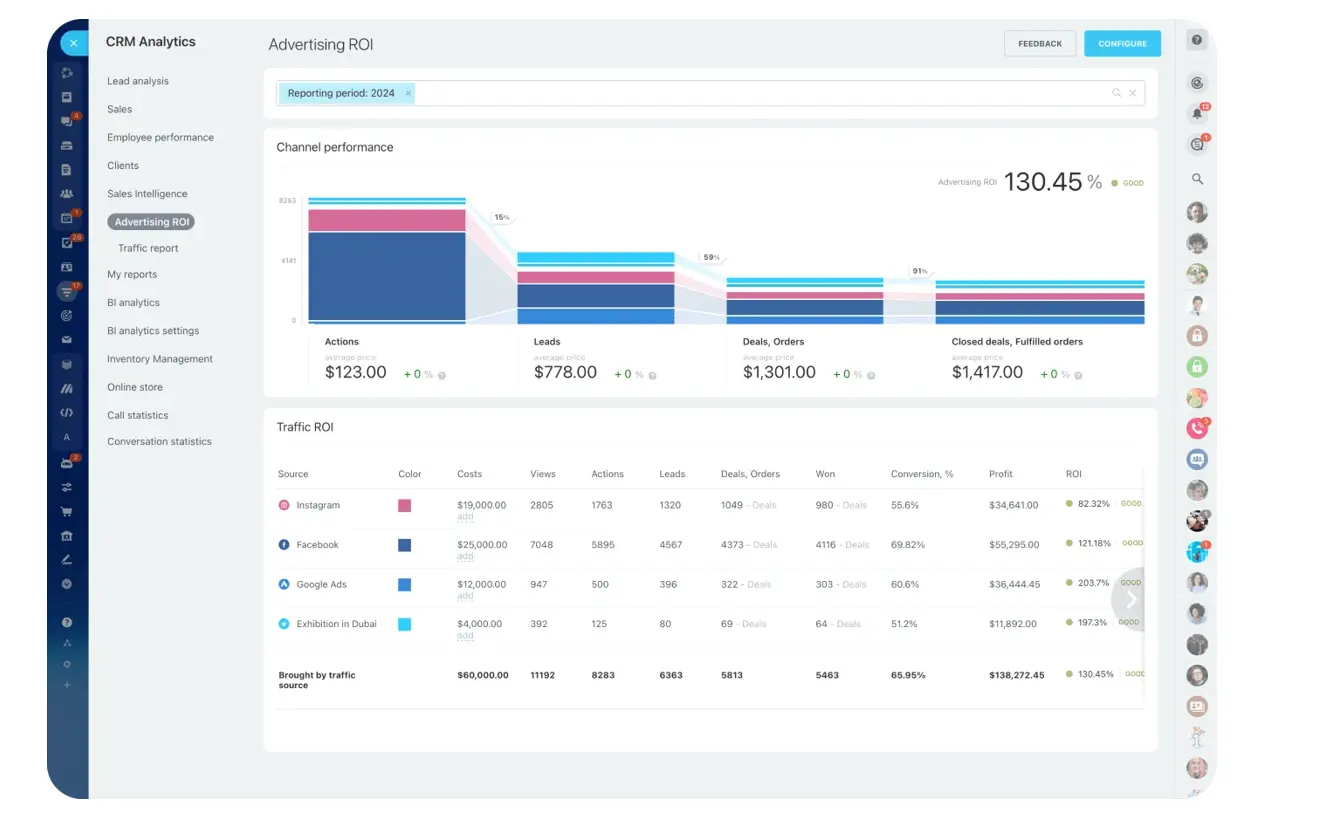
6. Pipeline visibility and deal tracking
Managers need to see where every deal stands at any moment:
- Visual pipeline from inquiry to closing
- Real-time updates on deal progress
- Alerts on stalled or high-priority deals
A strong analytics layer on top of the pipeline turns activity data into coaching opportunities — which agents are hitting response times, which are letting deals stall, where the bottlenecks live.
How to choose the right CRM for your agency
Once you know which features matter, the next step is matching them to the way your agency actually works. A CRM can look strong on paper but still fail if it does not fit your lead sources, team structure, viewing process, or follow-up habits.
Use these steps to choose a CRM that supports your workflow instead of adding another layer of admin.
Step 1: Map your current workflow
Document how leads come in, how listings are managed, how viewings are scheduled, and how follow-ups happen today. Without this baseline, it's easy to pick a CRM that demos well but doesn't fit your process.
Step 2: Identify bottlenecks
Look at where things slow down:
- Leads not followed up within minutes
- Inconsistent responses across agents
- Poor coordination between listing agents and buyer's agents
- Limited visibility into deal progress
Step 3: Prioritize must-have features
For most real estate teams, that means lead and listing management, automation and routing, viewing scheduling, communication tracking, and mobile access. Anything beyond this should support your workflow, not complicate it.
Step 4: Test for ease of use and adoption
The most powerful CRM will fail if agents won't use it consistently. Involve your team in evaluation early, test the mobile app specifically, and watch how long it takes to log a post-viewing note. If it takes more than 15 seconds, expect agents to skip it.
Step 5: Choose an all-in-one platform
Many agencies adopt a CRM but keep using separate tools for communication, scheduling, and tasks, which brings back the fragmentation that caused the problem. A platform that combines CRM, communication, tasks, and mobile access removes that trap.

Best practices for using CRM in real estate
Choosing the right CRM is only the first step. The real value comes from how consistently your team uses it day to day. These best practices help turn the system from a contact database into a reliable operating process for leads, viewings, follow-ups, and deal reviews.
1. Respond to leads within minutes
Automate lead capture and assignment so new inquiries reach the right agent quickly. A fast, relevant reply helps keep the prospect engaged before another agent takes control of the conversation.
2. Standardize your follow-up sequence
Use reminders and templates to keep follow-up consistent after every viewing. A simple sequence, such as same-day thank-you, 48-hour follow-up, 7-day check-in, and 30-day nurture, helps prevent leads from going cold when agents get busy.
3. Log every client conversation in the CRM
Scattered conversations produce inconsistent client experiences. Everything — calls, messages, emails, notes — goes in the CRM, visible to the whole team.
4. Use the mobile app right after every meeting
The most important updates happen right after a showing. Notes entered on the drive back are worth three times notes entered at the end of the day.
5. Review your pipeline weekly
Stalled deals don't fix themselves. A weekly pipeline review catches deals that have gone quiet and surfaces the follow-ups that would have slipped.
When a full real estate CRM may not be the right fit yet
Not every team benefits from adopting a comprehensive CRM immediately:
- You're a solo agent with fewer than 5 active leads at a time. A shared calendar, a clean contact list, and disciplined note-taking may outperform a CRM you won't fully populate. CRM overhead should be justified by lead volume.
- Your team won't use the mobile app. If agents resist mobile tools, a desktop-first CRM will quickly become a data graveyard. Address the adoption culture first — or pick a CRM where the mobile experience is the primary experience.
- You handle mostly referrals and repeat clients. Teams that don't chase inbound leads at scale may not need automated routing or portal integrations. A simpler contact-and-communication tool may fit better.
- You're mid-brokerage-transition. If roles, commission splits, or agent affiliations are changing, pause the CRM decision until the structure settles. Configuring pipelines for a team that's about to restructure wastes setup effort.
Why Bitrix24 is a strong fit for real estate teams
Real estate teams don't lose deals because they lack tools; they lose them because their tools don't talk to each other.
Leads arrive in one place, conversations happen in another, follow-ups live in someone's head.
Bitrix24 closes that gap: one system for leads, client communication, viewings, and automated follow-ups. And all accessible from mobile in the field.
Faster response times. Fewer deals slipping through handoffs. A pipeline that stays current without anyone having to remember to update it.
Start free with Bitrix24 and run your entire real estate workflow from one place.
Organize your Real Estate Business like a Pro
Bitrix24 gives you the full spectrum of CRM tools for successful real estate management. Track leads, streamline communication, manage deals, and boost productivity – all from a single, unified platform.
Start TodayFrequently asked questions
How can Bitrix24 help real estate teams manage leads?
It stores inquiries, communication history, tasks, reminders, and deal stages so agents can follow every buyer, seller, or tenant opportunity.
Can Bitrix24 support viewing and follow-up workflows?
Yes. Teams can schedule activities, assign owners, log notes, and automate reminders after calls, form submissions, or property visits.
Why is mobile CRM important in real estate?
Agents spend much of the day outside the office, so access to contacts, comments, tasks, and updates from a phone helps prevent missed deals.
Which metrics should a real estate CRM improve?
Look at lead response time, viewing-to-offer conversion, task completion, pipeline speed, and how consistently agents follow up.
How long does it take a real estate team to fully adopt a new CRM?
Expect 30–60 days for meaningful adoption if you pick the right platform and train properly. Agents need that first month to build habits around logging calls, updating deals after viewings, and trusting the automation. Teams that skip structured onboarding often stall at 40–50% usage and never recover.