From Office to Remote Work: A Practical 10-Step Plan for Moving Without Losing Control

Moving from office to remote or hybrid work can feel risky. You worry about missed updates, scattered documents, slower decisions, weaker communication. But distance isn't the real problem. The real problem is that proximity was quietly doing work you never had to think about, and remote takes it away.
In an office, the structure is invisible because the building provides it. Work stays visible because you can see people working. Approvals happen in hallway conversations. Documents live in the shared folder everyone knows about. A manager can see what's stuck by looking up.
Remote strips all of that out, so it has to be rebuilt on purpose: tasks need owners, decisions need recording, communication needs rules. Build that structure first and remote work becomes manageable (in fact, often more productive than the office was).
What follows is ten steps to build it: defining expectations, mapping workflows, centralizing operations, and automating what doesn't need a human deciding.
The tools matter, and we'll get specific about them, but the structure is the part only you can put in place.
1. Define what remote work means for your business
Before you move people out of the office, you need to define what "remote work" actually means for your business.
This sounds straightforward, but it's where problems often begin. One manager may think remote work means full flexibility. Another expects employees to stay online from 9 to 5. Some employees assume they can work from anywhere, while IT needs tighter rules around devices, locations, and data access.
To avoid confusion, set clear expectations.
Decide whether your business will be:
- Fully remote, with most or all work done outside the office
- Hybrid, with employees splitting time between home and the workplace
- Role-based, where only certain teams or positions work remotely
- Flexible, where managers approve remote work depending on tasks and performance
Define the practical details
Before you finalize your policy, decide on these specifics:
- What are your core working hours?
- When should people be available for meetings?
- Which roles need office days?
- Can employees work from another city or country?
- Who approves exceptions?
Also explain how performance will be measured. Remote work works best when people are judged by output, quality, and reliability (not by how often they appear online). Document these decisions and make them easy to find. A shared company workspace like Bitrix24 helps you keep policies, announcements, schedules, and team updates in one place, so everyone follows the same version of the plan.
2. Audit the workflows you currently rely on
Before you move operations online, take a close look at how work actually happens in your office right now.
Many office workflows are informal. And that's fine when everyone sits in the same room. But when your team goes remote, these patterns fall apart:
- A manager gives a quick update across the room. Remote: nobody sees it unless it's recorded.
- An approval happens during a hallway conversation. Remote: it never gets documented.
- A document goes to "the person who always handles it." Remote: nobody else knows where it is.
- A deadline is remembered because everyone hears about it. Remote: it gets lost in an email thread.
Why informal processes fail remotely
The problem: informal processes become easy to miss. Small gaps turn into delays, duplicated work, and unclear responsibility. One sales team tracked deals manually for years in the office. When they went remote, they discovered deals slipping between managers, follow-ups being missed, and nobody able to report pipeline health without emailing six people.
You need to map your existing workflows before you rebuild them digitally.
Start with the processes your team uses every day:
- How are tasks assigned?
- How do decisions actually get made?
- How do projects move from one stage to another?
- How do employees share updates with each other?
Pay special attention to approval steps, client handoffs, recurring reports, and internal requests.
Ask these simple questions:
- Who starts the process?
- Who owns each step?
- Where do approvals happen?
- Which documents are needed?
- What usually causes delays?
- Which updates are currently shared informally?
Once you understand these patterns, you can turn them into clear digital workflows.
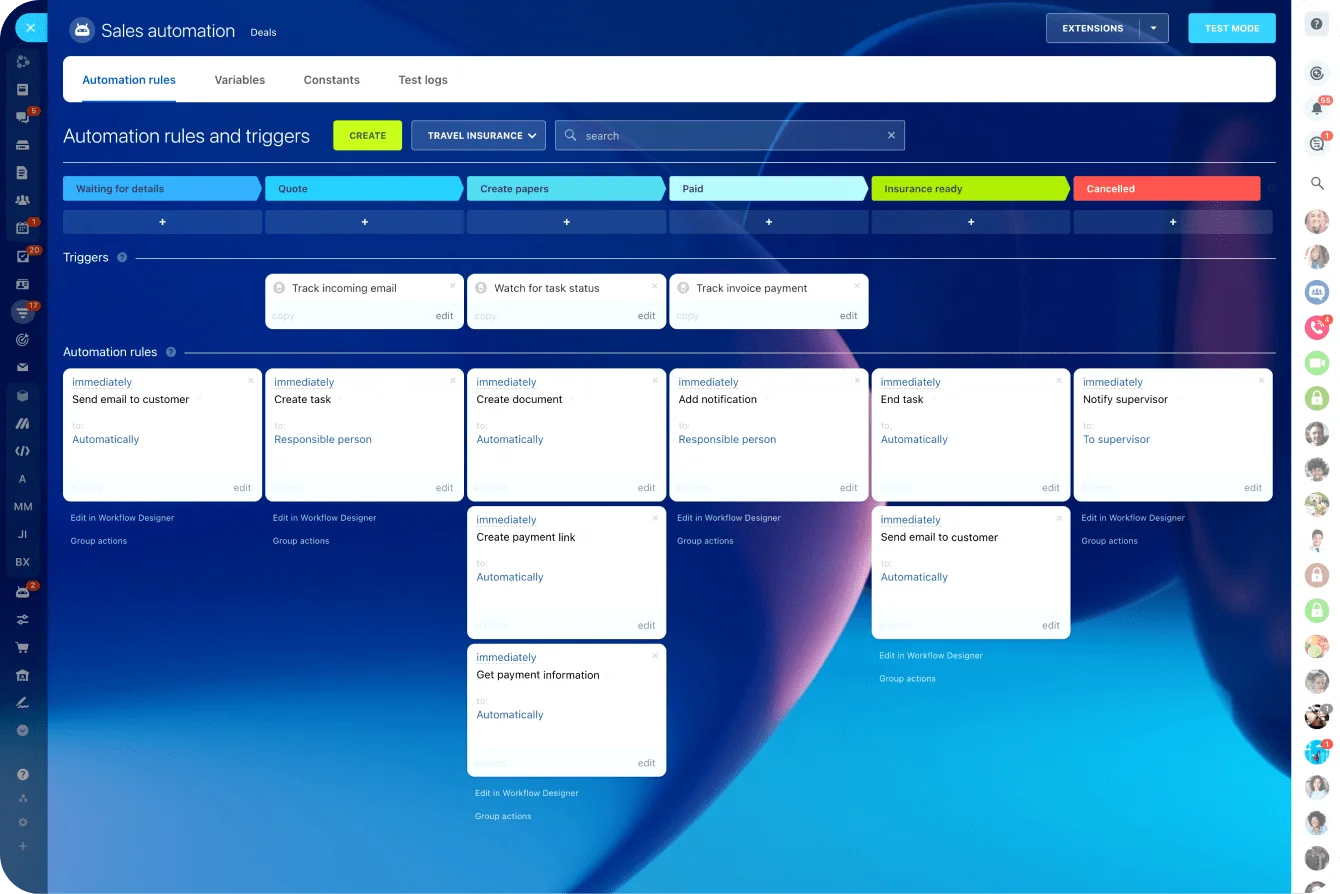
In Bitrix24's task management and automation tools, you can replace scattered office habits with visible, repeatable processes.
3. Choose one central workspace for daily operations
Remote work becomes harder when every team uses a different tool. The result looks like this:
- One department stores files in one place. Another tracks tasks in a spreadsheet.
- Managers send updates through email. Employees ask questions in private chats.
- Meeting notes sit in someone's personal folder. Final decisions live nowhere.
This creates real friction. People waste time looking for documents. Managers lose visibility. Decisions get buried. New employees struggle to understand where work actually happens.
Your team's single source of truth
Choose one central workspace for daily operations. This should be the place where your team can:
- Assign and track tasks
- Discuss project updates
- Store and share documents
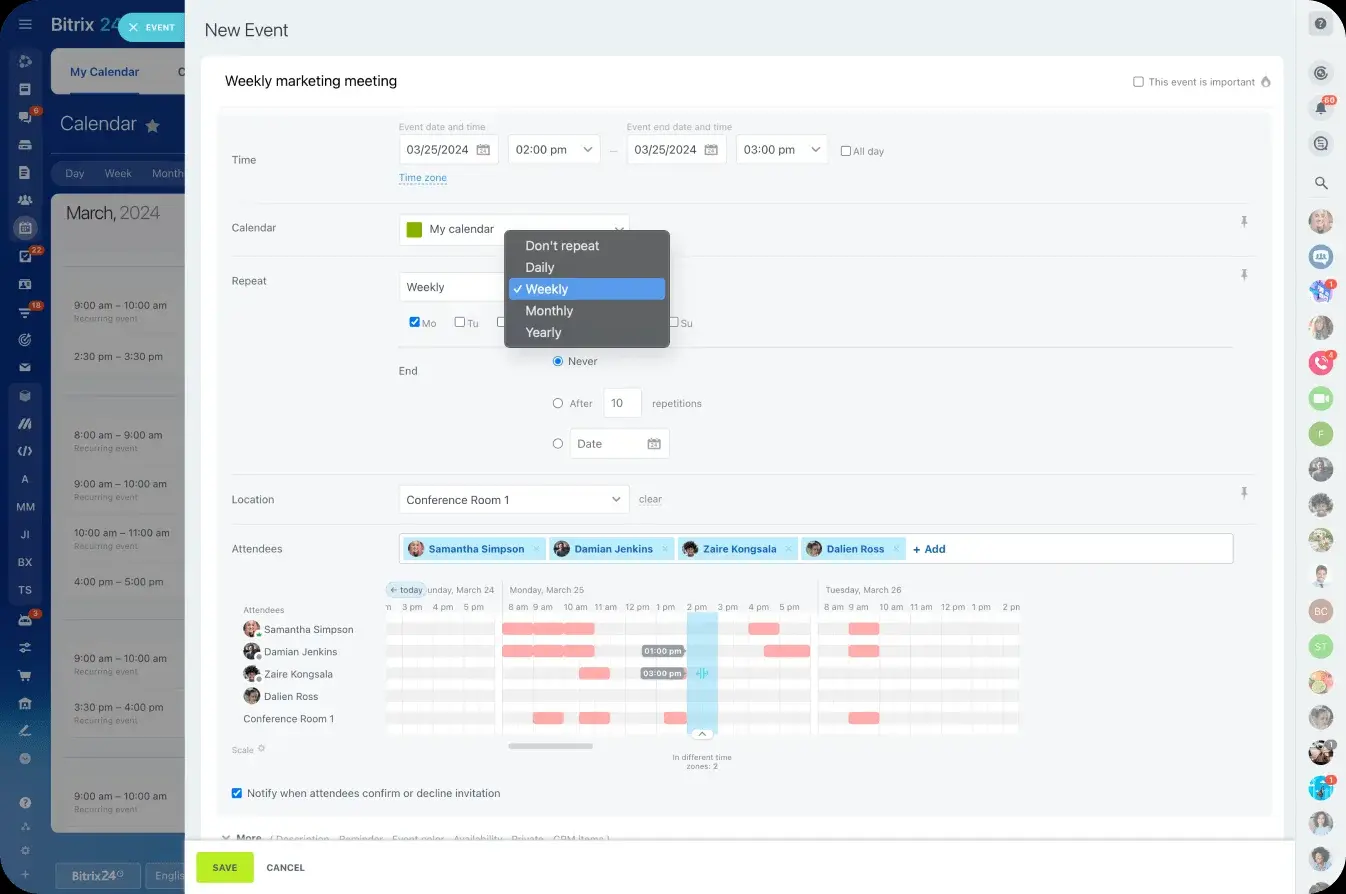
- Schedule meetings
- Manage calendars
- Publish company announcements
- Keep team knowledge organized
A central workspace reduces the need to switch between too many apps—especially important when people work from different locations.
Bitrix24 brings chat, tasks, files, meetings, calendars, HR, and workflows into one online space. Instead of your team managing Slack for chat, Asana for tasks, Google Drive for files, and Zoom for calls, everything lives in one place. That makes the transition easier to manage and much easier to scale.
When everything important is in one location, remote work feels less scattered. Your team knows where to go, what to check, and how to move work forward.
4. Turn every important piece of work into a trackable task
In an office, people rely on quick reminders and face-to-face follow-ups. In remote work, that's not enough. If a task only exists in a chat message, an email thread, or someone's memory, it can disappear.
To keep control, every important piece of work should become a clear, trackable task.
What makes a task trackable
That task should answer a few basic questions:
- What needs to be done?
- Who owns it?
- When is it due?
- What is the priority?
- What does "done" actually look like?
- Who needs to review or approve it?
This gives managers visibility without constant check-ins. It also helps employees understand exactly what they're responsible for, which reduces stress and confusion.
For bigger projects, break work into smaller steps. Use checklists, deadlines, task dependencies, and status updates so progress is easy to follow. Create recurring tasks for weekly reports, payroll checks, client updates, content reviews, inventory checks, or other repeated work.

5. Set communication rules before channels become chaotic
Remote teams need clear communication rules. Without them, updates spread across too many places. One person sends a message in chat. Another replies by email. A manager gives approval during a video call. Someone else adds a different instruction in a private message. Soon, nobody knows which update is final.
This is how remote work becomes messy. The office gave you context for free—you overheard the decision, you were in the room for the call. Remote, that context has to be made deliberate. GitLab, which runs entirely remote, puts it plainly in its handbook: context matters, and it's everyone's job to ask for it when it's missing.
Create explicit channel rules
Decide how each communication channel should be used. Your team should know where to ask quick questions, where to discuss tasks, where to share company updates, and where final decisions should be recorded.
For example:
- Chat: Quick questions and short updates
- Task comments: Work-related decisions and progress updates
- Video calls: Complex discussions, planning, and sensitive conversations
- Announcements: Company-wide information
- Shared documents: Policies, guides, and formal instructions
Also set expectations around response times. Not every message needs an instant reply. Define what counts as urgent, when employees should be available, and which channels should be checked first during the workday.
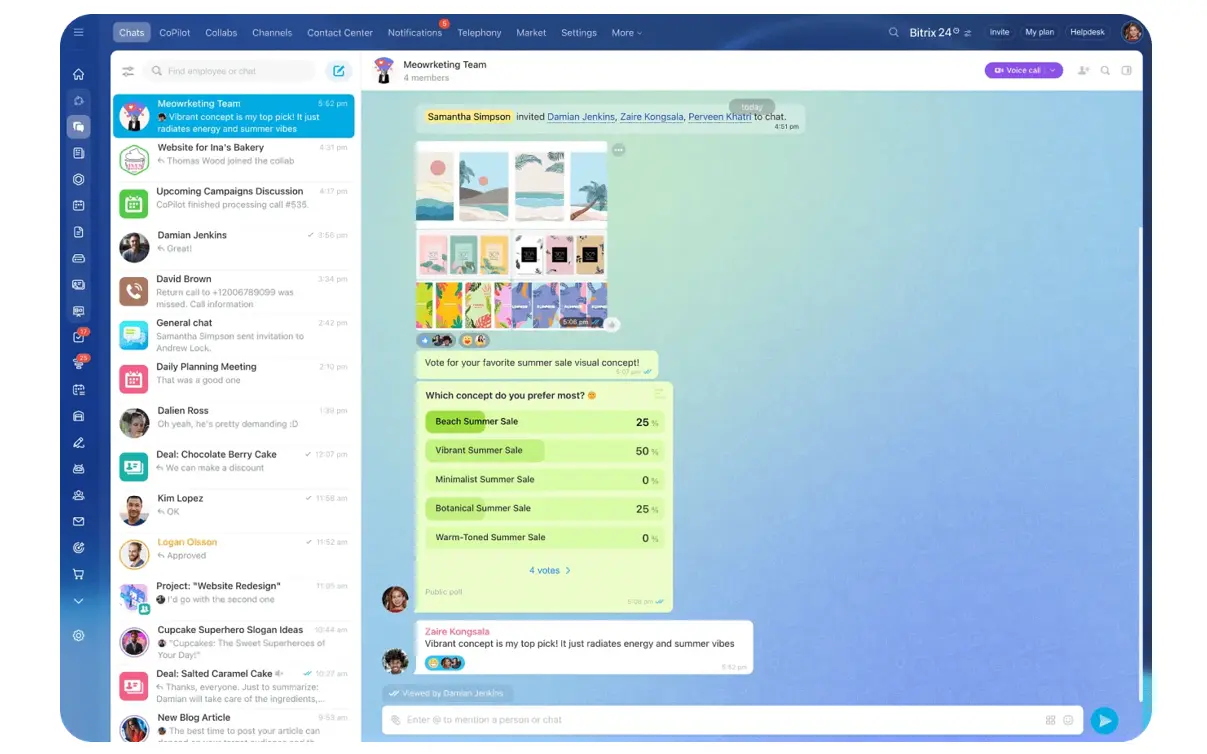
Bitrix24's communication tools help keep this organized because communication is connected to the work itself. Your team can use chats, video calls, comments, channels, and activity feeds without separating conversations from projects, tasks, and files. That makes it easier to reduce noise, keep decisions visible, and stop important updates from getting lost.
6. Redesign meetings for remote and hybrid teams
When teams move out of the office, many businesses try to replace visibility with meetings. This is understandable—managers want updates, employees want clarity, teams want to stay connected. But too many meetings slow everyone down.
78% of workers say they attend so many meetings it's hard to do real work, according to Atlassian's 2024 survey of 5,000 knowledge workers. Replacing visibility with meetings is the obvious move when a team goes remote, and it backfires — the meetings eat the focus time the work actually needs.
Create a clear meeting rhythm instead
Instead of adding more meetings, create a deliberate rhythm. You may need:
- Short team check-ins to review priorities and blockers (15–20 minutes, 2x per week)
- Project meetings to make decisions and move complex work forward (1 hour, as needed)
- One-to-one meetings for feedback, support, and performance conversations (30 minutes, weekly or biweekly)
- Planning sessions to agree on goals, timelines, and responsibilities (quarterly or as projects start)
- Asynchronous updates for progress reports that don't need a live call (recorded or written)
Every meeting should have a purpose, an agenda, a clear owner, and follow-up tasks. If a meeting ends without decisions or next steps, it probably needs to be improved or removed.
A good remote meeting system gives people clarity without filling their entire day. It helps your team stay aligned while still leaving time for deep, focused work.
7. Organize documents and knowledge in one place
In an office, people ask a colleague where a document is or check a shared computer. In remote work, that's much harder. When files are scattered across email attachments and personal drives, employees spend extra time searching for information they need, which impacts overall productivity. Lost attachments, outdated versions, and unsecured sharing links slow down projects and create security risks.
Create one clear place for important documents
Start by creating one location for important documents and company knowledge. This should include:
- Policies and procedures
- Project documents
- Client files
- Templates
- Meeting notes
- Training materials
- HR documents
- Frequently used forms
Create simple rules for how documents are named, stored, updated, and shared. Decide who can edit key files, who can only view them, and where final versions should live. This prevents duplicate documents, outdated instructions, and accidental changes.
A shared knowledge base is also useful. It gives employees a place to find answers without asking the same questions repeatedly. This matters especially for onboarding, IT support, HR policies, and recurring processes.
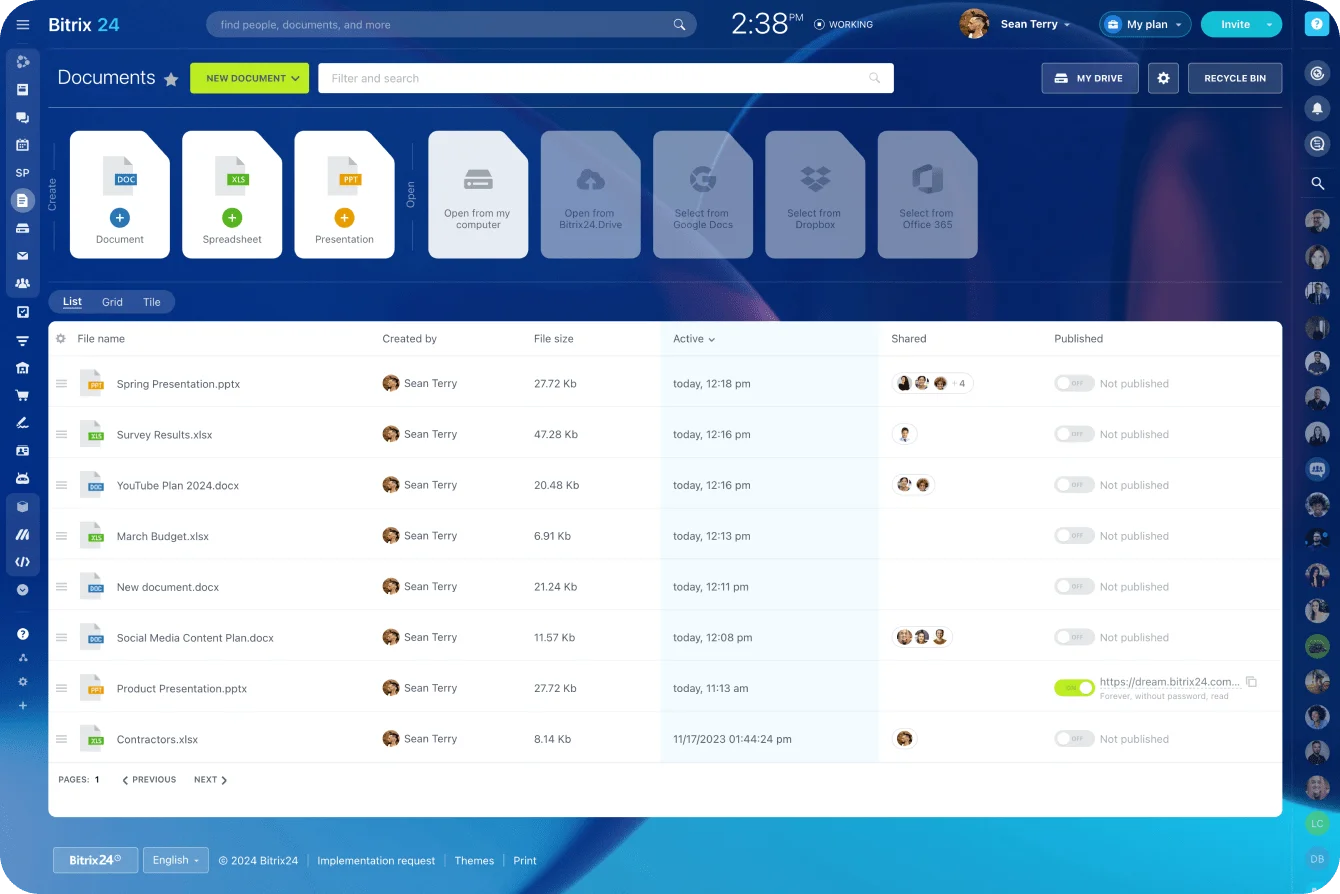
In Bitrix24's document management tools, files and online documents aren't disconnected from the work they support. Your team can attach files to tasks, comment on documents, track versions, and organize everything by project. When information is easy to find, your remote team moves faster and makes better decisions.
8. Review access rights, security, and IT support
Remote work gives employees flexibility, but it also creates security risks:
- People use different devices, networks, and locations.
- Some employees need access to sensitive files. Others only need certain projects.
- Contractors, freelancers, and temporary staff need limited access for a short period.
- Without clear management, your business loses control of important information.
Start with a simple access audit
Review who needs access to what. Keep it practical. Employees should have enough access to do their jobs, but not more than they need.
Look at:
- Project access
- Client files
- Financial documents
- HR records
- Internal policies
- Admin settings
- External user permissions
Also create a clear process for IT support. Remote employees need to know how to report login issues, device problems, software errors, access requests, and security concerns. Without a clear process, small technical issues can delay work for hours or days.
Remote work shouldn't mean open access to everything. With the right permissions and support process, your team can work freely without putting your business at risk.
9. Build remote HR and team routines
Remote work changes how you manage people.
In the office, employees often learn by watching others. New hires can ask quick questions. Managers notice when someone seems stuck. Team culture grows through everyday conversations. In a remote or hybrid setup, those moments still matter—they just need more structure.
Start with onboarding
New employees should know exactly what to do during their first days and weeks. Give them:
- A clear checklist of onboarding tasks
- Access to key documents and systems
- Introductions to their team
- Scheduled check-ins with their manager
This helps them feel supported instead of isolated.
Create routines for all employees
You should also create routines for existing employees. These may include:
- Regular one-to-one meetings
- Team updates
- Feedback sessions
- Recognition moments
- Skills training
- Engagement surveys
- Performance reviews
The goal is to keep people connected without overwhelming them. Remote employees should know where to get help, how their work will be measured, and how they can grow in your company.
Strong remote HR routines help your team feel organized, trusted, and included—even when they're not in the same office.
10. Review, improve, and automate the system
Your remote transition doesn't end when everyone has access to the right tools. That's only the starting point.
Once your team begins working remotely or in a hybrid setup, review how the system is actually working. Some routines will be useful. Others may feel too slow, too unclear, or too complicated. That's normal.
Schedule regular reviews and improvements
Plan simple reviews after 30, 60, and 90 days. Ask what is helping the team work better and what is creating friction.
Look at:
- Are tasks clear and easy to track?
- Are meetings useful, or are there too many?
- Can employees find the documents they need?
- Are approvals moving quickly enough?
- Do managers have enough visibility?
- Are employees getting the support they need?
Then improve the system. Remove unnecessary meetings. Update old documents. Adjust communication rules. Improve task templates. Clarify ownership where work is getting stuck.
Automate repeated processes
This is the right time to automate repeated processes. In Bitrix24's automation tools, you can automate routine approvals, recurring tasks, reminders, notifications, and internal workflows. That helps your team spend less time chasing updates and more time doing meaningful work.
A strong remote system should keep getting better. The more you refine it, the easier it becomes to stay organized, productive, and in control.
Run Remote Work in One Connected Workspace
Bitrix24 centralizes tasks, chat, files, calendars, and workflows so remote teams stay visible, aligned, and in control.
Get Started NowControl comes from clarity, not proximity
Moving to remote work doesn't mean giving up control. It means control stops coming from the things an office handed you for free —presence, hallway conversations, the follow-up you remembered because you saw the person— and starts coming from things you build. Visible work. Clear ownership. Documents people can find. Communication that happens where it should. A way for managers to see what's stuck without hovering.
That's the whole transition, and it's why it pays to go step by step rather than all at once.
Define the expectations, map the workflows, organize the tasks, fix the meetings, lock down access, build the routines. None of it is hard on its own. It's the doing-it-deliberately that separates a remote team that runs from one that quietly falls apart.
A connected workspace makes that easier: when tasks, chat, documents, and calendars share one place, the structure has somewhere to live instead of scattering across five apps.
But the structure is the point, and that part is yours to build.