Every App Posts to Chat Now: Integrating Without Drowning the Channel

TL;DR (Quick Summary)
When every app can post to chat, routing is what keeps the channel worth reading. Sort each event by the response it needs, send it where that response lives, and put an owner on every route.
- Define what chat is for → Reserve it for fast coordination, shared awareness, and decisions on the record. Everything else has a better home.
- Classify every event → Alert, digest, task, or silent log, decided by the response it needs and set per event, never per app.
- Design routing rules → One destination, one owner, and one escalation path for each event type.
- Standardize the message → Six fields that let anyone triage in seconds without opening another system.
- Make ownership explicit → Name who responds first, and the point where chat hands work to a system that tracks it.
- Add controls → Review the routes on a schedule and retire whatever stopped earning attention.
- Handle edge cases → Time-box every exception and give it an owner and an expiry.
Takeaway: Route by the response an event needs, put an owner on every route, and review the set on a schedule.
Connect every app to chat and the channel fills with messages that all look equally urgent and equally ignorable. People lose the fast read on which ones are theirs to act on.
That's a routing failure, and no amount of muting fixes it.
Route each event by the response it needs and give every route an owner. Get that right and the channel becomes the fastest way to see what actually needs you; get it wrong, and people mute it, then miss the real outage buried in the noise with everything else.
This article shows you how to sort every app event into one of four classes, route each one to a destination with a named owner, and keep the setup from rotting once it's live.
Define what chat is for in your operating model
Weak integration strategies share one root cause: nobody decided what chat is for. Leave that undefined and every system treats it as a broadcast channel. Failed payments, sync confirmations, approval requests, pipeline updates, and build logs all land in the same place, all shouting at the same volume.
Decide what belongs in chat
Chat earns its place on three jobs: urgent coordination when people need to react fast, lightweight awareness a group benefits from seeing, and decisions a team needs on the record. Almost everything else has a better home.
Email carries longer or less time-sensitive messages. Tickets and task tools hold work that has an owner, a due date, and a status. Dashboards track metrics over time. Project tools manage planned work with dependencies.
So before you let an app post to chat, name the behavior each message expects. Some need an immediate reaction. Some are worth seeing but need no response. Some require tracked work with a recorded outcome. And some belong nowhere near chat, staying in a dashboard, admin console, or log.
Protect attention first
Chat's value is that it's immediate and shared. That immediacy is exactly what makes bad routing expensive.
Microsoft's 2025 Work Trend Index found that, among the top 20% of Microsoft 365 users by ping volume, meetings, emails, or chats arrived at an average rate of one every two minutes during an eight-hour workday. In the same report, 48% of employees, and 52% of leaders, said their work already feels chaotic and fragmented.
That fragmentation compounds with bad routing. A handful of irrelevant pings in a high-signal ops channel do more damage than a hundred routine updates folded into one digest: the pings force a judgment call every time; the digest doesn't.
Neiman Marcus found out what the far end of that looks like in 2013. Hackers inside its payment system set off roughly 60,000 security alerts and still went unnoticed for months. The company's explanation was that the alerts made up "around 1 percent or less of the daily entries" in logs that filled with tens of thousands of lines a day. Every alert was delivered, and none of them had an owner.
Bitrix24 applies the same split when you wire app events into its communication tools. Immediate coordination stays in chat, and work that needs formal ownership moves to the task, CRM, or project workflow that records it.
Pro Tip: classify at the event level
Ditch app-level rules like "CRM updates go to chat" or "monitoring alerts stay out." A single app throws off several event types with wildly different response needs. A sales team wants an instant alert when a deal that needs executive sign-off hits the approval stage, a daily digest for routine stage changes, and a task when a handoff fails. Treat each event on its own terms.
Classify events by required behavior: alert, digest, task, or system log
With chat's role settled, sort incoming events by what people have to do with them. Four buckets cover it: alert, digest, task, and system log.
|
Class |
Use when |
Best destination |
|---|---|---|
|
Alert |
A human must notice or coordinate quickly |
Chat channel or escalation path |
|
Digest |
Updates matter in aggregate rather than individually |
Scheduled chat summary or email digest |
|
Task |
Follow-up work must be assigned and tracked |
Project, ticket, or task system |
|
System log |
The event is routine or retained mainly for audit and troubleshooting |
App log, monitoring tool, or admin console |
Use five questions to classify an event
Run each event through five questions:
- Does a delay cause a real operating problem?
- Is there a clear person or team to act on it?
- Can it wait safely, or does waiting make the damage worse?
- Does it touch customers, revenue, delivery, compliance, or continuity?
- Does it happen often enough that individual pings become wasteful?
Alerts
An alert belongs in chat when speed and coordination matter.
Typical cases:
- Service outages
- Security access failures
- Failed payments on active accounts
- Broken customer-facing workflows
- Time-sensitive approval failures
Every alert needs an owner and an expected response. If nobody can say what to do after seeing it, it isn't an alert.
Digests
A digest groups recurring, lower-urgency information.
Common ones:
- Daily lead volume by source
- Weekly campaign summaries
- Routine shipment updates
- Completed deployments
- Non-urgent workflow exceptions
Post every CRM field change to a shared channel and people stop reading it. A scheduled summary of the changes that matter gives the same visibility without turning routine data upkeep into a stream of interruptions.
A digest only works if someone's assigned to read it. Otherwise, it's just a slower log in a worse location, the feed everyone muted in week two and now treats as a folder they never open. Give it a reader the way you'd give an alert a responder.
Tasks
Use a task when someone has to do and track follow-up work.
Approval requests, contract reviews, operational exceptions, and recurring issues belong here.
If any of these matter, put it in structured work rather than chat:
- An assignee
- A deadline
- A status
- Several steps
- A handoff
- A completion record
Chat's job is to tell the owner the task exists.
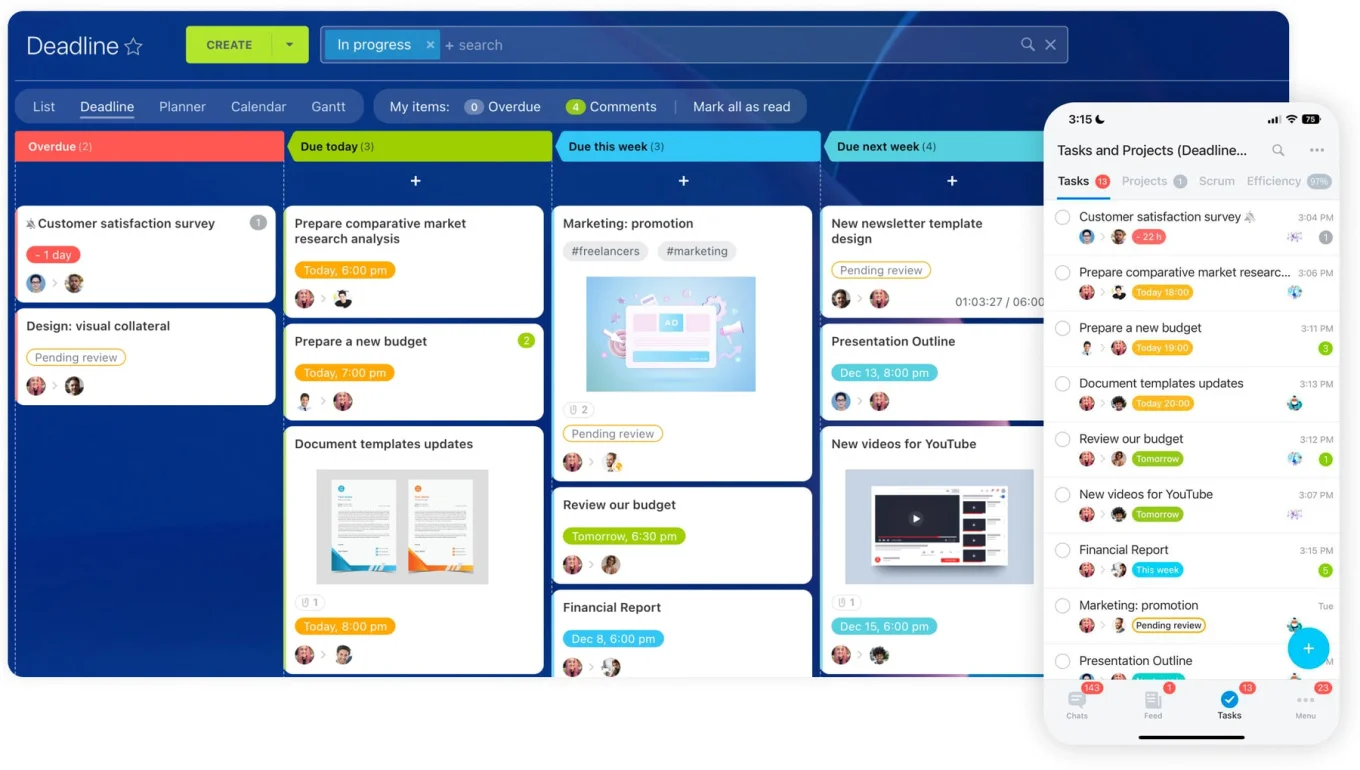
In Bitrix24, task management holds the owner, deadline, discussion, and completion status, and chat stays the notification layer.
System logs
A system log is the right home for events that need no human action.
Successful syncs, expected webhook deliveries, routine imports, standard API checks: log them and move on.
In most of these streams, the only chat-worthy event is the failure.
If people see the same event again and again and never change what they do, it doesn't belong in chat as a standalone post.
Design routing rules so messages land in the right place the first time
Classification tells you the behavior an event needs. Routing decides where it lands. Classify perfectly and you'll still create noise if everything pours into one generic channel.
Build channels around purpose
Build your channel structure around function and expected response.
Names like #ops-incidents, #sales-approvals, or #team-marketing-digest tell people why the channel exists and what attention it wants. #general-updates tells them nothing.
A pattern that holds up:
- #ops-* for operational response
- #team-*-digest for batched team visibility
- #func-*-approvals for approval workflows
- #proj-* for temporary project or launch coordination
Give every route an owner
Every destination needs three things: a business owner accountable for signal quality, a technical owner who understands the source, and a rule for who approves adding another posting source.
Skip those roles and integrations pile up. Adding a bot takes minutes. Removing one stalls because the decision has no owner. Teams rarely add bad integrations on purpose; they just never take the old ones out, because that's nobody's job.
The business owner has the authority to redirect a source, downgrade an alert to a digest, or kill an integration that stopped earning attention.
Make "who can add a source" a written rule with a named approver. A default that works: only the channel's business owner approves a new source, and every request runs through one short form (source, event type, class, destination, owner, escalation path). That way the decision gets recorded instead of agreed in a DM and forgotten.
When you set up Bitrix24 integrations, document ownership at the event level. "Finance owns Stripe" is too vague. "Finance Operations owns failed-payment events and reviews the route quarterly" is something a team can act on.
Match the destination to the response
Match the destination to how the work actually happens.
Team channels carry events a whole function needs to see. Private working channels hold sensitive or detailed operational work. Direct messages fit events with one clear owner who has to respond. A task or ticket queue takes anything that needs tracking. And some events get no chat destination at all.
Watch the DMs. They work for genuinely personal responsibilities, but they can potentially bury operational activity where the rest of the team can't see it. Route an alert to one person's DMs and it sits unread the week they're on leave, which you find out about when the customer escalates to someone who never saw it.
Define escalation before you need it
Cross-team events need a documented escalation route.
A billing problem support spots goes first to a finance-owned exception queue. Customer success joins if a specific account is hit. A wider operations channel is reserved for failures that span multiple customers or systems.
The standard worth holding: one primary destination, one accountable owner, and one documented escalation path per event type.

Standardize the message format so people can triage in seconds
Even good routing fails if people have to open three systems to figure out what happened. Design integration messages for fast triage. Completeness is the source record's job.
Require a minimum message format
Every event that reaches chat carries six things:
- Event type
- Affected customer, account, system, or workflow
- Severity
- Required action
- Owner
- Link to the source record
That covers what happened, how bad it is, whether anyone needs to act, who owns it, and where the detail lives.
Leave them out and the first four replies are always the same: Which customer? Is this urgent? Who's got it? Did someone already fix it?
Keep alerts short
An alert reads in seconds. For example:
- Failed payment
- Account: Acme Co.
- Severity: High
- Action: Retry payment, review billing record
- Owner: Finance on-call
- Source: record link
Enough to coordinate on, without dumping the full system payload into the channel.
Design digests around patterns
Digests use the same fields, moved fr om per-message to per-group. The event type becomes the group header, severity turns into an inline flag on the lines that have one, the owner sits on each line, and the source link stays per entry. Routine items drop the required-action field. Only the exceptions keep it.
Marketing digest, daily (example)
- Campaign launches (3) · Marketing ops · dashboard
- Budget exception (1, high, action: pause and review) · Growth lead · record
- Lead-sync failures (batch) · RevOps on-call · log
The reader scans, lands on the one line with a severity flag and an action, and clicks through. The rest stays visible without demanding anything.
Keep the formatting honest. Reserve @channel and @here for messages that genuinely need a group response. Push long payloads to logs and source records. Suppress duplicates, stop two bots from reporting the same event, and keep routine success messages out of response channels.
Every extra line either speeds up the response or prevents a handoff mistake. If it does neither, cut it.
Pro Tip: write the message before building the automation
Write the final chat message before you build the automation.
If you can't state the event, the owner, the required action, and the source record in a couple of short lines, the routing rule isn't ready.
Drafting it first exposes vague ownership and missing fields before anything hits a live channel.
Make ownership and handoffs explicit when a chat message should lead to work
Chat is good at awareness and bad at holding unresolved work. So whenever a message is meant to produce action, define how it gets from "seen in chat" to "tracked in a system."
Define first response
For every alert, name who acknowledges it first: an on-call ops lead, a finance owner, a support lead, a rotating responder, or a named workflow owner. Make the acknowledgment visible.
Without a named first responder, several people see the same alert and each assumes one of the others has it. A message sent to everyone is owned by no one, and the more people it reaches, the easier it is for every one of them to wait.
Set the trigger for structured work
Decide when an issue graduates from chat to a task or ticket. The usual triggers:
- Work continues past the first acknowledgment
- Several steps are involved
- Another person or team takes over
- A deadline matters
- The outcome needs an audit trail
- The same exception keeps recurring
Chat starts the response. The task, ticket, or case record holds it after that. Otherwise, an issue looks alive for an hour in a thread, then slides out of view under newer messages and quietly dies.
Keep approvals in the system that records them
A chat message can surface an approval request. The decision itself stays in the system that records who approved what, and when. Skip that and the sign-off on a refund or a discount lives in a chat thread that auto-archived months back. When someone finally asks who approved it, there's no name and no timestamp attached to anything that counts.
Cross-functional handoffs need the same discipline.
Take a common billing pattern. Support notices a customer can't use a paid feature because a payment failed. That doesn't make support responsible for fixing the billing.
A clearer workflow:
- Support detects the problem.
- The event routes to a finance-owned queue.
- Finance owns remediation.
- Customer success gets visibility when the account needs follow-up.
- The final status stays attached to the tracked record.
In Bitrix24, Workgroups give the teams a shared space to coordinate while the underlying task or CRM record keeps ownership and status.
A clean handoff answers four questions:
- Who noticed the event?
- Who owns the next action?
- Where is the work tracked?
- Who else needs visibility if the impact grows?

Add controls that keep integrations useful instead of cumulative
Integrations don't break overnight. They rot. One app starts posting an extra event type. A launch alert set up "just for the release" never gets switched off. A team reorganizes and its dead channel keeps collecting automated posts nobody reads. You find out the shape of the mess the Monday someone tries to clean it up, when half the routes trace back to a person who left two years ago (and an automation nobody wrote down).
Run a regular integration review
Review the routes monthly if your tool stack moves fast, quarterly if it's stable.
A quick review answers a handful of questions per route: is it too busy or effectively dead, are real alerts getting picked up, do posts turn into work or just get ignored, is more than one system reporting the same event, does the channel still have an audience, and is anyone still accountable for it.
You don't need perfect metrics. Sampling recent messages surfaces the feeds nobody reads, the integrations with no owner, and the alerts that outgrew their status.
A version you can copy per route:
Route: #_______ Owner: _______
Messages/week: _____ (too busy / about right / dead)
% acknowledged: _____ % that became a task: _____
Duplicate sources? Y / N which: _______
Next change: retire / retune threshold / change class / leave as-is
Give changes a simple process
Put route changes through a light process:
- Someone proposes a threshold change, new route, retirement, or exception.
- The business owner approves it.
- The technical owner makes the change.
- The decision is recorded.
Keep the routing map, naming rules, ownership list, and exception policy in a shared knowledge base, so none of it lives only in one admin's head.
The review is also when you tune thresholds. An alert that used to matter is now handled automatically. A launch digest outlived its launch. An app reporting every sync, pass or fail, needs to report only the failures.
Pro Tip: review the quiet routes too
Everyone notices the integration that posts too much. The dangerous one is the route that went silent.
Each review, confirm the digests you expect are still landing and the alert routes still fire when they're supposed to.
A perfectly quiet incident channel is reassuring right up until you learn the integration behind it stopped working weeks ago.
Automate repeatable controls
Automation cuts repeated messages without hiding who owns the response. Deduplication suppresses repeat posts for the same open incident. Batching rolls recurring low-urgency events into a scheduled digest. Thresholds hold a post until volume, severity, or duration crosses a line you set. Automatic task creation spins up tracked work when an event needs follow-up. Escalation timers widen visibility when an acknowledged issue sits unresolved.
Dedup and batching cut noise, and they'll also happily hide an incident that's still growing. Pair any suppression with an escalation timer, so anything still open past a set point resurfaces on its own instead of sitting silent inside a collapsed thread.
Take a lead-sync integration failing over and over because of one upstream outage. Posting every failed record on its own makes the incident look bigger without telling responders anything new. Group the failures, raise one incident, and create the follow-up work once it crosses the threshold.
Where that lives in Bitrix24, task automation creates or updates the tracked work after a qualifying event, instead of leaving the response stuck in chat.
Handle edge cases without reopening the floodgates
Some exceptions are real. Incidents need broader coordination. Executives want visibility into specific business events. VIP accounts get extra handling. Launches need temporary monitoring. The trouble starts when the temporary version quietly becomes the permanent default.
Use temporary channels for temporary work
A launch, migration, or big customer onboarding earns a dedicated space with more frequent updates than usual. Set the end condition when you create it, and put it in the channel header so the promise stays visible:
Name: #proj-________ Purpose: ________
Owner: ________ End condition / date: ________
Escalation path: ________
When the window closes:
- Archive the channel.
- Route its events back to normal.
- Remove the temporary mentions.
- Restore standard alert thresholds.
Time-box alert rules the same way. If a release needs elevated monitoring, switch the extra signals on for the release window and schedule their removal in the same change.
Give executives summarized visibility
Executives don't need the raw operational firehose. Add a VP to #ops-incidents so they can "stay close to things" and they'll either mute it by Thursday or start asking about every yellow flag, and neither helps. A curated digest or an escalation-only summary gives leaders the visibility they want and leaves the operating team's channel focused on response.
VIP accounts follow the same logic. A failure hitting a defined account segment fires an extra notification to customer success or account leadership. Keep that trigger specific and written down, so routing never hinges on someone deciding in the moment that an account "feels important."
Allow the exceptions. Just give each one an expiry, a documented owner, and a clear route back to normal.
FAQ
When should an event be an alert instead of a digest?
Make it an alert if a person has to notice and coordinate fast, and you can say what they do next. Make it a digest if the updates only matter in aggregate and no single one needs a reaction. If nobody can name the next action, it isn't an alert.
What belongs in a task rather than a chat message?
Anything with an assignee, a deadline, a status, multiple steps, a handoff, or a completion record. Chat announces that the task exists; the task system holds the work and its outcome.
How do we stop a useful channel from turning into noise?
Route by the response each event needs, set per event rather than per app. Give every route an owner, standardize the message so it's readable in seconds, and review the routes on a schedule to retire whatever stopped earning attention.
Should operational alerts go to direct messages?
Rarely. DMs work for genuinely personal responsibilities, but they hide the activity from the team and break the moment the recipient is out. A named owner in a shared channel beats a DM almost every time.
How often should we review integrations?
Monthly for a fast-moving stack, quarterly for a stable one. Sample recent messages and check ownership, weekly volume, whether real alerts get acknowledged, and whether two systems are reporting the same thing.
Turn chat noise into trackable work
Bitrix24 connects chat, tasks, CRM, and automation so app alerts reach the right owner, trigger work, and keep teams aligned.
Get Started NowThe bottom line
Takeaway: Chat integration is a routing problem. Decide which events earn an interruption, which become tracked work with an owner, and which never leave the source system.
Bitrix24 keeps chat, tasks, and CRM in one workspace, so an alert and the work it creates sit side by side. Task automation turns a qualifying event into a tracked task without anyone filing it by hand, and because paid plans are priced per organization, not per seat, naming an owner for every route never turns into a licensing calculation.
The channels people still trust all look the same up close: every route has an owner, every alert has a next step, and anything that needs follow-up is already a task by the time someone reads the message.
Skip that and the channel keeps getting louder until people stop reading. Then the one alert that mattered, the failed payment run or the outage at 2 a.m., scrolls past with the few hundred that didn't. Neiman Marcus had roughly 60,000 of them.