WhatsApp CRM Integration: Turn Customer Chats Into Trackable Sales
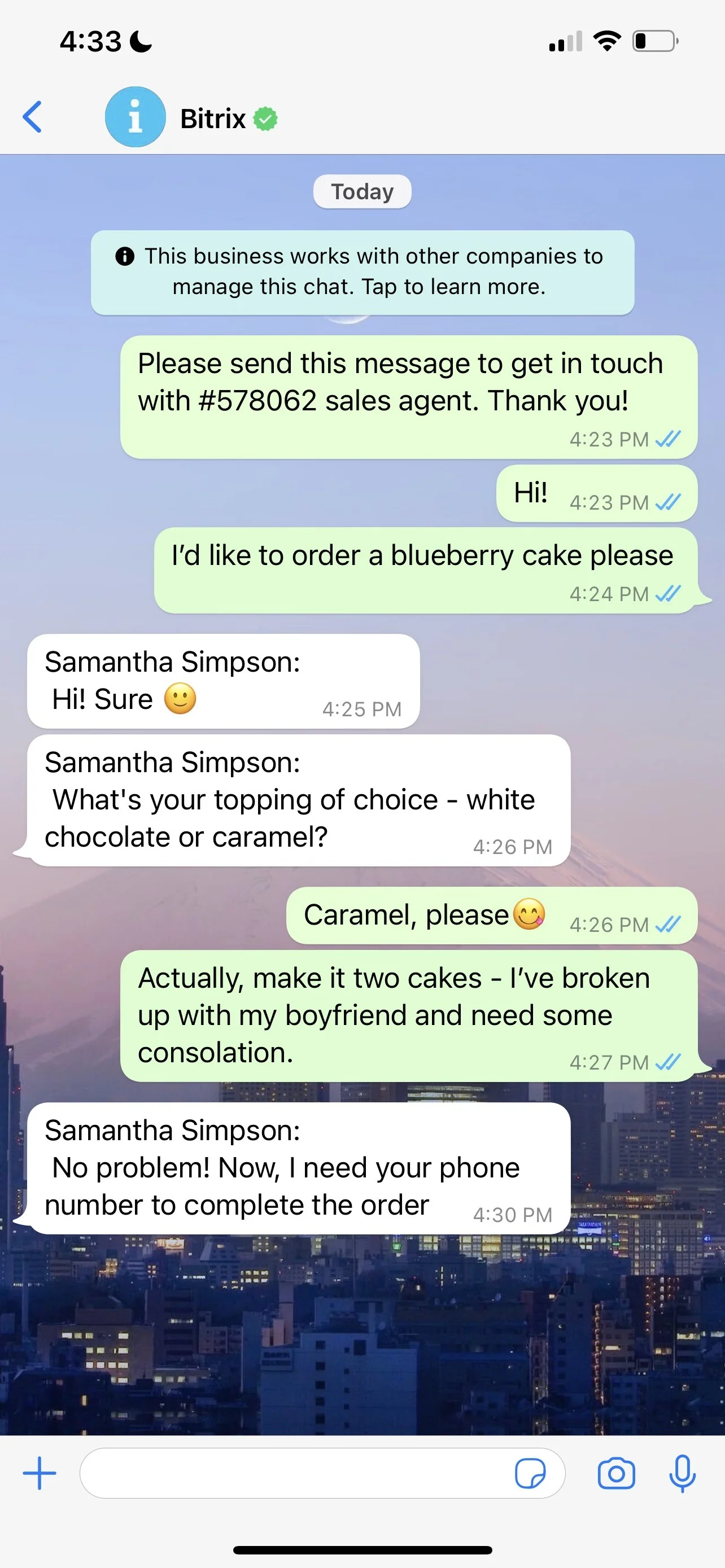
Your buyers message first and ask questions later — especially across LatAm, the Middle East, and Southeast Asia. But when your team replies from personal WhatsApp numbers, you lose the thread. Conversations vanish into side chats and screenshots. You can’t see who promised what, which leads are hot, or how long customers wait. The channel with the most volume becomes the channel with the least visibility.
The cost is immediate and compounding. Missed replies turn into churn. A rep leaves and takes key customer history with them. Managers can’t enforce SLAs or coach from real examples. Finance can’t attribute revenue or forecast pipeline from WhatsApp. Compliance risk grows with every off-book message — no consent record, no retention policy, no audit trail. Meanwhile, faster competitors answer within minutes and convert the very prospects you paid to acquire.
Bitrix24 fixes this at the source. Our native WhatsApp channel lives inside the CRM you already use to sell and support. Connect an official WhatsApp Business number in minutes, route conversations to the right team automatically, and log every message on the contact and deal timeline. You get measurable response times, full histories, and conversion tracking — without juggling third-party connectors, extra tabs, or manual copy-paste.
The result: WhatsApp stops being a blind spot and becomes a predictable revenue engine. Your team keeps chatting where customers prefer. You get the governance, reporting, and automation your operation needs to scale.
One chat, many tools: automate, sell, support
Customers start in WhatsApp, but closing requires more than messaging.
Do more right inside the chat timeline:
- Use canned replies and product snippets to answer fast and stay on brand
- Trigger bots to qualify, collect documents, or schedule a meeting in the rep’s calendar
- Create tasks from messages so follow-ups never slip, with owners and due dates
- Generate quotes and invoices from the deal and share secure links directly in WhatsApp
Turn WhatsApp into a measurable revenue channel
In your markets, a WhatsApp ping is often the strongest buying signal you’ll see.
Before Bitrix24, teams fight fires in private chats:
- Reps answer from personal numbers with no oversight or continuity
- Conversations die when a phone battery does — or when a rep resigns
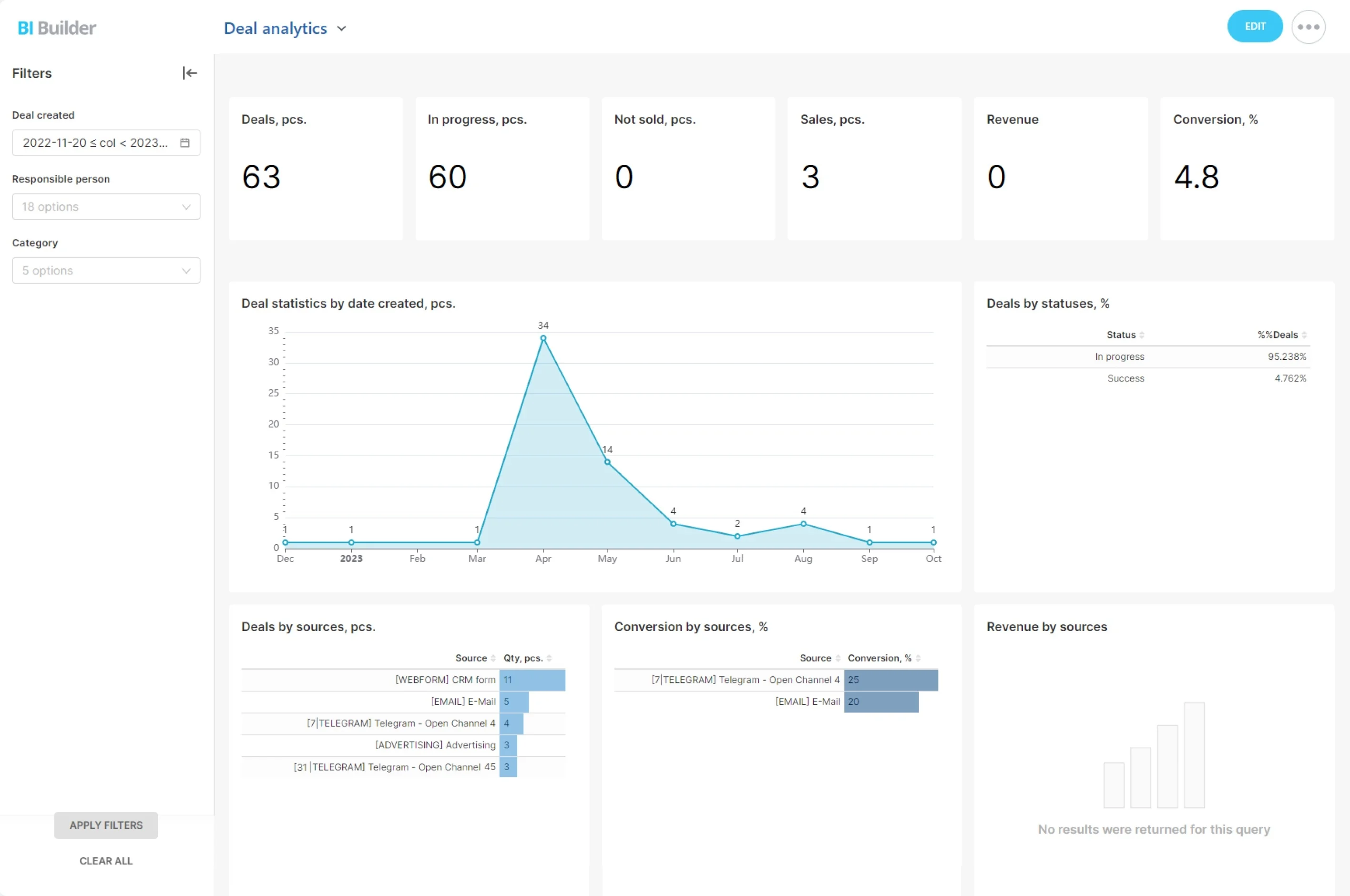
- Managers can’t see first response time, conversion rate, or revenue from WhatsApp
- Every new chat creates or updates a contact, lead, or deal in your WhatsApp CRM
Native WhatsApp in Bitrix24: why it matters
Most CRMs bolt WhatsApp on through third-party connectors.
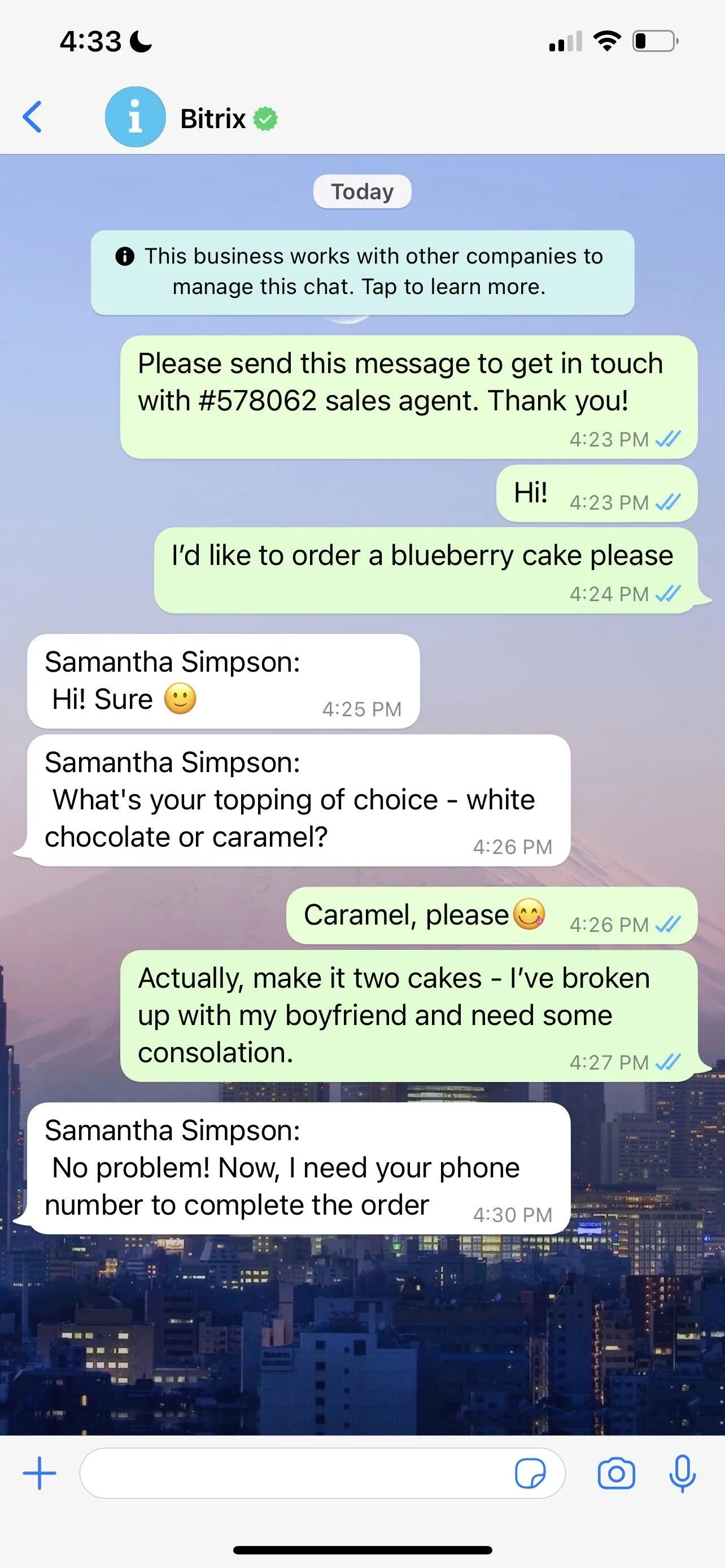
Supported experiences include two-way messaging through the official WhatsApp Business API (Cloud API supported), rich media (images, files, locations, voice notes), and approved templates for proactive outreach.
- Reliability: Fewer moving parts mean fewer outages, delays, and duplicate records
- Speed: Messages appear instantly on contact and deal timelines — no hour-late webhooks
- Governance: Role-based access, audit trails, and retention policies controlled in one place
- Cost control: Clear visibility into conversation categories and template status before you hit send
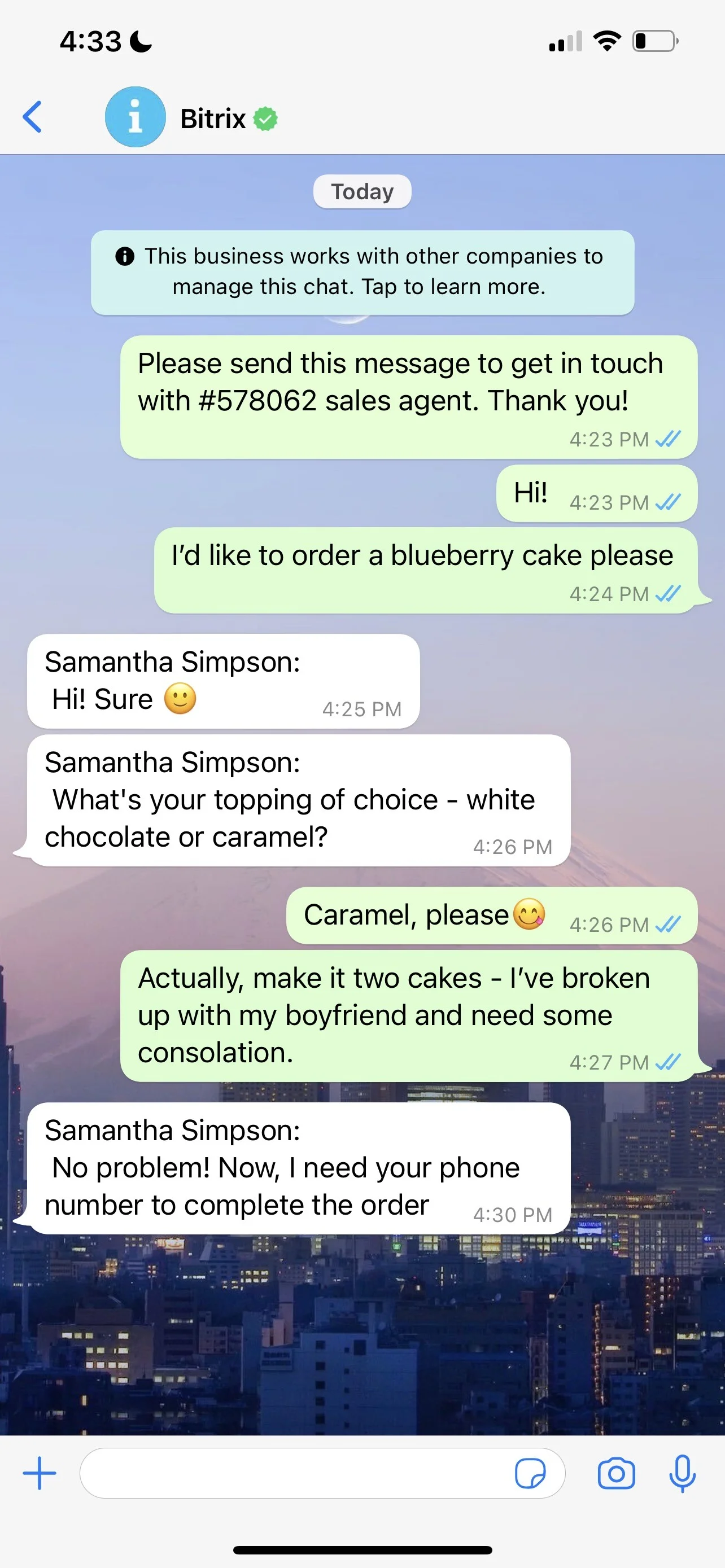
From personal numbers to controlled, compliant communication
When reps use personal WhatsApp, your company doesn’t own the conversation — your employees do.
Key protections you gain when you connect WhatsApp to CRM:
- Shared inboxes and queues ensure messages don’t sit unseen on a personal device
- Role-based permissions define who can view, reply, export, or escalate across teams and regions
- Automatic transcript logging to the contact and deal timeline for a complete record
- Seamless handover: when roles change, conversations stay with the company — not the phone

Fast setup for global teams
You don’t need a months-long project to bring WhatsApp into your CRM.
Because Bitrix24 is all-in-one, you’ll configure pipelines, dashboards, and permissions in the same admin area.
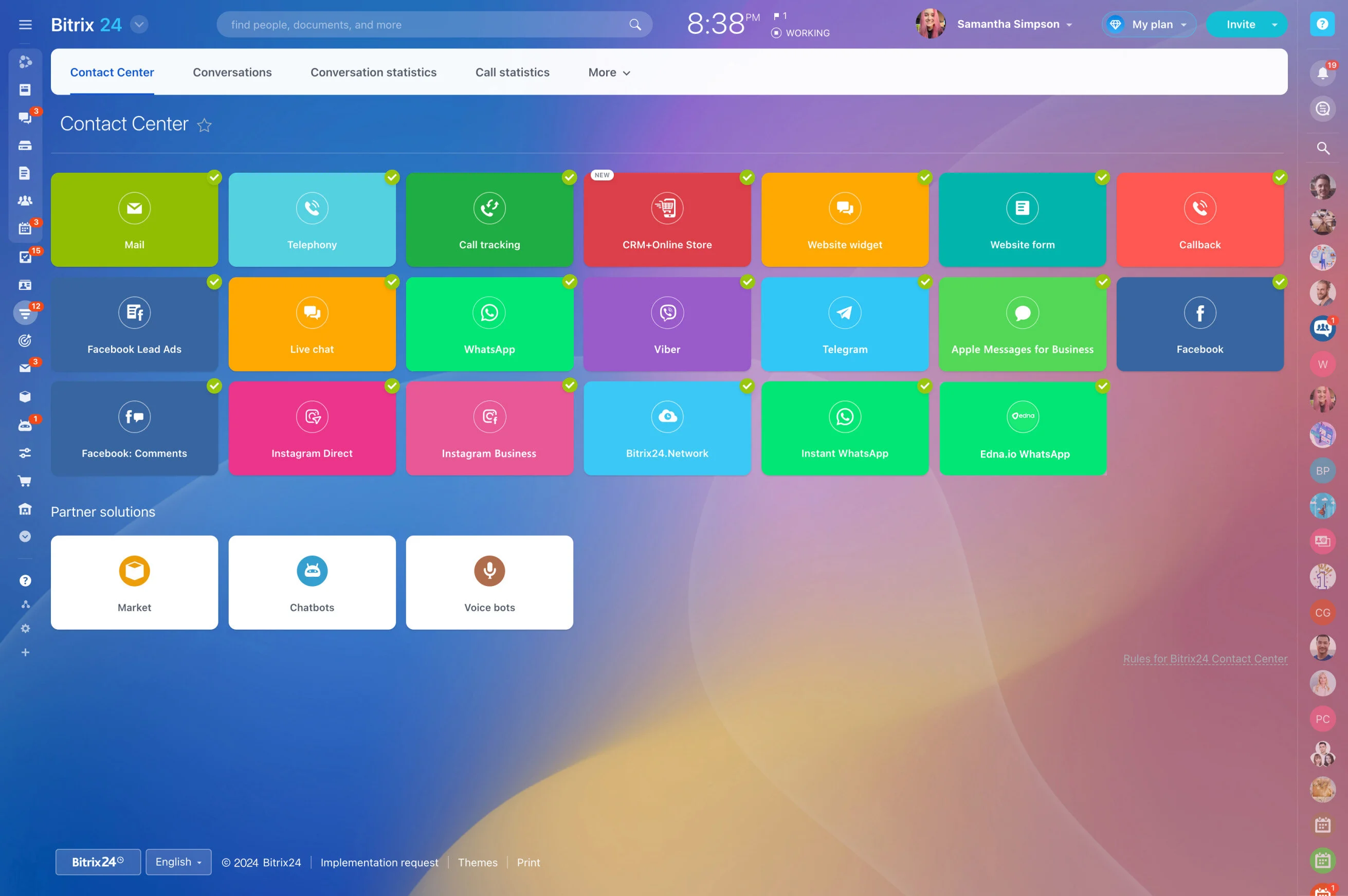
- Connect an official WhatsApp Business number (Cloud API supported); verify your Business account and display name
- Configure routing per region: queues, skills, languages, and working hours
- Upload and approve message templates for reminders, confirmations, and re-engagement (with supported locales)
- Map fields so new WhatsApp contacts enrich your CRM automatically (name, phone, UTM, source)
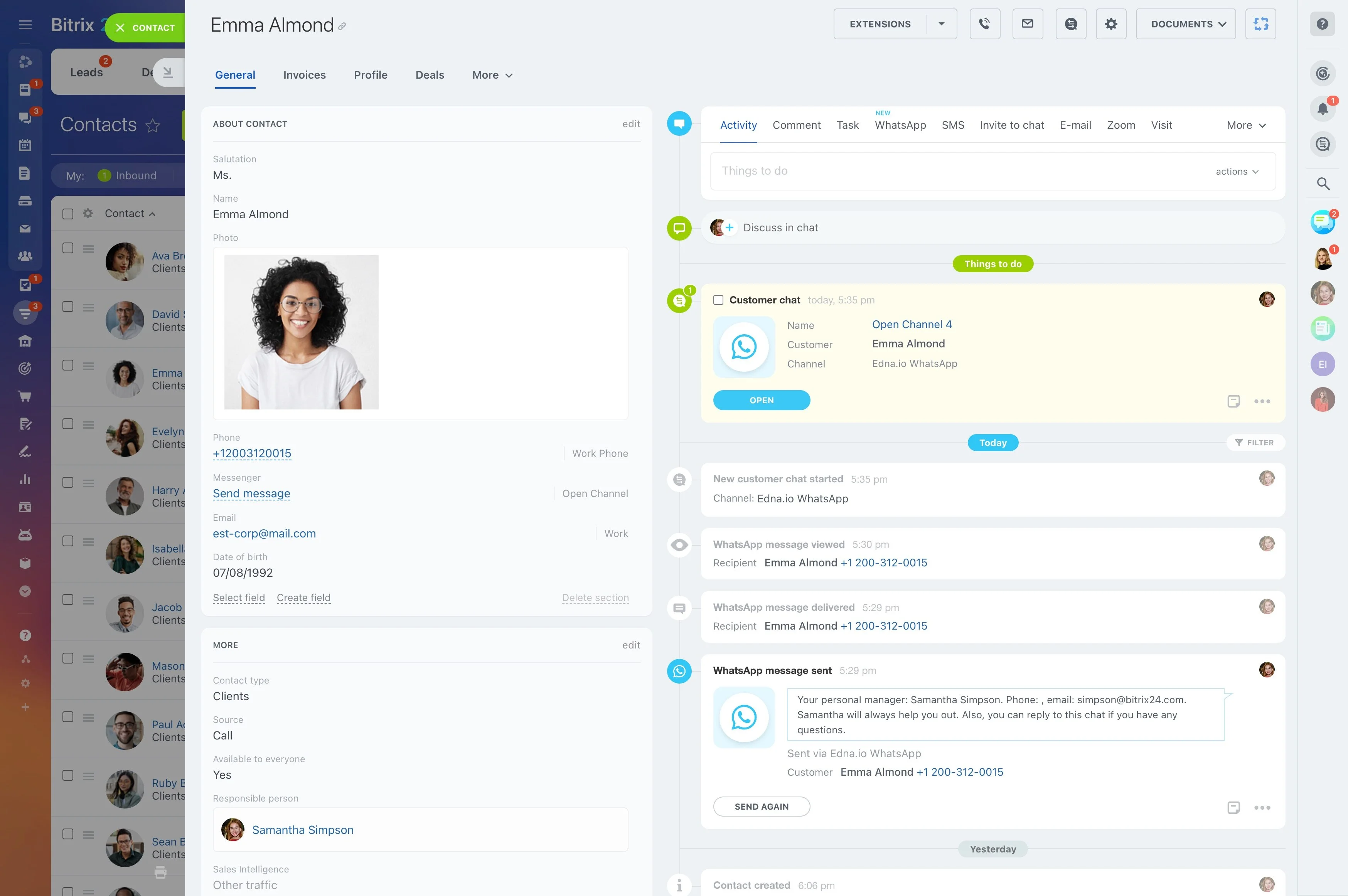
Measure what matters: response, conversions, and ROI
If you can’t measure WhatsApp, you can’t manage it.
Core metrics in your CRM WhatsApp integration:
- First response time and median time to resolution by team, queue, and country
- Conversation-to-lead and lead-to-deal conversion rates with cohort views
- Revenue per chat, per rep, and per campaign (UTM-based attribution)
- Template performance: send rate, replies, opt-outs, and assisted revenue