From Sticky Notes to Digital Canvas: Evolving Whiteboard Strategies for Modern Teams
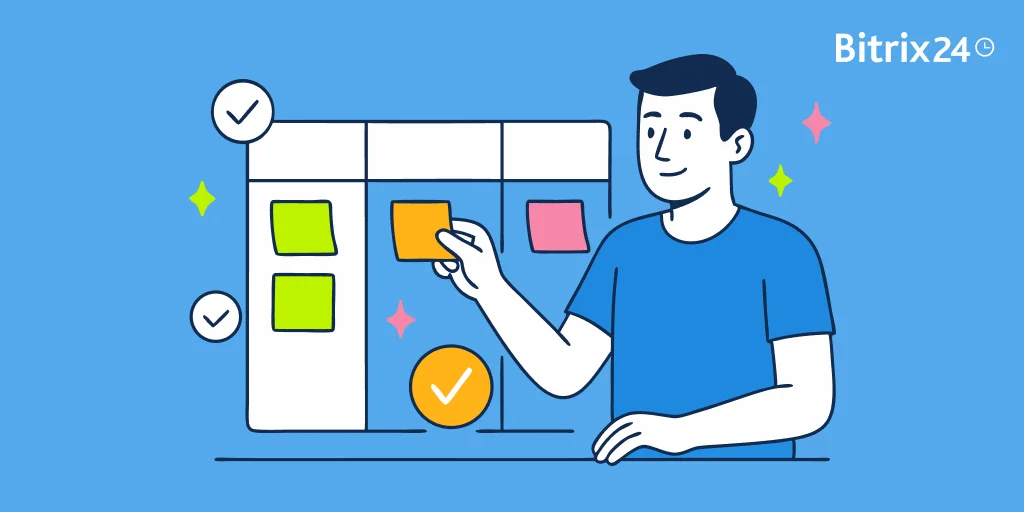
Whiteboards have long been the center of team brainstorming. In offices filled with glass walls and scribbled sticky notes, they helped map user journeys, outline sprints, and build momentum—one big Sharpie stroke at a time.
But with remote work, hybrid teams, and global schedules now the norm, traditional whiteboards can’t keep up. When your teammates are spread across time zones, flying to HQ just to stick notes on a wall isn’t just impractical—it’s impossible.
That’s where digital whiteboards come in.
Online whiteboarding tools like Bitrix24 Boards give your team a shared visual space—no matter where they are. They make it easy to sketch, plan, and build ideas together in real time, all within your digital workspace.
In this article, we’ll trace how collaboration has evolved from physical boards to online canvases—and explore how digital whiteboards help your team innovate, align, and execute with speed.
The power of physical whiteboards
Before online tools took over, physical whiteboards were the go-to for team collaboration. They gave your team a simple way to:
- Map out complex ideas visually
- Break down messy concepts into clean diagrams or bulleted lists
- Adjust plans on the fly by erasing and rewriting instantly
They weren’t just useful—they were dynamic. Ideas came to life in real time, right in front of everyone.
Bitrix24 Boards help modern teams brainstorm, plan, and collaborate—no matter wh ere work happens.
Whether you're brainstorming, mapping a process, or kicking off a sprint, Bitrix24 will help your team get more from every session.
Try Bitrix24 TodayDriving participation and team energy
Markers and sticky notes encouraged hands-on input. Whether you were in a sprint planning session, a workshop, or a daily stand-up, whiteboards made it easy for everyone to get involved:
- Jotting down action items during meetings
- Grouping ideas during a brainstorm
- Prioritizing sprint tasks as a team
Physical boards created momentum. They made collaboration feel fast, focused, and shared—at least, for the people in the room.
Limitations of physical whiteboards
As effective as whiteboards were, they had some serious limitations—especially for modern, distributed teams.
1. Excludes remote team members
Only people in the room could contribute. That meant remote colleagues missed out on brainstorming, planning, or decision-making sessions unless someone looped them in manually—often after the fact.
2. No built-in way to save or share
Once the board was erased, the ideas went with it. Unless someone snapped a photo (and remembered to upload it), you risked losing key insights.
3. Manual follow-up work
Someone always had to transcribe notes into your project management tool. That added admin work—and increased the chances of errors or forgotten tasks.
These gaps didn’t just cause friction. They slowed teams down and left contributors out. That’s why digital whiteboards emerged—not just to mimic physical boards, but to solve their biggest flaws.
The rise of digital whiteboards
In the last decade, work has changed. Teams now span time zones, remote work is standard, and collaboration can’t depend on who’s in the office.
To stay aligned, teams needed more than video calls and chat apps—they needed a shared visual space.
That’s what sparked the rise of digital whiteboards.
These online tools bring the clarity and energy of in-person brainstorming to remote and hybrid teams. They make it possible to:
- Collaborate in real time, no matter where your team is
- Share ideas visually and build on them together
- Connect whiteboarding directly to your workflow
Digital whiteboards didn’t just replace physical ones—they redefined how modern teams communicate, plan, and get things done.
Bitrix24 Boards: Bringing Whiteboard Features into Your Online Workspace
Bitrix24 Boards bring the energy of a whiteboard—and the power of a workspace—into one place.
Here’s how Bitrix24 Boards enhance your team’s workflow:
- Access from anywhere
Jump in from your office, home, or mobile—your whiteboards go wherever your team does. - Real-time collaboration
Everyone can add notes, draw, and contribute at once. No delays. No bottlenecks. - Seamless task integration
Turn ideas into actionable tasks within Bitrix24 with just a few clicks—no manual copying or lost sticky notes.
Bitrix24 Boards don’t just replicate the whiteboard experience. They expand it—making visual collaboration faster, smarter, and fully connected to your daily work.
How modern teams use digital whiteboards to think, plan, and act faster
Digital whiteboards have become essential for collaboration in today’s distributed, fast-moving work environment. They go beyond brainstorming tools—they help teams visualize ideas, organize plans, and move from conversation to execution without losing momentum.
Here’s how modern teams are putting them to work:
1. Real-time collaboration from anywhere
With digital whiteboards, team members can contribute simultaneously—whether they’re in the same room or halfway around the world. Sticky notes, drawings, and comments all happen live, creating shared momentum across time zones.
Use it for:
Collaborative brainstorms, planning sessions, retrospectives, or workshops where everyone’s voice matters.
2. Structure and clarity without losing flexibility
Digital boards let you group, move, and link ideas visually. Built-in templates for workflows, mind maps, or sprint plans help keep sessions on track while leaving space for creative flow.
Use it for:
Mapping user journeys, outlining processes, or structuring Agile backlogs without needing a separate tool.
3. Ideas to action
The best whiteboards don’t just capture ideas; they connect them to your work. When integrated with task management tools, you can assign next steps directly from the board.
Bitrix24 Boards let you convert whiteboard notes into tasks within the same workspace, so nothing gets lost between planning and execution.
4. Shareability and version control
Digital whiteboards make it easy to bring in clients, stakeholders, or new team members. Most tools allow you to share boards via link and revisit past versions to track how thinking evolved.
Use it for:
Feedback rounds, asynchronous collaboration, or revisiting decisions weeks after the fact.
From aligning hybrid teams to accelerating workflows, digital whiteboards are now a core part of how modern teams plan, think, and move forward together.

How Bitrix24 Boards Transform Team Collaboration
Bitrix24 Boards don’t just replace physical whiteboards. They transform how your team thinks, plans, and delivers—by turning spontaneous ideas into structured, trackable work within a single ecosystem.
Here’s what that transformation looks like:
From scattered tools to a unified workspace
In many teams, brainstorming happens in one tool, tasks live in another, and updates get lost in chat threads or emails.
With Bitrix24, it all happens in one place.
- You whiteboard inside the same platform where your team manages projects, files, and communications.
- As you brainstorm, you can create tasks, assign owners, and set deadlines—right from the board.
- No screenshots. No copy-paste. No “who’s doing what?” follow-ups.
Your ideas move seamlessly from sticky note to sprint board—without breaking flow.
From one-sided meetings to real-time, multi-user collaboration
With Bitrix24 Boards, collaboration isn’t a spectator sport.
- Everyone can add notes, draw connections, or comment live—no matter where they’re working from.
- Inputs appear instantly, so workshops and meetings stay fast, dynamic, and inclusive.
- Team members feel seen and heard, which drives engagement and better outcomes.
You go from one presenter and five silent participants to six active co-creators.
From blank screens to structured thinking, fast
Blank boards can be overwhelming—especially under time pressure. That’s where templates come in.
- Bitrix24 offers built-in templates for mind maps, retrospectives, workflows, and sprint planning.
- You can launch a board with structure already in place and customize it on the fly.
- This keeps sessions focused, repeatable, and easy to run—whether it’s your first workshop or your fiftieth.
You don’t just get a canvas—you get a head start.
From good ideas to real progress
In most whiteboarding tools, the session ends when the call does. With Bitrix24, it’s just the beginning.
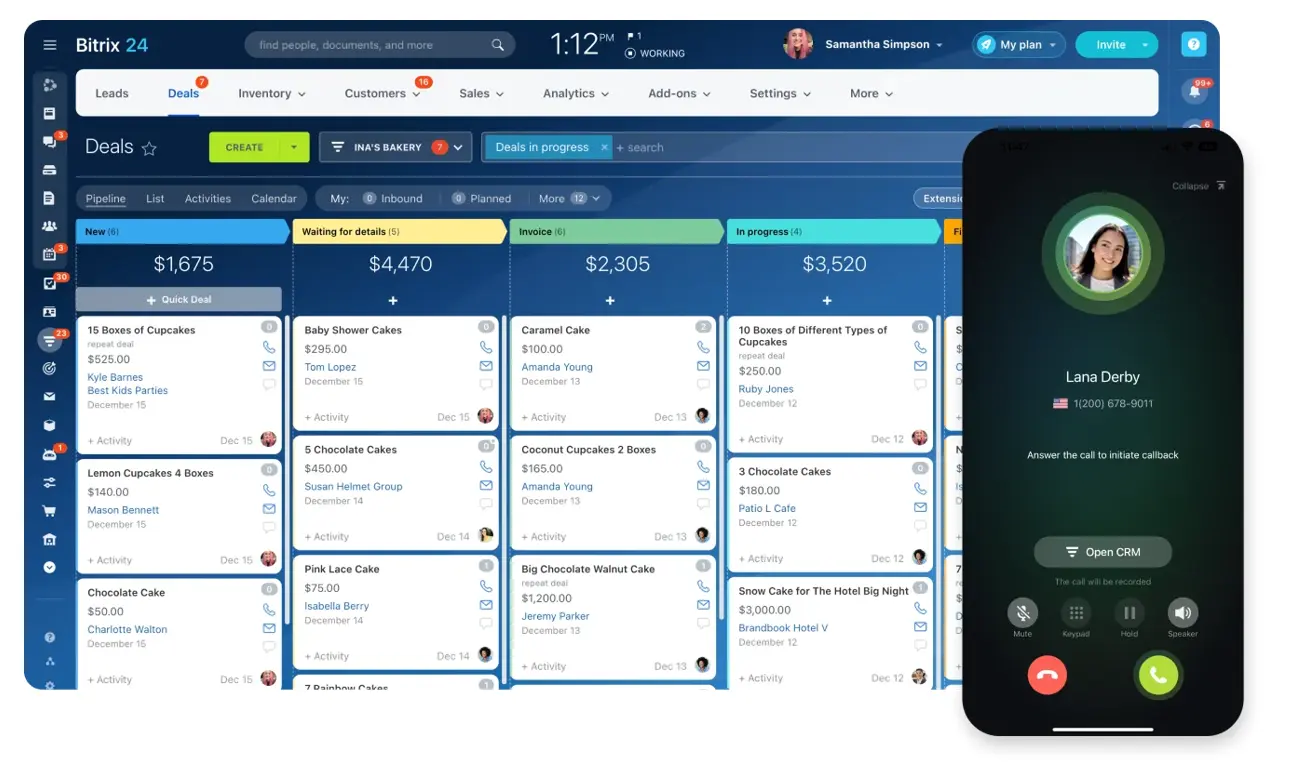
- Every note can be converted into a task, linked to a project, or assigned to a teammate.
- You can set due dates, attach files, and track progress—without ever leaving the board.
- The result? No action items go MIA. No insights get lost. And everyone knows what’s next.
Bitrix24 turns collaboration from a conversation into coordinated action—fast.
Make your whiteboard sessions count: 5 proven best practices
Whether you're brainstorming, mapping a process, or kicking off a sprint, these best practices will help your team get more from every session.
1. Set a clear objective before you begin
Start with a purpose—not a blank board.
Ask: What do we need to walk away with? Are you generating ideas, making decisions, or mapping something out? Defining the goal shapes everything from how you structure the board to who should be in the room.
Pro tip: Write the objective at the top of the board so everyone stays aligned.
2. Prep the board—and the participants
Don’t start cold. Create a framework before the session begins:
- Choose a relevant template (workflow, mind map, sprint planner, etc.)
- Add guiding labels, columns, or prompts
- Share the board ahead of time so teammates arrive ready to contribute
Prepping the space helps the session feel focused, not chaotic.
3. Use templates to save time and drive flow
Templates reduce setup time and give your session a proven structure. Bitrix24 offers ready-made boards for retrospectives, process mapping, and more.
They’re especially helpful for repeatable sessions like weekly planning or project kickoffs.
Top tip: Customize templates over time to reflect how your team works best.
4. Facilitate for energy and inclusion
Good facilitation matters—especially in remote or hybrid settings.
- Encourage everyone to contribute, not just the loudest voice
- Ask open questions ("What’s missing here?" or "What’s the biggest blocker right now?")
- Use reactions or voting to identify priorities collaboratively
You’re not just collecting input—you’re guiding the group toward clarity.
5. Capture next steps before closing
The session shouldn’t end with a full board and an empty task list.
Before wrapping up:
- Review the board as a group
- Convert key notes into tasks, assign owners, and link to projects
- Use Bitrix24’s built-in task tools to do it right from the board
This habit turns collaboration into action—immediately.
When you run whiteboarding sessions with intention, structure, and follow-through, you get more than great ideas. You get real momentum.
Simplify project management with Bitrix24!
Organize tasks, track work progress, and collaborate effortlessly – all in one platform. Free forever, unlimited users.
GET BITRIX24 FOR FREEDon’t sabotage your own whiteboard: Pitfalls to watch for
Digital whiteboards are powerful—but they only work if you use them well. Here are a few common missteps that can get in the way of great collaboration—and how to avoid them.
Turning your board into a dumping ground
When everything’s important, nothing stands out. Overloaded boards make it harder to spot priorities, patterns, or next steps.
Avoid it by:
- Using color coding and visual hierarchy (titles, groupings, sizes)
- Decluttering in real time or assigning someone to tidy as you go
- Labeling sections clearly so ideas don’t float aimlessly
Skipping the facilitator role
Digital boards can feel leaderless fast. Without someone guiding the session, it’s easy to go off-topic or miss critical input.
Avoid it by:
- Assigning a facilitator to open and close the session, summarize progress, and move things forward
- Using built-in Bitrix24 features like @mentions and task assignments during the meeting
- Setting time-boxed phases (e.g., “5 minutes to brainstorm, then we sort”)
Ending the session with no follow-through
A whiteboard full of great ideas is worthless if nothing happens next. This is the single most common failure point.
Avoid it by:
- Reviewing key decisions at the end of the session
- Turning top ideas into tasks immediately—ideally within the board interface
- Assigning owners and due dates before anyone leaves the call
In Bitrix24 Boards, you can convert any note into a task and attach it to a project, so next steps are never lost.
Relying only on live participation
Not everyone works best in real-time sessions. Relying solely on synchronous collaboration can exclude quieter team members or those in different time zones.
Avoid it by:
- Leaving the board open before or after the meeting for async contributions
- Asking team members to comment, vote, or annotate outside of live sessions
- Using Bitrix24’s shareable links and version history to track changes over time
5. Treating the board like a presentation, not a workspace
If one person drives while everyone else watches, you’re not collaborating—you’re broadcasting.
Avoid it by:
- Encouraging everyone to edit the board live
- Using breakout groups or dividing tasks across team members
- Designing sessions that require interaction—not just observation
Digital whiteboarding works best when everyone’s engaged and the process is clear. Avoid the common missteps, and your board becomes more than a canvas—it becomes a catalyst.
The digital canvas is here to stay
Physical whiteboards were built for offices. Today’s teams need something more—flexible, fast, and ready for wherever and whenever work happens.
With Bitrix24 Boards, your team can:
- Brainstorm together in real time, no matter where you are
- Organize ideas clearly with templates, labels, and structure
- Turn whiteboard insights into tasks—without switching tools or losing momentum
It’s everything you loved about whiteboarding—evolved for the way modern teams plan, think, and deliver.