A Deep Dive into Bitrix24 and ClickUp: Understanding the Advantages of Bitrix24

On a feature grid, Bitrix24 and ClickUp can look closer than they really are.
ClickUp is the cleaner choice when the main problem is planning, assigning, and tracking project work. Bitrix24 is better suited to businesses that also need that work connected to CRM records, customer communication, sales activity, and cross-department workflows.
This comparison shows where each platform genuinely fits, what tends to go wrong when teams choose for the wrong reason, and which workflows to test before committing. The deciding question is simple: does the friction begin inside the project, or in the handoffs around it?
What teams should evaluate before choosing between Bitrix24 and ClickUp
Before comparing features, teams need to define what kind of business they’re supporting. A client services firm, sales-led business, internal operations team, and multi-function company with support and HR needs won’t evaluate these platforms the same way.
If most work revolves around planning deliverables, coordinating contributors, tracking deadlines, and documenting execution, ClickUp will look strong.
If daily operations also depend on lead handling, contact records, recurring customer follow-up, support intake, telephony, approvals, and internal communications tied to business activity, Bitrix24 becomes more relevant.
Define the real buying reason
Teams should agree on the core reason for the platform search before sitting through demos. Otherwise, the decision gets pulled toward whatever looks easiest on screen.
Common buying reasons include:
- Better task visibility for managers
- Cleaner project delivery across teams
- Fewer missed handoffs between sales and service
- One place for customer communication history
- Stronger reporting across departments
- Less dependence on disconnected apps
- Better control over approvals, permissions, and automation
Those are different problems. A platform can be excellent for one and only adequate for another.
Check whether one team or several departments need the tool
A project team can often succeed with a specialized work management product. A business trying to connect sales, marketing, service, leadership reporting, and operations usually needs more than structured task management.
This is where the comparison changes. ClickUp may be the better tool for one team’s work. Bitrix24 becomes more relevant when several departments need to work from the same customer and operational context.

Identify the non-negotiables early
Non-negotiables should be identified before feature scoring begins:
- Governance: How granular do permissions, role controls, and administrative oversight need to be?
- Integration depth: Will the business accept multiple connected tools, or is reducing integration dependency a strategic goal?
- Automation ownership: Who will build and maintain workflows, and how complex are those workflows across teams?
- Admin capacity: Can the organization support a broader platform that touches customer data, communication, and process design?
- Reporting needs: Does leadership only need project progress, or does it also need sales, service, workload, and customer activity in the same view?
Many poor selections happen because teams compare usability demos rather than operating model fit. The better the platform aligns with cross-department handoffs, the less rework appears later.
Pro tip: Ask each department to map one real workflow before comparing tools. For example: “New lead comes in, becomes a deal, closes, moves to delivery, needs support, then renews.” If that journey crosses five tools today, the evaluation shouldn’t focus only on task views.
Where standalone work management tools start to break down operationally
The breakdown usually starts when project work no longer stands alone. Sales closes a deal in one system, account history lives in another, delivery runs in a project platform, invoices come from finance software, and support requests arrive through email or chat with no shared context.
At small scale, teams compensate manually. Someone copies deal details into a project brief. Another person updates a client record after a meeting. An operations manager checks multiple dashboards for leadership reporting.
These workarounds seem manageable until volume grows.
Where the task layer loses context
Standalone work management tools can be valuable. The gap appears when execution data becomes detached from customer and operational data.
Once that happens, handoffs rely on people remembering:
- What to move
- When to move it
- Where to store it
- Who needs to see it
- Which system should be treated as the source of truth
Research on app switching shows why this matters.
A Harvard Business Review study of 20 teams across three Fortune 500 companies found that workers toggled between apps and websites roughly 1,200 times per day, losing just under four hours per week to reorienting after those switches.
That doesn’t mean every business needs an all-in-one platform, but it does show why scattered systems create a real operating cost.
Service businesses feel the gap first
Service businesses feel this quickly. Account follow-up, scope changes, renewals, delivery status, and communication history all affect the same customer relationship.
Friday afternoon is when the gap tends to expose itself. Sales promised a Monday launch, delivery planned for Wednesday, and support is answering a scope question from an email thread neither team has seen.
When those pieces live in disconnected systems, teams lose continuity. A project manager may not see the latest sales promise. A support agent may not know a delivery deadline is at risk. An account manager may chase renewal while the customer has an unresolved issue.
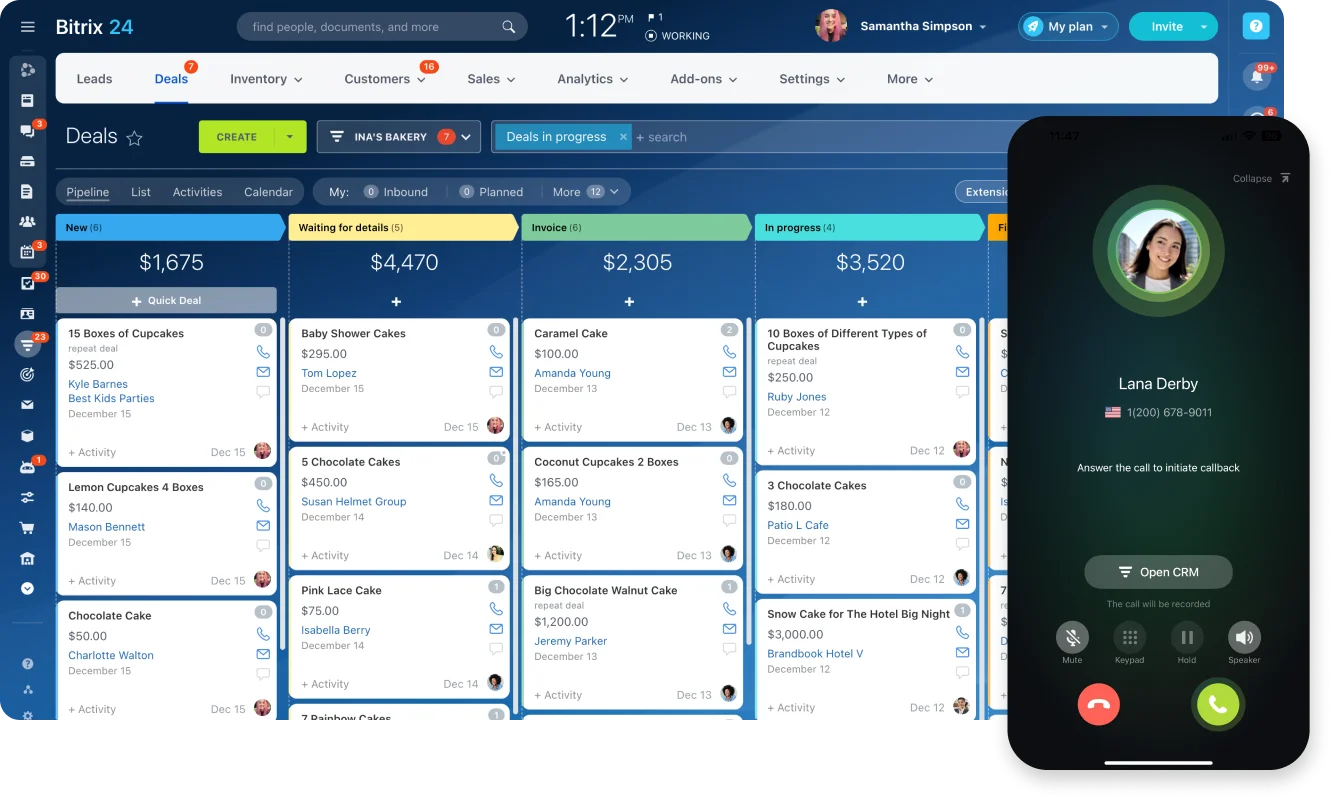
That’s the type of operational gap Bitrix24 is designed to reduce. Project tasks can sit closer to customer records, communication history, sales activity, and internal coordination through its project management and CRM tools.
Reporting becomes harder as the business grows
Reporting also gets harder as leadership asks broader questions:
- Which deals are likely to convert into delivery work?
- Which accounts are over capacity?
- Where are approvals slowing revenue?
- Which teams are overloaded relative to pipeline?
- Which customers have open service issues and active sales conversations?
- Which handoffs are creating delays?
A work management platform can answer some of that, but usually not all of it unless customer and communication workflows are also connected.
A practical comparison framework for Bitrix24 vs ClickUp
The most useful comparison is across four decision lenses: project execution, collaboration model, CRM depth, and automation maturity. Feature counts alone hide the operational tradeoffs.
|
Platform |
Operational fit |
Main limitation |
Onboarding effort |
Reporting maturity |
Workflow flexibility |
|---|---|---|---|---|---|
|
ClickUp |
Project execution, planning, task coordination, documentation, and internal productivity |
Customer lifecycle and cross-department operations often require added tools |
Moderate |
Strong for work tracking; lighter for end-to-end business operations |
High for task and project workflows |
|
Bitrix24 |
Project management plus CRM, communications, service coordination, and operational control |
Broader scope increases setup and administration demands |
Moderate to high |
Stronger for combined sales, service, and operational visibility |
High across customer-facing and internal workflows |
Project execution
ClickUp is often more immediately approachable for teams that need structure around tasks, views, and planning. It’s a strong fit when the main job is to keep contributors aligned, deadlines visible, and project work organized.
Bitrix24 also supports project execution, but it becomes more useful when tasks need to connect with sales records, customer activity, approvals, and communication history.
Collaboration model
The question is whether collaboration means comments around work items or broader communication tied to business activity.
ClickUp collaboration is mainly anchored to tasks, docs, comments, and planning spaces. Bitrix24 adds more built-in communication tools, including chat, feeds, video calls, workgroups, and customer-facing communication options.
CRM depth
This is one of the clearest differences.
ClickUp offers Sales & CRM templates for tracking leads, relationships, and sales pipelines. Bitrix24 treats CRM as a core operating layer rather than an adapted project space.
That matters if sales activity, pipeline movement, customer communication, and downstream delivery need to stay connected.
Automation maturity
ClickUp is effective around work progression: status changes, assignment rules, reminders, and process steps that help tasks move forward.
Bitrix24 reaches further into customer and process events. A lead can become a deal, trigger follow-up activity, generate internal tasks, and support downstream workflows with fewer external dependencies. Its task automation tools can also standardize recurring internal work.
ClickUp generally creates less admin overhead when the goal is focused productivity management. Bitrix24 makes more sense when the business is intentionally centralizing operations and is willing to manage a broader platform in return for fewer silos.
Pro tip: Don’t compare “automation” as one feature. Compare trigger points. Can the workflow start from a lead form, sales stage, customer message, approval, task status, or support request? The answer matters more than the number of automation options on a pricing page.
Bitrix24 vs ClickUp: Which platform category each one really belongs to
ClickUp belongs in the work management and team productivity category. Its center of gravity is tasks, project structures, planning views, docs, and execution visibility. It’s built for teams that want to organize work, standardize delivery, and keep contributors aligned.
Bitrix24 belongs in a broader business operations category. Project management is one part of the platform. It also combines CRM, internal communication tools, contact center capabilities, and workflow tools that support customer-facing and internal business processes in the same environment.
That category difference explains much of the confusion buyers experience. A company may compare Bitrix24 and ClickUp because both can be used to manage projects, but they don’t solve the same business problem at equal depth.
When ClickUp is the cleaner choice
ClickUp is usually the cleaner choice when:
- The team mainly needs task and project visibility
- CRM already works well elsewhere
- Communication tools are already established
- The business isn’t trying to consolidate operations
- Project managers need flexible views and fast setup
- Admin capacity is limited
A creative team, product team, or internal operations group may get more value from ClickUp’s focused structure because it doesn’t need the extra CRM and customer-operation layers.
When Bitrix24 is the better fit
Bitrix24 is usually the better fit when:
- Sales, service, and delivery need shared customer context
- The business wants fewer disconnected tools
- Customer communication history matters during execution
- Leadership needs cross-functional reporting
- Workflows move across several departments
- CRM and project management need to communicate without heavy integration work
A growing agency, consulting firm, service provider, or sales-led company will often feel this difference sooner. Its work doesn’t begin when a project task is created. It begins when a lead enters the business.
How Bitrix24 and ClickUp differ in day-to-day workflow, collaboration, and automation
The distinction becomes clearest when you trace where a piece of work begins, what information follows it, and what happens after the task is completed.
Workflow
In ClickUp, the workflow usually starts with a space, folder, list, task, or document. The team builds structure around the work itself.
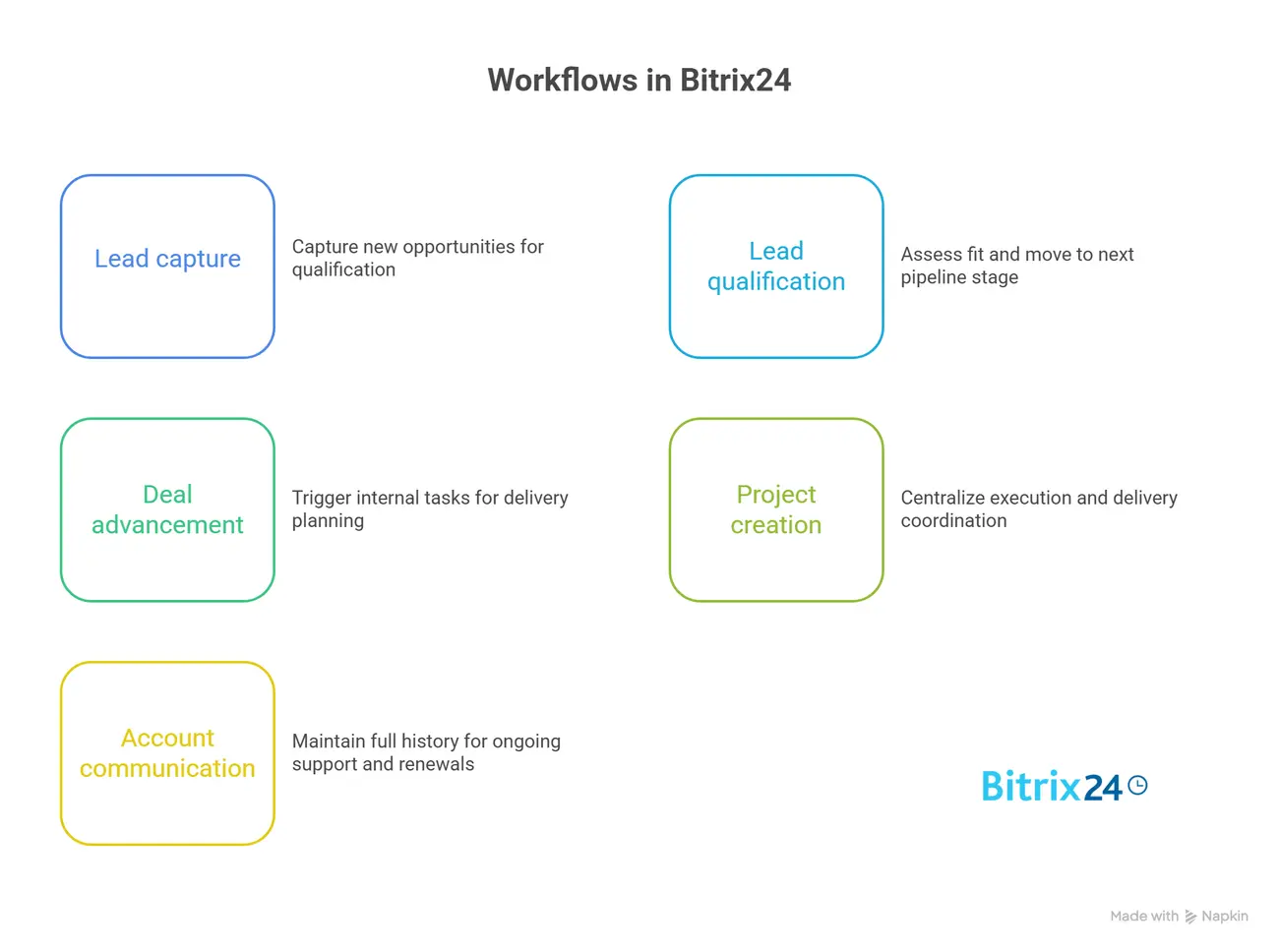
In Bitrix24, the workflow can start from several places: a lead, deal, customer inquiry, form submission, internal request, recurring process, or project task. That gives teams more entry points, but it also means setup needs clearer rules.
For example, a sales-led team might want this flow:
- A lead enters the CRM.
- A salesperson qualifies the lead.
- A deal moves to a later pipeline stage.
- An internal task is created for delivery scoping.
- A project workspace is created after the deal closes.
- Account communication stays attached to the customer record.
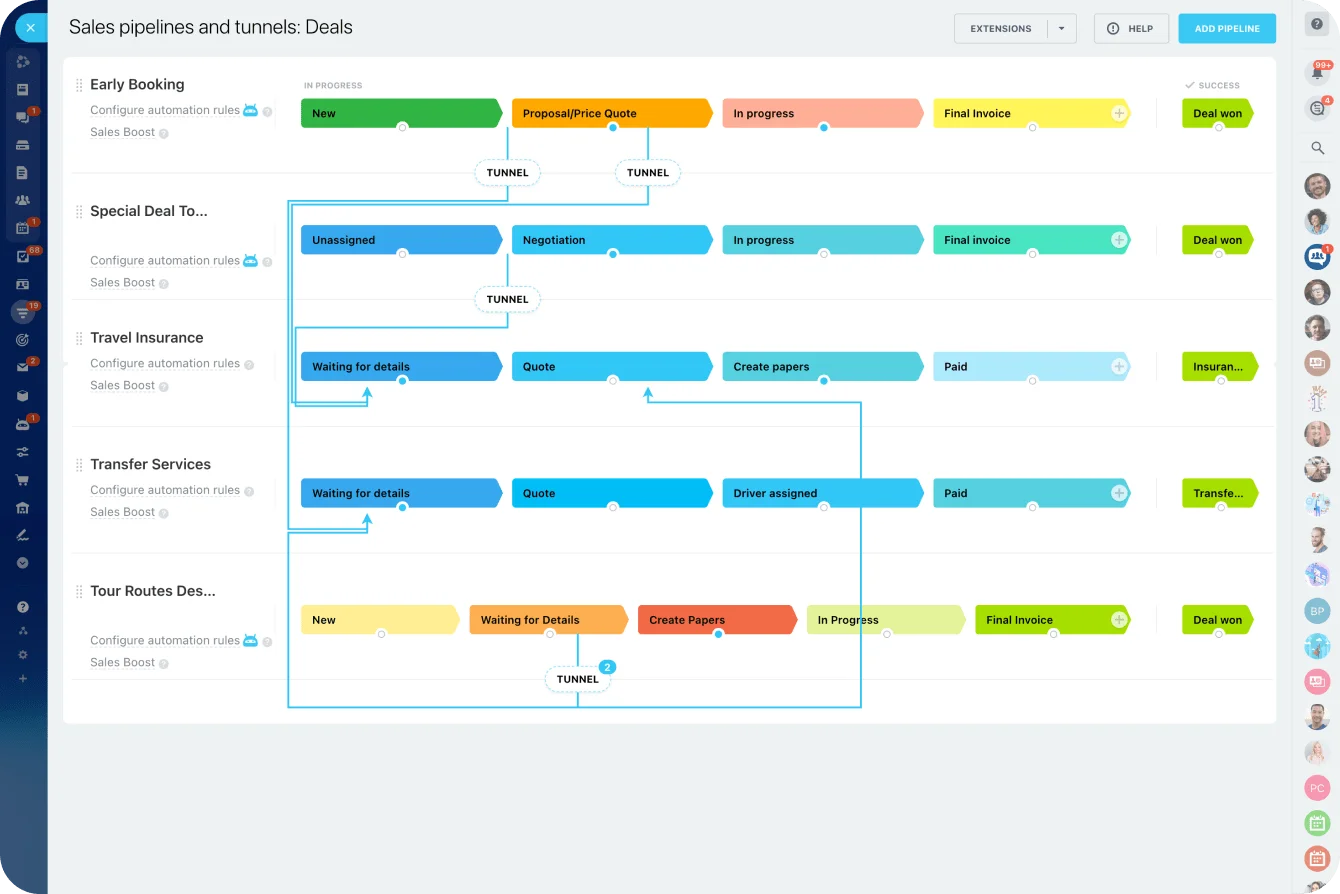
That kind of flow is harder to manage cleanly when CRM, project management, and communication are separated.
Collaboration
ClickUp keeps collaboration close to the work through tasks, comments, docs, and assignments. It suits teams asking, “What needs to happen next?”
Bitrix24 adds customer records and broader communication channels, which helps teams trace what was promised and what work should follow. But those channels need rules. If a client update sits in the CRM, a delivery decision in a task, and approval in group chat, the full story is still fragmented.
Teams should decide where each type of information belongs before rollout.
Automation
ClickUp automation primarily keeps work moving inside the task system. Bitrix24 can also coordinate events before work becomes a project and after delivery ends, because CRM records, customer communication, tasks, and workflows can share the same operating context.
If a team mainly needs disciplined execution and customizable planning, ClickUp’s narrower focus can produce a cleaner operating experience. If the workflow starts before the task and continues after the project, Bitrix24 has the broader operational advantage.
Pro tip: Before building automation, write down the human rule first. For example: “When a deal reaches proposal sent, sales must create a delivery estimate task within one business day.” If the team can’t explain the rule clearly, automation will usually make the confusion faster, not better.

Implementation and migration considerations before committing
Implementing either platform involves more than importing tasks and recreating views.
With ClickUp, teams need to agree on workspace hierarchy, statuses, ownership rules, permissions, views, and integration boundaries.
With Bitrix24, those decisions may extend into CRM data, communication channels, customer handoffs, departmental access, and workflow automation.
Bitrix24 usually requires broader planning because it can touch more departments and more sensitive business data. But either platform will disappoint if a company simply recreates its old silos inside a new interface.
What implementation planning should cover
Planning should cover at least five areas:
- Data structure: How customer records, deals, projects, contacts, tasks, and other work objects should relate to one another
- Operating rules: Who owns each stage, what information is required, and when work officially changes hands
- Integrations: Which existing tools remain, which can be retired, and where dependencies still exist
- Permissions: Who can view, edit, approve, and automate across departments
- Phased rollout: Whether to start with project workflows, CRM, communication, or a limited business unit before wider adoption
Teams should also check reporting ownership. If sales, delivery, and leadership all want different reports, someone needs to define which data fields are required, who updates them, and how often they’re reviewed.
Where implementations go wrong
A phased approach is often safer than a full cutover. The main risk is moving too quickly without agreeing on new operating rules. In that situation, the company imports old silos into a new system rather than improving cross-functional coordination.
A familiar failure pattern is the Monday launch where sales keeps the old CRM open “for another week,” delivery updates the new platform, and management asks for the usual spreadsheet report on Friday. Within five days, the business has three competing sources of truth.
Common implementation problems include:
- Importing messy customer data without deduplication
- Recreating old task lists without improving handoffs
- Giving too many users admin-level control
- Building automation before workflows are stable
- Keeping every old tool and creating duplicate records
- Training users on features instead of real day-to-day processes
If the business still needs outside systems, Bitrix24 can connect through integrations. But integrations should be planned around specific workflows, not added because a tool happens to be available.
Common mistakes teams make when comparing Bitrix24 and ClickUp
Surface-level comparisons create the biggest selection errors. Buyers see tasks, dashboards, docs, chat, or automation in both platforms and assume they are close substitutes.
The better questions involve handoffs, governance, reporting ownership, and how many departments need to work from the same source of truth.
Mistake 1: Choosing ClickUp when the real issue is customer operations
One frequent mistake is choosing ClickUp because project setup feels faster, even though the business problem is really about customer operations and internal communication gaps.
The organization often ends up rebuilding the missing operational layer through added tools, manual reporting, and workaround processes.
For example, a delivery team may manage tasks well in ClickUp, while sales context stays in the CRM and customer questions stay in email. The work is organized, but the customer picture is still fragmented.
Mistake 2: Choosing Bitrix24 just because it has more modules
Another mistake is choosing Bitrix24 simply because it includes more modules. More coverage doesn’t create value unless the business has enough operational complexity to justify it and enough administrative discipline to manage it.
A team that only needs delivery coordination may experience the extra breadth as overhead.
Mistake 3: Comparing interfaces instead of workflows
A clean interface can make a demo feel convincing. But the real test is whether the system supports the full workflow.
For example, a client onboarding process may include sales notes, contract terms, kickoff tasks, internal approvals, customer communication, delivery milestones, and renewal reminders. If those pieces live in different systems, the team still has to bridge the gaps manually.
Mistake 4: Underestimating administration
ClickUp may need less admin when the use case is focused. Bitrix24 usually needs more planning because it touches more parts of the business.
That extra administration can be worth it, but only when someone owns it. Without ownership, teams create duplicate fields, inconsistent naming, unused automations, and reports nobody trusts.
Mistake 5: Ignoring future reporting needs
It’s also common to underestimate reporting requirements. A department head may only need task visibility today, while leadership expects pipeline, delivery status, customer activity, and workload insight tomorrow.
If those future needs are ignored, the chosen platform can become a constraint within a year. This is especially true for growing teams that start with project execution, then later need sales, service, and delivery data connected.
The practical lesson is to compare business workflows, not interfaces.
FAQ: Bitrix24 vs ClickUp
Can Bitrix24 replace ClickUp?
Yes, especially for businesses that want project management plus CRM, communication, and broader operational workflows in one system. The bigger question is whether the business is prepared for the added implementation scope.
If a team only uses ClickUp for task lists and project views, the switch may feel heavier than necessary. If the team also needs customer records, deal tracking, communication, and process automation, Bitrix24 becomes a stronger replacement candidate.
Does ClickUp include CRM capabilities comparable to Bitrix24?
Not at the same depth or in the same way. ClickUp can be adapted for lightweight CRM workflows and provides templates for sales and customer tracking. Bitrix24 is built with CRM as a core function.
That matters when sales activity, customer communication, pipeline reporting, and downstream delivery need to stay connected.
Which platform is better for service businesses?
Service businesses that need to connect sales, account management, delivery, and customer communication often gain more from Bitrix24. Firms focused mainly on internal project execution may prefer ClickUp.
The deciding factor is usually customer continuity. If delivery teams need sales context and account managers need project visibility, Bitrix24 is usually better aligned.
Which platform fits sales-driven teams better?
Bitrix24 is usually stronger because customer records, deal stages, communication, and downstream workflows can live in the same environment. ClickUp is better suited to post-sale execution than sales-led operations.
For sales teams, evaluate whether lead activity, pipeline movement, follow-up, communication, and internal work can connect without constant manual updates.
What about small businesses?
Small businesses with simple workflows may get faster value from ClickUp. Growing businesses already juggling multiple tools may benefit from Bitrix24 earlier, especially if customer management is central.
Budget also matters. Teams should compare current tool costs, implementation effort, and future admin needs against the available pricing plans, rather than judging only by the first monthly subscription price they see.
Is Bitrix24 too complex for growing teams?
It can be if adopted without process clarity or ownership. Complexity is manageable when the business needs cross-functional control and assigns administrative responsibility.
A small business doesn’t need to activate every module at once. A better approach is to start with the workflows causing the most friction, such as CRM-to-delivery handoff, support intake, or internal approvals.
Is an all-in-one platform always better than separate tools?
No. Separate tools can be better for narrow needs, strong integrations, and low cross-department dependency. An all-in-one model becomes more valuable when handoffs and reporting fragmentation create operational drag.
If each department works mostly independently, separate tools may be fine. If teams depend on each other daily, a shared operating system becomes more useful.
Unify CRM, projects, and team workflows
Bitrix24 connects sales, tasks, communication, and reporting so teams manage customer handoffs in one shared workspace.
Get Started NowFinal takeaway: Choose around the handoff that keeps failing
Most teams can make either platform look convincing in a demo. The better test is what happens when one department hands work to another.
If the breakdown happens inside the project through unclear ownership, missed deadlines, or poor task visibility, ClickUp is likely the cleaner choice.
If it happens around the project through missing sales context, forgotten promises, detached customer conversations, or support and renewal activity that delivery can’t see, Bitrix24 has the stronger fit.
Map one customer workflow from first inquiry to renewal. Count every manual transfer, duplicate update, and point where someone has to remember to copy information into another system. If those gaps cross sales, service, and delivery, sign up for Bitrix24 for free and rebuild that workflow in one workspace today.