CRM Dashboard: Your Sales Pipeline on One Live Screen
Your team is selling in the dark: ten tabs open, spreadsheet snapshots that are stale by noon, and data scattered across tools that don’t quite agree. By the time you’ve pieced together what’s happening, the moment to act has passed. Calls slip, follow-ups get missed, and good opportunities quietly age out. You’re managing from memory instead of facts.
The cost is real and compounding. Consider the hidden tax of manual reporting alone: if each rep spends 30 minutes a day reconciling notes with a spreadsheet, that’s 2.5 hours a week per person — 25 hours across a 10-person team — time that could be spent coaching, calling, or closing. Add the downstream effects: inaccurate forecasts you can’t defend, managers firefighting end-of-month surprises, and deals that stall because no one saw the red flags early. What looks like “minor leakage” becomes a missed quarter.
Bitrix24 replaces the swivel-chair routine with a live CRM dashboard — a single screen that shows everything moving in your pipeline right now. It pulls together pipeline health, team activity, forecasts, and risk signals into one real-time view you can act on instantly. You’re not maintaining another report; you’re running a control room. Use proven CRM analytics dashboard widgets, ready-made CRM dashboard templates, and flexible CRM reporting tools to get answers in seconds.
What changes when you operate from one live dashboard? You cut the time-to-answer from minutes to moments. You see stage-by-stage conversion, aging deals, and forecast coverage at a glance. You stop guessing and start directing: coach the right rep today, rebalance territories by mid-week, and walk into reviews with numbers that tell a clear story. And when you need board-ready packs, everything rolls up cleanly into Sales Reporting at /sales-reporting/ built on the same trusted data.
Forecast you can defend in every pipeline review
A forecast you can’t explain is just a guess with a spreadsheet wrapper.
View conversion rates by source or product, cycle times by stage, and seasonality patterns to sanity-check optimism.
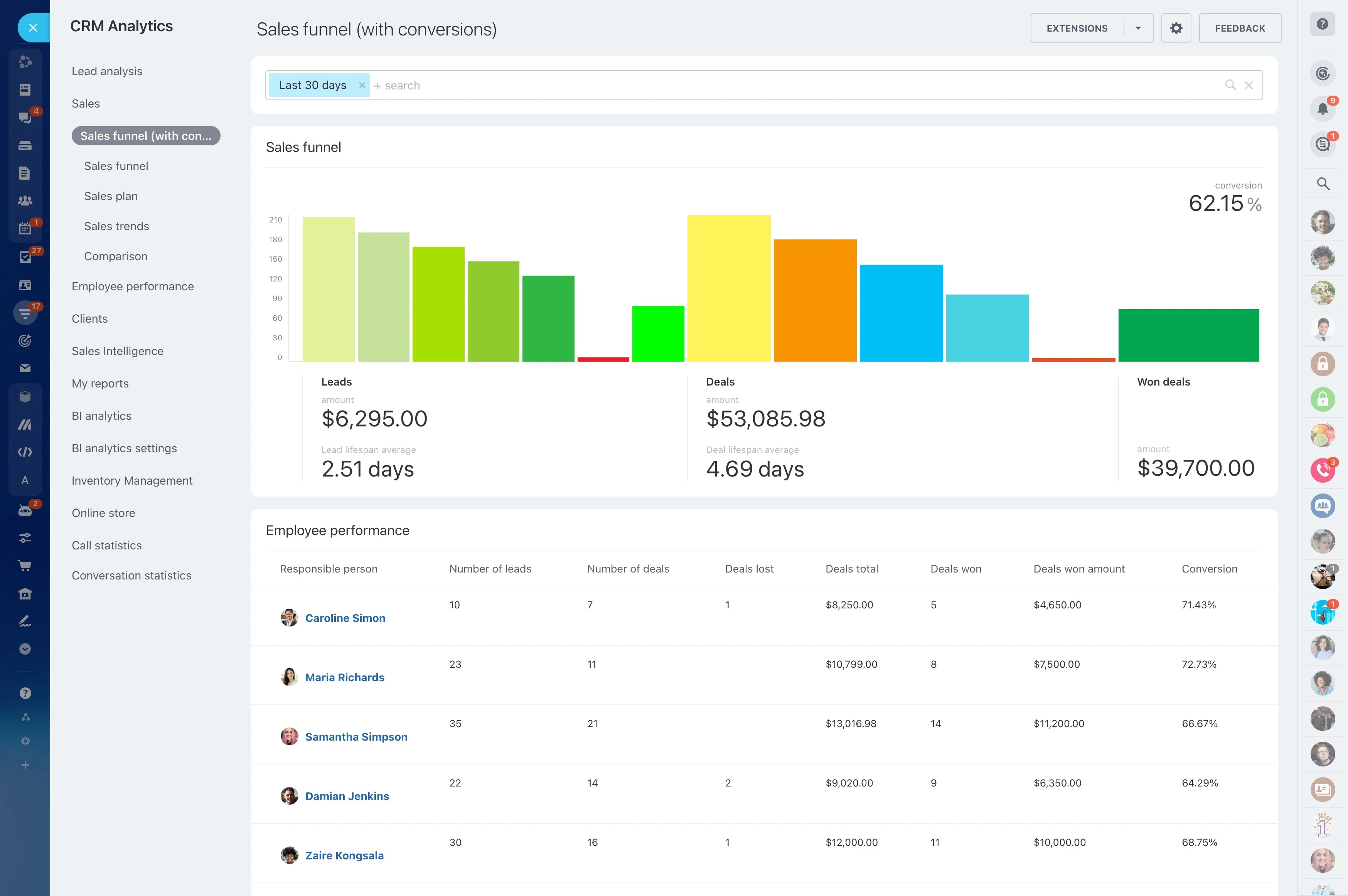
- Weighted pipeline driven by your stage probabilities (editable per pipeline) so a $100k deal at 40% isn’t treated like a $100k at 80%
- Coverage metrics (e.g., 3x rule) that update as deals move, broken down by team, segment, and product
- Pacing vs. quota and vs. prior period with trend lines to expose trajectory, not just endpoints
- Commit, best case, and upside views you can lock at each checkpoint, compare vs. prior snapshots, and audit changes
One screen, zero blind spots
Your pipeline changes by the minute.
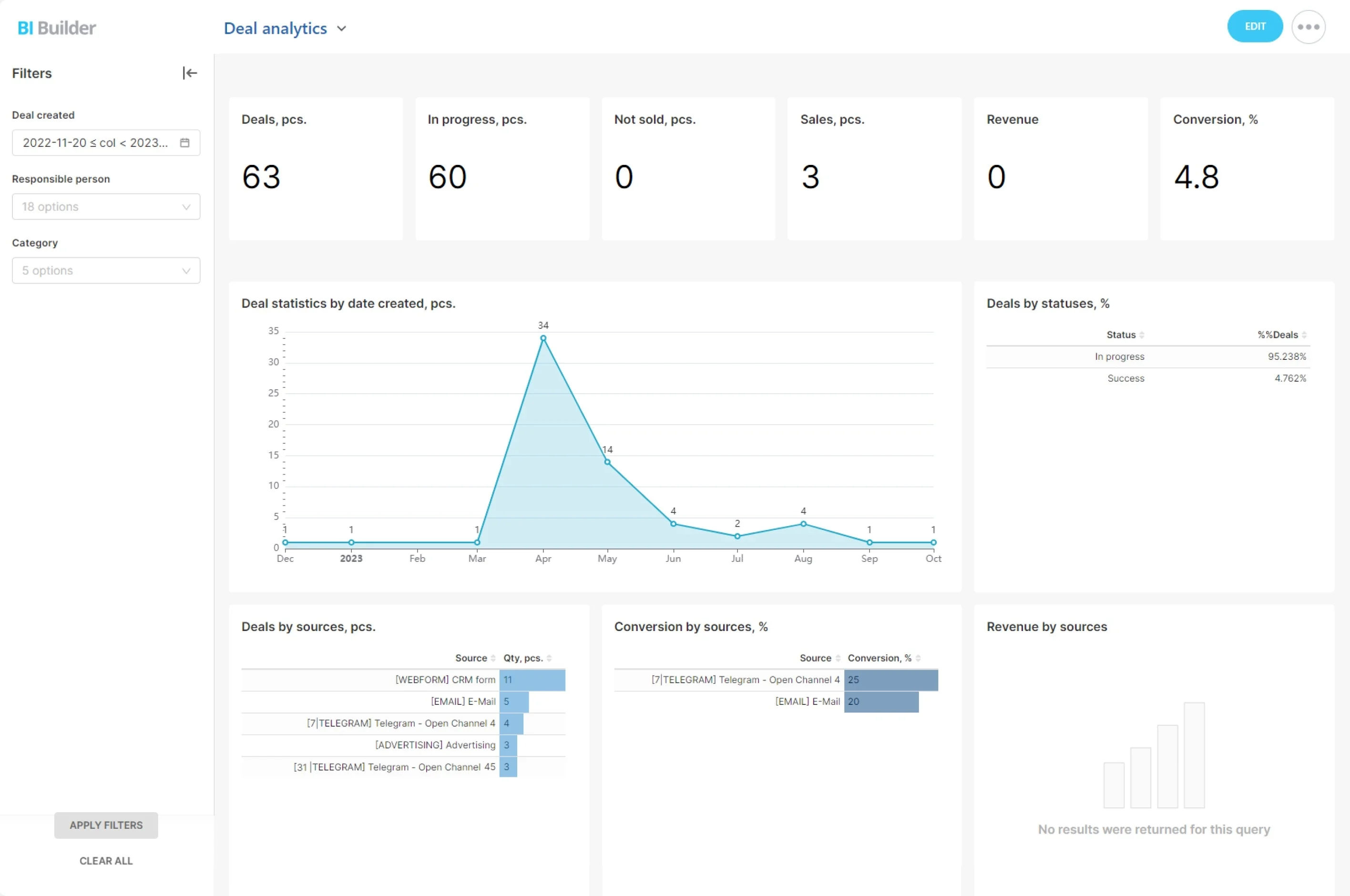
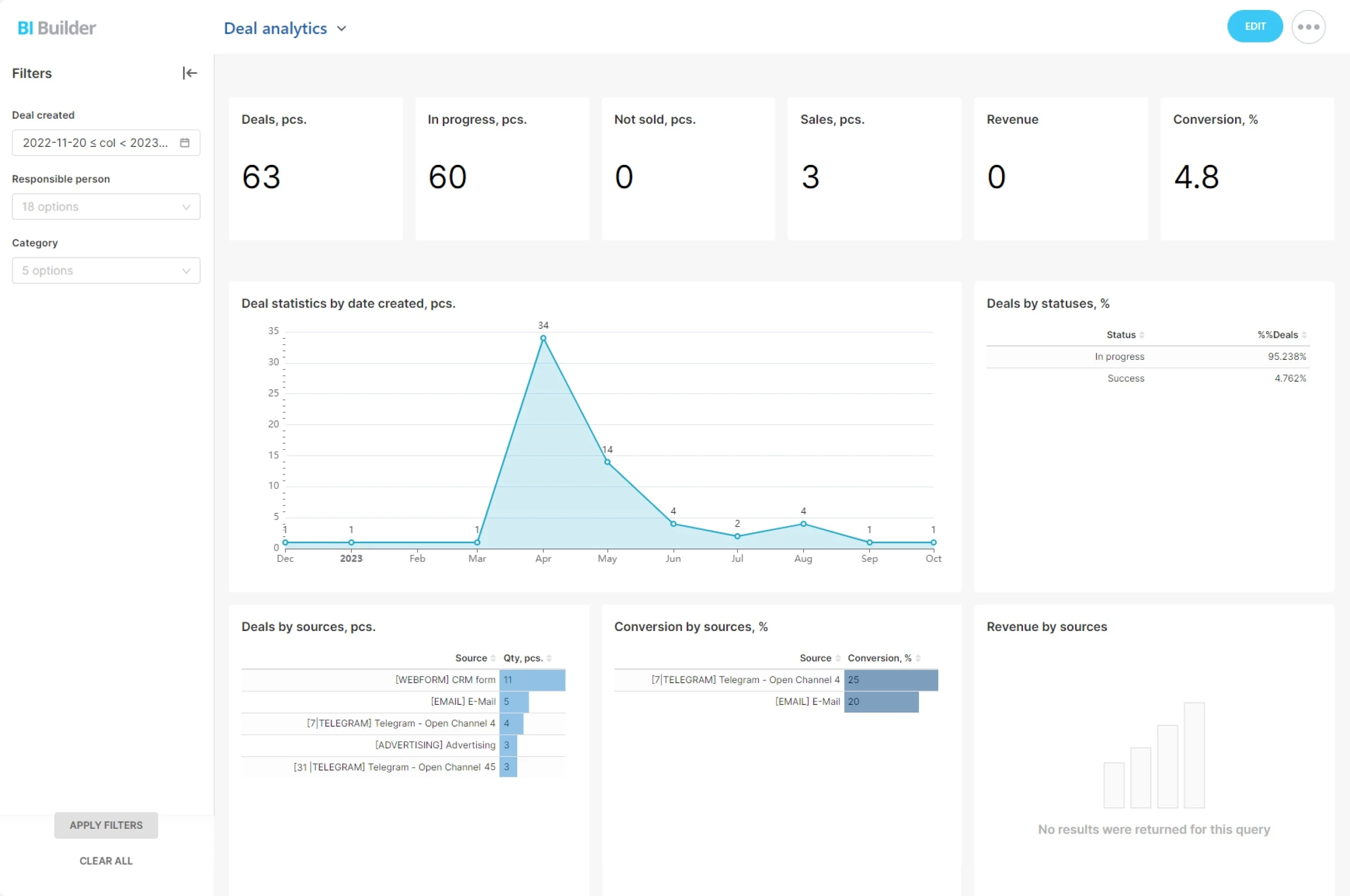
Screenshot: Live Bitrix24 CRM dashboard (real-time data)
- Pipeline by stage with value, count, and trend arrows so you spot bottlenecks and movement instantly
- Today’s priority activities (calls, emails, demos) plus overdue items, stacked by owner, so nothing slips
- Deal aging heatmap that highlights stalled opportunities before they decay
- Team leaderboard by revenue, conversion rate, and velocity to focus coaching where it matters
Find revenue leaks before they sink your quarter
Revenue rarely disappears in one big splash.
Consider two realities:
- Bottleneck detection shows stages where deals pile up beyond your target cycle time, e.g., Proposal stage breaching the 7-day threshold
- Aging thresholds flag idle opportunities before they go cold, with color coding that turns red as clock ticks past your SLA
- Activity gaps reveal accounts without touchpoints inside your defined cadence, so a 5-minute nudge prevents a 5-figure loss
- Conversion dips alert you to failing sources, pitches, or segments; compare this week vs. last and quarter-to-date
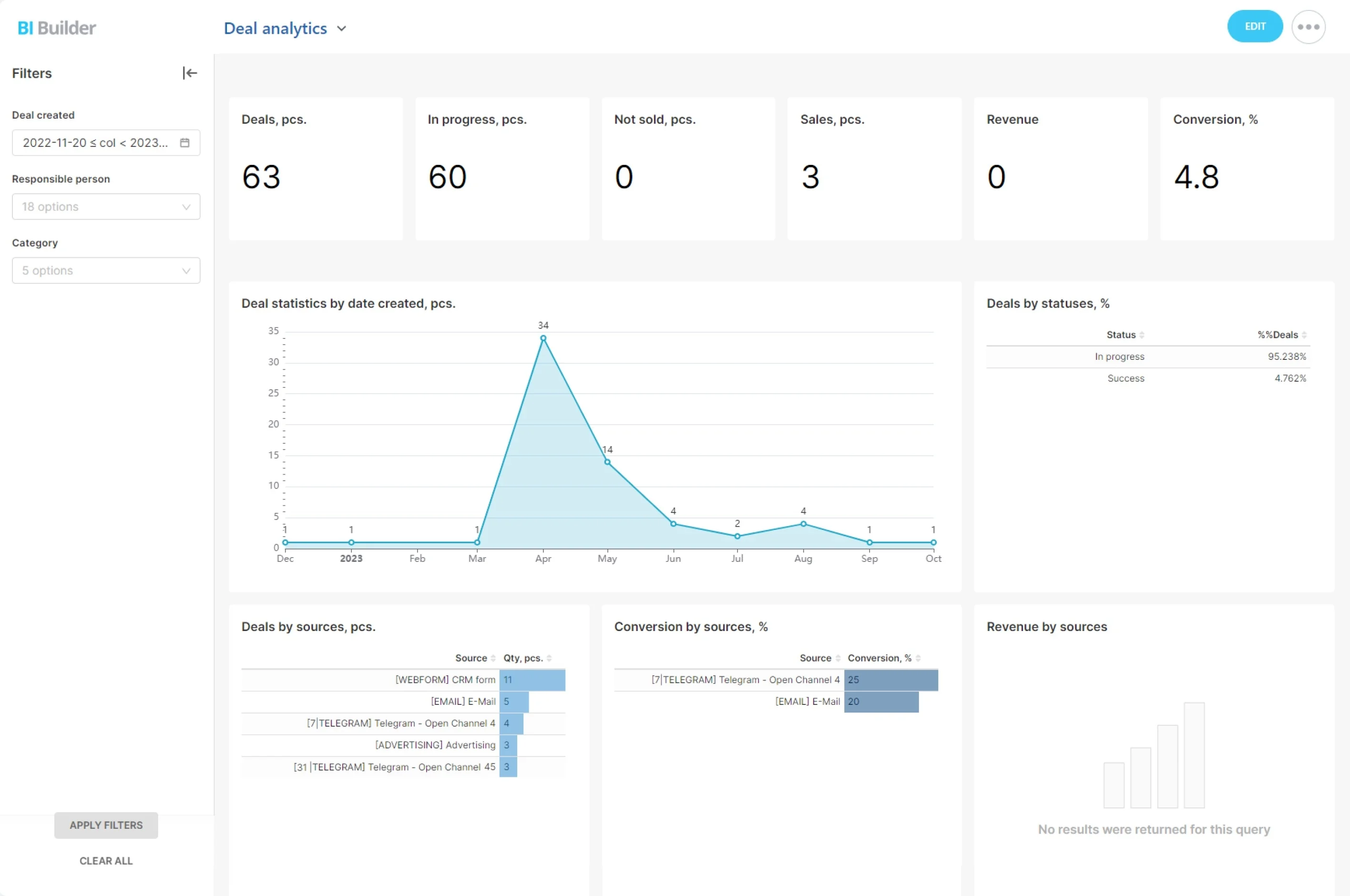
Click. Filter. Answer. From metric to moment.
Managers shouldn’t need a data team to get straight answers.
Three common workflows that go from insight to impact fast:
- Filter by team, rep, source, product, region, or date range in seconds — no exports or pivot tables
- Toggle between counts, value, and weighted value to see volume vs. revenue impact instantly
- Save favorite views (e.g., Mid-Market EMEA this quarter) as shortcuts you and your leads use every day
- Drill from a high-level chart directly to the exact list of deals behind it with owner, stage, value, and last activity visible
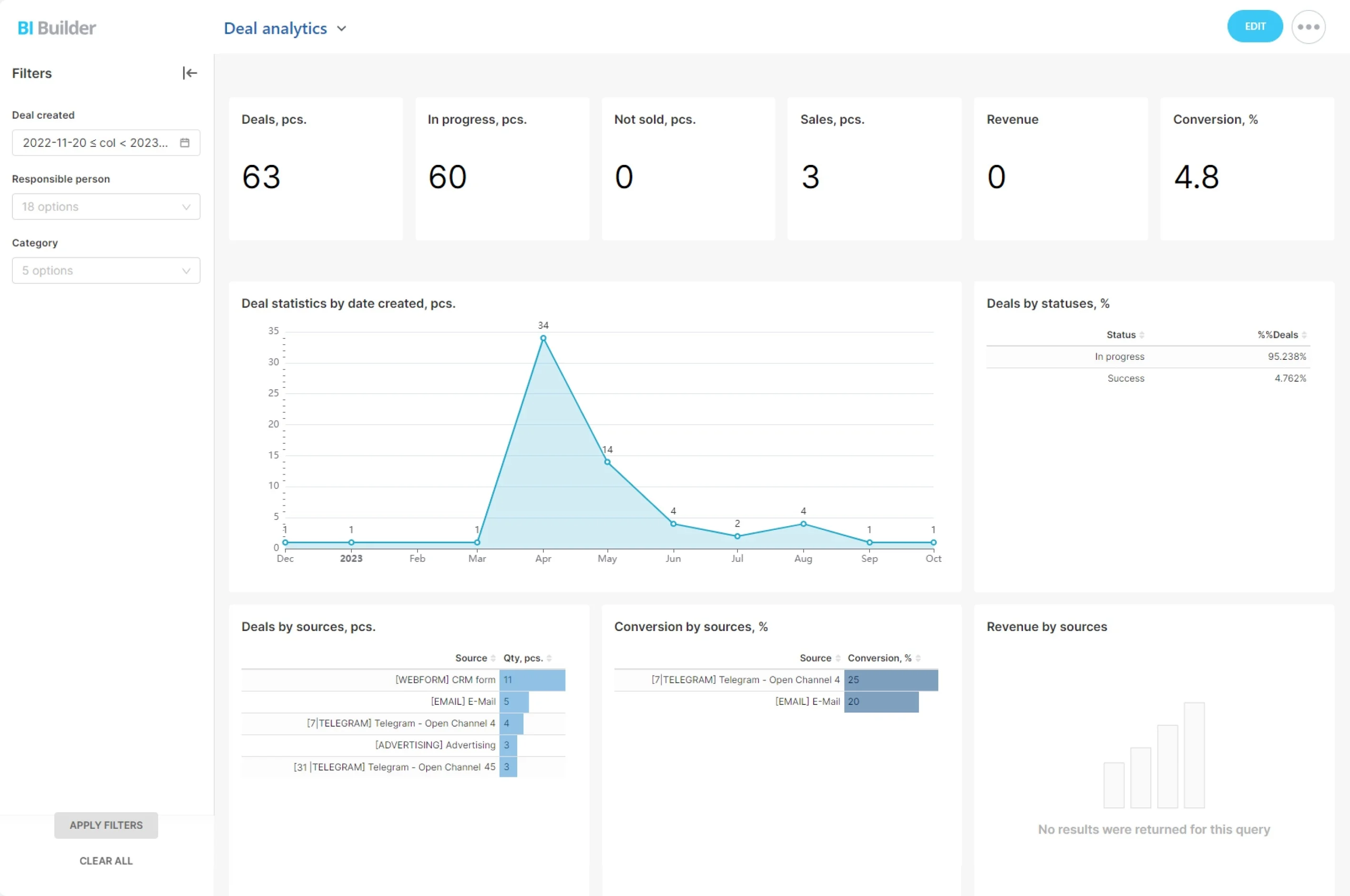
Dashboards for every role—templates that fit the way you sell
Different roles need different truths.
Real CRM dashboard examples you can start from:
- Executive overview: revenue to date, forecast vs. plan, new vs. expansion mix, CAC signals (lead-to-win cost proxy), margin trends, and top risk flags by segment
- Sales manager cockpit: stage health, activity adherence (calls, emails, meetings vs. targets), rep leaderboards, pipeline changes since last review, and aging distribution
- AE workspace: personal pipeline with weighted totals, tasks due today, at-risk deals (no activity in X days), upcoming renewals or expansions, and a quick-create for next steps
- SDR/BDR view: daily call list, meeting set rate, conversion by source, SLA adherence on inbound, and specific sequences to run next
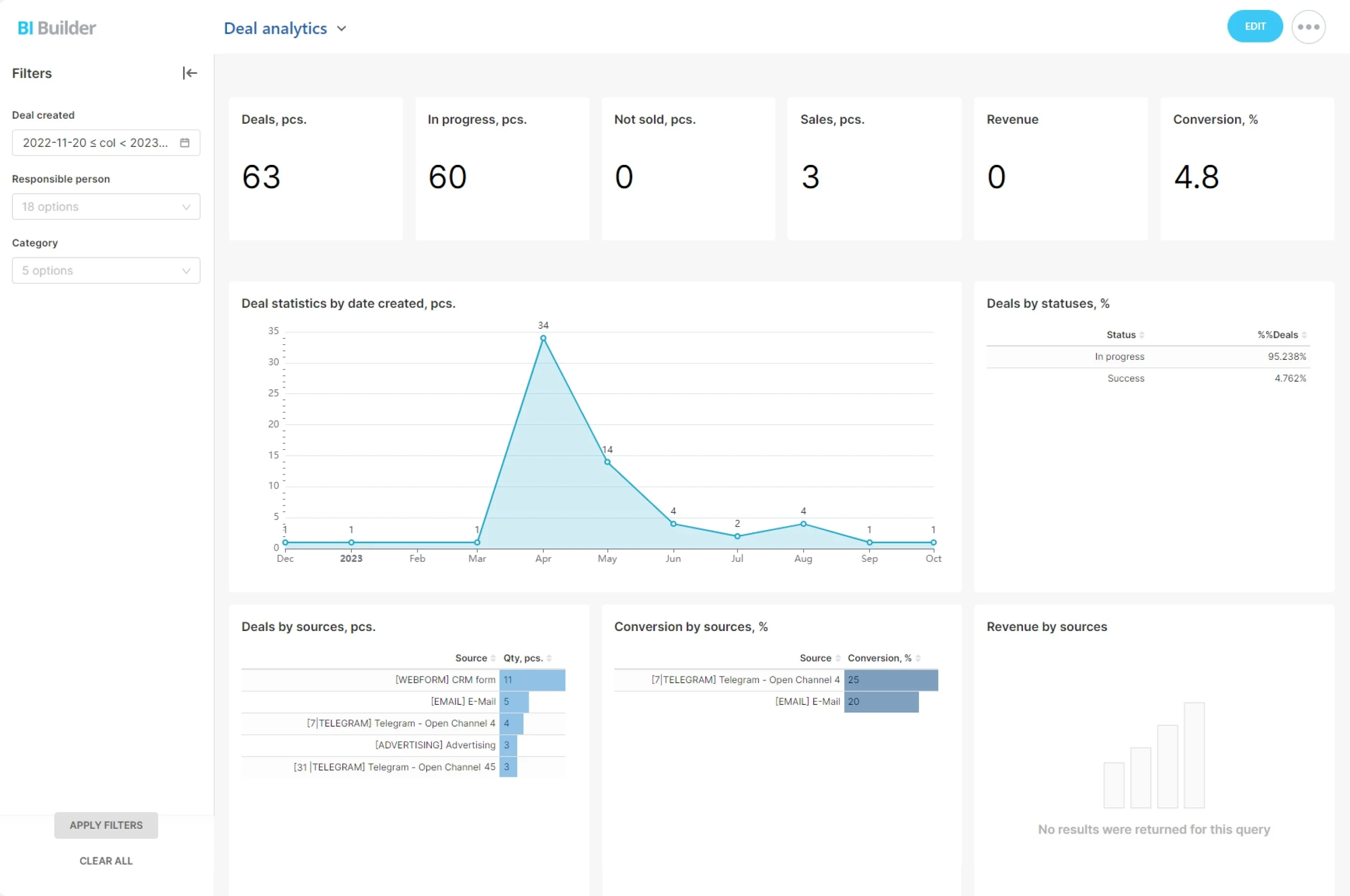
Set up fast, maintain without rework
A dashboard only pays off if it’s easy to stand up and stays accurate as you grow.
Fast start in hours, not weeks:
- Connect your CRM data (Bitrix24 native or via integrations) and choose a CRM dashboard template that matches your motion
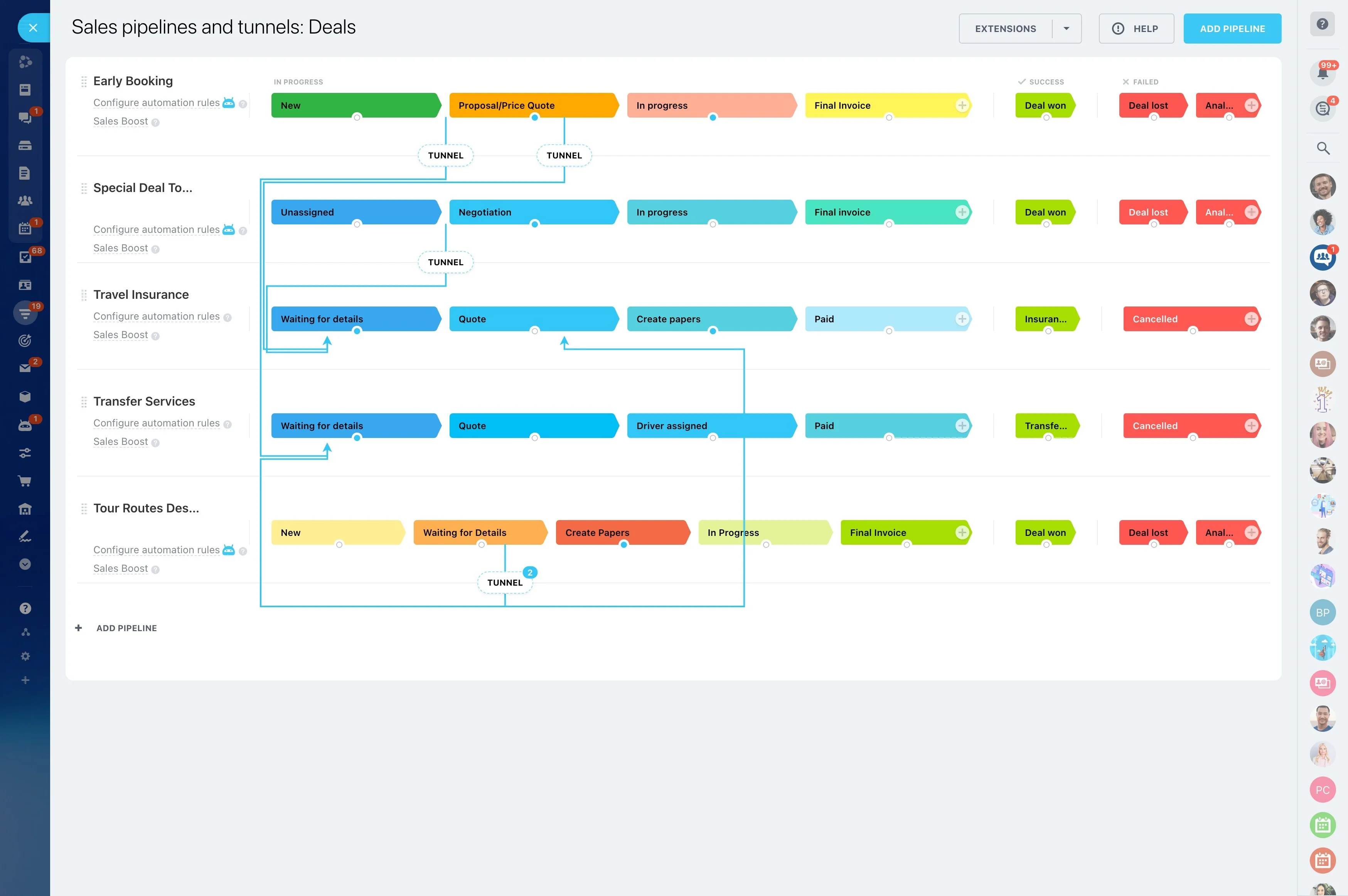
- Map stages, probabilities, quotas, and owner teams with simple wizards — no SQL required
- Pick must-have widgets (pipeline, activities, forecast, leaderboards) and save your first layout in minutes
- Real-time updates as reps log activities, change stages, or adjust amounts — no refresh needed