CRM Automation: Less Busywork, More Deals Moving Forward
Your team didn’t join sales to copy-paste data, chase signatures, or remember who to follow up with next. Yet every day, deals stall because someone forgot a callback, a lead sat unassigned, or an email went out two days too late. The manual work piles up: logging calls, creating tasks, moving deals to the right stage, updating fields, nudging legal, and reminding prospects you already sent the proposal.
The cost is real. Slow responses hand hot leads to faster competitors. Inconsistent data makes forecasting a guess. Ad-hoc discounts erode margin. A handful of five-minute admin steps, multiplied by your whole team all week, add up to hours of selling time lost and deals that quietly die.
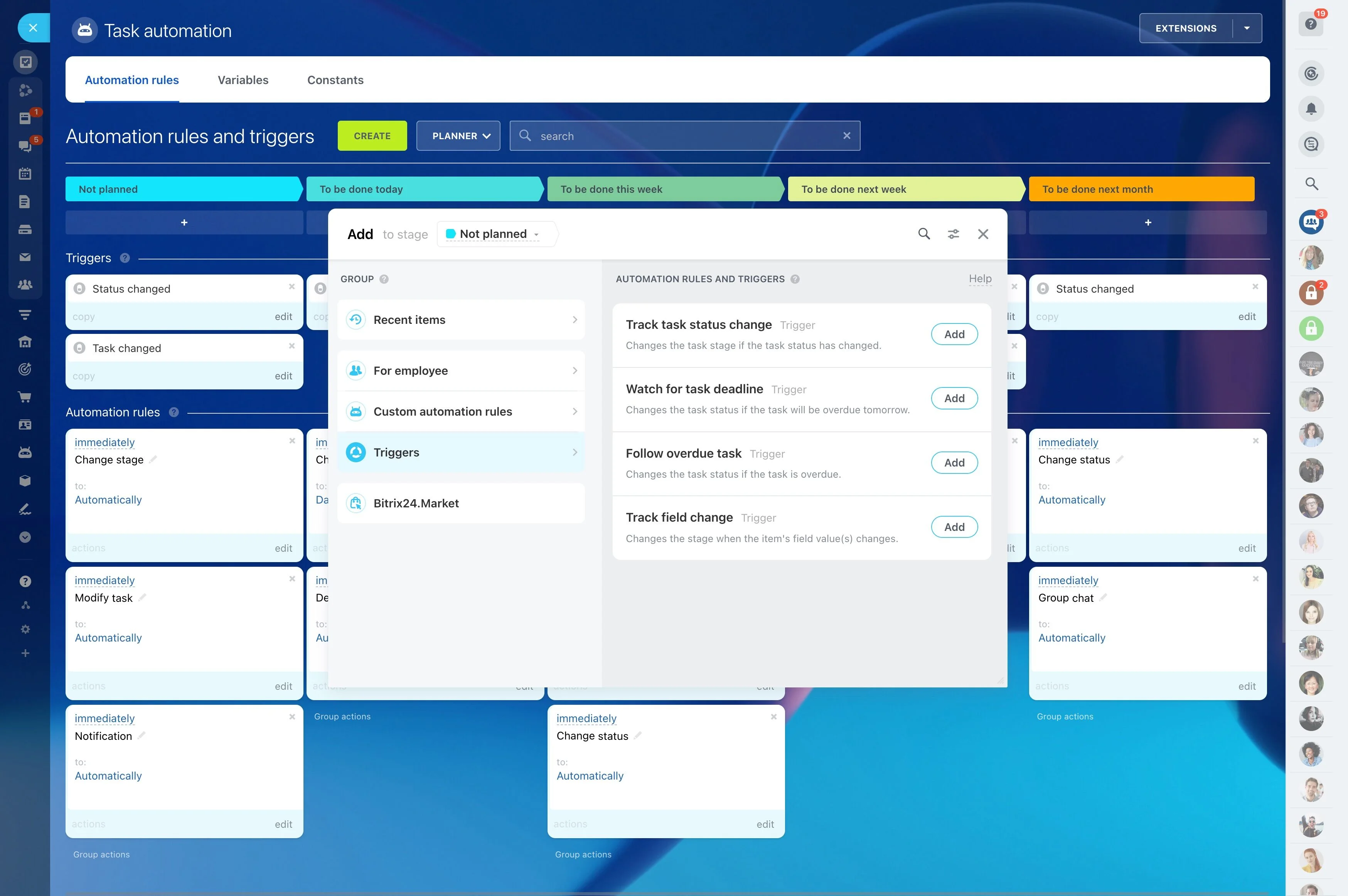
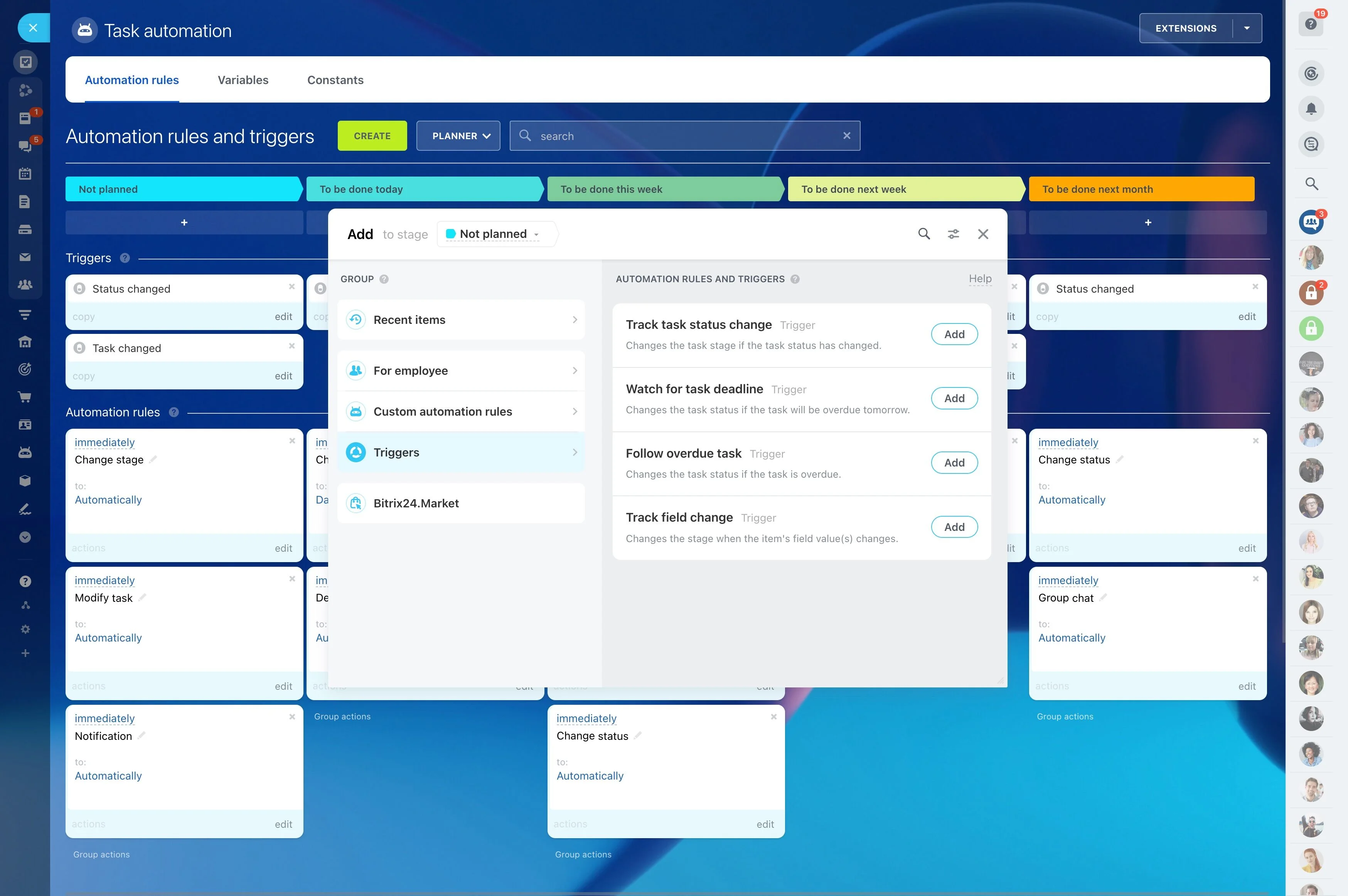
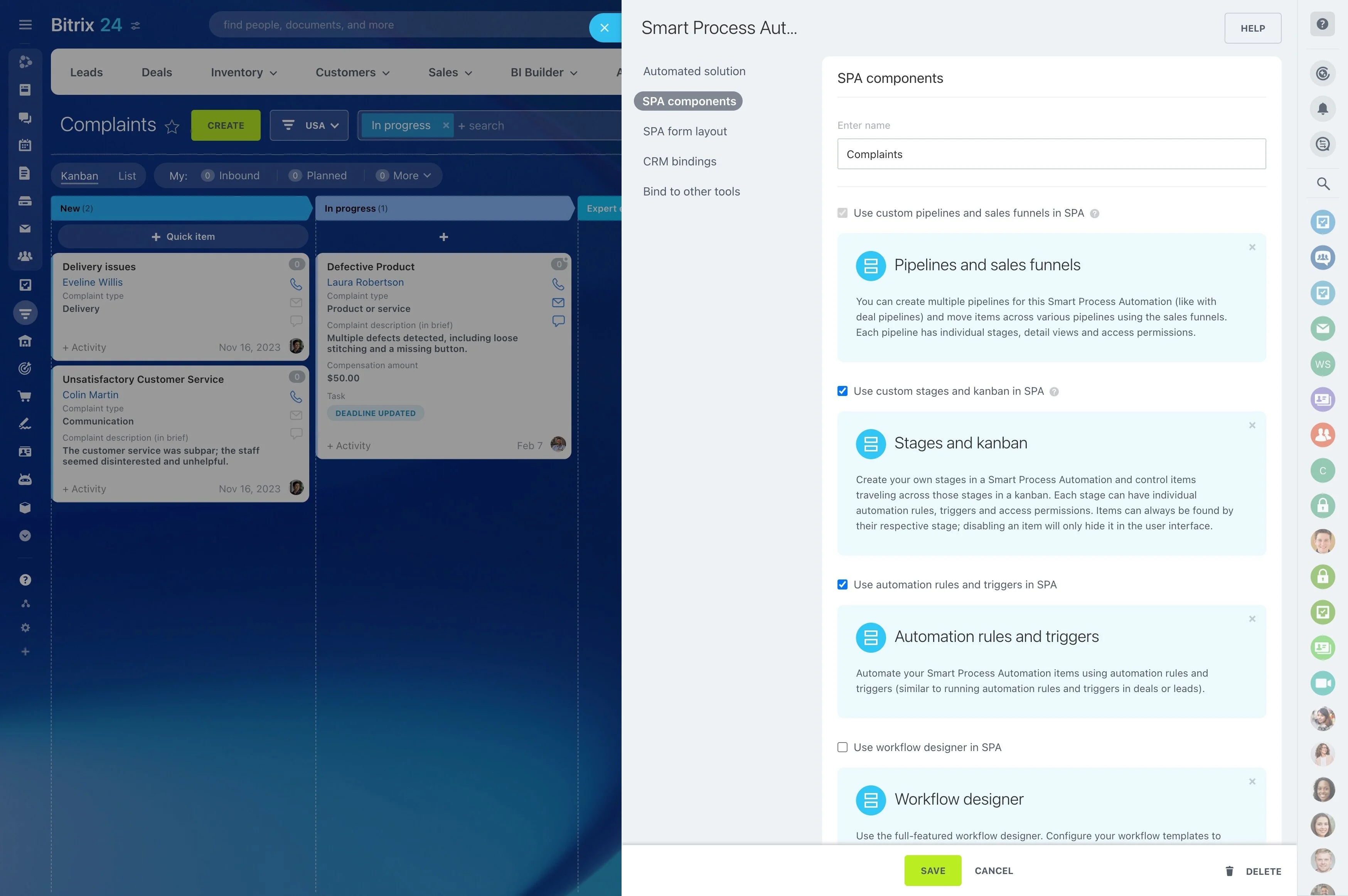
Bitrix24 CRM Automation turns your process into a system that runs 24/7. With no-code CRM workflow automation, you design how leads move, how follow-ups fire, and how tasks assign — so your CRM sales automation executes reliably while your reps focus on conversations that win deals. You get a visual workflow builder that mirrors your pipeline, triggers that catch every signal, and robots that do the clicking for you. The result: faster first touches, cleaner handoffs, and a team that spends more time selling and less time babysitting the CRM.
What improves when you automate:
- Speed-to-lead: instant routing, instant acknowledgement, booked meetings.
- Consistency: the right step happens every time, not just when someone remembers.
- Control: approvals and required data protect margin and compliance.
- Focus: reps work from prioritized tasks, not scattered tabs and sticky notes.
Standardize your pipeline and protect margin
When every rep runs a different playbook, you can’t scale, and you can’t forecast.
Enforce process at each stage with automation rules and guardrails:
- Required data: prevent moving to proposal without budget, timeline, and decision-maker captured. Validate phone and email formats and block progress until fixed.
- Approvals that protect margin: discounts over 10 percent request manager approval; over 20 percent route to finance; contract changes trigger legal review. Approvals include context…
- Auto-tasks for handoffs: when a deal moves from discovery to solution, create tasks for pre-sales to scope, and attach a checklist. When a deal is won, open an onboarding project…
- SLA timers and escalations: if a deal sits idle for 5 days, ping the owner; 10 days, alert the manager; 15 days, auto-reassign to maintain momentum.
Build workflows visually—no code required
If your process lives in spreadsheets, sticky notes, and hallway conversations, it isn’t a process — it’s a gamble.
Real example: when a website form is submitted, Bitrix24 checks for duplicates by email and phone.
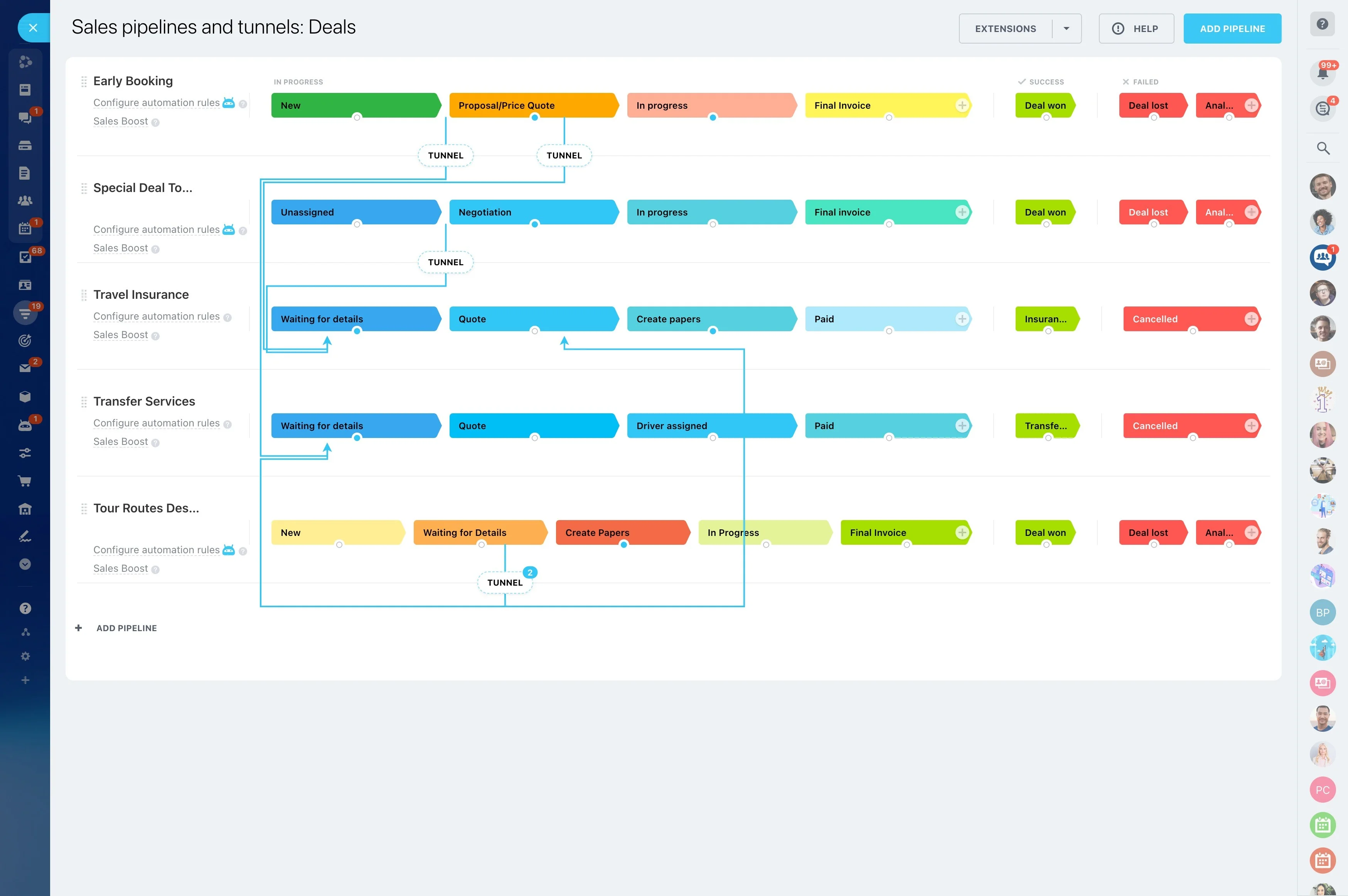
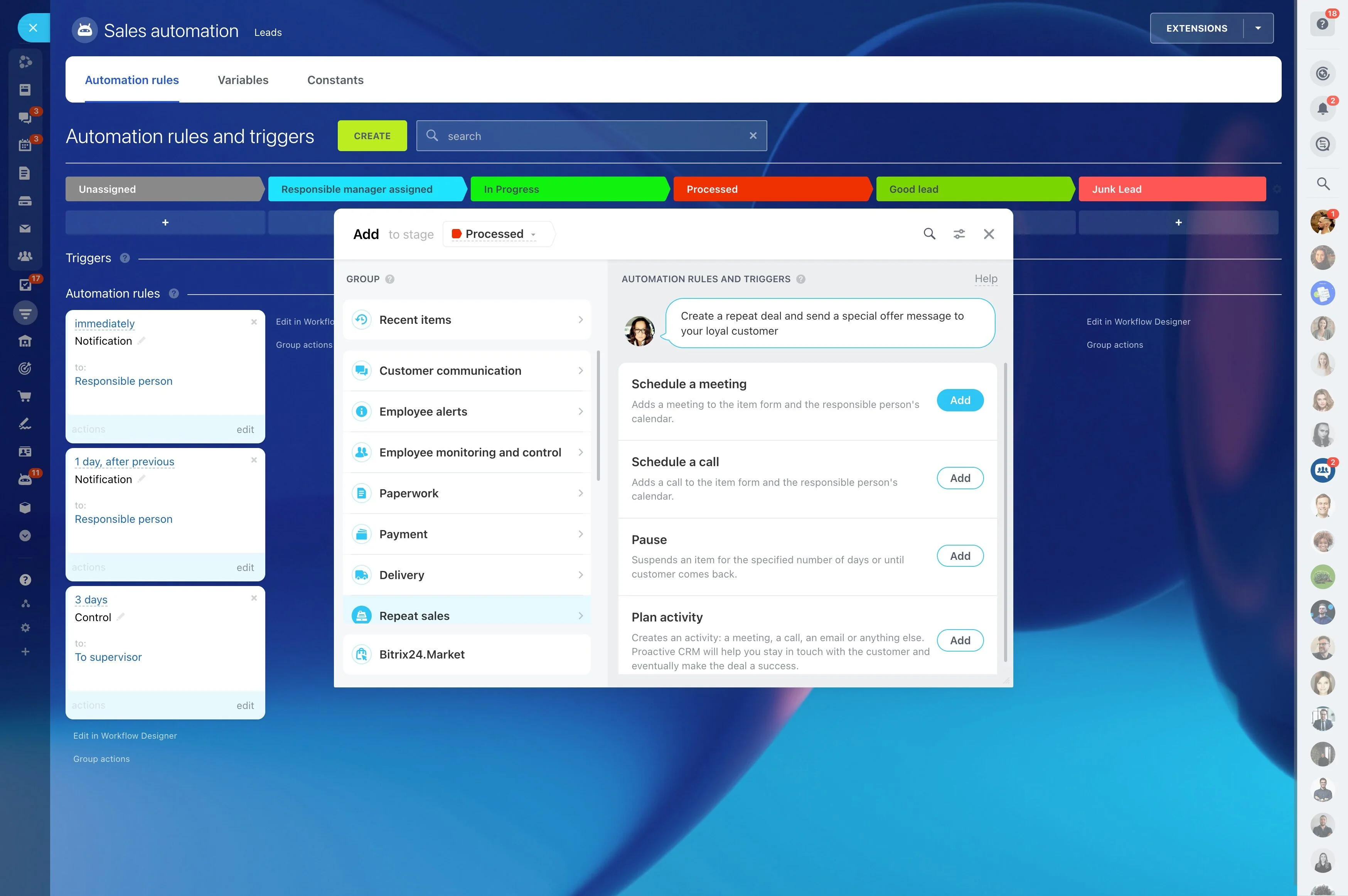
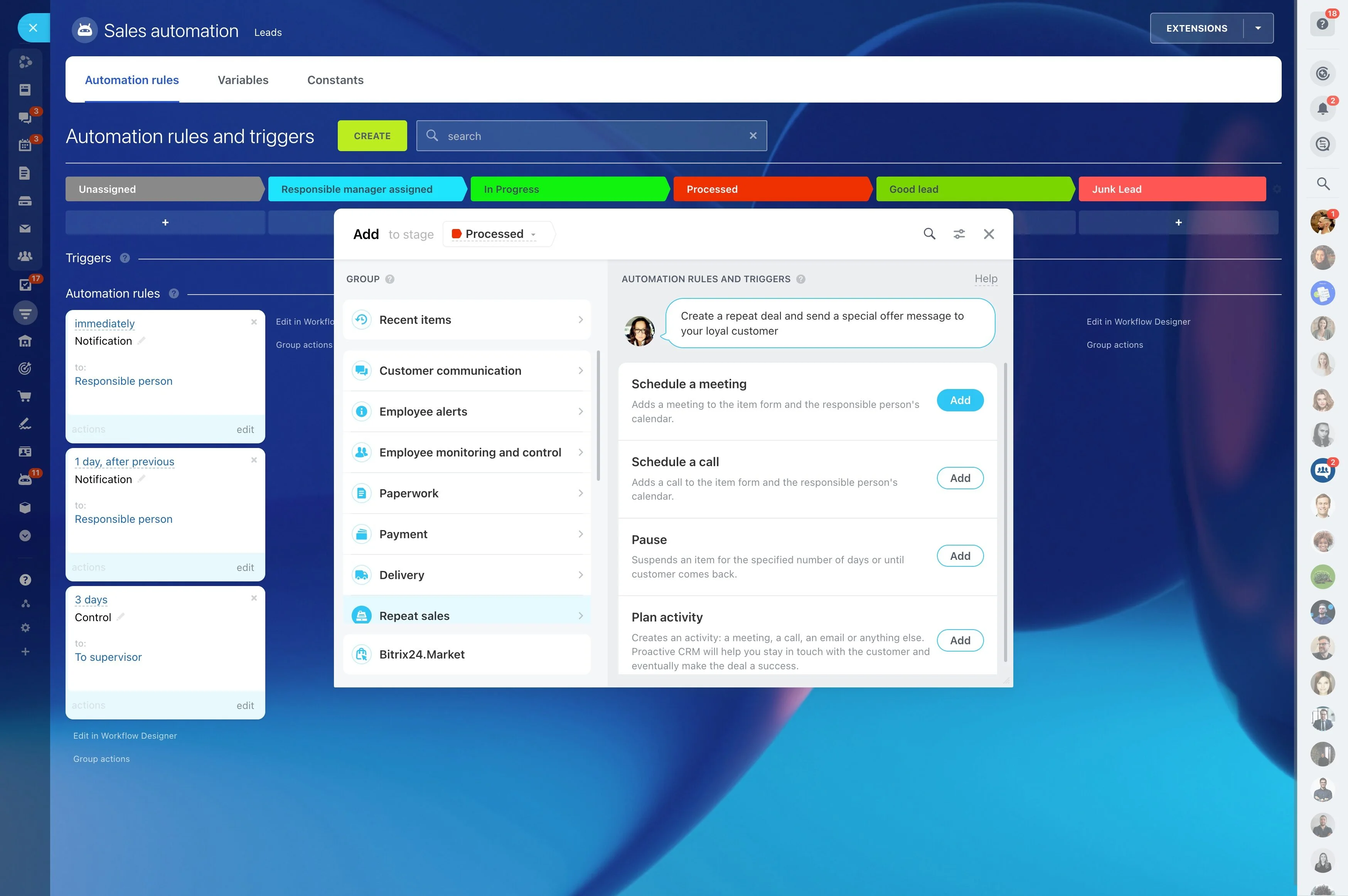
- A stage-by-stage canvas that matches your deal pipeline or lead funnel.
- A left panel with triggers, conditions, and actions organized by category (communication, tasks, CRM updates, approvals, webhooks).
- A right-side settings panel where you set timing, recipients, templates, and conditions for each step.
- On/off toggles per rule, per stage, and per pipeline to test safely and roll out changes gradually.
Never lose a lead: capture, qualify, and route automatically
Speed-to-lead decides winners.
After with Bitrix24 CRM workflow automation:
- Leads trickle in from forms, chat, phone, events, and imports — each to a different place.
- No single owner or SLA exists, so nobody follows up quickly.
- Duplicates inflate your reports and waste time chasing the same person twice.
- Managers discover unworked leads days later when the trail is cold.
Follow up faster with multi-step, multi-channel sequences
Deals rarely die because a prospect said no.
You build multi-step sequences that combine email, SMS, calls, and tasks — personalized with CRM data and adapted to buyer behavior.
- Inbound lead nurture: day 0 personal email with meeting link, day 1 SMS nudge during business hours, day 3 case study, day 5 create call task if no reply, day 7 escalate to manager…
- Post-meeting cadence: send recap and recording, schedule proposal review, trigger legal checklist, set a reminder to call two days before the deadline.
- No-show recovery: send reschedule link 15 minutes after missed meeting, add a light-touch SMS next business morning, pause if they pick a new slot.
- Stalled deal revival: when a deal sits idle for 7 days, notify owner and send a tailored nudge; at 14 days, escalate and branch into a re-engagement sequence.
Connect every channel and tool to one brain
Automation is only as strong as its connections.
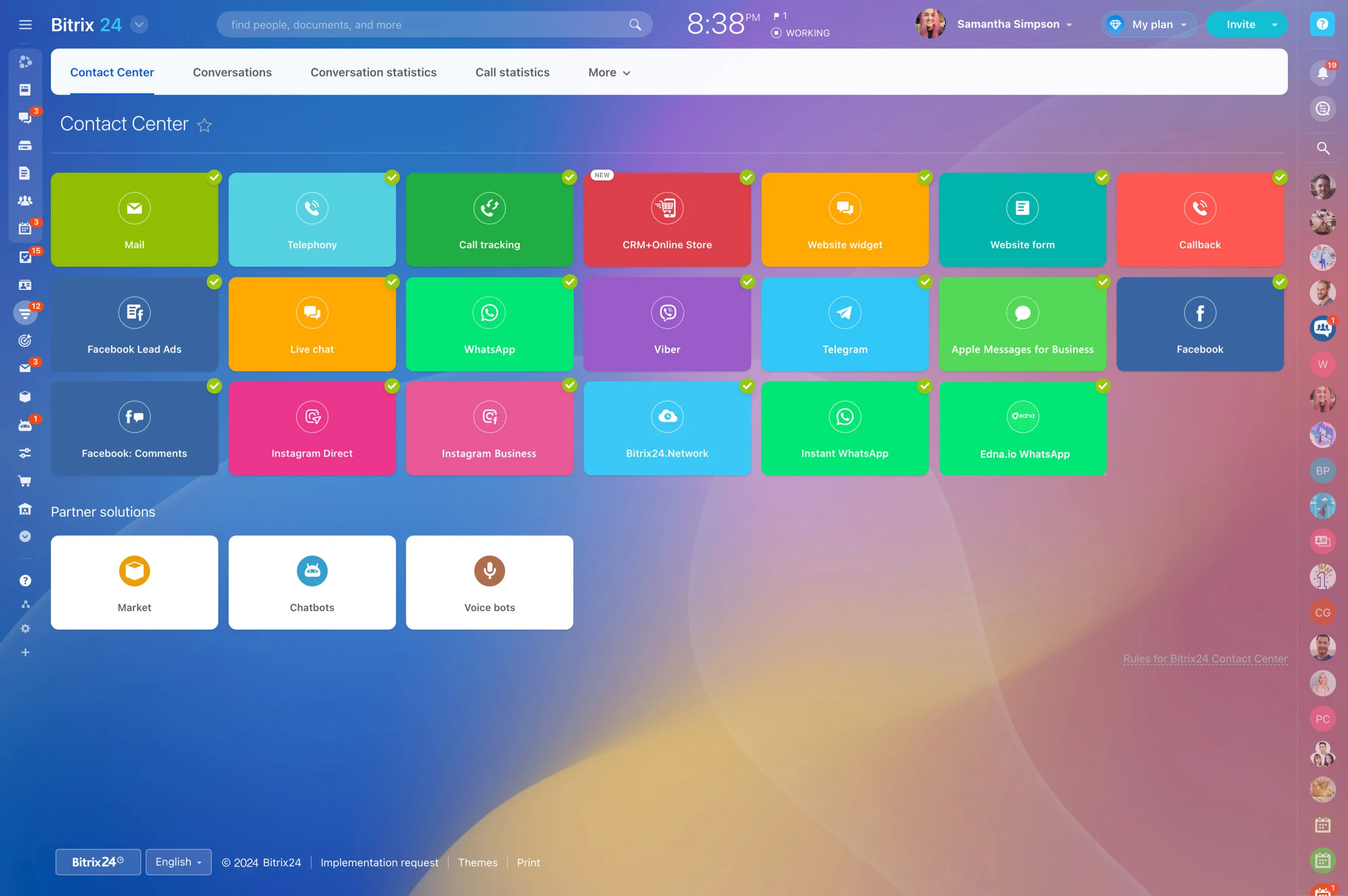
Typical connections that boost your flow:
- Email and calendars (Google, Microsoft) to log conversations, send templates, and schedule follow-ups directly from the CRM.
- Telephony and contact center to auto-create leads from inbound calls or chats, record call outcomes, and dial out with click-to-call.
- Web forms and landing pages to capture and enrich data, with hidden fields to track campaign and source.
- Messaging and SMS providers via open channels and marketplace apps to reach prospects where they reply fastest.
Measure, iterate, and scale your automation
Set it and forget it is not a strategy.
See the impact clearly:
- Monitor time-to-first-response, time-in-stage, stage conversion rates, and win rates before and after automation goes live.
- Attribute meetings, pipeline growth, and revenue to specific workflows, sequences, and even individual steps.
- Inspect the action log on any lead or deal to understand exactly what fired, in what order, and why.
- Branch and test variations of messages, delays, and task timing. If a 24-hour wait underperforms a 12-hour wait, switch it globally or just for one segment.